


Python library for controlling an Olleh TV set-top-boxes.
Installation
$ pip install ollehtv
If you also wish to run the development tests you will need to do
$ pip install -r requirements-dev.txt
Configuration
In order to control your STB you must also authenticate a remote using the Olleh playtv mobile app. Once you have authenticated the app, you will need to proxy an app API request to get the DEVICE_ID and SVC_PW values for your device.
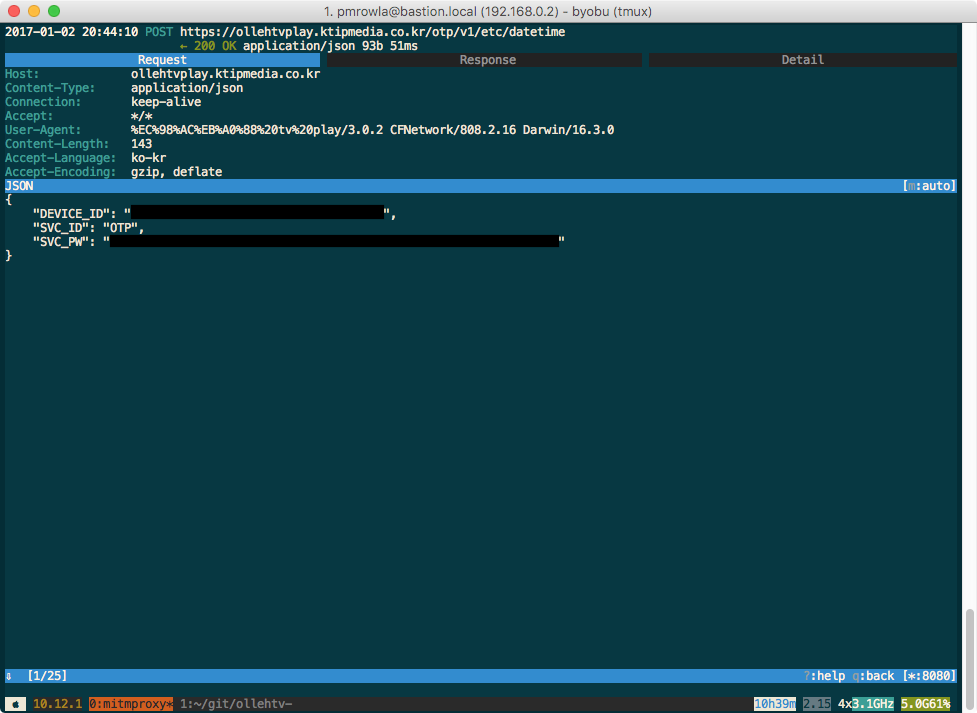
mitmproxy screenshot
Example
>>> import ollehtv
>>> device_id = "xxxxxxxx-xxxx-xxxx-xxxx-xxxxxxxxxxxx"
>>> svc_pw = "abcdef1234567890"
>>> otv = ollehtv.OllehTV(device_id, svc_pw)
>>> otv.turn_on()
>>> otv.unmute()
>>> otv.change_channel(5)
>>> otv.input_button(ollehtv.OllehTVButton.IJEON)
This example session turns on a STB, unmutes it, switches it to channel 5 and then switches it back to the previous channel.
1 maintainer

Metadata
1 maintainer
Release files for ollehtv 0.1.2
For a detailed explanation of source distributions (sdists) and built distributions (wheels), please see the package formats documentation.
Source distribution (sdist)
| File | Size | Uploaded | |
|---|---|---|---|
| ollehtv-0.1.2.tar.gz | 4.7 kB | Details |
Built distribution (wheel)
| File | Interpreter | ABI | Platform | Reset |
|---|---|---|---|---|
| ollehtv-0.1.2-py2.py3-none-any.whl | Python 3, Python 2 | none | any | Details |
Total release size: 11.2 kB
Release files / ollehtv-0.1.2.tar.gz
| Download URL | ollehtv-0.1.2.tar.gz |
|---|---|
| Size | 4.7 kB |
| Tags | Source |
|
SHA-256 checksum How to use checksums |
7c50923c3ebdd481e80de7bde6210a6ba0ab33a5a890383c2a0fc092f21fb37d
|
|
BLAKE2b-256 checksum How to use checksums |
b68f14d8df44e289cfbe7edcf4a056177bb83240972981dbcd1e70cbc6238d1c
|
| Upload date | |
|
Uploaded using Trusted Publishing? What is trusted publishing? |
No |
Release files / ollehtv-0.1.2-py2.py3-none-any.whl
| Download URL | ollehtv-0.1.2-py2.py3-none-any.whl |
|---|---|
| Size | 6.5 kB |
| Tags | Python 2 Python 3 |
|
SHA-256 checksum How to use checksums |
7b2b98ce1ba220c62972d04e197c86a06074ac86941fb61a5b618ef413fca890
|
|
BLAKE2b-256 checksum How to use checksums |
0780ab7c02a975324be3269372f746e087fc58225bada5c26b0a2bee40364b0d
|
| Upload date | |
|
Uploaded using Trusted Publishing? What is trusted publishing? |
No |














