



List, download and sync photos and videos from WiFi enabled Olympus cameras.
All functionality has been verified to work with the following digital cameras:
Olympus E-M10
However, cameras that use the same media sharing mechanism should work just as well. With that mentioned, the list of cameras that probably work is:
Olympus E-M1
Olympus E-M5
Olympus TG-860
Olympus TG-5
Installation
The latest stable version of olympus-photosync can be installed from pypi:
$ pip install olympus-photosyncUsage
Usage: olympus-photosync [options] <get|list|sync> ...

List, download and sync photos and videos from WiFi enabled Olympus cameras.

Commands:
  get                     download files from camera
  list                    list media on camera
  sync                    pull missing files from camera

General options:
  -h, --help              show this help message and exit
  -v, --version           show version number and exit
  -r, --parsable          no progress bars and no human readable dates and sizes

Camera server options:
  -a, --addr ip|hostname  address of camera server (default: 192.168.0.10)
  -p, --port port         camera server port number (default: 80)
  -b, --baseurl path      url under which media is located (default: /DCIM/100OLYMP)
  -t, --timeout seconds   connection timeout (default: 60)

Download options:
  -d, --destdir           destination directory (default: ./)
  name [name ...]         media files to download (example: PA290940.JPG)

Synchronization options:
  -n, --dryrun            show files that will be synced and exit
  destdir                 directory which to download media files

Filter options:
  --older timefmt|name    select files older than timestamp or filename
  --newer timefmt|name    select files newer than timestamp or filename
  --on timefmt            select media from a specific day

Examples:
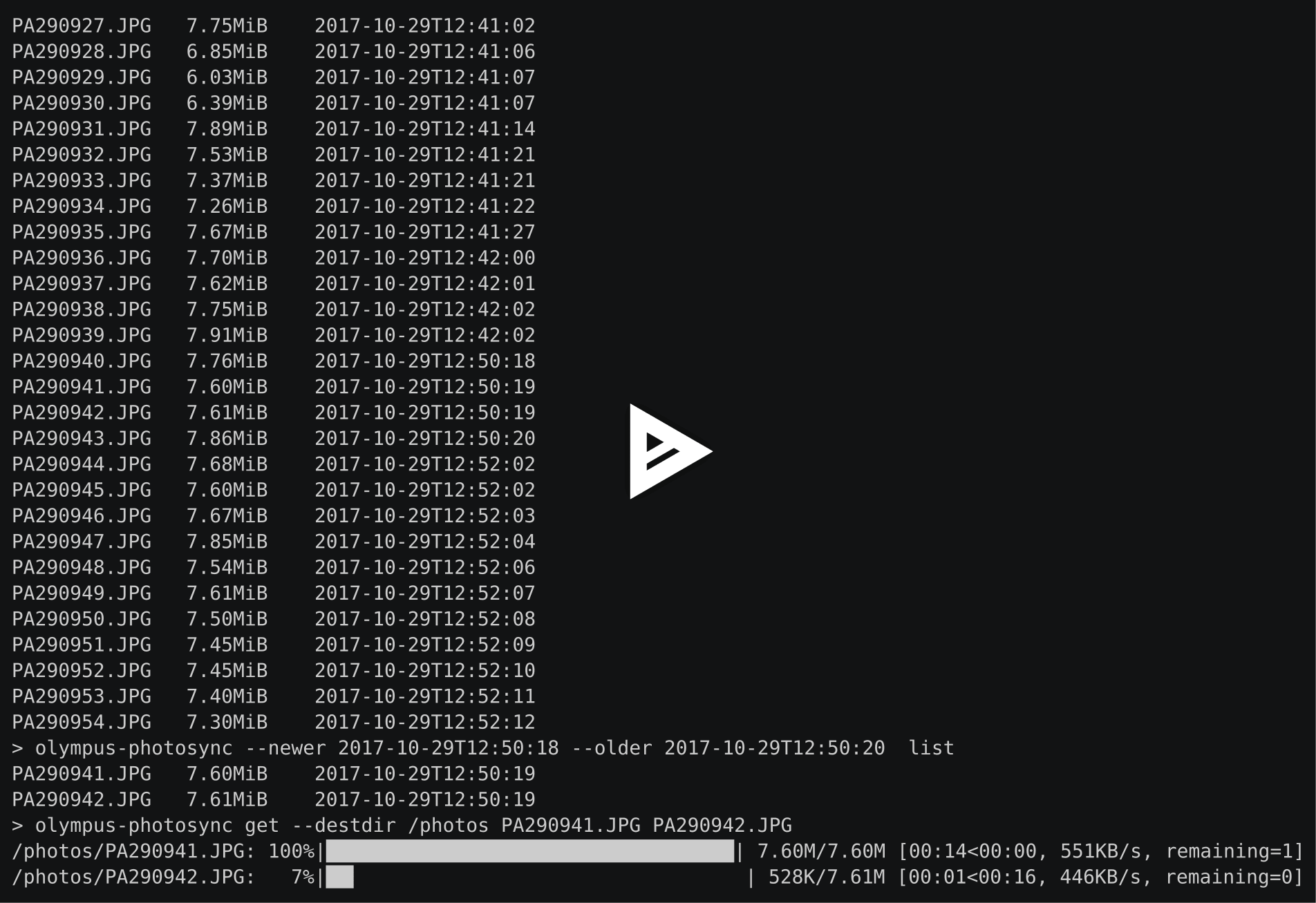
  olympus-photosync list --newer 2017-09-17T16:21:00 --older 2017-09-20
  olympus-photosync list --newer 10d --older 12h
  olympus-photosync list --newer PA290930.JPG --older PB070950.JPG
  olympus-photosync list --on today
  olympus-photosync get -d ~/photos P8060697.JPG P7250454.MOV
  olympus-photosync get -d ~/photos "*.jpg"
  olympus-photosync sync ~/photos
A cross-platform GUI is provided by the olympus-photosync-gui program. At the moment it can be used to list and download files from supported devices.

Todo
Test on more cameras.
Test on Windows.
The GUI needs more work (e.g. add thumbnails, improve usability).
Provide a standalone binary for Windows using PyInstaller.
Alternatives
olympus-photosync: A well-tested command-line application written in Scala.
License
Released under the terms of the Revised BSD License.
1 maintainer

Release files for olympus-photosync 1.4.0
For a detailed explanation of source distributions (sdists) and built distributions (wheels), please see the package formats documentation.
Source distribution (sdist)
| File | Size | Uploaded | |
|---|---|---|---|
| olympus-photosync-1.4.0.tar.gz | 10.6 kB | Details |
Built distribution (wheel)
| File | Interpreter | ABI | Platform | Reset |
|---|---|---|---|---|
| olympus_photosync-1.4.0-py3-none-any.whl | Python 3 | none | any | Details |
Total release size: 22.0 kB
Release files / olympus-photosync-1.4.0.tar.gz
| Download URL | olympus-photosync-1.4.0.tar.gz |
|---|---|
| Size | 10.6 kB |
| Tags | Source |
|
SHA-256 checksum How to use checksums |
25d14687ba6a98241dc007ed7c95a621776aa72019e24fc04fffcc633176d4a2
|
|
BLAKE2b-256 checksum How to use checksums |
7a14b477edc3859b6347674382c657c5af0d2e27fcdfd91331c9600eadd118f6
|
| Upload date | |
|
Uploaded using Trusted Publishing? What is trusted publishing? |
No |
| Uploaded via |
twine/5.0.0 CPython/3.12.1
|
Release files / olympus_photosync-1.4.0-py3-none-any.whl
| Download URL | olympus_photosync-1.4.0-py3-none-any.whl |
|---|---|
| Size | 11.4 kB |
| Tags | Python 3 |
|
SHA-256 checksum How to use checksums |
2aba3bfa666a5dcf61b1163550eeed6d42eba608e892a09e165c17ce11d53392
|
|
BLAKE2b-256 checksum How to use checksums |
c26225b7f2446c589e56e78e3a4f03bf7fe2eee45c9d79f15b3ab175bc675c21
|
| Upload date | |
|
Uploaded using Trusted Publishing? What is trusted publishing? |
No |
| Uploaded via |
twine/5.0.0 CPython/3.12.1
|














