








Need a quick overview? Try the OpenWISP Demo.
OpenWISP Monitoring is a network monitoring system written in Python and Django, designed to be extensible, programmable, scalable and easy to use by end users: once the system is configured, monitoring checks, alerts and metric collection happens automatically.
OpenWISP is not only an application designed for end users, but can also be used as a framework on which custom network automation solutions can be built on top of its building blocks.
Other popular building blocks that are part of the OpenWISP ecosystem are:
openwisp-controller: network and WiFi controller: provisioning, configuration management, x509 PKI management and more; works on OpenWrt, but designed to work also on other systems.
openwisp-network-topology: provides way to collect and visualize network topology data from dynamic mesh routing daemons or other network software (e.g.: OpenVPN); it can be used in conjunction with openwisp-monitoring to get a better idea of the state of the network
openwisp-firmware-upgrader: automated firmware upgrades (single device or mass network upgrades)
openwisp-radius: based on FreeRADIUS, allows to implement network access authentication systems like 802.1x WPA2 Enterprise, captive portal authentication, Hotspot 2.0 (802.11u)
openwisp-ipam: it allows to manage the IP address space of networks
For a more complete overview of the OpenWISP modules and architecture, see the OpenWISP Architecture Overview.
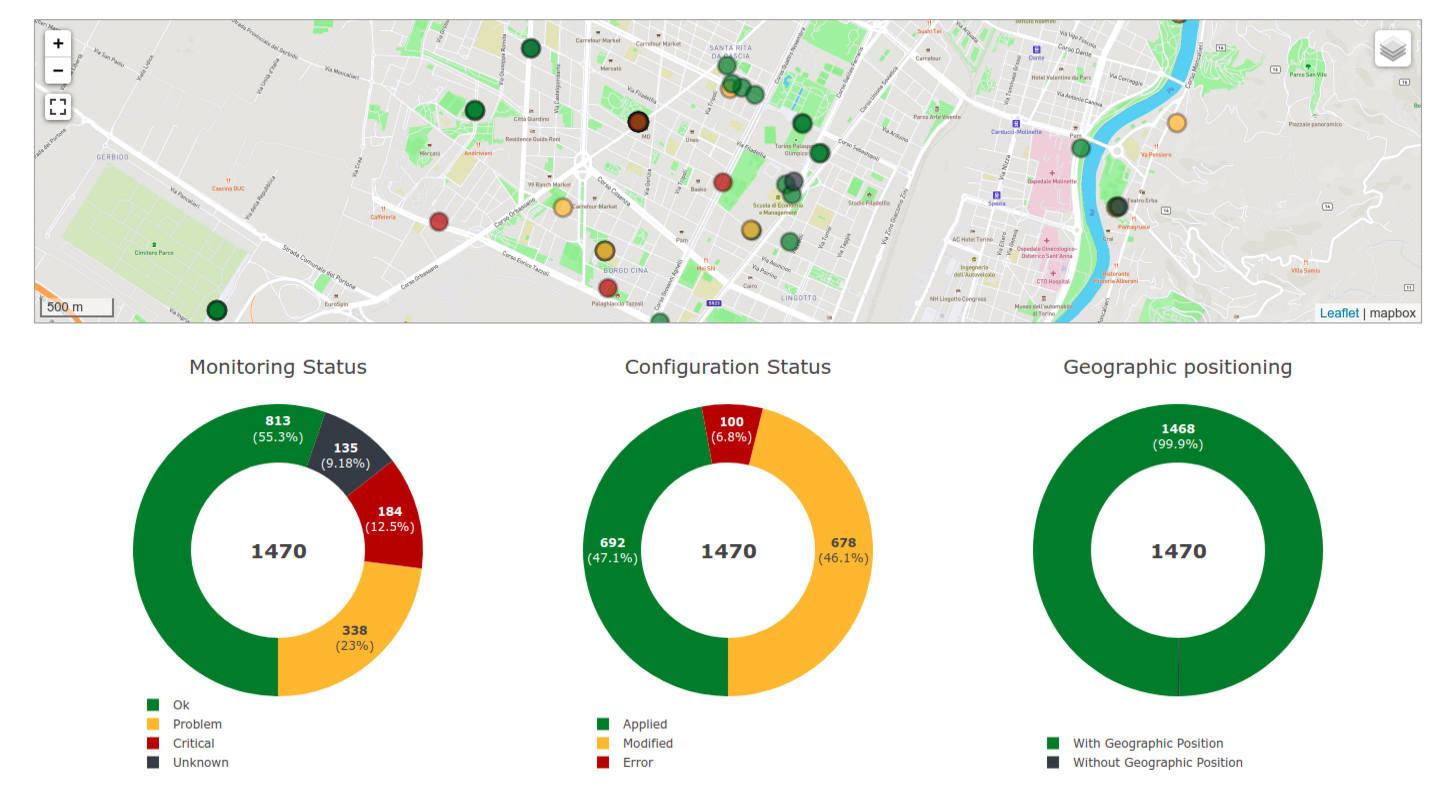
For a complete overview of features, refer to the Monitoring: Features section of the OpenWISP documentation.
Documentation
Contributing
Please refer to the OpenWISP contributing guidelines.
1 maintainer

Metadata
1 maintainer
Release files for openwisp-monitoring 1.3
For a detailed explanation of source distributions (sdists) and built distributions (wheels), please see the package formats documentation.
Source distribution (sdist)
| File | Size | Uploaded | |
|---|---|---|---|
| openwisp_monitoring-1.3.tar.gz | 997.7 kB | Details |
Built distribution (wheel)
| File | Interpreter | ABI | Platform | Reset |
|---|---|---|---|---|
| openwisp_monitoring-1.3-py2.py3-none-any.whl | Python 3, Python 2 | none | any | Details |
Total release size: 2.0 MB
Release files / openwisp_monitoring-1.3.tar.gz
| Download URL | openwisp_monitoring-1.3.tar.gz |
|---|---|
| Size | 997.7 kB |
| Tags | Source |
|
SHA-256 checksum How to use checksums |
fd61c2d24b4f82c4ff45a71744148efa3a9750a16af5bd47fb492813260a8faa
|
|
BLAKE2b-256 checksum How to use checksums |
ff8bd9797248016e0242d568cd58de6b1acd9a8d6a29634a87b05bb8b6baab3c
|
| Upload date | |
|
Uploaded using Trusted Publishing? What is trusted publishing? |
Yes |
| Uploaded via |
twine/7.0.0 CPython/3.13.14
|
Provenance
Provenance describes where a file came from. On PyPI, provenance is shared via attestations, which provide a verifiable record of the build or publishing details. View details, limitations and caveats.


PyPI Publish Attestation
PyPI verified that this artifact, at this checksum, originated from the publisher listed below.
Signed by GitHub Actions, verified by PyPI on Sep 4, 2026.
Transparency logRelease files / openwisp_monitoring-1.3-py2.py3-none-any.whl
| Download URL | openwisp_monitoring-1.3-py2.py3-none-any.whl |
|---|---|
| Size | 1.1 MB |
| Tags | Python 2 Python 3 |
|
SHA-256 checksum How to use checksums |
26efb10af893578d4d5f1a9834610607bebb62f665dc90d0695a6c6324c48fbd
|
|
BLAKE2b-256 checksum How to use checksums |
4d62d05fc71bcd3820029d3cce870aad23a9e52c0dc8be72cd81274c3ba34645
|
| Upload date | |
|
Uploaded using Trusted Publishing? What is trusted publishing? |
Yes |
| Uploaded via |
twine/7.0.0 CPython/3.13.14
|
Provenance
Provenance describes where a file came from. On PyPI, provenance is shared via attestations, which provide a verifiable record of the build or publishing details. View details, limitations and caveats.
PyPI Publish Attestation
PyPI verified that this artifact, at this checksum, originated from the publisher listed below.
Signed by GitHub Actions, verified by PyPI on Sep 4, 2026.
Transparency log













