
osmosis-streaming-driver
💧 Osmosis Streaming Driver Implementation oceanprotocol.com

Table of Contents
- Overview
- Setup with Barge (Recommended)
- Standalone Install (Alternative)
- Code Style
- Testing
- Integration
- New Version
- License
Overview
This Osmosis Driver demonstrates how to expand Brizo, and go beyond static data files. It enables it to download live data from Websocket streams. It achieves this through a proxy server, which is responsible for issuing access tokens.
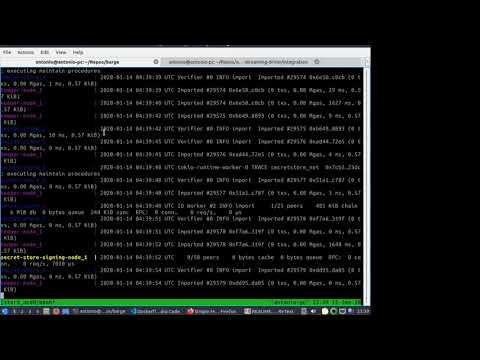
Introduction Video:
Setup
These steps show how to get this driver up and running with Barge.
Due to a technical limitation, this driver does not currently work with the standard osmosis-driver-interface. It relies on a forked version. This repo includes a script to extend the Brizo container with the custom interface and patch Barge (i.e. patch_barge.sh ).
We also piggyback on Brizo's container, and start our proxy server alongside the Brizo service. By default we expose port 3580 for the proxy.
Proxy Server Settings
If you open ./Dockerfile, you will see a section containing the Proxy Server configuration. It resembles some of the settings used by the Provider-py service.
You may need to customize some of the following settings:
#ENV PROXY_SERVER_HOSTNAME='myproxyhost.com'
#ENV PROXY_SERVER_TOKEN_EXPIRATION_MIN=2
PROXY_SERVER_HOSTNAME is used for generating signed URLs. Let us assume you have a WebSocket stream pointing to
wss://websocket-api-host.com/stream-1
The proxy will generate a signed URL in the format
http://<HOST>:<PORT>/proxy?token=1234f654
By default, PORT is 3580 and HOST is the eth0 IP address. For our purposes, this is most likely the IP of the Provider Docker container. This IP may not be directly available to external consumers. You can use this property to override HOST when generating the signed URL.
PROXY_SERVER_TOKEN_EXPIRATION_MIN is also involved in the process of generating signed URLs. It determines how long should a token be valid. By default this value is 2 minutes.
Other settings, related to timeout, default port and number of workers, may also be overriden. However, it is recommended that you leave them at their default values
Install
Unless you want to compile from source, you can just use Pip
pip3 install osmosis-streaming-driver
You also need to configure the Osmosis interface to start using by creating a configuration file, for example ~/.osmosis.json. Paste the following content inside the file:
{
    "wss://": "streaming"
}
And append the following line to your environment setup file (e.g. ~/.bashrc):
export OSMOSIS_PLUGIN_MAP="$HOME/.osmosis.json"
Once you reload your terminal, you can instantiate it such as:
from osmosis_driver_interface.osmosis import Osmosis
url = "wss://stream.binance.com:9443/ws/bnbbtc@depth"
osm = Osmosis(url)  # the proper osmosis driver is loaded automatically to match the url

# Resolve the url
download_url = osm.data_plugin.generate_url(url)
Code Style
Information about our Python code style is documented in the python-developer-guide and the python-style-guide.
Testing
Automatic tests are setup via Travis, executing tox.
Our tests use the pytest framework.
Integration
This driver interface also includes integration tests, based on the squid-js setup.
Please refer to the Integration README for instructions on how to run this test and requirements.
New Version
The bumpversion.sh script helps to bump the project version. You can execute the script using as first argument {major|minor|patch} to bump accordingly the version.
License
Licensed under the Apache License, Version 2.0 (the "License");
you may not use this file except in compliance with the License.
You may obtain a copy of the License at

   http://www.apache.org/licenses/LICENSE-2.0

Unless required by applicable law or agreed to in writing, software
distributed under the License is distributed on an "AS IS" BASIS,
WITHOUT WARRANTIES OR CONDITIONS OF ANY KIND, either express or implied.
See the License for the specific language governing permissions and
limitations under the License.
1 maintainer

Release files for osmosis-streaming-driver 0.0.7
For a detailed explanation of source distributions (sdists) and built distributions (wheels), please see the package formats documentation.
Source distribution (sdist)
| File | Size | Uploaded | |
|---|---|---|---|
| osmosis-streaming-driver-0.0.7.tar.gz | 12.8 kB | Details |
Release files / osmosis-streaming-driver-0.0.7.tar.gz
| Download URL | osmosis-streaming-driver-0.0.7.tar.gz |
|---|---|
| Size | 12.8 kB |
| Tags | Source |
|
SHA-256 checksum How to use checksums |
675364e038479f1bc08408ba58bf05299f9a3398077501a2ca21395474b6f2af
|
|
BLAKE2b-256 checksum How to use checksums |
25122628949c76939cd166c6c45c26a15665bfe18d22b434198452a46da6f067
|
| Upload date | |
|
Uploaded using Trusted Publishing? What is trusted publishing? |
No |
| Uploaded via |
twine/3.1.1 pkginfo/1.5.0.1 requests/2.24.0 setuptools/41.1.0 requests-toolbelt/0.9.1 tqdm/4.40.2 CPython/3.7.5
|














