
Passme: Password management with command line
Passme is a password management tool for the command line. It helps you generate strong, unique passwords for many sites without storing the passwords themselves.


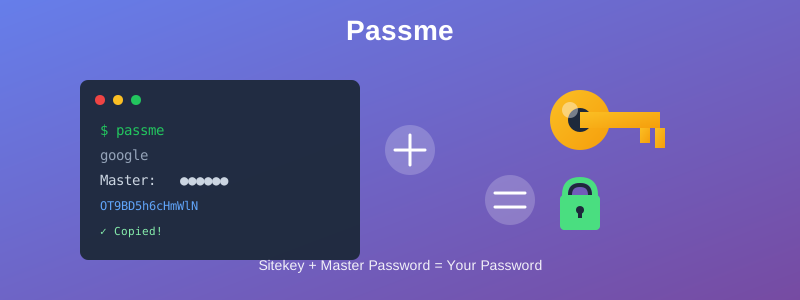
Instead of an encrypted vault, Passme generates passwords deterministically every time using a site-specific seed (sitekey) stored in a configuration file and a master password that only you know.
Sitekey + Master password = Password
Key Features
- Stateless: Passwords are calculated on the fly. If you have your sitekey file and your master password, you can generate your passwords anywhere.
- Secure: Offline brute-force attacks are difficult because the attacker cannot verify a guessed password without trying it on the actual login page (unless they already know one of your passwords).
- Flexible: You can customize the length, character set (alphanumeric, symbols, etc.), and hashing algorithm for each site.
- Portable: Includes a feature to generate a standalone HTML/Javascript file, allowing you to generate passwords on mobile devices without Python.
- No Vendor Lock-in: Uses standard, open algorithms. Even if this software is discontinued, you can recover your passwords using the known calculation logic.
Installation
Passme requires Python 3.
pip install passme
Quick Start
1. Initialization
Run passme to set up your sitekey file location.
> passme
Filename to save site keys: /path/to/your/sitekeys.txt
2. Add a Site
Create a new entry for a service (e.g., Google). You can define the character set and length.
> passme add
Site name: google
Character (an):
Password length (14):
...
3. Generate a Password
To retrieve the password, simply type passme followed by the site name.
> passme google
Master password: [Input your master password]
(Generated password is copied to clipboard)
Security Warning
- Do not forget your master password.
- Do not lose your sitekey file.
Since Passme does not store your passwords, there is no "Forgot Password" recovery mechanism. Losing either your master password or the sitekey file means losing access to all your generated accounts. It is highly recommended to manage your sitekey file in a private git repository.
Documentation
For detailed usage, configuration options, mobile usage (Javascript version), and security details, please refer to the documentation:
https://sekika.github.io/passme/
History
Since its public release in 2017, the author has migrated from existing password management systems to Passme and has been using it securely through 2025. Currently, over 100 site passwords are managed using this tool.
License
This software is released under the MIT License.
Author: Katsutoshi Seki
1 maintainer

Release files for passme 1.2.4
For a detailed explanation of source distributions (sdists) and built distributions (wheels), please see the package formats documentation.
Source distribution (sdist)
| File | Size | Uploaded | |
|---|---|---|---|
| passme-1.2.4.tar.gz | 1.1 MB | Details |
Built distribution (wheel)
| File | Interpreter | ABI | Platform | Reset |
|---|---|---|---|---|
| passme-1.2.4-py3-none-any.whl | Python 3 | none | any | Details |
Total release size: 1.2 MB
Release files / passme-1.2.4.tar.gz
| Download URL | passme-1.2.4.tar.gz |
|---|---|
| Size | 1.1 MB |
| Tags | Source |
|
SHA-256 checksum How to use checksums |
9adecef6cc4490e77eb503663c28132619b710c4570c792b98cbcb38a3880efc
|
|
BLAKE2b-256 checksum How to use checksums |
1eb9cb7ba08bc448ef4afdc15ae9bd0e9c5f490aa2f4806d906812feb4be29e3
|
| Upload date | |
|
Uploaded using Trusted Publishing? What is trusted publishing? |
No |
| Uploaded via |
twine/6.2.0 CPython/3.14.0
|
Release files / passme-1.2.4-py3-none-any.whl
| Download URL | passme-1.2.4-py3-none-any.whl |
|---|---|
| Size | 10.5 kB |
| Tags | Python 3 |
|
SHA-256 checksum How to use checksums |
f02b85e9a6a2f55e6471da663b86ab98249abfe76adfcb24e8af389e158fb104
|
|
BLAKE2b-256 checksum How to use checksums |
dc36ebeb48bbdb2cb73ebcf6561262bde0aca73ea40e17f88aa16c05ebc765d7
|
| Upload date | |
|
Uploaded using Trusted Publishing? What is trusted publishing? |
No |
| Uploaded via |
twine/6.2.0 CPython/3.14.0
|














