
pdbp (Pdb+) 
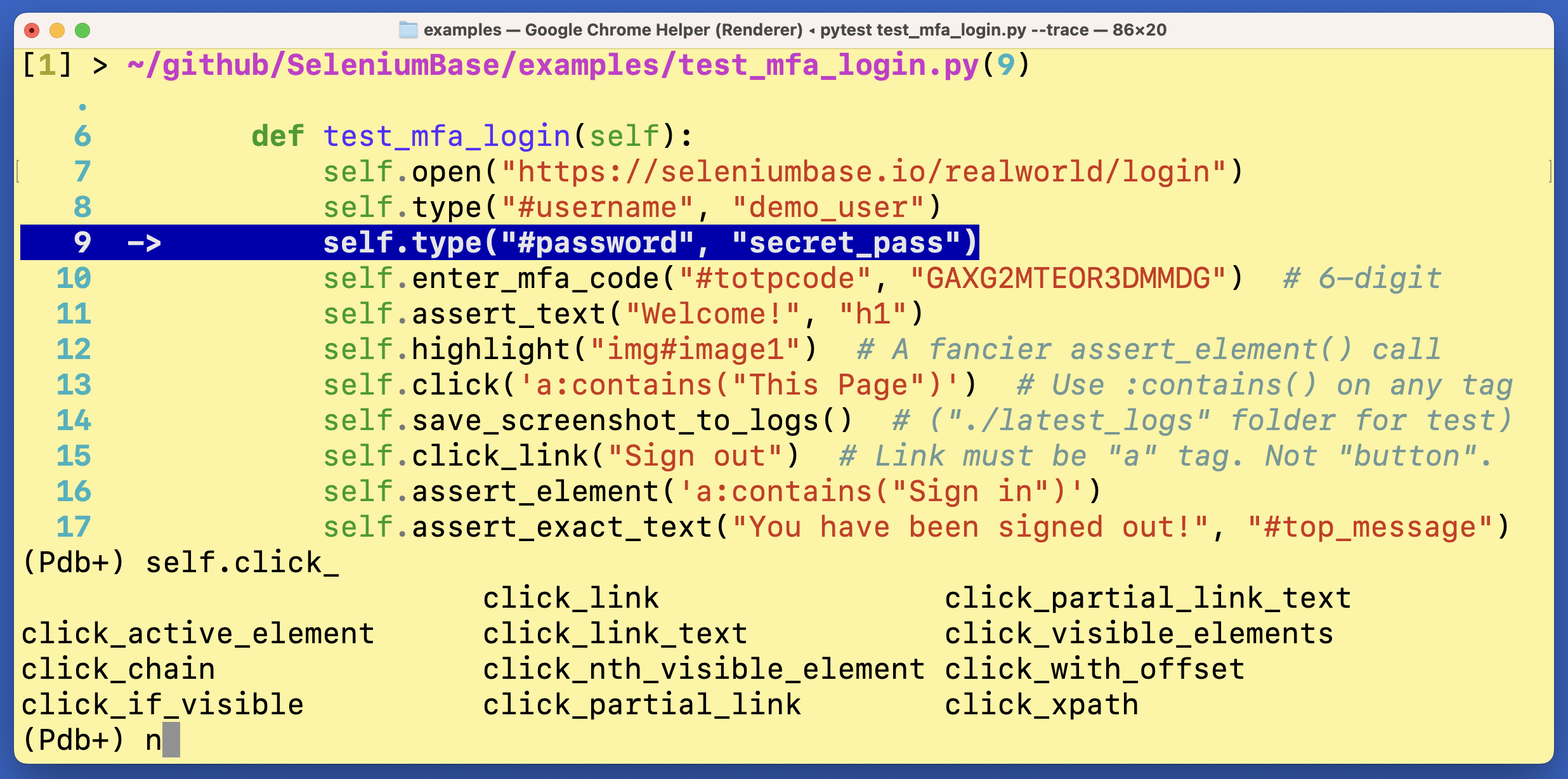
pdbp (Pdb+) is an advanced console debugger for Python. It can be used as a drop-in replacement for pdb and pdbpp.
pdbp (Pdb+) makes Python debugging a lot easier (and more fun!)
Installation:
pip install pdbp
Then add import pdbp to an __init__.py of your project, which will automatically make Pdb+ the default debugger at breakpoints:
import pdbp
(If using flake8 for code-linting, you may want to add # noqa to that line):
import pdbp # noqa
You can also make pdbp the default debugger by setting an environmental variable:
PYTHONBREAKPOINT=pdbp.set_trace
Usage:
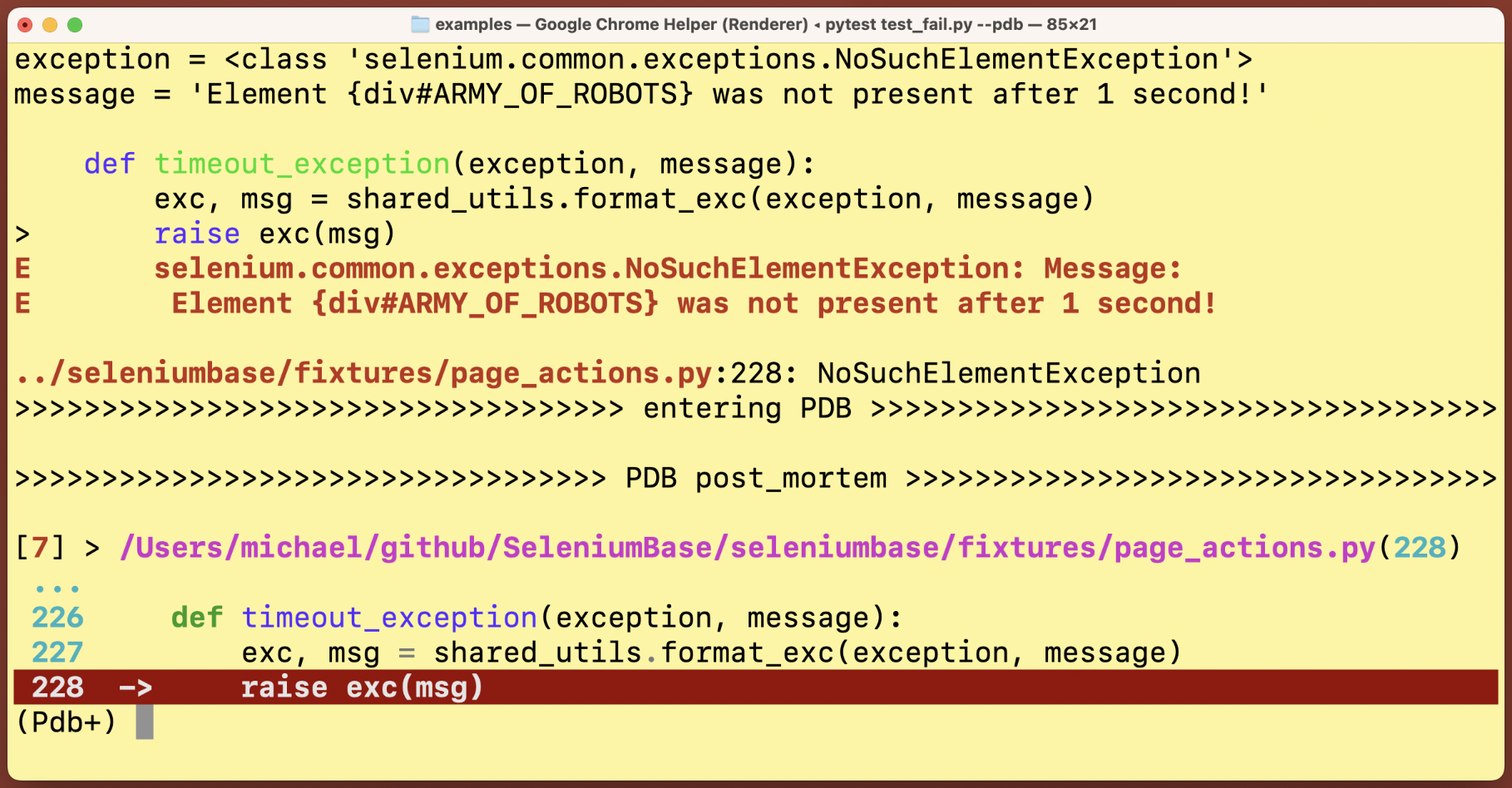
To trigger a breakpoint in your code with pytest, add --trace (to start tests with a breakpoint) or --pdb (to trigger a breakpoint if a test fails).
To trigger a breakpoint from a pure python run, use:
python -m pdbp <script.py>
Basic Pdb+ console commands:
n, c, s, u, d => next, continue, step, up, down
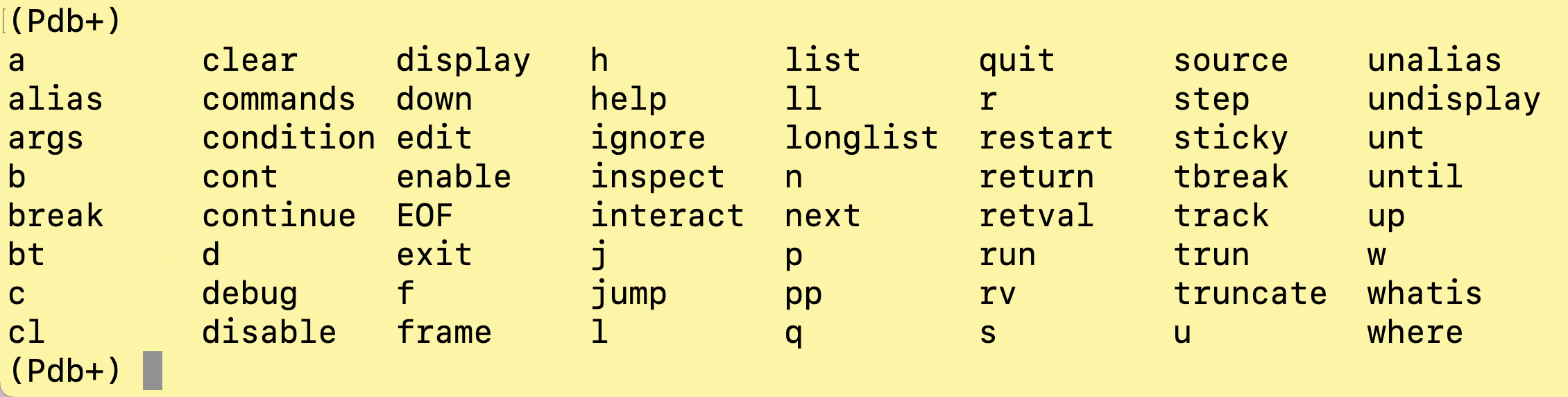
(To learn more Pdb+ console commands, type help in the Pdb+ console and press Enter/Return.)
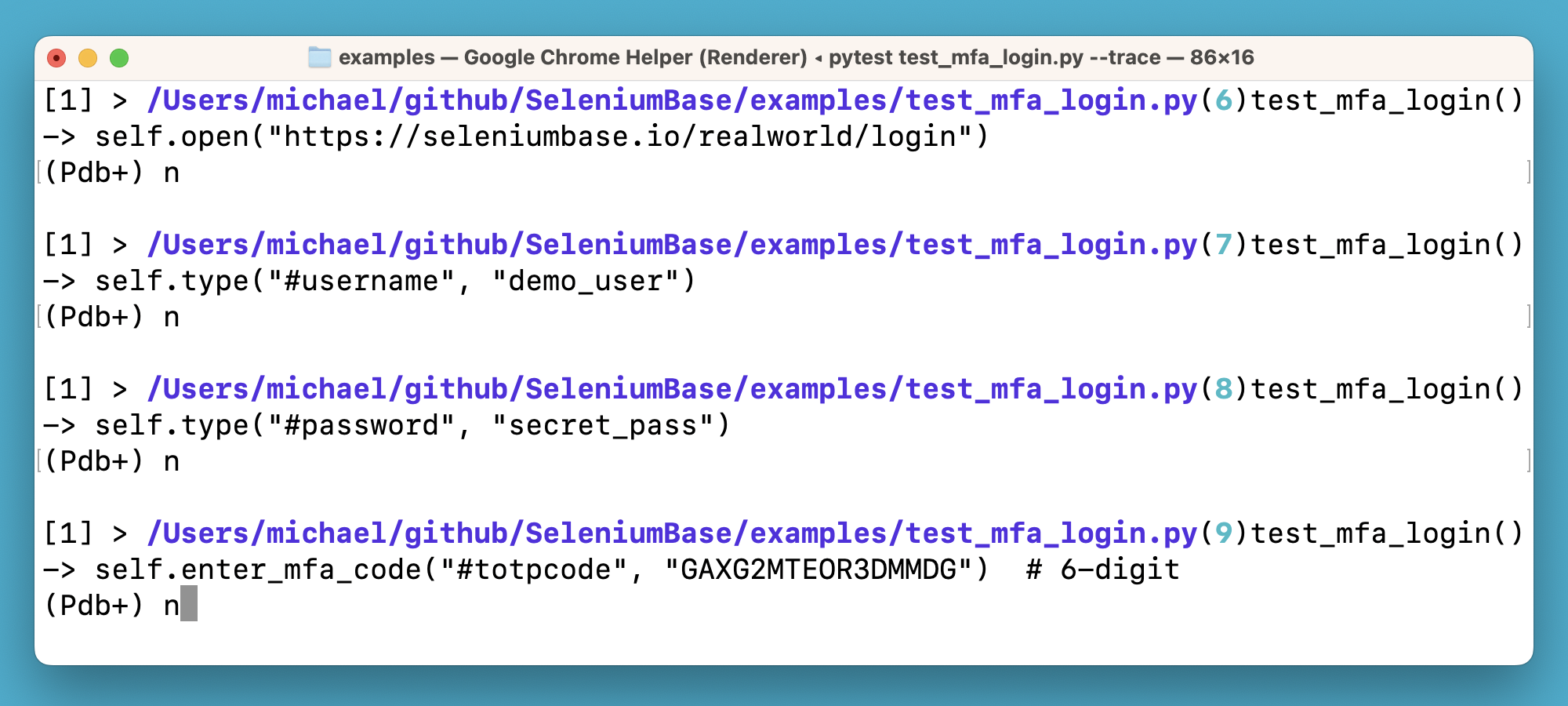
pdbp (Pdb+) makes improvements to pdbpp so that it works in all environments. It also includes other bug-fixes. "Sticky" mode is the default option, which shows multiple lines of code while letting you see where you're going (while typing n + Enter).
If you somehow reset pdb to Python's built-in version, you can always replace pdb with pdbp again as the default debugger by running this:
import pdb
import pdbp
for key in pdbp.__dict__.keys():
    pdb.__dict__[key] = pdbp.__dict__[key]
Here's how to customize pdbp/pdb options if you don't like the default settings: (Shown below are the default settings.)
import pdb
if hasattr(pdb, "DefaultConfig"):
    pdb.DefaultConfig.filename_color = pdb.Color.fuchsia
    pdb.DefaultConfig.line_number_color = pdb.Color.turquoise
    pdb.DefaultConfig.truncate_long_lines = False
    pdb.DefaultConfig.sticky_by_default = True
You can also trigger Pdb+ activation like this:
import pdbp
pdbp.set_trace()
pdbp (Pdb+) commands:
Post Mortem Debug Mode:
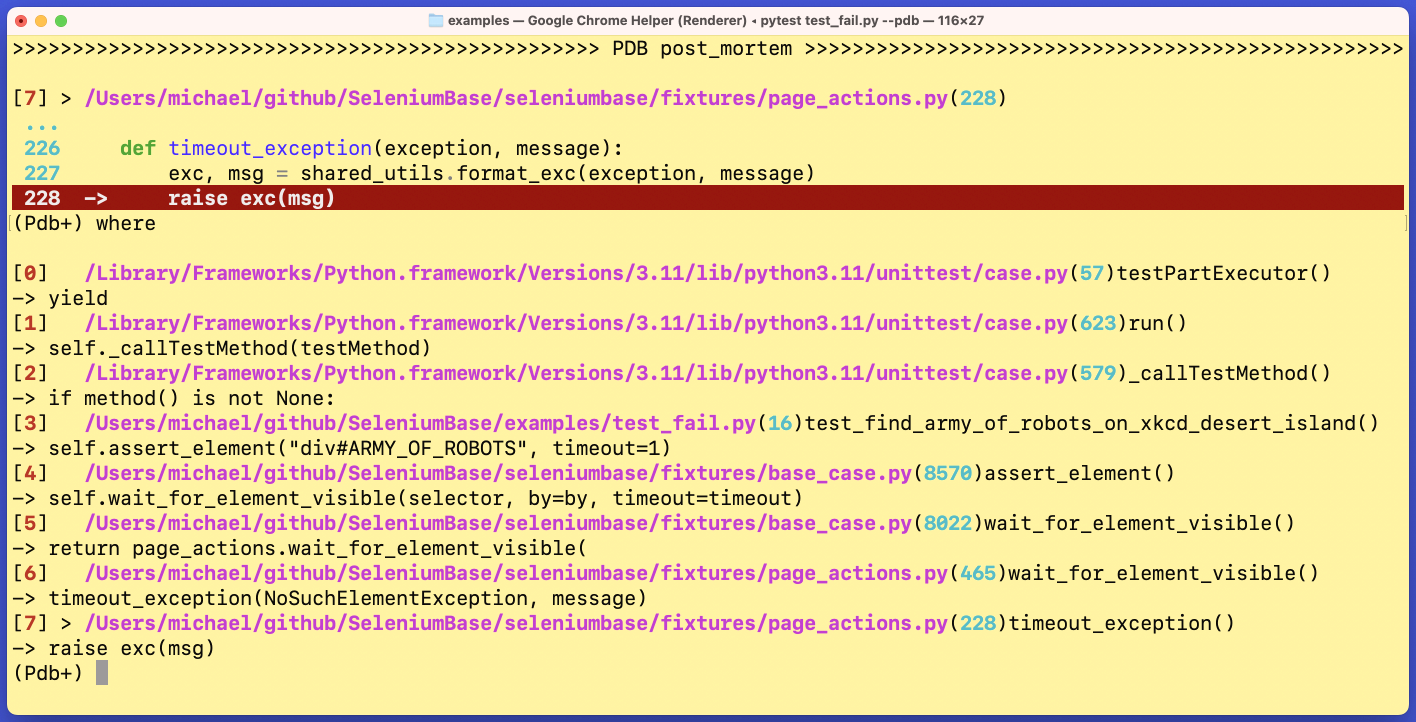
The where / w command, which displays the current stack:
Sticky Mode vs Non-Sticky Mode:
The default mode (sticky) lets you see a lot more lines of code from the debugger when active. In Non-Sticky mode, only one line of code is shown at a time. You can switch between the two modes by typing sticky in the Pdb+ console prompt and pressing Enter/Return.
Sticky Mode:

Non-Sticky Mode:
Tab completion:

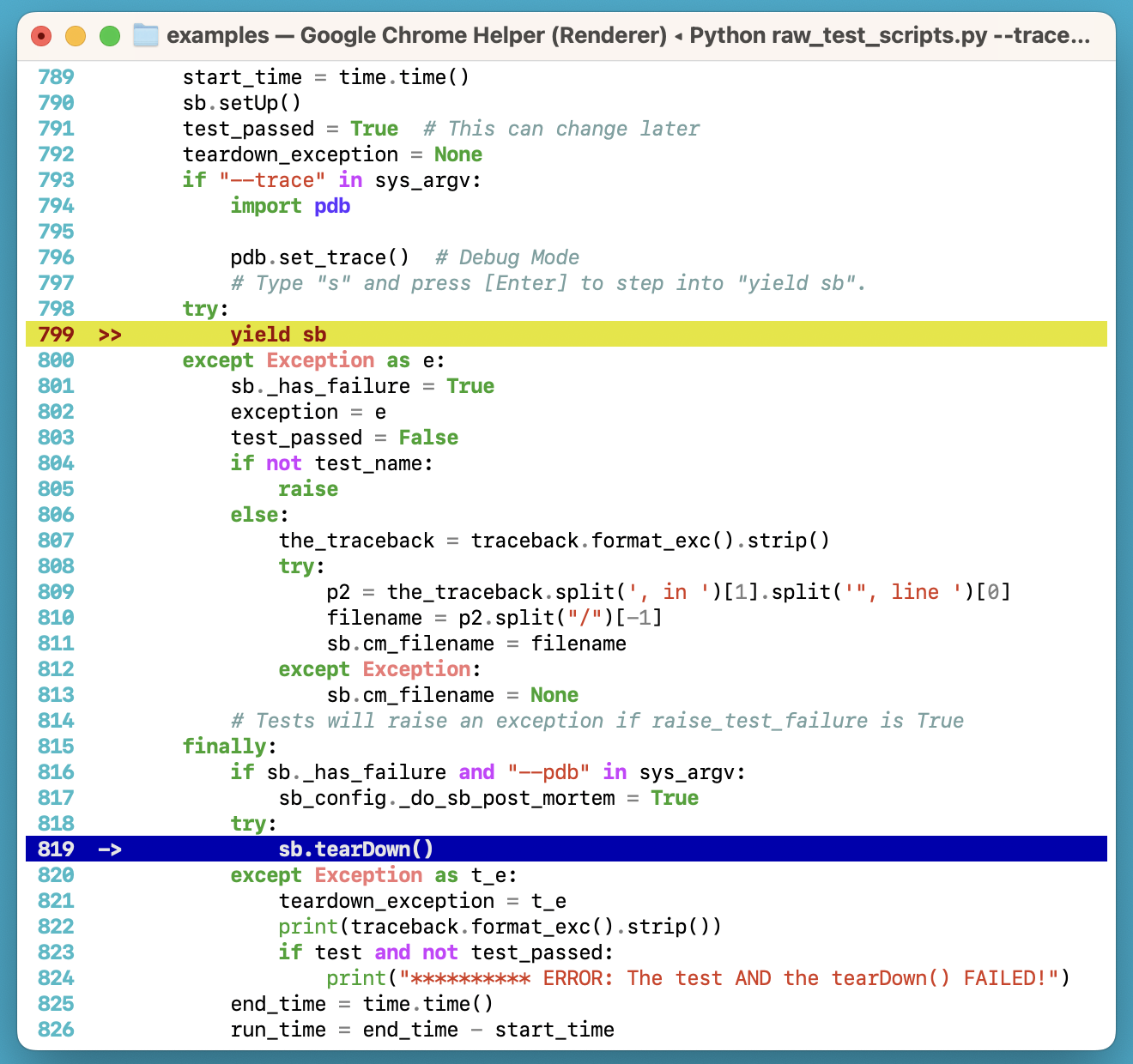
Multi-layer highlighting in the same stack:
More examples:
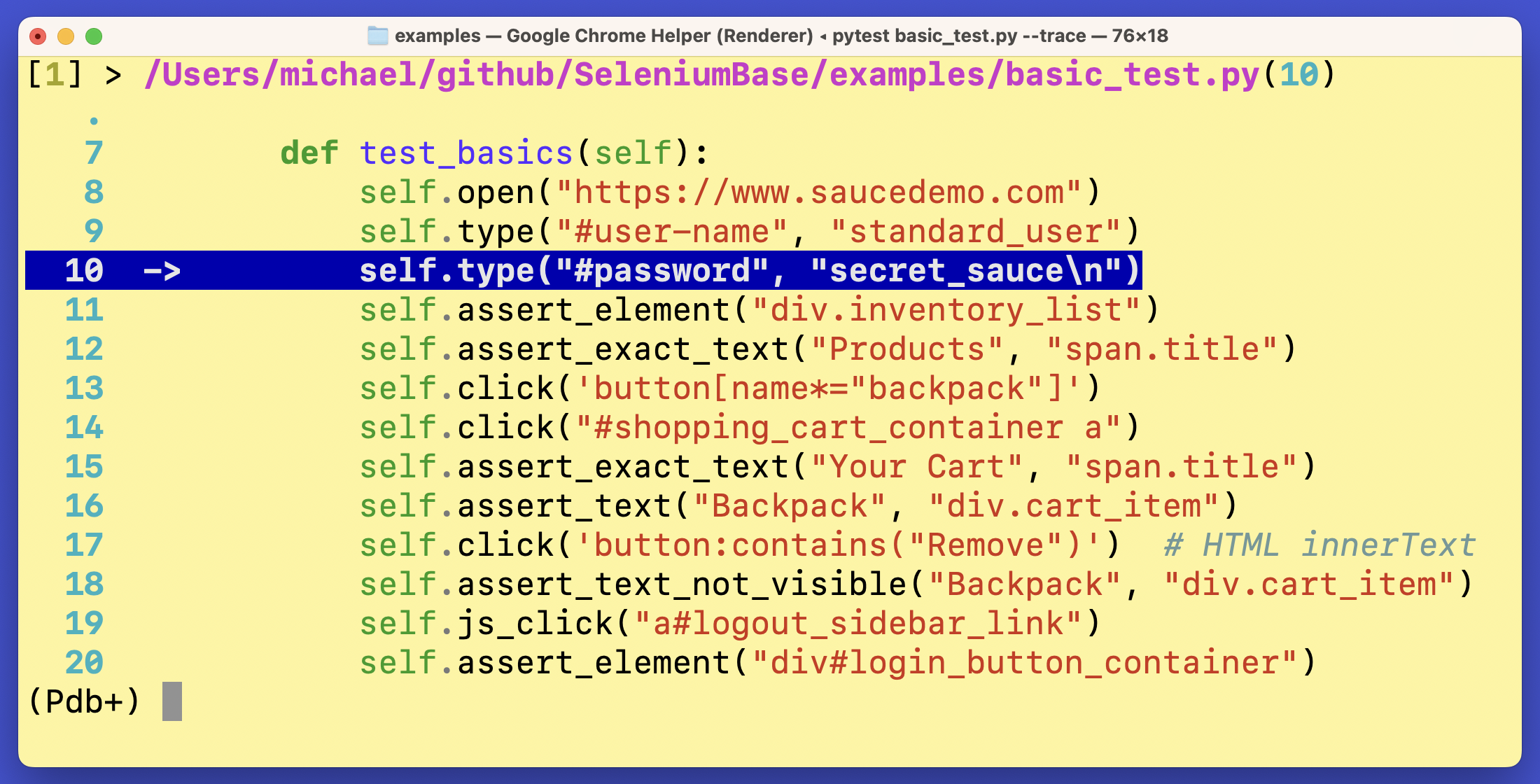
Pdb+ is used by packages such as seleniumbase:
(Pdb+ is maintained by the SeleniumBase Dev Team)
1 maintainer

Metadata
1 maintainer
Release files for pdbp 1.8.3
For a detailed explanation of source distributions (sdists) and built distributions (wheels), please see the package formats documentation.
Source distribution (sdist)
| File | Size | Uploaded | |
|---|---|---|---|
| pdbp-1.8.3.tar.gz | 25.9 kB | Details |
Built distribution (wheel)
| File | Interpreter | ABI | Platform | Reset |
|---|---|---|---|---|
| pdbp-1.8.3-py3-none-any.whl | Python 3 | none | any | Details |
Total release size: 47.9 kB
Release files / pdbp-1.8.3.tar.gz
| Download URL | pdbp-1.8.3.tar.gz |
|---|---|
| Size | 25.9 kB |
| Tags | Source |
|
SHA-256 checksum How to use checksums |
a6da18c2e95c318a22635c30d55dd0fc03ee9397f89c87d5400abab3cba9bcd4
|
|
BLAKE2b-256 checksum How to use checksums |
9b1e20db35a395ca53528544c8535f3f55185817bbf4a26ab6d9748e0592f3e9
|
| Upload date | |
|
Uploaded using Trusted Publishing? What is trusted publishing? |
No |
| Uploaded via |
twine/7.0.0 CPython/3.11.9
|
Release files / pdbp-1.8.3-py3-none-any.whl
| Download URL | pdbp-1.8.3-py3-none-any.whl |
|---|---|
| Size | 22.0 kB |
| Tags | Python 3 |
|
SHA-256 checksum How to use checksums |
a190833a4a049a0499b84f68616e363415d13d9e89e73191decf878f25ce1272
|
|
BLAKE2b-256 checksum How to use checksums |
74467f5736ac4a507b6e1e6390b63ad2f34814f7f9f2f3c553089b9c431d49eb
|
| Upload date | |
|
Uploaded using Trusted Publishing? What is trusted publishing? |
No |
| Uploaded via |
twine/7.0.0 CPython/3.11.9
|














