
PDFStitcher
PDFSticher is a utility for stitching together many PDF pages from one document into a single page. This is also called "N-Up" or page imposition. This program was created in order to convert sewing patterns into a convenient format for projecting, though it could be used to stitch together any PDF.
Since version 0.4, it is also possible to select layers for inclusion/exclusion in the final output. Additionally, line properties can be modified for each layer if the input PDF is compatible.
For up-to-date information, also check out https://www.pdfstitcher.org.
Download the latest release
- Windows (7 or 10, 64-bit)
- macOS - Intel Processor
- macOS - M1/M2 Processor
- Using pip:
pip install pdfstitcher[gui]Requires Python between 3.8 and 3.12.- Running
pip installl pdfstitcherwithout the[gui]option will install the command line version only. Thepdfstitchercommand is installed as a command line script, while the GUI is installed as a separate script calledpdfstitcher-gui. - To run as a Python module, use
python -m pdfstitcher.cliorpython -m pdfstitcher.gui - As of June 2024, there is a known issue with building the wxPython wheel on systems with GCC 14 (e.g. Fedora 40). If the installation fails, try using Python 3.11 and installing a wheel manually from https://wxpython.org/pages/downloads/index.html.
- Running

Previous versions can be found by clicking on the "releases" link to the right.
Translations:
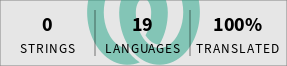
PDFStitcher will detect system language settings and change localisation if supported. The default language can be changed in the settings menu ("Preferences" in the menu bar on macOS).
Want to contribute a translation? PDFStitcher is now on weblate!.
Features
- Stitch together pages in any order with specified number of rows/columns
- Rotate pages for stitching
- Add a margin around the final output
- Trim or overlap the edges of each page by a specified amount
- Add blank pages by including zeros in the page list (e.g. 1-5,0,6-10)
- Layers are automatically preserved if present in the source document
- Exclude layers (either deactivate or remove)
- Modify line properties (colour, thickness, style (solid, dashed, dotted))
Development Installation
Most people probably want to just use the executable links above. However, to edit the code, clone this repo and install in editable mode using the command:
$ pip install -e ".[dev,gui]"
Help!
Found a bug, or have an idea for a great new feature? Check out the Issues tab to see if it's an open issue, or submit a new one if it's not on the list.
1 maintainer

Release files for pdfstitcher 1.2
For a detailed explanation of source distributions (sdists) and built distributions (wheels), please see the package formats documentation.
Source distribution (sdist)
| File | Size | Uploaded | |
|---|---|---|---|
| pdfstitcher-1.2.tar.gz | 290.6 kB | Details |
Built distribution (wheel)
| File | Interpreter | ABI | Platform | Reset |
|---|---|---|---|---|
| pdfstitcher-1.2-py3-none-any.whl | Python 3 | none | any | Details |
Total release size: 654.1 kB
Release files / pdfstitcher-1.2.tar.gz
| Download URL | pdfstitcher-1.2.tar.gz |
|---|---|
| Size | 290.6 kB |
| Tags | Source |
|
SHA-256 checksum How to use checksums |
f25a62125fbb7a93ff4d434342909cdee710ffb6cba82374e3189cc16e8aadb9
|
|
BLAKE2b-256 checksum How to use checksums |
f50eb239b5cfa0848d21e36456c05710e26aafee41e2bbb48ade4383f20132b3
|
| Upload date | |
|
Uploaded using Trusted Publishing? What is trusted publishing? |
No |
| Uploaded via |
twine/4.0.1 CPython/3.11.13
|
Release files / pdfstitcher-1.2-py3-none-any.whl
| Download URL | pdfstitcher-1.2-py3-none-any.whl |
|---|---|
| Size | 363.5 kB |
| Tags | Python 3 |
|
SHA-256 checksum How to use checksums |
20cf0554944e42f84f847e51b83bcc56b98f17f1308d5345ebdc6ee9a58b8ffe
|
|
BLAKE2b-256 checksum How to use checksums |
69c7e6cf3cd6599d3824819d83564cbe8651f3c3e721a74c912293d42699b673
|
| Upload date | |
|
Uploaded using Trusted Publishing? What is trusted publishing? |
No |
| Uploaded via |
twine/4.0.1 CPython/3.11.13
|














