






Read Latest Documentation - Browse GitHub Code Repository
pdocs is a library and a command line program to discover the public
interface of a Python module or package. The pdocs script can be used to
generate Markdown or HTML of a module's public interface, or it can be used
to run an HTTP server that serves generated HTML for installed modules.
pdocs is an MIT Licensed fork of pdoc's original implementation by Andrew Gallant (@BurntSushi).
with the goal of staying true to the original vision layed out by the project's creator.
NOTE: For most projects, the best way to use pdocs is using portray.
Features
- Support for documenting data representation by traversing the abstract syntax to find docstrings for module, class and instance variables.
- For cases where docstrings aren't appropriate (like a
namedtuple),
the special variable
__pdocs__can be used in your module to document any identifier in your public interface. - Usage is simple. Just write your documentation as Markdown. There are no added special syntax rules.
pdocsrespects your__all__variable when present.pdocswill automatically link identifiers in your docstrings to its corresponding documentation.- When
pdocsis run as an HTTP server, external linking is supported between packages. - The
pdocsHTTP server will cache generated documentation and automatically regenerate it if the source code has been updated. - When available, source code for modules, functions and classes can be viewed in the HTML documentation.
- Inheritance is used when possible to infer docstrings for class members.
The above features are explained in more detail in pdocs's documentation.
pdocs is compatible with Python 3.6 and newer.
Quick Start
The following guides should get you up using pdocs in no time:
- Installation - TL;DR: Run
pip3 install pdocswithin your projects virtual environment. - Command Line Usage - TL;DR: Run
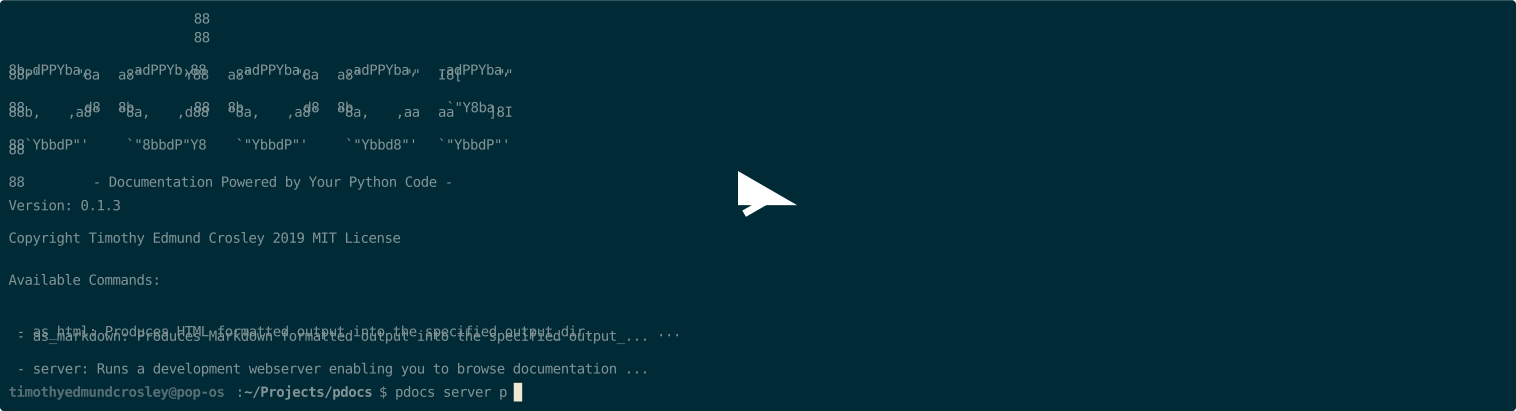
pdocs server YOUR_MODULESto test andpdocs as_html YOUR_MODULESto generate HTML. - API Usage - TL;DR: Everything available via the CLI is also easily available programmatically from within Python.
Differences Between pdocs and pdoc
Below is a running list of intentional differences between pdoc and pdocs:
- pdocs has built-in support for Markdown documentation generation (as needed by portray).
- pdocs has built-in support for the inclusion of Type Annotation information in reference documentation.
- pdocs requires Python 3.6+; pdoc maintains Python2 compatibility as of the latest public release.
- pdocs uses the most recent development tools to ensure long-term maintainability (mypy, black, isort, flake8, bandit, ...)
- pdocs generates project documentation to a temporary folder when serving locally, instead of including a live server. An intentional trade-off between simplicity and performance.
- pdocs provides a simplified Python API in addition to CLI API.
- pdocs is actively maintained.
- pdocs uses hug CLI and sub-commands, pdoc uses argparse and a single command.
- pdoc provides textual documentation from the command-line, pdocs removed this feature for API simplicity.
Notes on Licensing and Fork
The original pdoc followed the Unlicense license, and as such so does the initial commit to this fork here. Unlicense is fully compatible with MIT, and the reason for the switch going forward is because MIT is a more standard and well-known license.
As seen by that commit, I chose to fork with fresh history, as the project is very old (2013) and I felt many of the commits that happened in the past might, instead of helping to debug issues, lead to red herrings due to the many changes that have happened in the Python eco-system since that time. If you desire to see the complete history for any reason, it remains available on the original pdoc repository.
Why Create pdocs?
I created pdocs to help power portray while staying true to the original vision of pdoc and maintain
MIT license compatibility. In the end I created it to help power better documentation websites for Python projects.
I hope you, too, find pdocs useful!
~Timothy Crosley
1 maintainer

Metadata
1 maintainer
Release files for pdocs 1.2.0
For a detailed explanation of source distributions (sdists) and built distributions (wheels), please see the package formats documentation.
Source distribution (sdist)
| File | Size | Uploaded | Provenance | Actions |
|---|---|---|---|---|
| pdocs-1.2.0.tar.gz | 33.4 kB | Without provenance | Details for pdocs-1.2.0.tar.gz |
Built distribution (wheel)
| File | Interpreter | ABI | Platform | Actions Reset |
|---|---|---|---|---|
| pdocs-1.2.0-py3-none-any.whl | Python 3 | none | any | Details for pdocs-1.2.0-py3-none-any.whl |
Total release size: 68.9 kB
Release files / pdocs-1.2.0.tar.gz
| Download URL | pdocs-1.2.0.tar.gz |
|---|---|
| Size | 33.4 kB |
| Tags | Source |
|
SHA-256 checksum How to use checksums |
996ad4d5039b59a9a112d29abfb3995ec4ed8d8415ddce6947c3a5248adb428b
|
|
BLAKE2b-256 checksum How to use checksums |
80552aca02c7015f52e30fb7ce920b967276c1a4198812db703e322a0ed43390
|
| Upload date | |
|
Uploaded using Trusted Publishing? What is trusted publishing? |
No |
| Uploaded via |
poetry/1.2.2 CPython/3.10.6 Linux/6.0.6-76060006-generic
|
Release files / pdocs-1.2.0-py3-none-any.whl
| Download URL | pdocs-1.2.0-py3-none-any.whl |
|---|---|
| Size | 35.5 kB |
| Tags | Python 3 |
|
SHA-256 checksum How to use checksums |
caca2829415e62d31eaab46c53cd77a2a14f132c73e48e25187331c3a9fc2459
|
|
BLAKE2b-256 checksum How to use checksums |
c89f06545fcae3e8b4819101894c4d22a7765e88a94f724d5ac2af0c6a976eb4
|
| Upload date | |
|
Uploaded using Trusted Publishing? What is trusted publishing? |
No |
| Uploaded via |
poetry/1.2.2 CPython/3.10.6 Linux/6.0.6-76060006-generic
|
Security for pdocs 1.2.0
Provenance
Provenance describes where a file came from. On PyPI, provenance is shared via attestations, which provide a verifiable record of the build or publishing details. View details, limitations and caveats.
No provenance found
None of the files in this release were uploaded with provenance metadata.
A note on package security
PyPI is a repository for distributing packages, not a service for auditing them. While third-party security researchers and our staff do their best to detect and remove malicious packages, PyPI cannot guarantee the quality, security or suitability of any given package.
To learn more about protecting yourself from malicious actors, visit our package security documentation.














