
 Peepomap
Just some extra Peepo-Powered Matplotlib colormaps and tools.
📦 Installation
Basic installation
uv pip install peepomap # or pip install peepomap
🎨 Colormaps
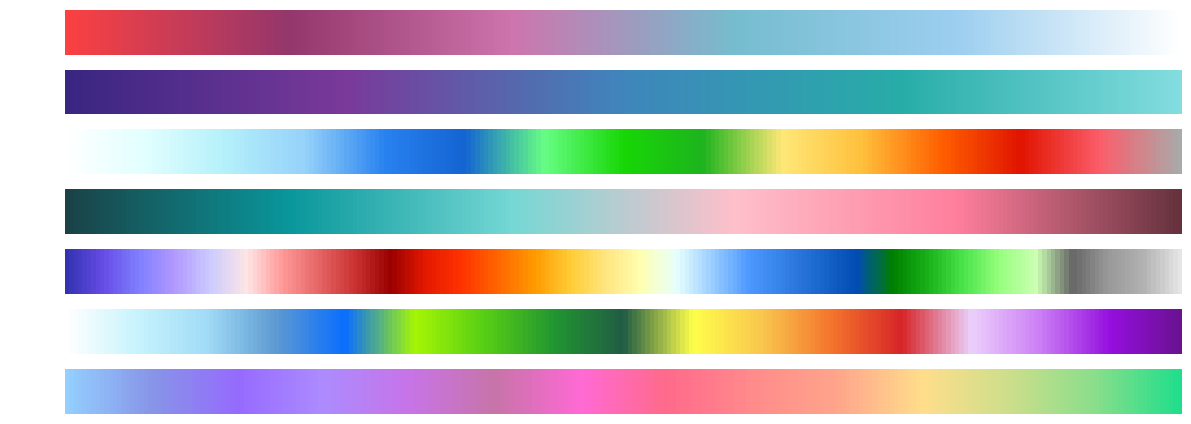
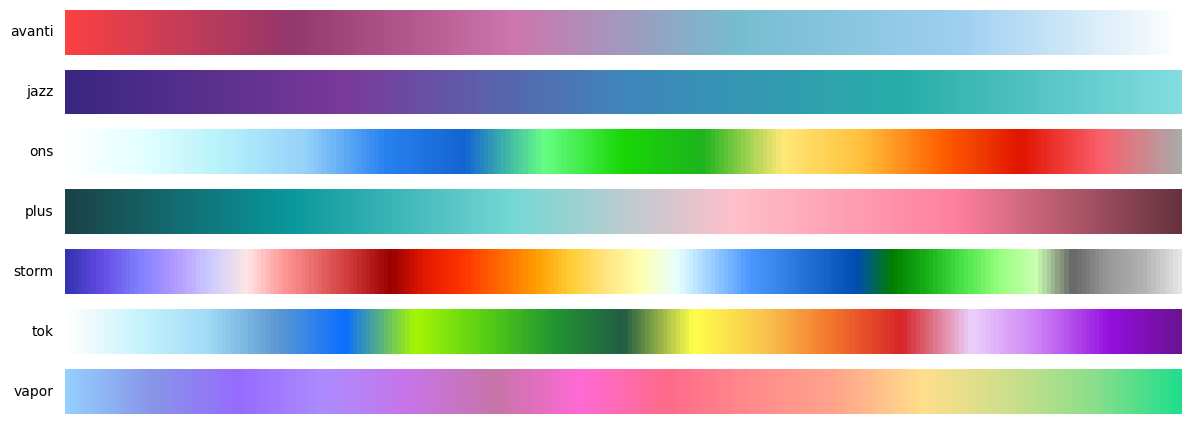
Peepomap is shipped with some built-in colormaps, although you can use all matplotlib colormaps as well.
import peepomap

# Display all peepomap colormaps
peepomap.show_colormaps()
💻 How to use
Simply import and choose a colormap from the above list by its name.
import peepomap

cmap = peepomap.cmaps["storm"]
# or get a colormap
storm = peepomap.get("storm")
# Also works with matplotlib colormaps
viridis = peepomap.get("viridis")
🛠️ Colormap Tools
Peepomap provides powerful tools to create, modify, and combine colormaps.
Combine Colormaps
Blend two or more colormaps together with custom weights:
import peepomap

blues = peepomap.get("Blues")
reds = peepomap.get("Reds")
combined_cmap = peepomap.combine(blues, reds, weights=[0.4, 0.6], name="Wines")


[!TIP] You can use all Peepomap and Matplotlib colormaps by name
Create Linear Colormaps
Create smooth linear gradients between colors:
import peepomap

ocean_sunset = peepomap.create_linear("navy", "crimson", name="Ocean Sunset")


[!TIP] You can use all Matplotlib colors by name as well!
Create Diverging Colormaps
Build diverging colormaps with optional center colors and blend:
import peepomap

# Simple diverging colormap
cool_warm = peepomap.create_diverging("Blues_r", "Reds", name="Cool Warm")

# Diverging with custom center color and blend
rdylbl = peepomap.create_diverging(
    "Reds_r", "Blues", center="yellow", blend=0.3, name="RdYlBl"
)


Concatenate Colormaps
Join multiple colormaps end-to-end with equal space allocation. Each colormap gets an equal portion of the color space:
import peepomap

# Sharp boundaries (no blending)
cmap = peepomap.concat("viridis", "plasma", "inferno")

# Smooth blending between colormaps (10% of space for transitions)
cmap = peepomap.concat("viridis", "plasma", blend=0.1)

# Custom blend zone size (20% of total)
cmap = peepomap.concat("viridis", "plasma", blend=0.2)
You can also concatenate custom colormaps:
import peepomap

div1 = peepomap.create_linear("blue", "red", name="div1")
div2 = peepomap.create_linear("purple", "orange", name="div2")
combined = peepomap.concat(div1, div2, blend=0.25, n=512, name="Fusion")


You can even concatenate very different types of colormaps:
import peepomap

sunset = peepomap.create_linear("gold", "orangered", name="Sunset", reverse=True)
tab20b = peepomap.get("tab20b")
odd = peepomap.concat(sunset, tab20b, blend=0.25, name="Odd1")


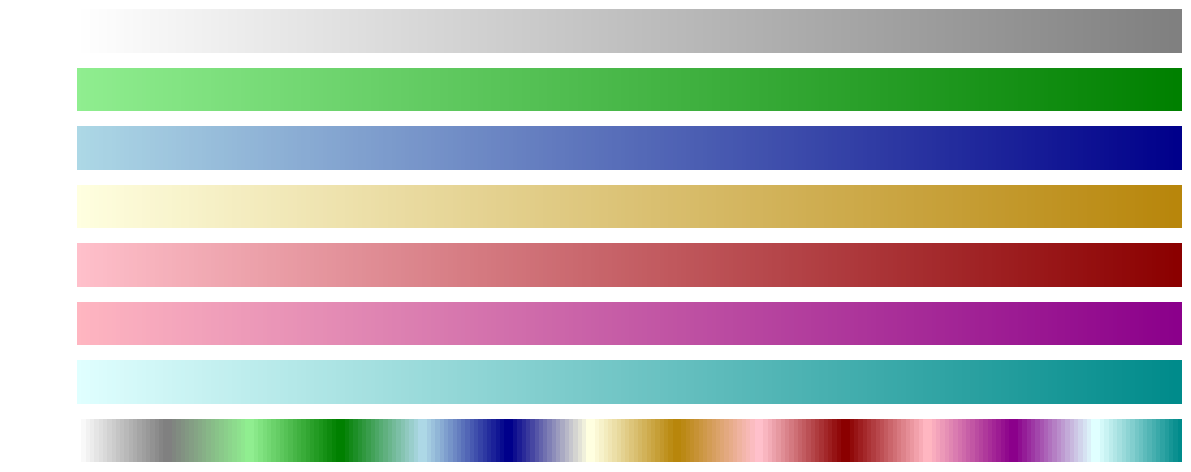
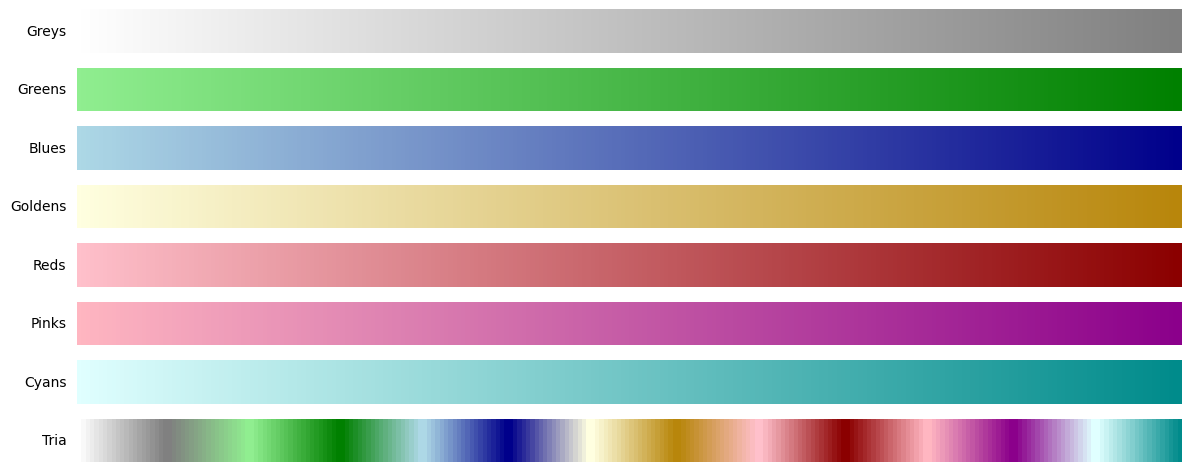
For more complex visualizations, you can concatenate many colormaps at once:
import peepomap

greys = peepomap.create_linear("white", "grey", name="Greys")
greens = peepomap.create_linear("lightgreen", "green", name="Greens")
blues = peepomap.create_linear("lightblue", "darkblue", name="Blues")
goldens = peepomap.create_linear("lightyellow", "darkgoldenrod", name="Goldens")
reds = peepomap.create_linear("pink", "darkred", name="Reds")
pinks = peepomap.create_linear("lightpink", "darkmagenta", name="Pinks")
cyans = peepomap.create_linear("lightcyan", "darkcyan", name="Cyans")

tria = peepomap.concat(
    greys, greens, blues, goldens, reds, pinks, cyans,
    name="Tria",
    blend=0.45,
)
Adjust Colormaps
Fine-tune existing colormaps by adjusting saturation, lightness, or color channels:
import peepomap

# Using colormap names (strings)
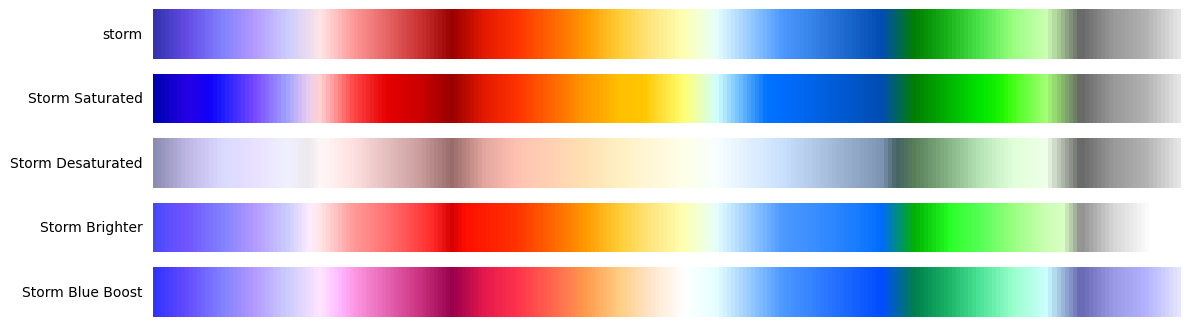
original = peepomap.get("storm")
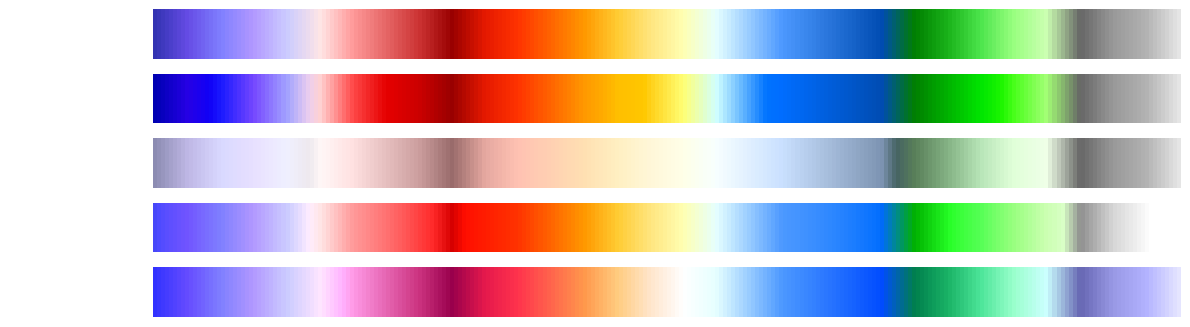
saturated = peepomap.adjust("storm", saturation=1.8, cmap_name="Storm Saturated")
desaturated = peepomap.adjust("storm", saturation=0.3, cmap_name="Storm Desaturated")
brighter = peepomap.adjust("storm", lightness=1.4, cmap_name="Storm Brighter")
blue_boosted = peepomap.adjust("storm", blue_boost=0.3, cmap_name="Storm Blue Boost")

# Also accepts colormap objects directly
storm = peepomap.get("storm")
saturated = peepomap.adjust(storm, saturation=1.8, cmap_name="Storm Saturated")
Truncate Colormaps
Extract a portion of a colormap:
import peepomap

# Using colormap names (strings)
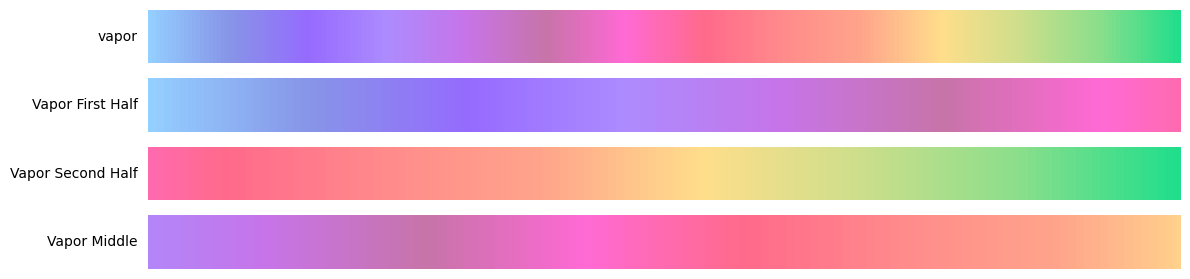
original = peepomap.get("vapor")
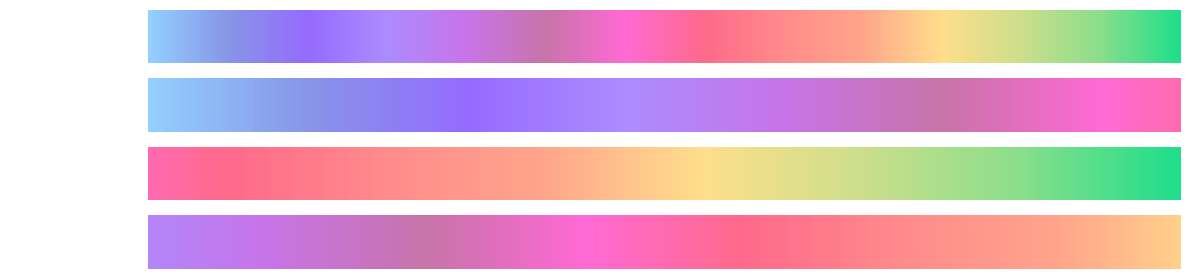
first_half = peepomap.truncate("vapor", 0.0, 0.5, cmap_name="Vapor First Half")
second_half = peepomap.truncate("vapor", 0.5, 1.0, cmap_name="Vapor Second Half")
middle = peepomap.truncate("vapor", 0.25, 0.75, cmap_name="Vapor Middle")

# Also accepts colormap objects directly
vapor = peepomap.get("vapor")
first_half = peepomap.truncate(vapor, 0.0, 0.5, cmap_name="Vapor First Half")
Shift Colormaps
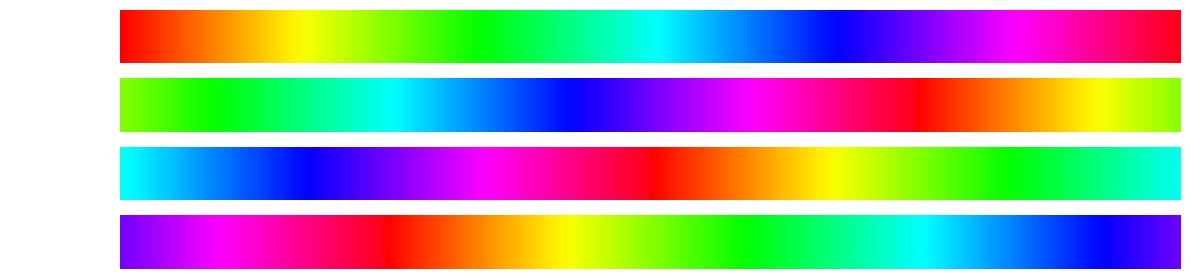
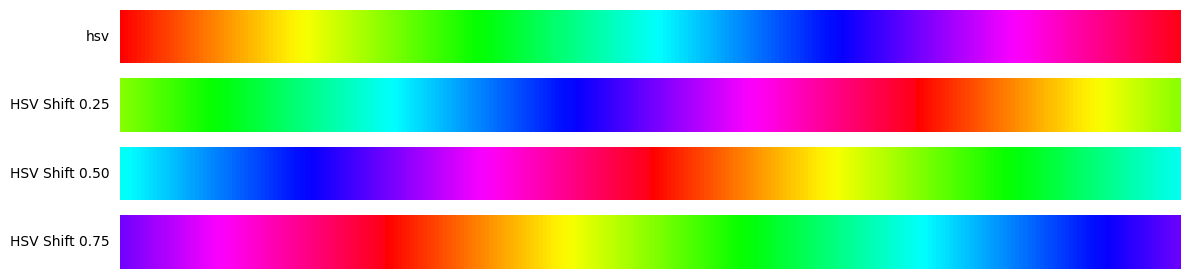
Rotate a colormap by shifting its starting point:
import peepomap

# Using colormap names (strings)
original = peepomap.get("hsv")
shift_25 = peepomap.shift("hsv", start=0.25, cmap_name="HSV Shift 0.25")
shift_50 = peepomap.shift("hsv", start=0.5, cmap_name="HSV Shift 0.50")
shift_75 = peepomap.shift("hsv", start=0.75, cmap_name="HSV Shift 0.75")

# Also accepts colormap objects directly
hsv = peepomap.get("hsv")
shift_25 = peepomap.shift(hsv, start=0.25, cmap_name="HSV Shift 0.25")
Export Colormaps
Export custom colormaps as ColormapInfo objects for persistence or sharing:
import peepomap

# Create a custom colormap
custom = peepomap.concat("viridis", "plasma", blend=0.1)

# Export as ColormapInfo object
info = peepomap.export(
    custom,
    n=32,
    name="viridis_plasma",
    cmap_type="sequential",
    description="Viridis blended with plasma"
)

# Access the colormap data
print(info.name)        # "viridis_plasma"
print(info.colors)      # List of RGB color values
print(info.cmap_type)   # "sequential"

# Save Python code representation to file
peepomap.export(
    custom,
    name="viridis_plasma",
    cmap_type="sequential",
    description="Viridis blended with plasma",
    output_file="my_colormap.py"
)
The output_file parameter generates Python code ready to paste into your colormap registry:
"viridis_plasma": ColormapInfo(
    name="viridis_plasma",
    colors=[
        [0.267004, 0.004874, 0.329415],
        [0.282623, 0.140926, 0.457517],
        # ... more colors ...
    ],
    cmap_type="sequential",
    description="Viridis blended with plasma",
),
🏗️ Development
This project uses uv for dependency management.
Setup
uv sync --all-extras
Running Tools
The project includes a Makefile for common tasks:
# See all available commands
make help

# Install development dependencies
make dev

# Format code
make format

# Lint code
make lint

# Type check
make type-check

# Generate colormap demo images
make demo

# Run all checks
make check
1 maintainer

Download files
Download the file for your platform. If you're not sure which to choose, learn more about installing packages.
Source Distribution
Built Distribution
Filter files by name, interpreter, ABI, and platform.
If you're not sure about the file name format, learn more about wheel file names.
Copy a direct link to the current filters
File details
Details for the file peepomap-0.2.2.tar.gz.
File metadata
- Download URL: peepomap-0.2.2.tar.gz
- Upload date:
- Size: 189.8 kB
- Tags: Source
- Uploaded using Trusted Publishing? No
- Uploaded via:
uv/0.6.3
File hashes
| Algorithm | Hash digest | |
|---|---|---|
| SHA256 |
ceb88da01f82cf66a871358e411a85546ae1a0bbd9dacf060103ea90d6e62e44
|
|
| MD5 |
7fa25b669dba464f76344ff67fb8f908
|
|
| BLAKE2b-256 |
e14bdafc1258b625610f543815ad557d6c14cfa38983136a0cb15159e7d1c098
|
File details
Details for the file peepomap-0.2.2-py3-none-any.whl.
File metadata
- Download URL: peepomap-0.2.2-py3-none-any.whl
- Upload date:
- Size: 21.5 kB
- Tags: Python 3
- Uploaded using Trusted Publishing? No
- Uploaded via:
uv/0.6.3
File hashes
| Algorithm | Hash digest | |
|---|---|---|
| SHA256 |
874a90c985bf83643b25a699b4b0f6289a5e48e22874390a2023859f978265fe
|
|
| MD5 |
58996e62fc677fe61fdb77eb7398033a
|
|
| BLAKE2b-256 |
37fce724e5e1fba19f976e7adda873ec32b1be1f30296ce32f1238df0467fa8c
|














