
pibooth-google-photo



pibooth-google-photo is a plugin for the pibooth application.
Its permits to upload the pictures to a Google Photos album. It requires an internet connection.
Install
$ pip3 install pibooth-google-photo
Configuration
Here below the new configuration options available in the pibooth configuration. The keys and their default values are automatically added to your configuration after first pibooth restart.
[GOOGLE]

# Album where pictures are uploaded
album_name = Pibooth

# Credentials file downloaded from Google API
client_id_file =Picture URL
Uploaded picture URL is set to app.previous_picture_url attribute at the end of processing state (state_processing_exit hook).
Grant secured access
Access to a Google Photos album is granted by a Credentials file that shall be defined in the [GOOGLE][client_id_file] configuration key. This file does not contain your Google credentials and it can not be used by an other application than pibooth.
It contains the Google Photos API key (Client ID and Client Secret) generated by following the instructions:
Go to Google Photos Library API and click on Enable the Google Photos Library API. |
|
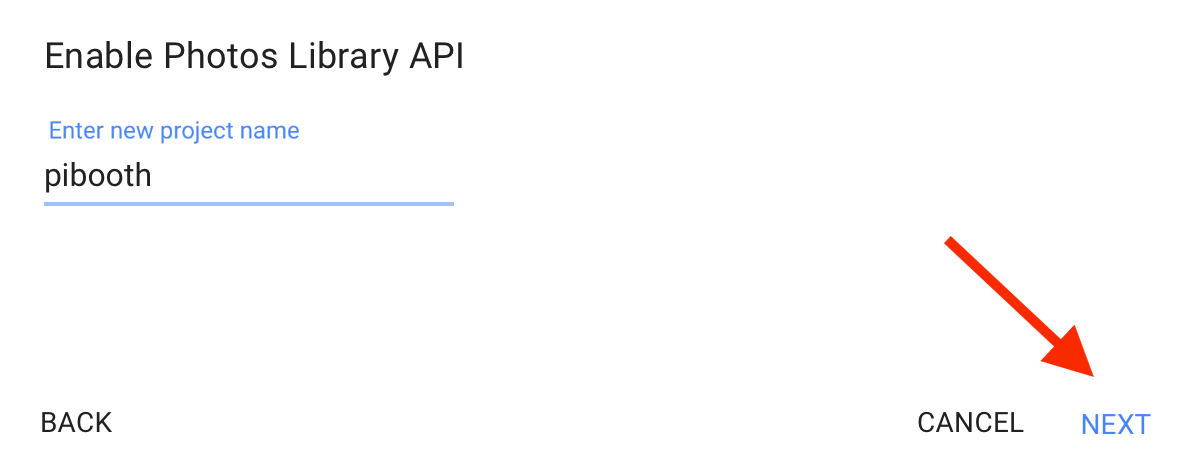
Enter a project name (for instance pibooth) and click on NEXT. |
|
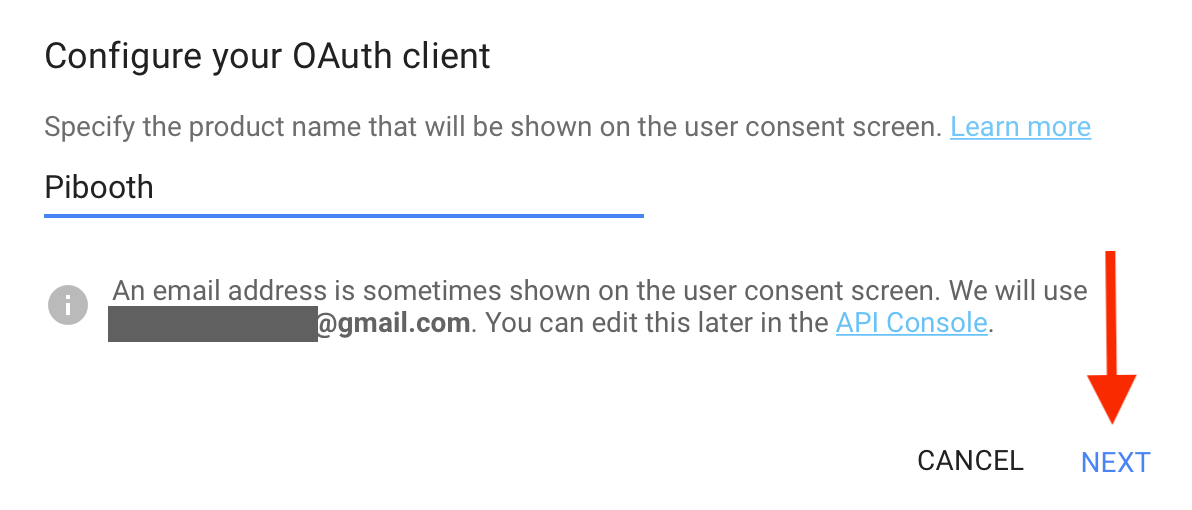
Enter a text to be displayed on user consent page when you will start pibooth with pibooth-google-photo enabled for the first time (for instance Pibooth) and click on NEXT. |
|
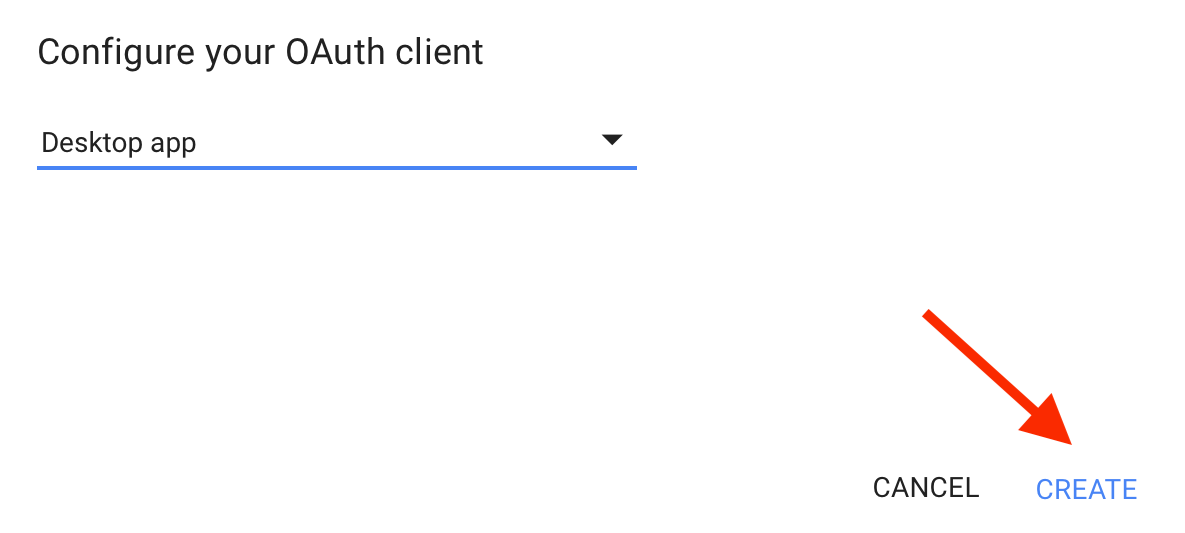
Select the application type: Desktop app.and click on CREATE. |
|
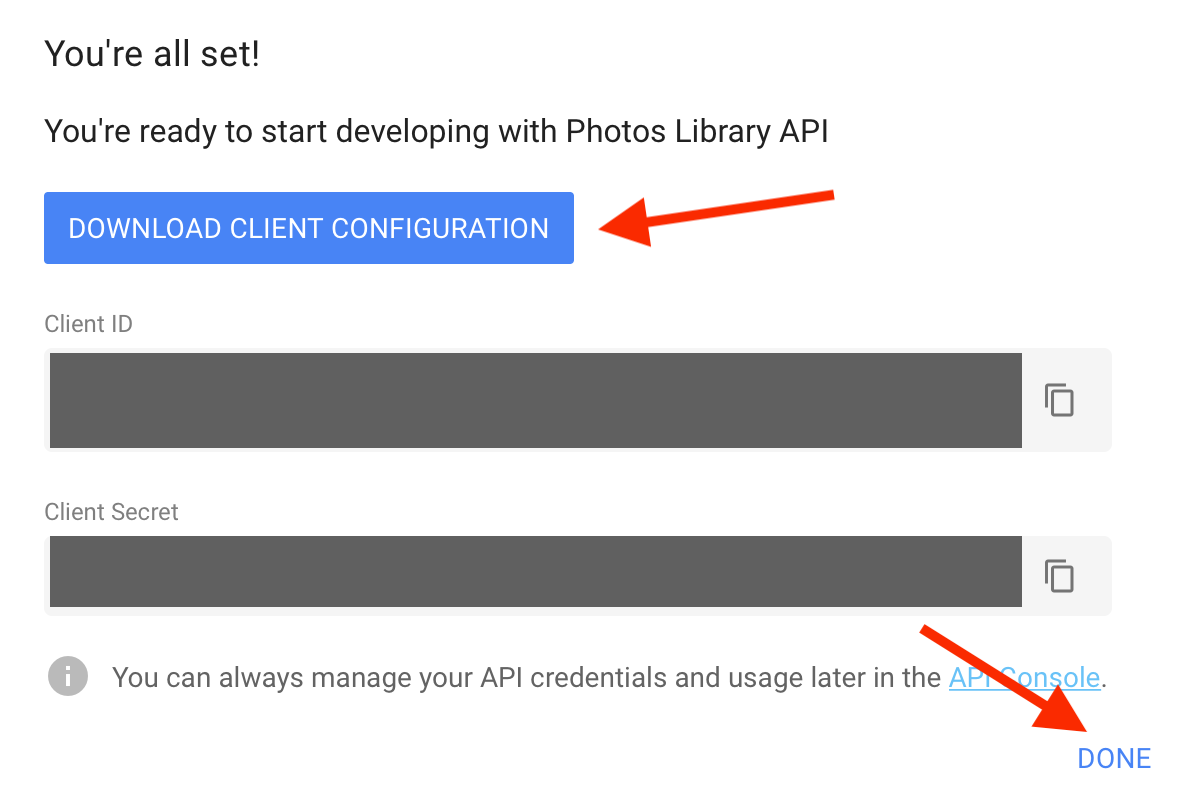
Download the credential file, save it somewhere accessible by pibooth and click on DONE. |

The content of the Credentials file looks like this:
{
    "installed":
        {
        "client_id": "8723982792-sdjfhdkjhvfkd76.apps.googleusercontent.com",
        "client_secret": "HJAHZhjhi_HJI789798giEdPIbJ",
        "auth_uri": "https://accounts.google.com/o/oauth2/auth",
        "token_uri": "https://www.googleapis.com/oauth2/v3/token",
        "auth_provider_x509_cert_url": "https://www.googleapis.com/oauth2/v1/certs",
        "redirect_uris": ["urn:ietf:wg:oauth:2.0:oob","http://localhost"]
        }
}

Release files for pibooth-google-photo 1.2.3
For a detailed explanation of source distributions (sdists) and built distributions (wheels), please see the package formats documentation.
Source distribution (sdist)
| File | Size | Uploaded | |
|---|---|---|---|
| pibooth_google_photo-1.2.3.tar.gz | 19.1 kB | Details |
Built distribution (wheel)
| File | Interpreter | ABI | Platform | Reset |
|---|---|---|---|---|
| pibooth_google_photo-1.2.3-py3-none-any.whl | Python 3 | none | any | Details |
Total release size: 38.2 kB
Release files / pibooth_google_photo-1.2.3.tar.gz
| Download URL | pibooth_google_photo-1.2.3.tar.gz |
|---|---|
| Size | 19.1 kB |
| Tags | Source |
|
SHA-256 checksum How to use checksums |
390db923f66eecc1970d2bb94e0a266b9f35e6ba29e14de9e26cbf7dc0493322
|
|
BLAKE2b-256 checksum How to use checksums |
954fb04a6d37bd8bf1ec994ba403641ff03c71636db09bf94844cd8adc65f0ed
|
| Upload date | |
|
Uploaded using Trusted Publishing? What is trusted publishing? |
No |
| Uploaded via |
twine/4.0.0 CPython/3.10.4
|
Release files / pibooth_google_photo-1.2.3-py3-none-any.whl
| Download URL | pibooth_google_photo-1.2.3-py3-none-any.whl |
|---|---|
| Size | 19.1 kB |
| Tags | Python 3 |
|
SHA-256 checksum How to use checksums |
0c2c4ffe74d112957f99a6367fc598366ab171a86c294bd11bdd02ad344724a4
|
|
BLAKE2b-256 checksum How to use checksums |
20f73e0eb2b60fc29facf2a83336b6e256a2f2dfcf615ea66fa657a89b52bb5a
|
| Upload date | |
|
Uploaded using Trusted Publishing? What is trusted publishing? |
No |
| Uploaded via |
twine/4.0.0 CPython/3.10.4
|














