
plot_model
GitHub:https://github.com/Qinbf/plot_model.git
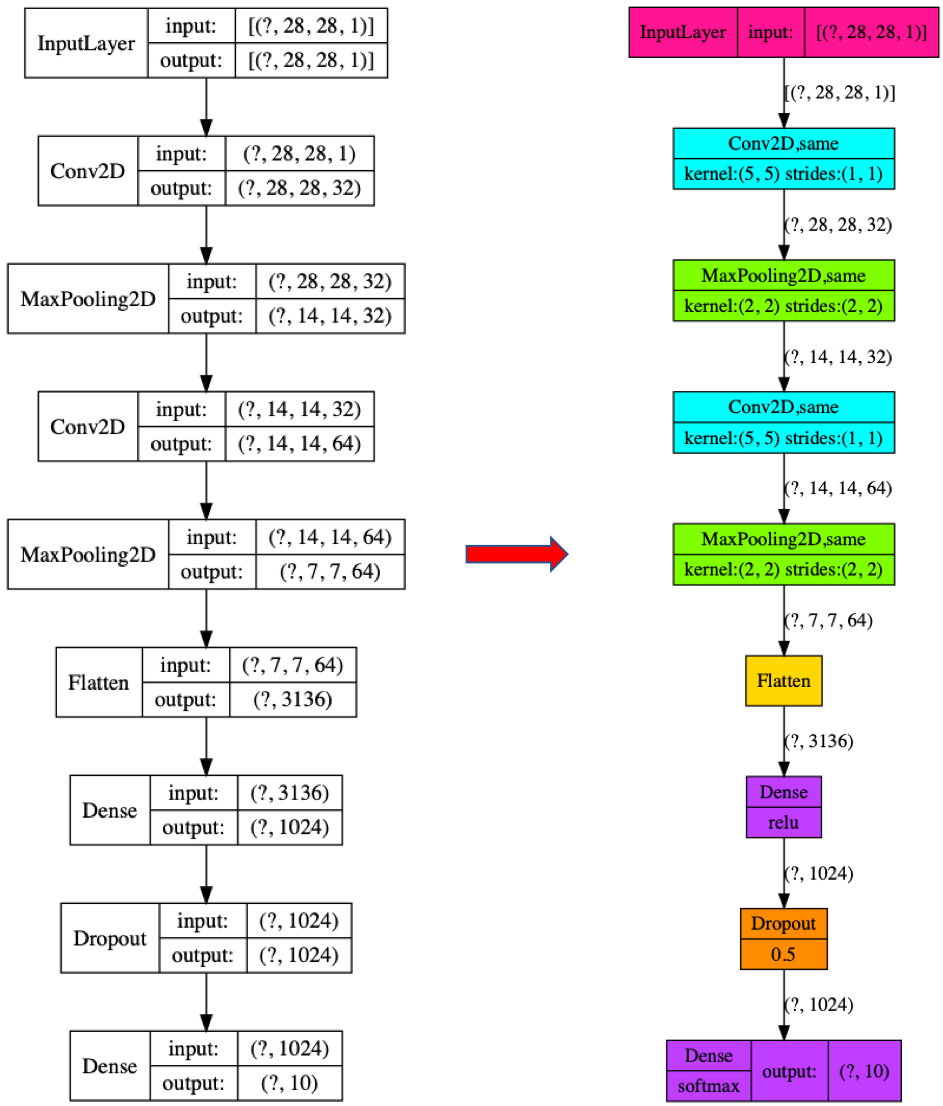
plot_model is a API for model visualization reference to tensorflow.keras.utils.plot_model.
Installation
Before installing plot_model, please install one of its engines: TensorFlow, Keras.
You may also consider installing the following :
pip install pydot
pip install pydot_ng
pip install graphviz
- Finally,download and install graphviz to plot model graphs.
Then, you can install plot_model itself. There are two ways to install plot_model:
- Install plot_model from PyPI (recommended):
Note: These installation steps assume that you are on a Linux or Mac environment.
If you are on Windows, you will need to remove sudo to run the commands below.
sudo pip install plot_model
If you are using a virtualenv, you may want to avoid using sudo:
pip install plot_model
- Alternatively: install plot_model from the GitHub source:
First, clone plot_model using git:
git clone https://github.com/Qinbf/plot_model.git
Then, cd to the plot_model folder and run the install command:
cd plot_model
sudo python setup.py install
Getting started
API is similar to tensorflow.keras.utils.plot_model
from plot_model import plot_model
plot_model(model)
default parameters:
plot_model(model, to_file='model.png', show_shapes=True, show_layer_names=False, rankdir='TB', expand_nested=False, style=0, color=True, dpi=96)
color: whether to display color. Default True.
style: 0 new style. 1 original style. Default 0.
Examples
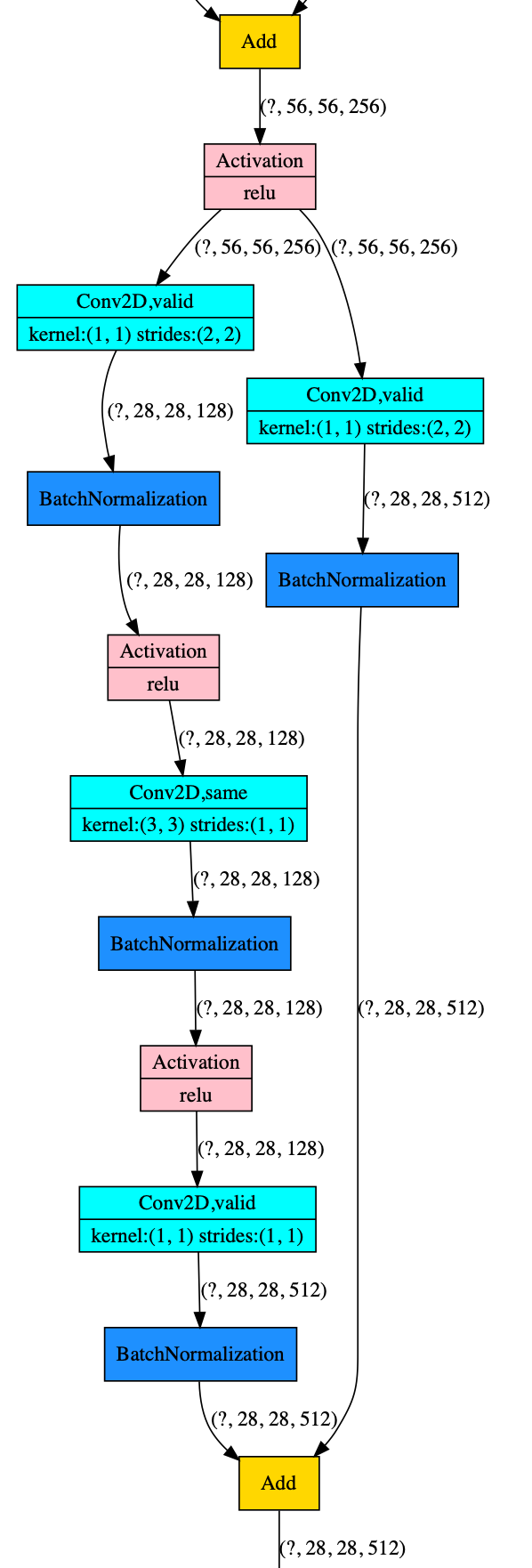
ResNet
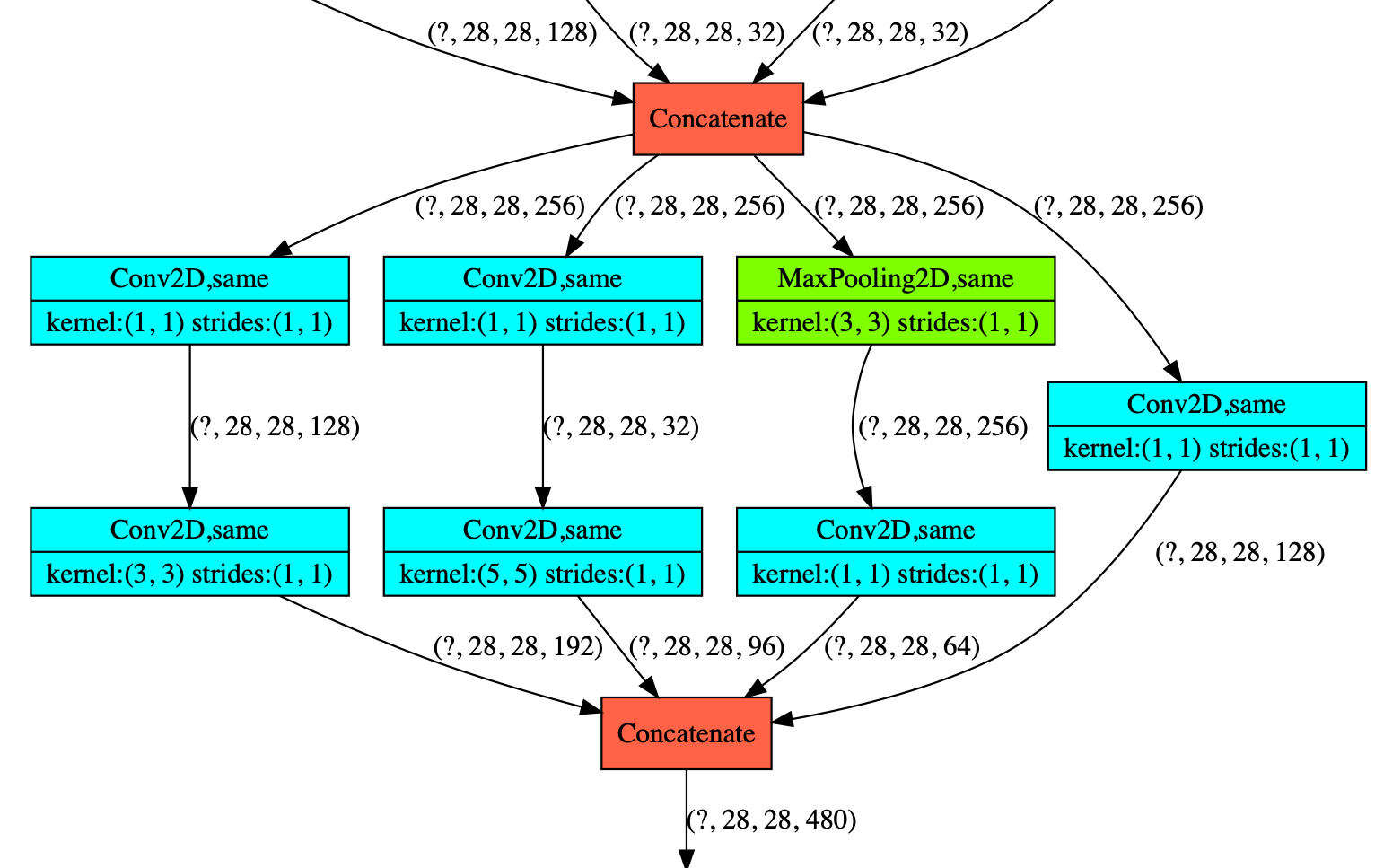
Inception
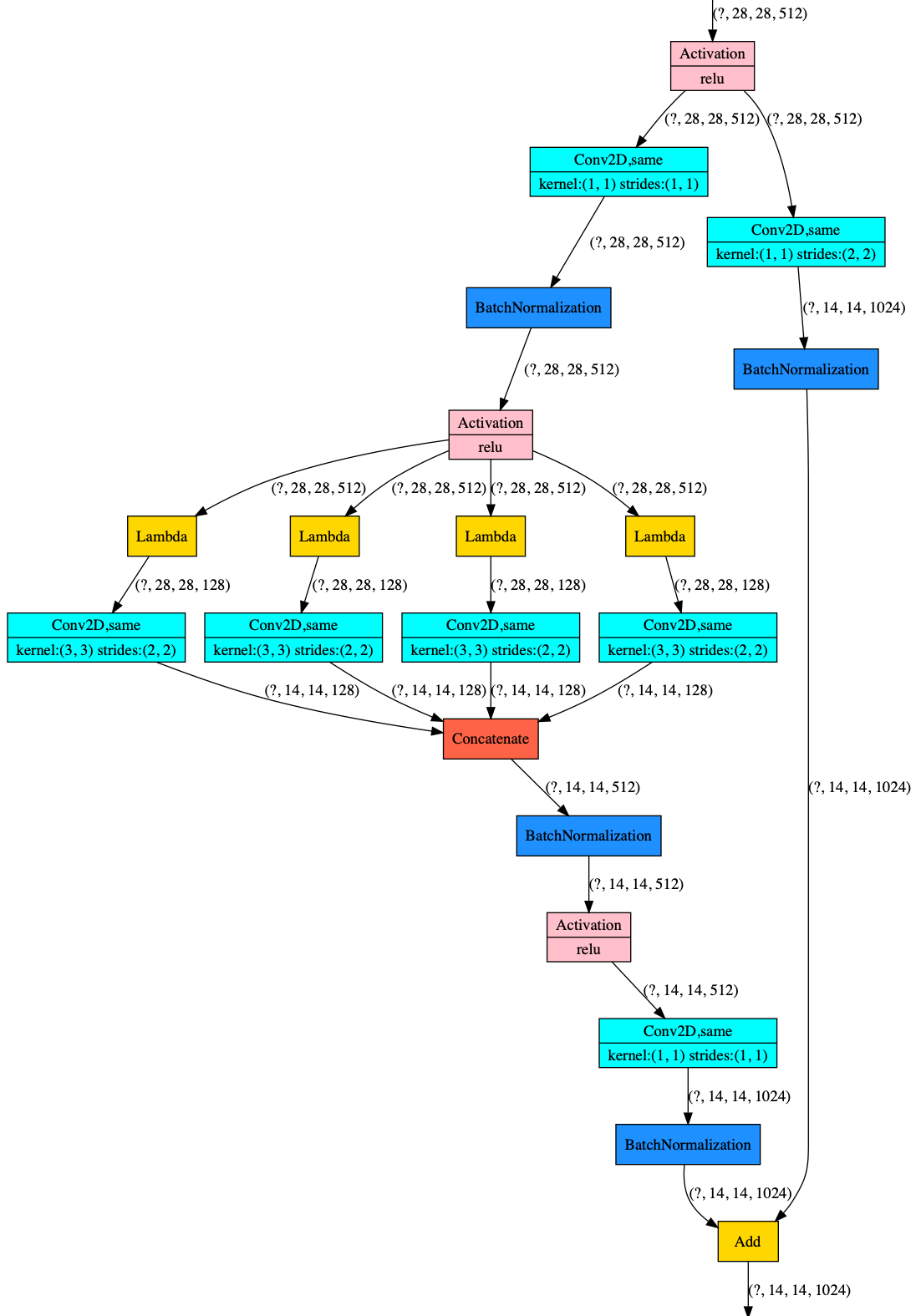
ResNeXt
1 maintainer

Metadata
1 maintainer
Release files for plot-model 0.20
For a detailed explanation of source distributions (sdists) and built distributions (wheels), please see the package formats documentation.
Source distribution (sdist)
| File | Size | Uploaded | |
|---|---|---|---|
| plot_model-0.20.tar.gz | 5.7 kB | Details |
Built distribution (wheel)
| File | Interpreter | ABI | Platform | Reset |
|---|---|---|---|---|
| plot_model-0.20-py3-none-any.whl | Python 3 | none | any | Details |
Total release size: 12.6 kB
Release files / plot_model-0.20.tar.gz
| Download URL | plot_model-0.20.tar.gz |
|---|---|
| Size | 5.7 kB |
| Tags | Source |
|
SHA-256 checksum How to use checksums |
a26cdd488f720db2f6305ed113b8fa311df698056ae028fa1c6f367bdb359f0c
|
|
BLAKE2b-256 checksum How to use checksums |
d0b5c2331a48f8d15cfedc44034ceda6d8a2872ed992f9ac37e0729bcd97f040
|
| Upload date | |
|
Uploaded using Trusted Publishing? What is trusted publishing? |
No |
| Uploaded via |
twine/3.1.1 pkginfo/1.4.2 requests/2.22.0 setuptools/46.0.0 requests-toolbelt/0.9.1 tqdm/4.26.0 CPython/3.6.5
|
Release files / plot_model-0.20-py3-none-any.whl
| Download URL | plot_model-0.20-py3-none-any.whl |
|---|---|
| Size | 6.9 kB |
| Tags | Python 3 |
|
SHA-256 checksum How to use checksums |
d712df4dbdd1970fe98ae7f21dfd129aebcae0fcca71ce99637a204c44f44b13
|
|
BLAKE2b-256 checksum How to use checksums |
62b80967e30391a7c07002c5e7bca868763dcfd26808dcb13aba052a737aa01d
|
| Upload date | |
|
Uploaded using Trusted Publishing? What is trusted publishing? |
No |
| Uploaded via |
twine/3.1.1 pkginfo/1.4.2 requests/2.22.0 setuptools/46.0.0 requests-toolbelt/0.9.1 tqdm/4.26.0 CPython/3.6.5
|














