
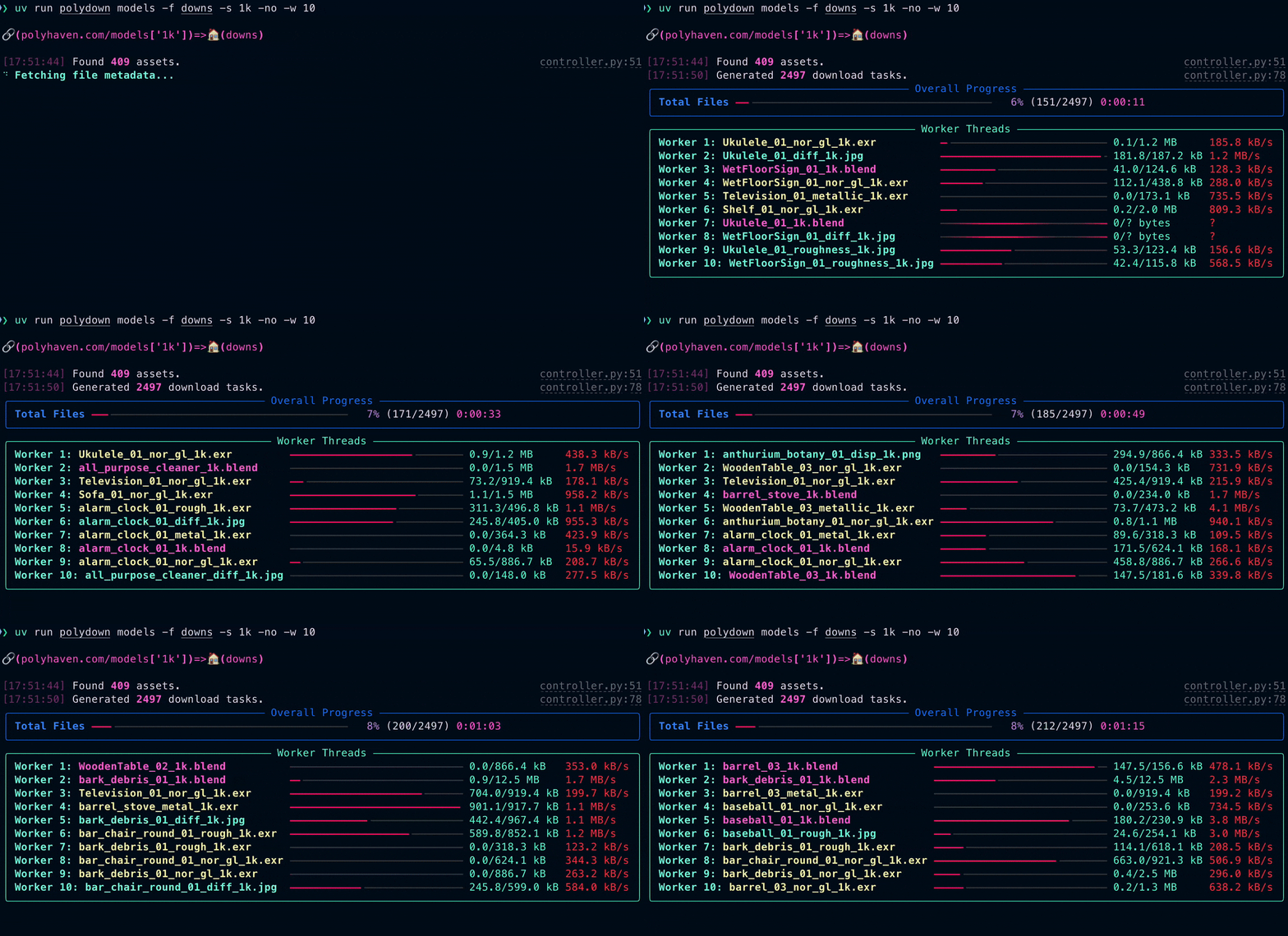



Batch downloader for polyhaven.com. Download HDRIs, textures, and models in any sizes you want.
This project uses Poly Haven's Public API.
Installation
pip install polydown
Usage
Basic Commands
Download all HDRIs:
polydown hdris
Download all Textures:
polydown textures
Download all Models:
polydown models
Note: These commands will download all available sizes for every asset in the category.
Advanced Usage
Download specific sizes to a specific folder:
polydown hdris -f my_hdris_folder -s 2k 4k
Downloads all HDRIs in 2k and 4k resolution to the
my_hdris_folder.
Download from a specific category:
polydown models -c decorative -f models_folder -s 1k
Downloads all "decorative" models with 1k textures into
models_folder.
List available categories for an asset type:
polydown textures -c
Granular Texture & Model Selection:
You can specify the specific file format (e.g. png, jpg, exr) and specific maps (e.g. diffuse, roughness) for both textures and models.
# Download only PNG textures
polydown textures -tf png

# Download only Diffuse and Roughness maps
polydown textures --maps Diffuse Rough

# Combine them: Download only EXR Normal maps
polydown textures -tf exr --maps nor_gl

# Works for models too (downloads specific texture maps for the model)
polydown models -tf jpg --maps Diffuse -s 1k
Select model file formats:
By default, models downloads .blend files. Use -mf/--model-format to pick one or more formats. Available: blend, fbx, gltf, usd, usdc, usdz.
# Download both Blend and FBX
polydown models -s 2k -mf blend fbx

# Only FBX
polydown models -s 2k -mf fbx

# All common formats
polydown models -s 2k -mf blend fbx gltf usd
Arguments
| Argument | Description |
|---|---|
asset_type |
Type of asset to download: hdris, textures, models. |
-h, --help |
Show help message and exit. |
-f, --folder |
Target download folder. |
-c, --category |
Category to download (e.g., decorative, nature). If used without values, lists available categories. |
-s, --sizes |
Size(s) of downloaded assets. Example: 1k 2k 4k. |
-o, --overwrite |
Overwrite existing files. Otherwise, skips existing files. |
-no, --noimgs |
Do not download preview, render, or thumbnail images. |
-it, --iters |
Amount of iterations (limit number of assets). |
-t, --tone |
Download 8K Tonemapped JPG (HDRIs only). |
-ff, --fileformat |
File format for HDRIs (hdr, exr). |
-tf, --texture-format |
File format for Textures/Models (jpg, png, exr). |
-mf, --model-format |
Model file format(s) (blend, fbx, gltf, usd, usdc, usdz). Accepts multiple. Default: blend. |
--maps |
Texture maps to download (e.g., Diffuse, Rough, nor_gl). If used without values, lists available common map types. |
-w, --workers |
Amount of workers (threads) for concurrent downloads. |
-v, --version |
Show program's version number and exit. |
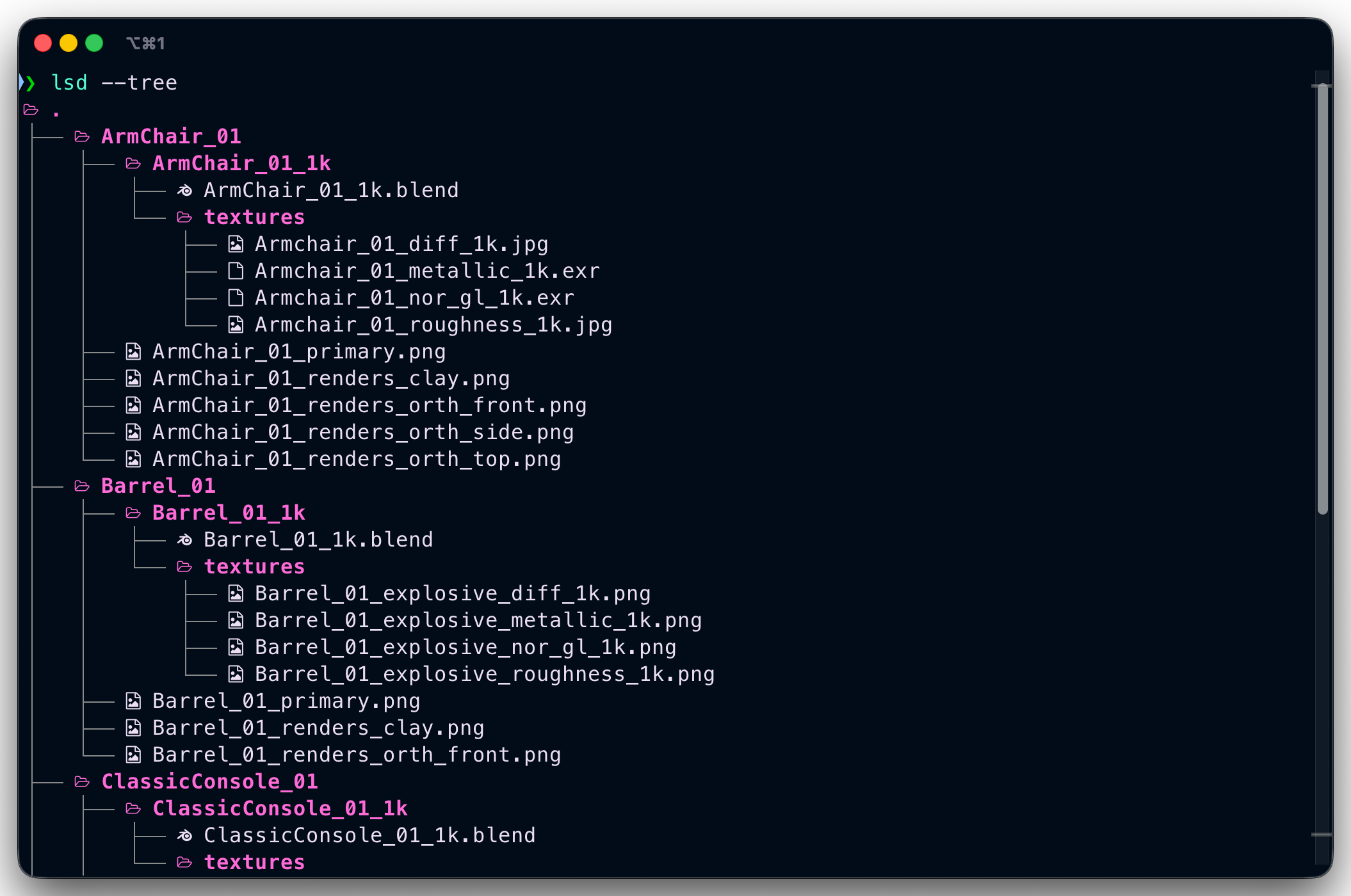
Development
This project uses uv for dependency management.
Setup
-
Install
uv:curl -LsSf https://astral.sh/uv/install.sh | sh
-
Sync dependencies:
uv sync -
Run the CLI:
uv run polydown --help
-
Run tests:
uv run pytest
To-Do
- Unit Tests
- Progressbar for current download task(s)
- Workers for concurrent downloads
- Select the file format to download
- Select model file format (blend, fbx, gltf, usd)
License
1 maintainer

Metadata
1 maintainer
Release files for polydown 0.4.1
For a detailed explanation of source distributions (sdists) and built distributions (wheels), please see the package formats documentation.
Source distribution (sdist)
| File | Size | Uploaded | Provenance | |
|---|---|---|---|---|
| polydown-0.4.1.tar.gz | 94.1 kB | With provenance | Details |
Built distribution (wheel)
| File | Interpreter | ABI | Platform | Reset |
|---|---|---|---|---|
| polydown-0.4.1-py3-none-any.whl | Python 3 | none | any | Details |
Total release size: 107.0 kB
Release files / polydown-0.4.1.tar.gz
| Download URL | polydown-0.4.1.tar.gz |
|---|---|
| Size | 94.1 kB |
| Tags | Source |
|
SHA-256 checksum How to use checksums |
14775b4ae82a86e79bf04d9319790a58f4fa2bd6ffc2feba691ecf8b57e17fdd
|
|
BLAKE2b-256 checksum How to use checksums |
d865a3195ccb436fdb1c8feabd787ea057125433866d05507513f45b9608ec6e
|
| Upload date | |
|
Uploaded using Trusted Publishing? What is trusted publishing? |
Yes |
| Uploaded via |
twine/6.1.0 CPython/3.13.12
|
Provenance
Provenance describes where a file came from. On PyPI, provenance is shared via attestations, which provide a verifiable record of the build or publishing details. View details, limitations and caveats.


PyPI Publish Attestation
PyPI verified that this artifact, at this checksum, originated from the publisher listed below.
Signed by GitHub Actions, verified by PyPI on Apr 21, 2026.
Transparency logRelease files / polydown-0.4.1-py3-none-any.whl
| Download URL | polydown-0.4.1-py3-none-any.whl |
|---|---|
| Size | 12.9 kB |
| Tags | Python 3 |
|
SHA-256 checksum How to use checksums |
55820ea242400df63779f39d1d6abbada0105cd621a564e308cb10e2b3cf61e6
|
|
BLAKE2b-256 checksum How to use checksums |
bbd0429b5883735fcc75c2330b34d9726f1e72d1aa532dfc0450f287c4850bfb
|
| Upload date | |
|
Uploaded using Trusted Publishing? What is trusted publishing? |
Yes |
| Uploaded via |
twine/6.1.0 CPython/3.13.12
|
Provenance
Provenance describes where a file came from. On PyPI, provenance is shared via attestations, which provide a verifiable record of the build or publishing details. View details, limitations and caveats.
PyPI Publish Attestation
PyPI verified that this artifact, at this checksum, originated from the publisher listed below.
Signed by GitHub Actions, verified by PyPI on Apr 21, 2026.
Transparency logSecurity for polydown 0.4.1
Provenance
Provenance describes where a file came from. On PyPI, provenance is shared via attestations, which provide a verifiable record of the build or publishing details. View details, limitations and caveats.
Full provenance
All 2 files in this release have been uploaded with provenance metadata.
Attestation for polydown-0.4.1.tar.gz
PyPI Publish Attestation
PyPI verified that this artifact, at this checksum, originated from the publisher listed below.
Signed by GitHub Actions, verified by PyPI on Apr 21, 2026.
Transparency logA note on package security
PyPI is a repository for distributing packages, not a service for auditing them. While third-party security researchers and our staff do their best to detect and remove malicious packages, PyPI cannot guarantee the quality, security or suitability of any given package.
To learn more about protecting yourself from malicious actors, visit our package security documentation.














