

Development tool for analysing and managing python traces



Why do you need Profyle?
Bottlenecks
With Profyle you can easily detect where in your code you have a bottleneck, simply analyze the trace and see what function or operation is taking most of the execution time of the request
Enhance performace
Analyze the traces and decide which parts of your code should be improved
Installation
$ pip install profyle

---> 100%
Example
1. Implement
In order to track all your API requests you must implement the ProfyleMiddleware
ProfyleMiddleware
| Attribute | Required | Default | Description | ENV Variable |
|---|---|---|---|---|
enabled |
No | True |
Enable or disable Profyle | PROFYLE_ENABLED |
pattern |
No | None |
0nly trace those paths that match with pattern | PROFYLE_PATTERN |
max_stack_depth |
No | -1 |
Limit maximum stack trace depth | PROFYLE_MAX_STACK_DEPTH |
min_duration |
No | 0 (milisecons) |
Only record traces with a greather duration than the limit. | PROFYLE_MIN_DURATION |
FastAPI
from fastapi import FastAPI
from profyle.fastapi import ProfyleMiddleware

app = FastAPI()
# Trace all requests
app.add_middleware(ProfyleMiddleware)

@app.get("/")
async def root():
    return {"hello": "world"}
from fastapi import FastAPI
from profyle.fastapi import ProfyleMiddleware

app = FastAPI()
# Trace all requests that match that start with /users
# with a minimum duration of 100ms and a maximum stack depth of 20
app.add_middleware(
    ProfyleMiddleware,
    pattern="/users*",
    max_stack_depth=20,
    min_duration=100
)

@app.get("/users/{user_id}")
async def get_user(user_id: int):
    return {"hello": "user"}
Flask
from flask import Flask
from profyle.flask import ProfyleMiddleware

app = Flask(__name__)

app.wsgi_app = ProfyleMiddleware(app.wsgi_app, pattern="*/api/products*")

@app.route("/")
def root():
    return "<p>Hello, World!</p>"
Django
# settings.py

MIDDLEWARE = [
    ...
    "profyle.django.ProfyleMiddleware",
    ...
]
2. Run
- Run the web server:
$ profyle start

INFO:     Uvicorn running on http://127.0.0.1:8000 (Press CTRL+C to quit)
INFO:     Started reloader process [28720]
INFO:     Started server process [28722]
INFO:     Waiting for application startup.
INFO:     Application startup complete.
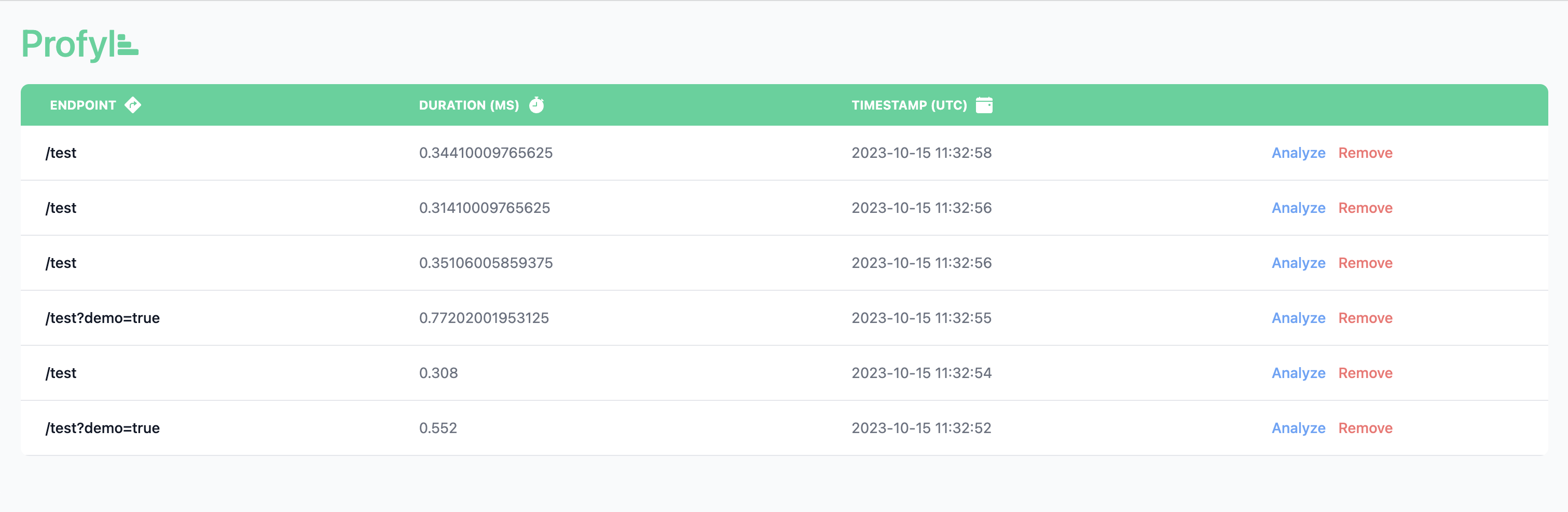
3. List
- List all requests tracing:
4. Analyze
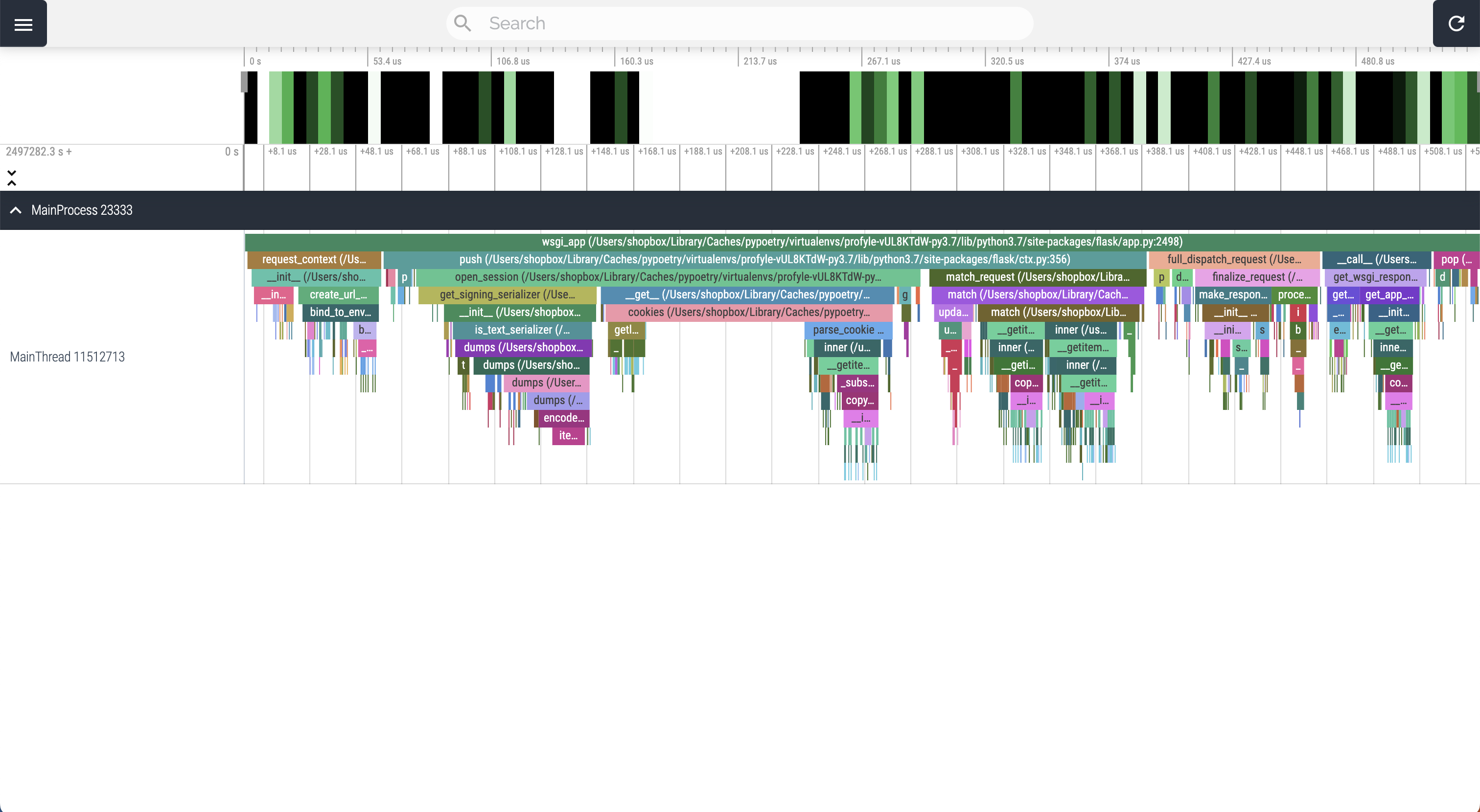
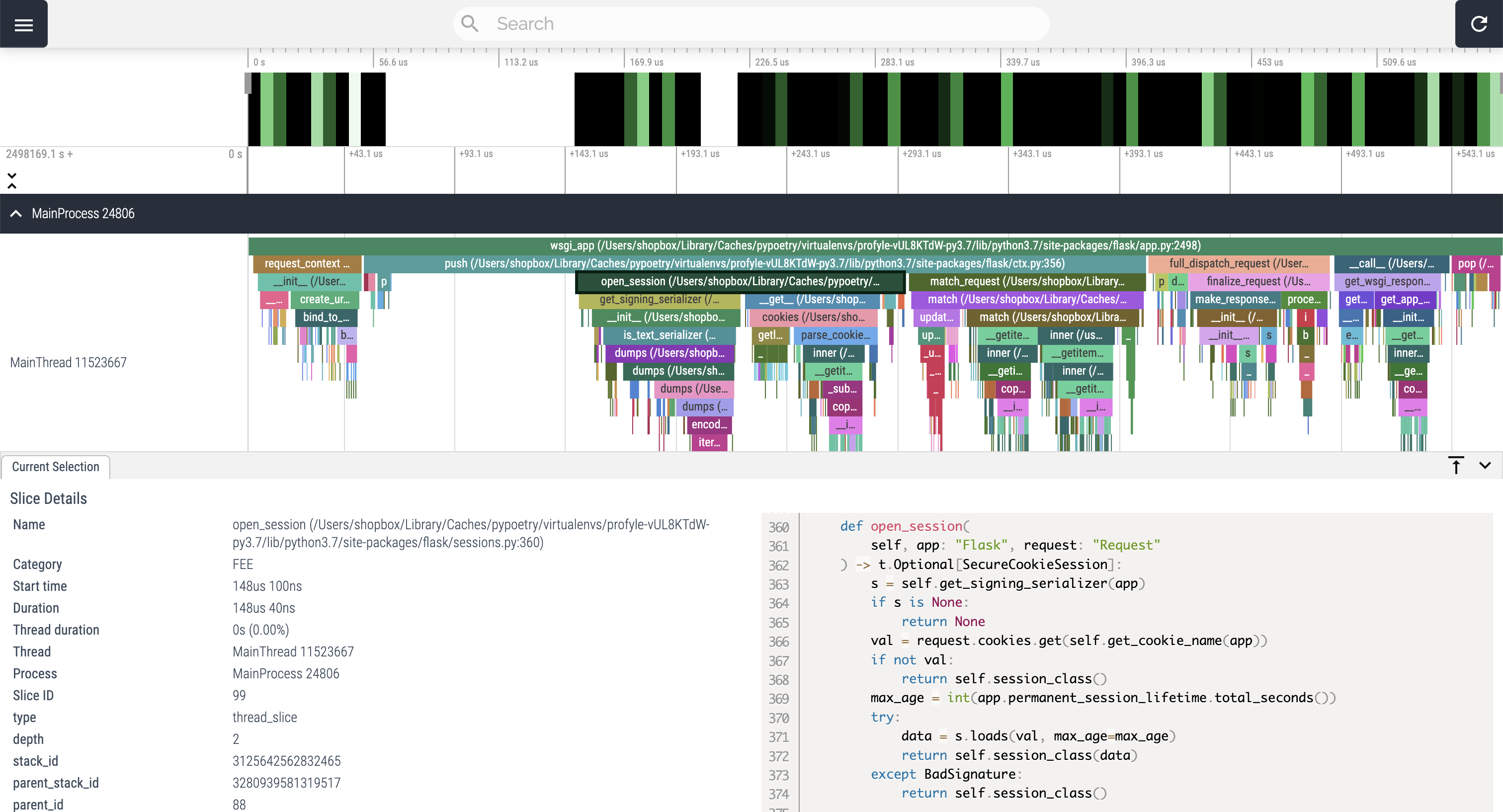
- Profyle stands on the shoulder of giants: Viztracer and Perfetto
- Detailed function entry/exit information on timeline with source code
- Super easy to use, no source code change for most features, no package dependency
- Supports threading, multiprocessing, subprocess and async
- Powerful front-end, able to render GB-level trace smoothly
- Works on Linux/MacOS/Window
CLI Commands
start
- Start the web server and view profile traces
| Options | Type | Default | Description |
|---|---|---|---|
| --port | INTEGER | 0 | web server port |
| --host | TEXT | 127.0.0.1 | web server host |
$ profyle start --port 5432

INFO:     Uvicorn running on http://127.0.0.1:5432 (Press CTRL+C to quit)
INFO:     Started reloader process [28720]
INFO:     Started server process [28722]
INFO:     Waiting for application startup.
INFO:     Application startup complete.
clean
- Delete all profile traces
$ profyle clean

10 traces removed
check
- Check traces DB size
$ profyle check

DB size: 30MB
1 maintainer

Release files for profyle 0.3.0
For a detailed explanation of source distributions (sdists) and built distributions (wheels), please see the package formats documentation.
Source distribution (sdist)
| File | Size | Uploaded | |
|---|---|---|---|
| profyle-0.3.0.tar.gz | 122.7 kB | Details |
Built distribution (wheel)
| File | Interpreter | ABI | Platform | Reset |
|---|---|---|---|---|
| profyle-0.3.0-py3-none-any.whl | Python 3 | none | any | Details |
Total release size: 249.6 kB
Release files / profyle-0.3.0.tar.gz
| Download URL | profyle-0.3.0.tar.gz |
|---|---|
| Size | 122.7 kB |
| Tags | Source |
|
SHA-256 checksum How to use checksums |
92d3af9b06cfdd27f5bf9313dfd9e21a6fe1172fbd7ff361af0fc6f94511a012
|
|
BLAKE2b-256 checksum How to use checksums |
b9fab1f41c8537d80c77b2e734046231432a99c996c5a5b3768ca562d9afd99d
|
| Upload date | |
|
Uploaded using Trusted Publishing? What is trusted publishing? |
No |
| Uploaded via |
poetry/1.7.1 CPython/3.12.1 Darwin/23.4.0
|
Release files / profyle-0.3.0-py3-none-any.whl
| Download URL | profyle-0.3.0-py3-none-any.whl |
|---|---|
| Size | 126.9 kB |
| Tags | Python 3 |
|
SHA-256 checksum How to use checksums |
43ebeb057b5522afd1448004543bd11c46fe4f33b530ecb8679be97de5a9af46
|
|
BLAKE2b-256 checksum How to use checksums |
834ca3fcbf6d8a506acafb7b1534e6f657e56ad47496ef60f9ca57b3ea46ec86
|
| Upload date | |
|
Uploaded using Trusted Publishing? What is trusted publishing? |
No |
| Uploaded via |
poetry/1.7.1 CPython/3.12.1 Darwin/23.4.0
|














