




Progressist
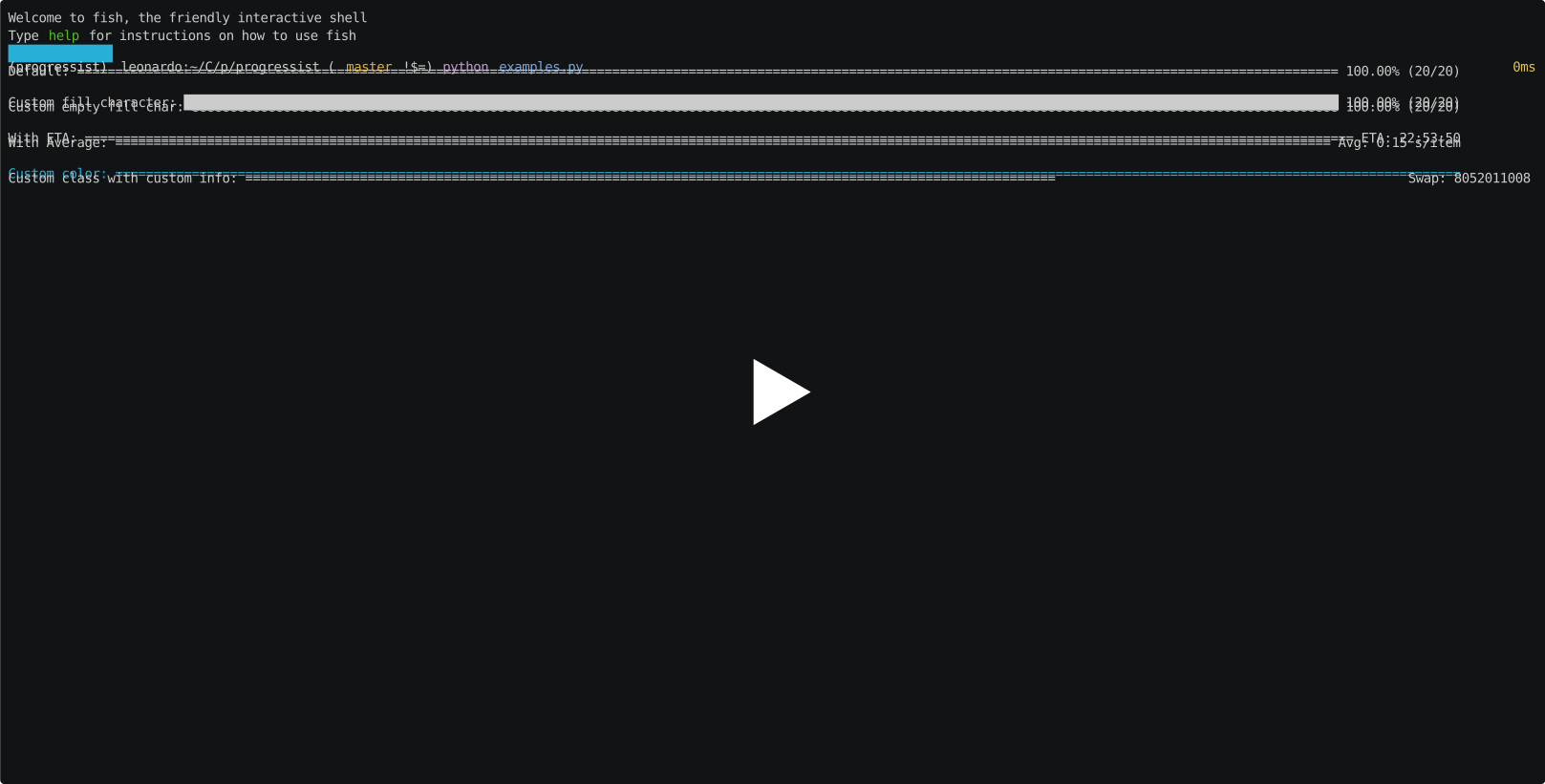
Minimalist and pythonic progress bar.
Install
pip install progressist
Usage
from progressist import ProgressBar
bar = ProgressBar(total=mytotalstuff)
for item in mystuff:
    # do_stuff
    bar.update()
Or use bar.iter transparently
for item in bar.iter(mystuff):
    do_stuff
It comes with a default rendering that is enough for starting, but it's made to be customised very easily: just writting a template string:
bar = ProgressBar(total=mytotalstuff, template='{prefix} {progress} ETA: {eta}')
It's just plain python formatting so you can use any valid string formatting to take control over the appearance. For example:
bar = ProgressBar(total=mytotalstuff, template='{progress} {percent:.2%} ETA: {eta:%H:%M:%S}')
You can also just change the fill character:
bar = ProgressBar(total=mytotalstuff, done_char='#')
You can change the progress logic itself, for example to use a spinner (included):
bar = ProgressBar(total=mytotalstuff, progress='{spinner}')
# 'progress' kwarg must return a valid template variable.
# included ones are {bar} and {spinner}
You can step by more than one at a time:
for item in mystuff:
    amount = do_stuff()
    bar.update(step=amount)
You can add more template vars by subclassing ProgressBar:
class MyBar(ProgressBar):

    @property
    def swap(self):
        return psutil.swap_memory().total

bar = MyBar(total=20, template='{prefix} {progress} Swap usage: {swap}')
If you are using the same configuration at different places, create a subclass and set its configuration as class properties:
class MyBar(ProgressBar):
    template = ('Download |{animation}| {done:B}/{total:B}')
    done_char = '⬛'

bar = MyBar()
You want to compute yourself the done part?
bar.update(done=myvar / othervar * another)
Or the target total may change during process?
bar.update(total=newcomputedtotal)
To use as urlretrieve callback:
bar = ProgressBar(template="Download |{animation}| {done:B}/{total:B}")
urllib.request.urlretrieve(myurl, mydest, reporthook=bar.on_urlretrieve)
See examples for inspiration.
To run examples, when git cloned the repository, simply run:
python examples.py
If you want to run only one example, add its name to the command line:
python examples.py example_download
Parameters
You can set all of those parameters either as class properties:
class MyBar(ProgressBar):
    done_char = 'x'

bar = Bar()
Or at init:
bar = ProgressBar(done_char='x')
Or at update:
bar = Bar()
bar.update(prefix='Finishing')
| name | default | description |
|---|---|---|
| done_char | = |
Char used for filling the progress bar |
| remain_char | ' ' (a space) |
Char used for filling the empty portion of the progress bar |
| template | {prefix} {progress} {percent} ({done}/{total}) |
The template of the whole line |
| prefix | Progress: |
The leading label |
| animation | '{progress}' | The actual widget used for progress, can be {bar}, {spinner} or {stream} |
| throttle | 0 | Minimum value between two update call to issue a render: can accept an int for an absolute throttling, a float for a percentage throttling (total must then be set) or a dimedelta for a throttling in seconds |
Built in template vars
| name | description | type | default formatting |
|---|---|---|---|
| prefix | Leading label in default template | string | str |
| elapsed | The elapsed time from the first iteration (in seconds) | int | as timedelta |
| eta | The computed ETA | datetime | %H:%M:%S if less than 24 hours, else %Y-%m-%d %H:%M:%S |
| tta | The estimated remaining time (time to arrival; in seconds) | int | as timedelta |
| avg | The average time per iteration, in seconds | float | .2f |
| speed | The average number of iterations per second | float | .2f |
| done | The number of done iterations | integer | |
| total | The total number of iterations to be done | integer | |
| remaing | The number of iterations remaining to be done | integer | |
| percent | The percent of iterations already done | float | .2% |
| animation | The actual progress bar | template string ({bar}, {spinner} or {stream}) |
Custom formatting
We extend python default Formatter with some handy custom specs:
-
Btype: render an int as human friendly bytes size. For example:> bar.total = 109830983 > bar.template = '{total:B}' > bar.render() '104.7 MiB'You can still override the ndigits value:
> bar.total = 109830983 > bar.template = '{total:0.2B}' > bar.render() '104.74 MiB' -
Dtype: try to cast to integer. For example:> bar.speed = 103.23 > bar.template = '{speed:D}' > bar.render() '103'


Release files for progressist 0.1.0
For a detailed explanation of source distributions (sdists) and built distributions (wheels), please see the package formats documentation.
Source distribution (sdist)
| File | Size | Uploaded | Provenance | Actions |
|---|---|---|---|---|
| progressist-0.1.0.tar.gz | 6.4 kB | Without provenance | Details for progressist-0.1.0.tar.gz |
Built distribution (wheel)
| File | Interpreter | ABI | Platform | Actions Reset |
|---|---|---|---|---|
| progressist-0.1.0-py3-none-any.whl | Python 3 | none | any | Details for progressist-0.1.0-py3-none-any.whl |
Total release size: 12.6 kB
Release files / progressist-0.1.0.tar.gz
| Download URL | progressist-0.1.0.tar.gz |
|---|---|
| Size | 6.4 kB |
| Tags | Source |
|
SHA-256 checksum How to use checksums |
0432388142ead5eeec4230c025f67c27e09ea6a97c16962b6a8a4d5e45bb2d29
|
|
BLAKE2b-256 checksum How to use checksums |
405baff79945df42d4f19bfc072b07c1b1c37d3a7c01abd38fc10bc50d0daf5f
|
| Upload date | |
|
Uploaded using Trusted Publishing? What is trusted publishing? |
No |
| Uploaded via |
twine/1.13.0 pkginfo/1.5.0.1 requests/2.20.1 setuptools/41.0.1 requests-toolbelt/0.9.1 tqdm/4.31.1 CPython/3.7.3
|
Release files / progressist-0.1.0-py3-none-any.whl
| Download URL | progressist-0.1.0-py3-none-any.whl |
|---|---|
| Size | 6.2 kB |
| Tags | Python 3 |
|
SHA-256 checksum How to use checksums |
4ade9541d3d23f0b3845609490021e684b24a9dca81b6e84593bb1d2475d5ac4
|
|
BLAKE2b-256 checksum How to use checksums |
3aa64738cd1ece9c0ab68e01d8df02876ee3679709db6589e1a55b2e289a1c58
|
| Upload date | |
|
Uploaded using Trusted Publishing? What is trusted publishing? |
No |
| Uploaded via |
twine/1.13.0 pkginfo/1.5.0.1 requests/2.20.1 setuptools/41.0.1 requests-toolbelt/0.9.1 tqdm/4.31.1 CPython/3.7.3
|
Security for progressist 0.1.0
Provenance
Provenance describes where a file came from. On PyPI, provenance is shared via attestations, which provide a verifiable record of the build or publishing details. View details, limitations and caveats.
No provenance found
None of the files in this release were uploaded with provenance metadata.
A note on package security
PyPI is a repository for distributing packages, not a service for auditing them. While third-party security researchers and our staff do their best to detect and remove malicious packages, PyPI cannot guarantee the quality, security or suitability of any given package.
To learn more about protecting yourself from malicious actors, visit our package security documentation.














