
Your CLI assistant. Ask questions, get shell commands.

Project description
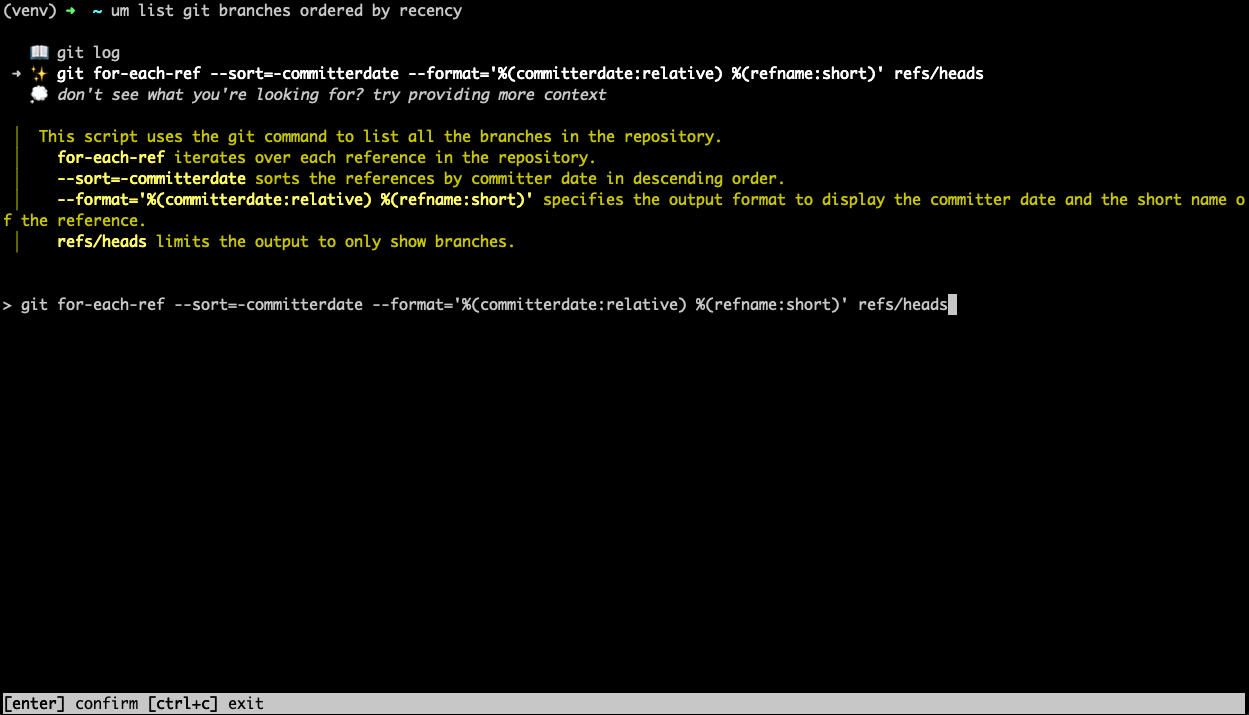
um is a GPT-powered CLI assistant. Ask questions in plain English, get the perfect shell command.
Features
- find the right command without leaving the terminal
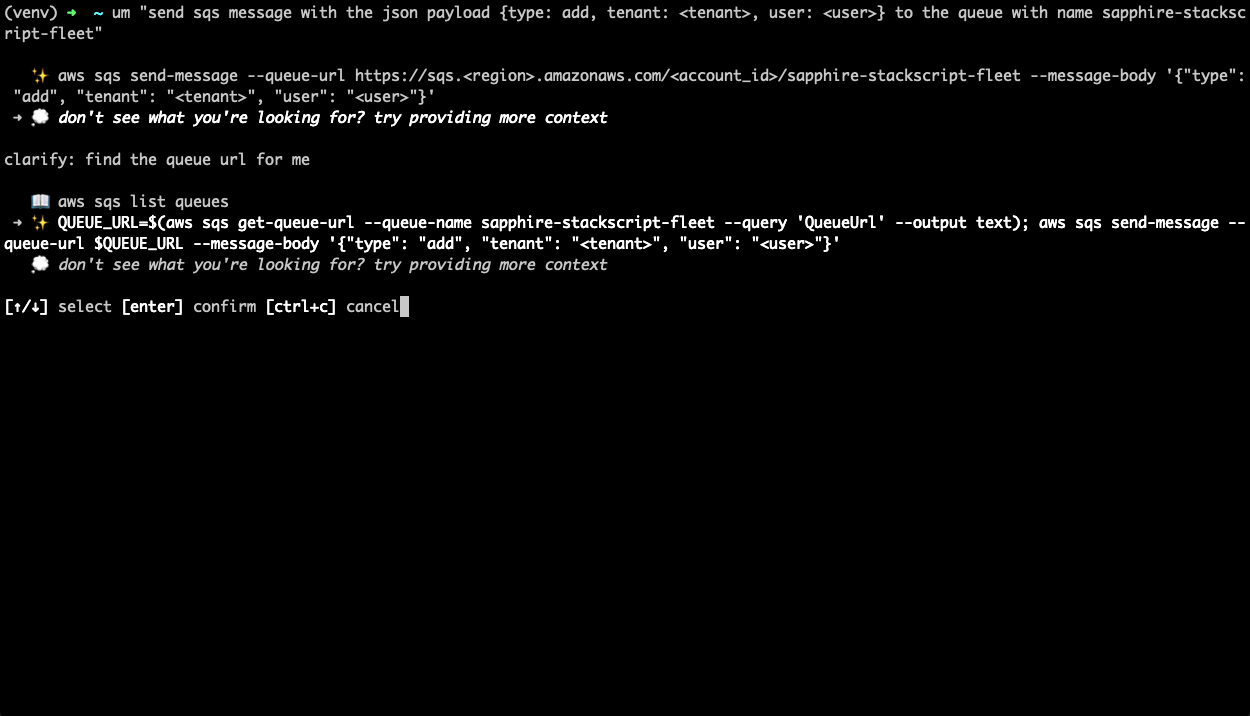
umcan index your history to find commands you've run beforeuminstantly learns from your corrections- simple interface to clarify your question or provide more context
- NEW in 0.1.6:
um workflowhelps you provision infrastructure (currently terraform only, more coming soon) - NEW in 0.1.7: extended reverse search functionality with fuzzy matching and semantic search
Installation
Linux - Ubuntu
curl -fsSL -o ubuntu-installer.sh https://raw.githubusercontent.com/promptops/cli/main/ubuntu-installer.sh
chmod 700 ubuntu-installer.sh
./ubuntu-installer.sh
MacOS - Homebrew
brew install promptops/promptops/promptops-cli
pip
Make sure you have python 3.10 or more recent python.org downloads
pip3 install promptops
Configuration
eval "$(um --install)"
(Optional) Enable extended reverse search (Ctrl+E)
Note: currently works only with Zsh
Add the widget and the key binding to your .zshrc file
cp ~/.zshrc ~/.zshrc.backup
echo 'eval "$(promptops lookup --config)"' >> ~/.zshrc
Reload
source ~/.zshrc
Disable extended reverse search
Remove the eval line from your .zshrc file and reload.
Usage
um
um <question>
um recipe <multi-stepped-prompt>
local runner
promptops runner
Examples
um list contents of tar file
um upload file to s3
More screenshots
Semantic search in history
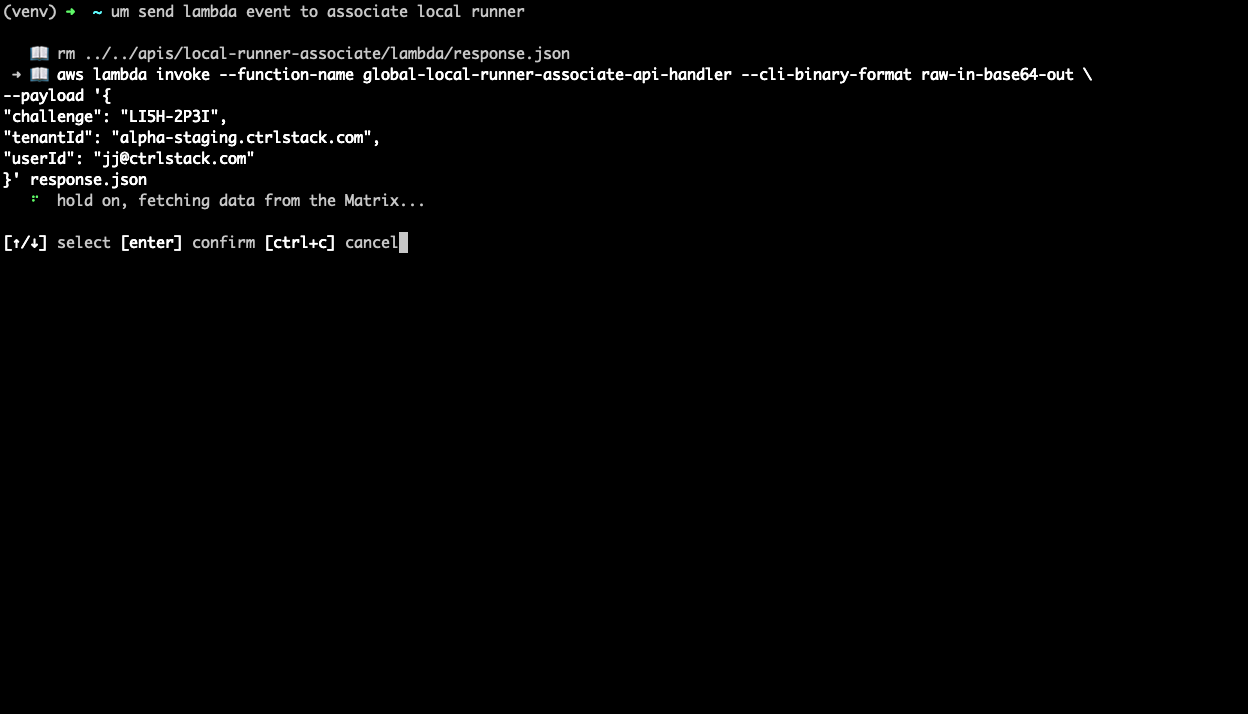
Provide more context flow
Development setup
create virtual env
python3.10 -m venv ./venv
. ./venv/bin/activate
install dependencies
pip install -r requirements.txt
install the cli
make install
test with
um get pods
Publishing pip release
make publish
Release history Release notifications | RSS feed


Download files
Download the file for your platform. If you're not sure which to choose, learn more about installing packages.
Source Distribution
Built Distribution
Filter files by name, interpreter, ABI, and platform.
If you're not sure about the file name format, learn more about wheel file names.
Copy a direct link to the current filters
File details
Details for the file promptops-0.1.11.tar.gz.
File metadata
- Download URL: promptops-0.1.11.tar.gz
- Upload date:
- Size: 68.5 kB
- Tags: Source
- Uploaded using Trusted Publishing? No
- Uploaded via: twine/4.0.2 CPython/3.11.4
File hashes
| Algorithm | Hash digest | |
|---|---|---|
| SHA256 |
f22c81088dbbacac0e74c69abb6caf61b3d645217ec42f325dbeda087e8cd38e
|
|
| MD5 |
3385005f904a700f763e5bbec1c5a77d
|
|
| BLAKE2b-256 |
27671930a10fe9d54339d023522da091b7728a79dfb3817d9ec538e32289d4e2
|
File details
Details for the file promptops-0.1.11-py3-none-any.whl.
File metadata
- Download URL: promptops-0.1.11-py3-none-any.whl
- Upload date:
- Size: 89.6 kB
- Tags: Python 3
- Uploaded using Trusted Publishing? No
- Uploaded via: twine/4.0.2 CPython/3.11.4
File hashes
| Algorithm | Hash digest | |
|---|---|---|
| SHA256 |
6fbac9394e959e0740f03a13d8339d10861b5c6f49e3ab8bf0d5e8558ac58d52
|
|
| MD5 |
1fb062f4838e78eb0243ef0d345cc2c0
|
|
| BLAKE2b-256 |
b46ca89dd86e62dd3e563b1aa0106d2f80268c14d9b0de453bbe06d78e3b8ece
|






