
pubplot


pubplot allows you to create publication quality plots that fit elegantly in your LaTeX document.
Main Features
Make plots that match the LaTeX style you are using. Automatically adjust plot sizes to fit in a column (or in a page) of the document. Detect text sizes in the LaTeX document and ensures that texts inside plots use the same size as captions or other predefined text size (e.g., \footnotesize).
Document-level styles. Apply styles to a document – instead of a global configuration. This allows you to use multiple documents with different styles at the same time. Moreover, you can easily reuse your style across different documents.
Usage
Start creating a document matching your LaTeX documentclass:
>>> from pubplot import Document
>>> from pubplot.document_classes import acm_sigconf
>>> doc = Document(acm_sigconf)
Now you can use your newly created doc to make plots that fit well in an ACM conference paper.
>>> fig, ax = doc.subfigures()
>>> ax.plot(range(11), range(11))
>>> fig.save('plot_name')
This will create two files plot_name.pdf and plot_name.pgf.
To include the generated pgf plot in your LaTeX document, make sure to include the folowing line your document preamble:
\usepackage{pgf}Then, include the image using the following line (usually inside a figure environment):
\input{plot_name.pgf}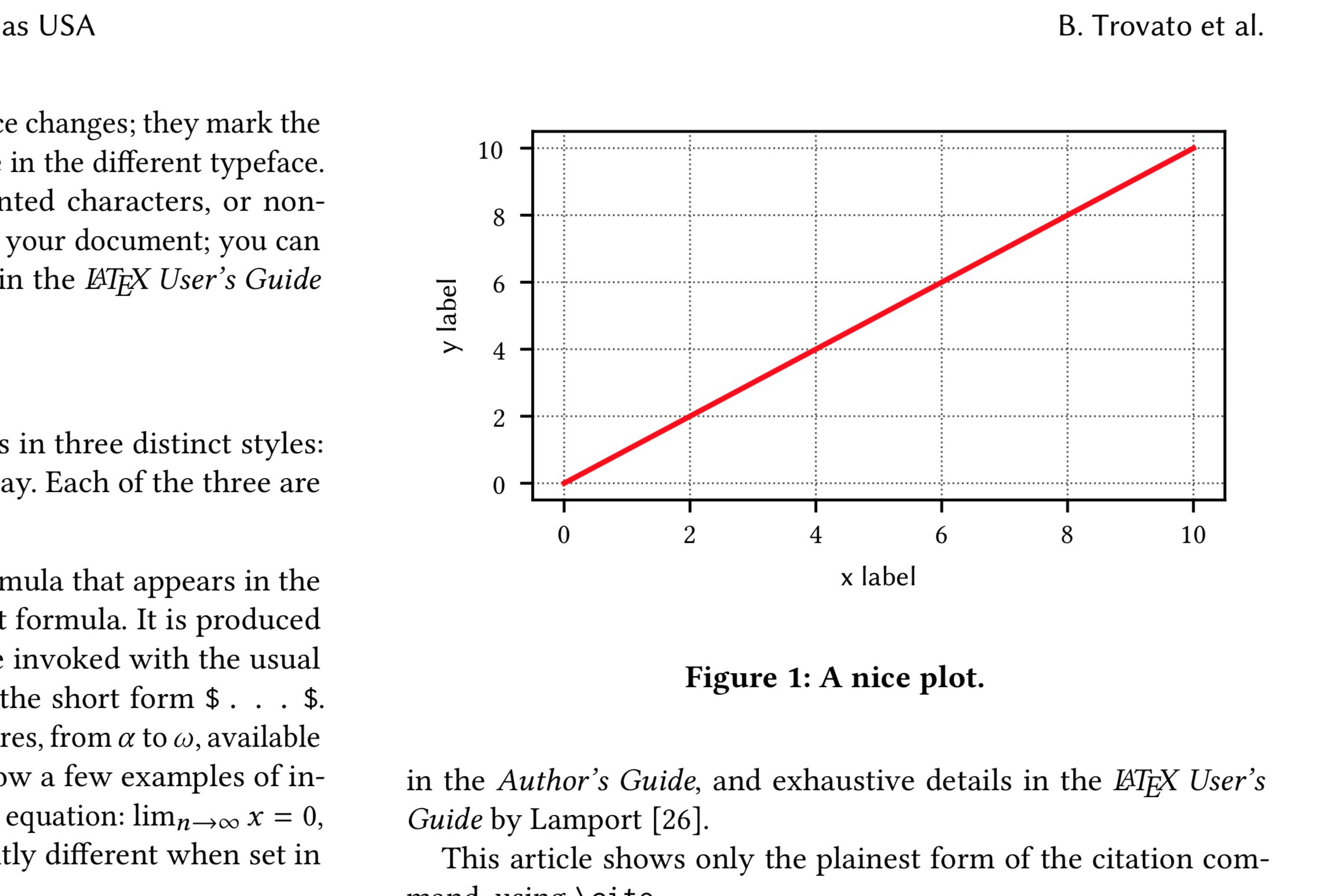
If you are familiar with matplotlib you will have no problem using pubplot. In the example above, fig should support all methods from matplotlib’s Figure class. The same is true for ax, which works like Axes.
For further help, check the examples and the rest of the documentation.
Installing
Ubuntu/Debian
Make sure you have an updated LaTeX installation:
sudo apt update
sudo apt install texlive-base texlive-latex-recommended texlive-fonts-recommended texlive-publishers texlive-latex-extra
Now install pubplot using pip:
pip install pubplot
macOS
You need a basic LaTeX installation. An easy way of getting LaTeX on a mac is through homebrew cask (although any other form of getting mactex should be fine):
brew cask install mactex
Now install pubplot using pip:
pip install pubplot
Optional but recommended. Matplotlib works better if you install some dependencies, if you use homebrew that can be accomplished with:
brew install libpng freetype pkg-config fontconfig
1 maintainer

Metadata
1 maintainer
Release files for pubplot 0.2.4
For a detailed explanation of source distributions (sdists) and built distributions (wheels), please see the package formats documentation.
Source distribution (sdist)
| File | Size | Uploaded | Provenance | Actions |
|---|---|---|---|---|
| pubplot-0.2.4.tar.gz | 10.1 kB | Without provenance | Details for pubplot-0.2.4.tar.gz |
Release files / pubplot-0.2.4.tar.gz
| Download URL | pubplot-0.2.4.tar.gz |
|---|---|
| Size | 10.1 kB |
| Tags | Source |
|
SHA-256 checksum How to use checksums |
2c244dda4ea5a10b2f2bcfd395a9ed3eda603ffd9d11c26c1c58ba7648cd5a0e
|
|
BLAKE2b-256 checksum How to use checksums |
e7eaa3e75f091d00ecc16d63d7295babe3e8f9ecebd012142fa034cf33d9236e
|
| Upload date | |
|
Uploaded using Trusted Publishing? What is trusted publishing? |
No |
| Uploaded via |
twine/1.13.0 pkginfo/1.5.0.1 requests/2.21.0 setuptools/41.0.0 requests-toolbelt/0.9.1 tqdm/4.31.1 CPython/3.6.7
|
Security for pubplot 0.2.4
Provenance
Provenance describes where a file came from. On PyPI, provenance is shared via attestations, which provide a verifiable record of the build or publishing details. View details, limitations and caveats.
No provenance found
None of the files in this release were uploaded with provenance metadata.
A note on package security
PyPI is a repository for distributing packages, not a service for auditing them. While third-party security researchers and our staff do their best to detect and remove malicious packages, PyPI cannot guarantee the quality, security or suitability of any given package.
To learn more about protecting yourself from malicious actors, visit our package security documentation.














