
Python vSphere Client with a dialog(1) interface

PVC is an interactive text-mode VMware vSphere Client with a dialog(1) interface for GNU/Linux systems built on top of the pyVmomi VMware vSphere API Python bindings.
Using PVC allows you to quickly navigate in your VMware vSphere environment and perform common tasks against various VMware vSphere Managed Entities.
PVC is Open Source and licensed under the BSD License.
Status
Experimental. PVC is in early development stage. Using PVC in a production environment is not (yet) recommended.
Contributions
PVC is hosted on Github. Please contribute by reporting issues, suggesting features or by sending patches using pull requests.
Documentation
The online documentation of PVC can be found at the link below:
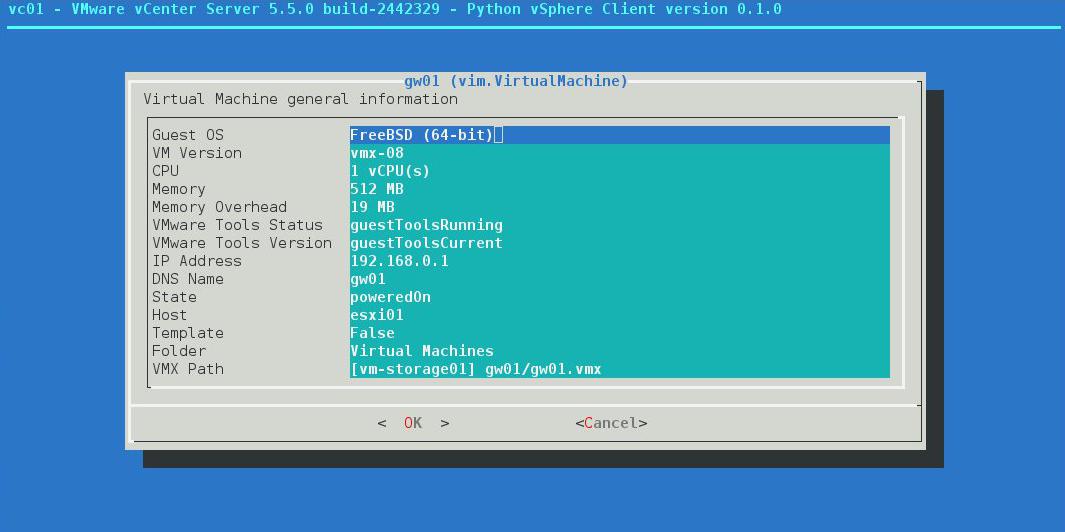
At the above link you can also find example screenshots of using PVC in a VMware vSphere environment.
With Docker
It is possible to use a docker using for example:
docker run -i -t –rm –dns=8.8.8.8 -h=pvc-v0.1.1 –name pvc marioezquerro/pvc:v0.1.1 /usr/local/bin/pvc-tui
Bugs
Probably. If you experience a bug issue, please report it to the PVC issue tracker on Github.
1 maintainer

Metadata
1 maintainer
Release files for pvc 0.3.0
For a detailed explanation of source distributions (sdists) and built distributions (wheels), please see the package formats documentation.
Source distribution (sdist)
| File | Size | Uploaded | Provenance | Actions |
|---|---|---|---|---|
| pvc-0.3.0.tar.gz | 38.7 kB | Without provenance | Details for pvc-0.3.0.tar.gz |
Release files / pvc-0.3.0.tar.gz
| Download URL | pvc-0.3.0.tar.gz |
|---|---|
| Size | 38.7 kB |
| Tags | Source |
|
SHA-256 checksum How to use checksums |
ec892511e2b0e3ca68a6291dd89fdb3c055101e9b587a3a9ab4308649d4175c5
|
|
BLAKE2b-256 checksum How to use checksums |
dcd5c3d2b73700011eaa2f8ebde398b331fea5bfa10790d00ec4d7968054a086
|
| Upload date | |
|
Uploaded using Trusted Publishing? What is trusted publishing? |
No |
| Uploaded via |
twine/1.12.1 pkginfo/1.4.2 requests/2.19.1 setuptools/40.4.3 requests-toolbelt/0.8.0 tqdm/4.26.0 CPython/3.7.2
|
Security for pvc 0.3.0
Provenance
Provenance describes where a file came from. On PyPI, provenance is shared via attestations, which provide a verifiable record of the build or publishing details. View details, limitations and caveats.
No provenance found
None of the files in this release were uploaded with provenance metadata.
A note on package security
PyPI is a repository for distributing packages, not a service for auditing them. While third-party security researchers and our staff do their best to detect and remove malicious packages, PyPI cannot guarantee the quality, security or suitability of any given package.
To learn more about protecting yourself from malicious actors, visit our package security documentation.














