
Py Now Playing
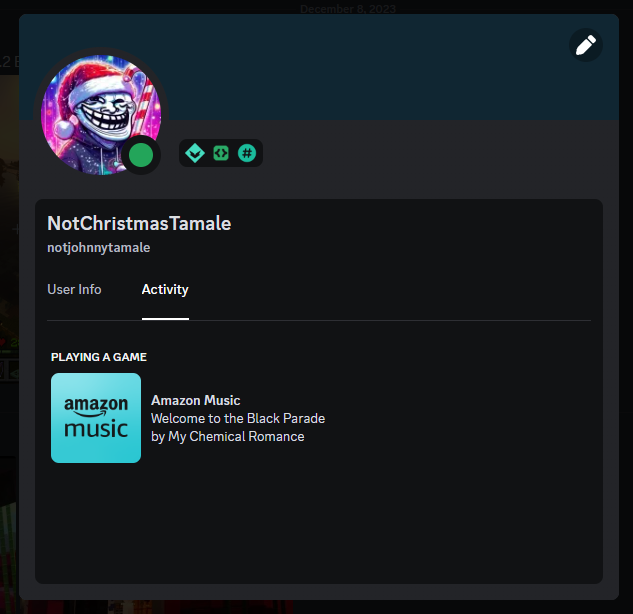
This project started as me wanting to create a Discord RPC that would take the currently playing audio from a specified application, and put that onto my Discord activity. I found some windows apis that allow me to do this, however they weren't intuitive to use. So, I started this.
How to use
# Initalize the Class
np = NowPlaying()

#initalize the mediamanager
np.initalize_mediamanager()
To get the active media apps, use get_active_app_user_model_ids().
Then you can use a filter or a loop to find the application you're looking for.
list(filter(lambda app: app['Name'] == 'App Name', now_playing))
Then use something like now_playing[0]['AppID'] to get the appid from the filter, and pass that into get_now_playing(app_user_model_id) to get the currently playing media for that application.
Other Notes
I've noticed that even when using Firefox and watching YouTube videos, that the playback_type is still MediaPlaybackType.MUSIC. I'll have to figure out why and if that changes at all.
Note that if you're testing the Amazon Music RPC I made in /tests, because Amazon has a skill issue Amazon Music doesn't always report the current song to Windows properly, so it may not appear correct.
1 maintainer

Metadata
1 maintainer
Release files for py-now-playing 0.1.0
For a detailed explanation of source distributions (sdists) and built distributions (wheels), please see the package formats documentation.
Source distribution (sdist)
| File | Size | Uploaded | Provenance | Actions |
|---|---|---|---|---|
| py_now_playing-0.1.0.tar.gz | 15.0 kB | Without provenance | Details for py_now_playing-0.1.0.tar.gz |
Built distribution (wheel)
| File | Interpreter | ABI | Platform | Actions Reset |
|---|---|---|---|---|
| py_now_playing-0.1.0-py3-none-any.whl | Python 3 | none | any | Details for py_now_playing-0.1.0-py3-none-any.whl |
Total release size: 30.5 kB
Release files / py_now_playing-0.1.0.tar.gz
| Download URL | py_now_playing-0.1.0.tar.gz |
|---|---|
| Size | 15.0 kB |
| Tags | Source |
|
SHA-256 checksum How to use checksums |
d754aef8652d5477a92ac7871c9795d0c7e92ba91e82e8857ee81dc24c7bfcd8
|
|
BLAKE2b-256 checksum How to use checksums |
b81be5bdd2437865e1605b8ed35d2ebf44a5360cc3c76ddd04ef1e918daf726c
|
| Upload date | |
|
Uploaded using Trusted Publishing? What is trusted publishing? |
No |
| Uploaded via |
poetry/1.7.1 CPython/3.10.11 Windows/10
|
Release files / py_now_playing-0.1.0-py3-none-any.whl
| Download URL | py_now_playing-0.1.0-py3-none-any.whl |
|---|---|
| Size | 15.5 kB |
| Tags | Python 3 |
|
SHA-256 checksum How to use checksums |
5c07541b36de7e115bdaad26d2f2849b39a8fd6a14849c903e0af3c78a6dd91e
|
|
BLAKE2b-256 checksum How to use checksums |
611395f6076d0eb69b7d0631d3d5957f2425e7a00e465d75335fd37997336d73
|
| Upload date | |
|
Uploaded using Trusted Publishing? What is trusted publishing? |
No |
| Uploaded via |
poetry/1.7.1 CPython/3.10.11 Windows/10
|
Security for py-now-playing 0.1.0
Provenance
Provenance describes where a file came from. On PyPI, provenance is shared via attestations, which provide a verifiable record of the build or publishing details. View details, limitations and caveats.
No provenance found
None of the files in this release were uploaded with provenance metadata.
A note on package security
PyPI is a repository for distributing packages, not a service for auditing them. While third-party security researchers and our staff do their best to detect and remove malicious packages, PyPI cannot guarantee the quality, security or suitability of any given package.
To learn more about protecting yourself from malicious actors, visit our package security documentation.














