
pyCEPS


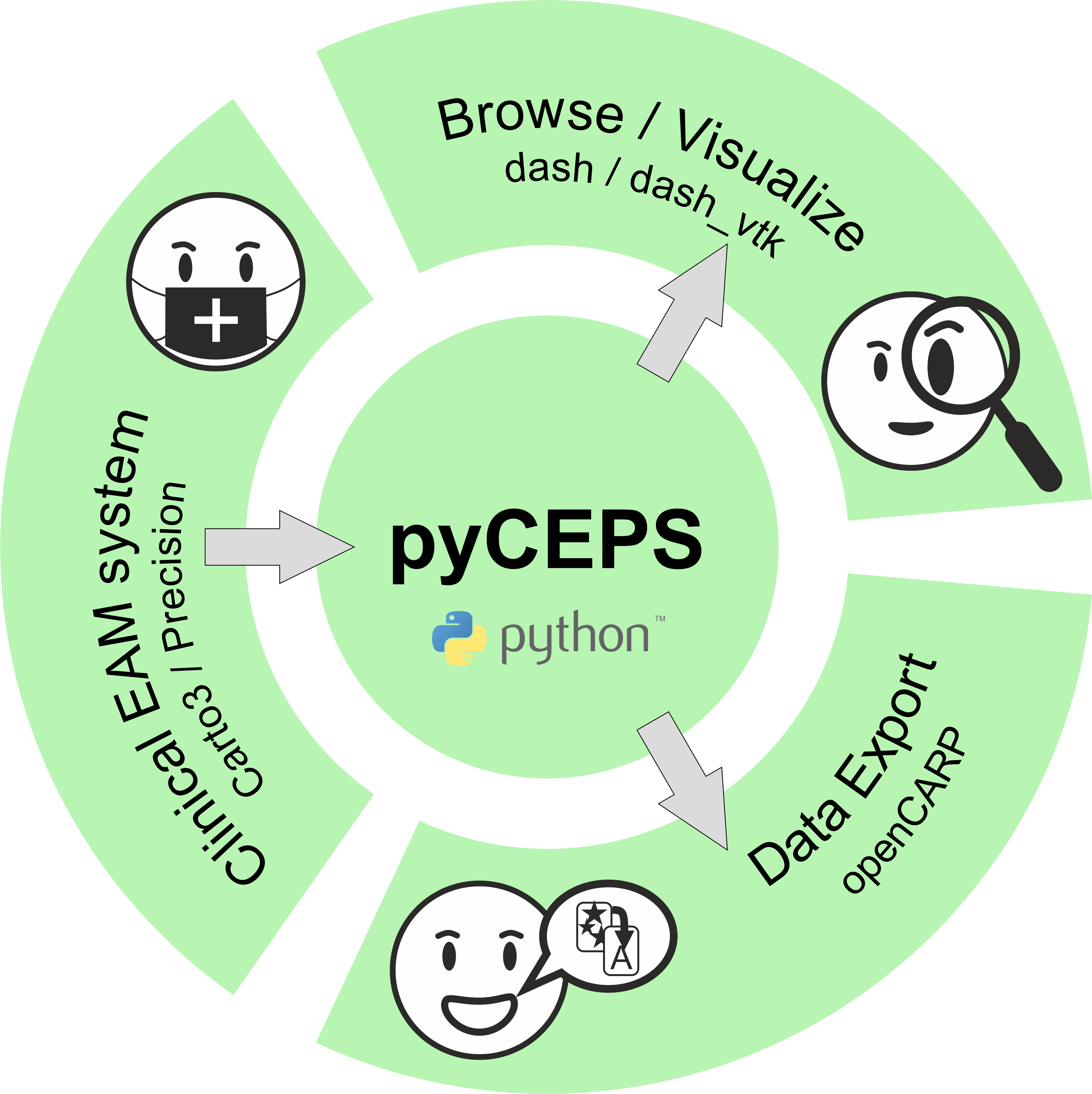
pyCEPS provides an interface to import, visualize and translate clinical mapping data (EAM data). Supported mapping systems are: CARTO®3 (Biosense Webster) and EnSite Precision™ (Abbot).
How To Cite
If you use this software, please consider citing:
@software{arnold_2024_10606341, author = {Arnold, Robert and Prassl, Anton J and Plank, Gernot}, title = {{pyCEPS: A cross-platform Electroanatomic Mapping Data to Computational Model Conversion Platform for the Calibration of Digital Twin Models of Cardiac Electrophysiology}}, month = feb, year = 2024, publisher = {Zenodo}, doi = {10.5281/zenodo.10606340}, url = {https://doi.org/10.5281/zenodo.10606340} }
To cite a specific software version, visit Zenodo
Installation
Python 3.8 or higher is required. Just use pip to install:
python3 -m pip install pyceps
This will install all necessary dependencies and add a CLI entry point. To test the installation run
pyceps --help
Standard Workflow
Typically, a user wants to import and translate complete EAM data sets, save a reduced version of the data set to disk, and visualize the data.
pyceps --system "carto" --study-repository "path_to_repository" --convert --visualize --save-study
pyceps --system "precision" --study-repository "path_to_repository" --convert --visualize --save-study
--system specifies the EAM system used for data acquisition.
--study-repository points to a (valid) data location, e.g. a ZIP archive
(preferred), or a folder.
--convert automatically loads the data set in its entirety and exports all
data to openCARP compatible formats.
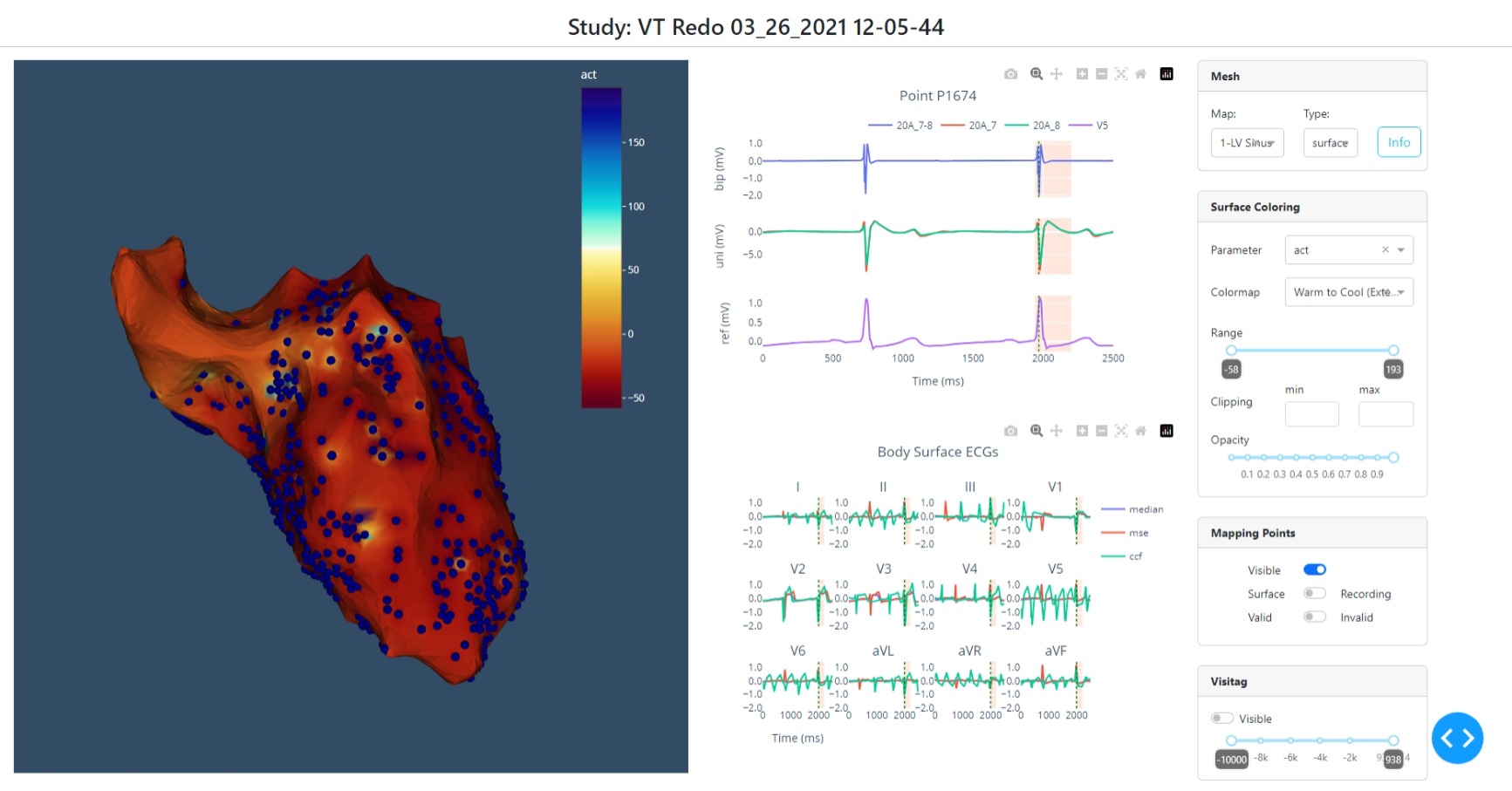
--visualize opens a local HTML site and interactively shows the EAM data.
--save-study saves the (reduced) EAM data set to disk as .pyceps file, which
can be used later (much faster than re-importing the EAM data).
To open and work with a previously generated .pyceps file use
pyceps --study-file "path_to_file" --visualize ...
pyceps --study-file "path_to_file" --visualize ...
Saving a reduced version of EAM data
Upon import of EAM data, a data representation is built which can be saved to disk for later usage. This data object does not contain the entirety of data available in the EAM data set (e.g. not all ECG and EGM data is read) but can therefore be loaded very quickly. To save the data representation in .pyceps format to disk use
--save-study
The file is automatically saved in the folder above the repository path (if EAM data resides in a folder), or in the same folder if data is imported from ZIP archives. Optionally, a different location can be given.
Visualizing the data
Once a data set was imported/loaded it can be visualized using a local HTML site to evaluate the quality of the data set:
--visualize
Note: This will lock the console!
Advanced Import/Export
To control which data, i.e. mapping procedures, are imported from an EAM data set and which data are exported, the commands described below can be chained together. It is also possible to add data to an existing .pyceps file at a later point, if the study repository (original data) is still accessible. See usage of --change-root for details on how to change data location if needed.
Specifying the EAM system
--system [carto, precision]
This is used only when importing data from an EAM data repository.
Specifying the data location
--study-repository "path_to_repository"
--study-file "path_to_file"
Using these commands will gather basic information from the data set, (i.e. name of the study, performed mapping procedures, etc.) and display this information on the command line.
Specifying what to import
To import single mapping procedures the name of the mapping procedure can be specified. Optional all can be used to import all mapping procedures (same as using --convert).
pyceps.py ... --import-map "map_name"
pyceps.py ... --import-map "all"
All information related to the mapping procedure is loaded, i.e. anatomical shell, mapping points, ablation lesions, etc.
Specifying what to export
It is possible to export specific items from the data set. This works only for single mapping procedures, therefore a mapping procedure to work with has to be specified first using
--map "map_name"
All following commands are then applied to this mapping procedure only.
--dump-mesh
--dump-point-data
--dump-point-egms
--dump-point-ecgs
--dump-map-ecgs
--dump-surface-maps
--dump-lesions
Note: If --convert is used, this is obsolete since data is exported for all mapping procedures.
Note: Using --dump-point-ecgs needs access to EAM data repository to load ECG data!
See below how to set a valid path if necessary
Changing the location of original EAM data
When opening EAM data from previously generated .pyceps files, the original EAM data set might not be accessible or the path might have changed (e.g. when using mounted devices). Information if the path stored in the .pyceps file is still valid is displayed upon loading of a .pyceps file. To change the path to an EAM data repository use
--change-root "path_to_repository"
This will check if the new path is valid and set it accordingly.
For Experts
The data contained in exported data sets differs for different mapping systems. Exporting data via the CLI accesses only data common to every mapping system. To access the entirety of imported data, Python scripts have to be used.
from pyceps import CartoStudy

study = CartoStudy("path_to_repository",
                   pwd='password',
                   encoding='encoding')
study.import_study()
# import all available maps
study.import_maps(study.mapNames)
...
License
This software is made available under the terms of the GNU General Public License v3.0 (GPLv3+).
Whom Do I Talk To?
- R. Arnold
- A. Prassl
1 maintainer

Metadata
1 maintainer
Release files for pyCEPS 1.0.1
For a detailed explanation of source distributions (sdists) and built distributions (wheels), please see the package formats documentation.
Source distribution (sdist)
| File | Size | Uploaded | Provenance | Actions |
|---|---|---|---|---|
| pyceps-1.0.1.tar.gz | 140.5 kB | Without provenance | Details for pyceps-1.0.1.tar.gz |
Built distribution (wheel)
| File | Interpreter | ABI | Platform | Actions Reset |
|---|---|---|---|---|
| pyCEPS-1.0.1-py3-none-any.whl | Python 3 | none | any | Details for pyCEPS-1.0.1-py3-none-any.whl |
Total release size: 298.8 kB
Release files / pyceps-1.0.1.tar.gz
| Download URL | pyceps-1.0.1.tar.gz |
|---|---|
| Size | 140.5 kB |
| Tags | Source |
|
SHA-256 checksum How to use checksums |
d2a3418e5a8a1fd3741fbe3d84284ec44815fcdbe71bb5ee81b2e29f9da65880
|
|
BLAKE2b-256 checksum How to use checksums |
7a90fac8d67c5ccd73da0bdd2cecf8808f8d506f83609d8124f90d19d9b95d2c
|
| Upload date | |
|
Uploaded using Trusted Publishing? What is trusted publishing? |
Yes |
| Uploaded via |
twine/5.0.0 CPython/3.12.3
|
Release files / pyCEPS-1.0.1-py3-none-any.whl
| Download URL | pyCEPS-1.0.1-py3-none-any.whl |
|---|---|
| Size | 158.3 kB |
| Tags | Python 3 |
|
SHA-256 checksum How to use checksums |
6865148155b1bd24508bb83c7c329481ecfd7dccf2015d3bfe97ee9b55b36f71
|
|
BLAKE2b-256 checksum How to use checksums |
33d5ee393f5a4c64c08f99d0bac3356898f55ce88604372796436f47b340eb82
|
| Upload date | |
|
Uploaded using Trusted Publishing? What is trusted publishing? |
Yes |
| Uploaded via |
twine/5.0.0 CPython/3.12.3
|
Security for pyCEPS 1.0.1
Provenance
Provenance describes where a file came from. On PyPI, provenance is shared via attestations, which provide a verifiable record of the build or publishing details. View details, limitations and caveats.
No provenance found
None of the files in this release were uploaded with provenance metadata.
A note on package security
PyPI is a repository for distributing packages, not a service for auditing them. While third-party security researchers and our staff do their best to detect and remove malicious packages, PyPI cannot guarantee the quality, security or suitability of any given package.
To learn more about protecting yourself from malicious actors, visit our package security documentation.














