
Python AWS Shell Cockpit

What is this about?
This tool is a simple result, a "collateral-effect", born from the need of boring and repetitive tasks during interaction with AWS, while I was working on my duties.
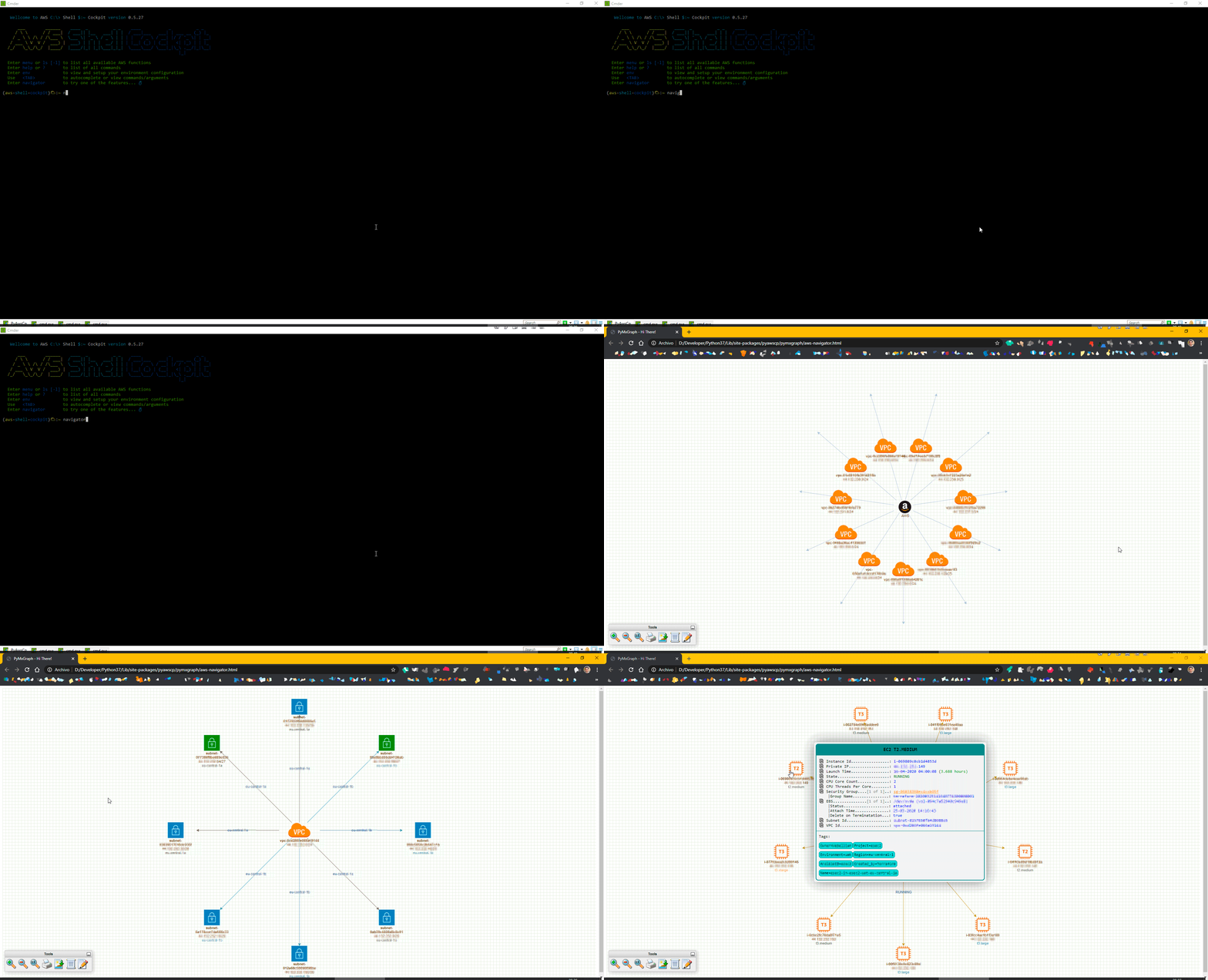
It's a Shell that has collection of pre-built commands that basically extracts informations: ASCII Views and also Visual Graphics from the AWS resources and their relationships.
In a ordinary working day with Cloud, questions like below always poppup (frequently and recurrently):
- Which ELB is pointing to this EC2 Instance? Actually, is there any one?
- Which ELB or EC2 Instance it is the target of the DNS myproject.lof.middle.earth.org ?
- Is this Subnet is Public or Private after all?
- How many IP Addresses still left in all my VPCs? Or... only tell me for this one here vpc-0123456789abcdef?
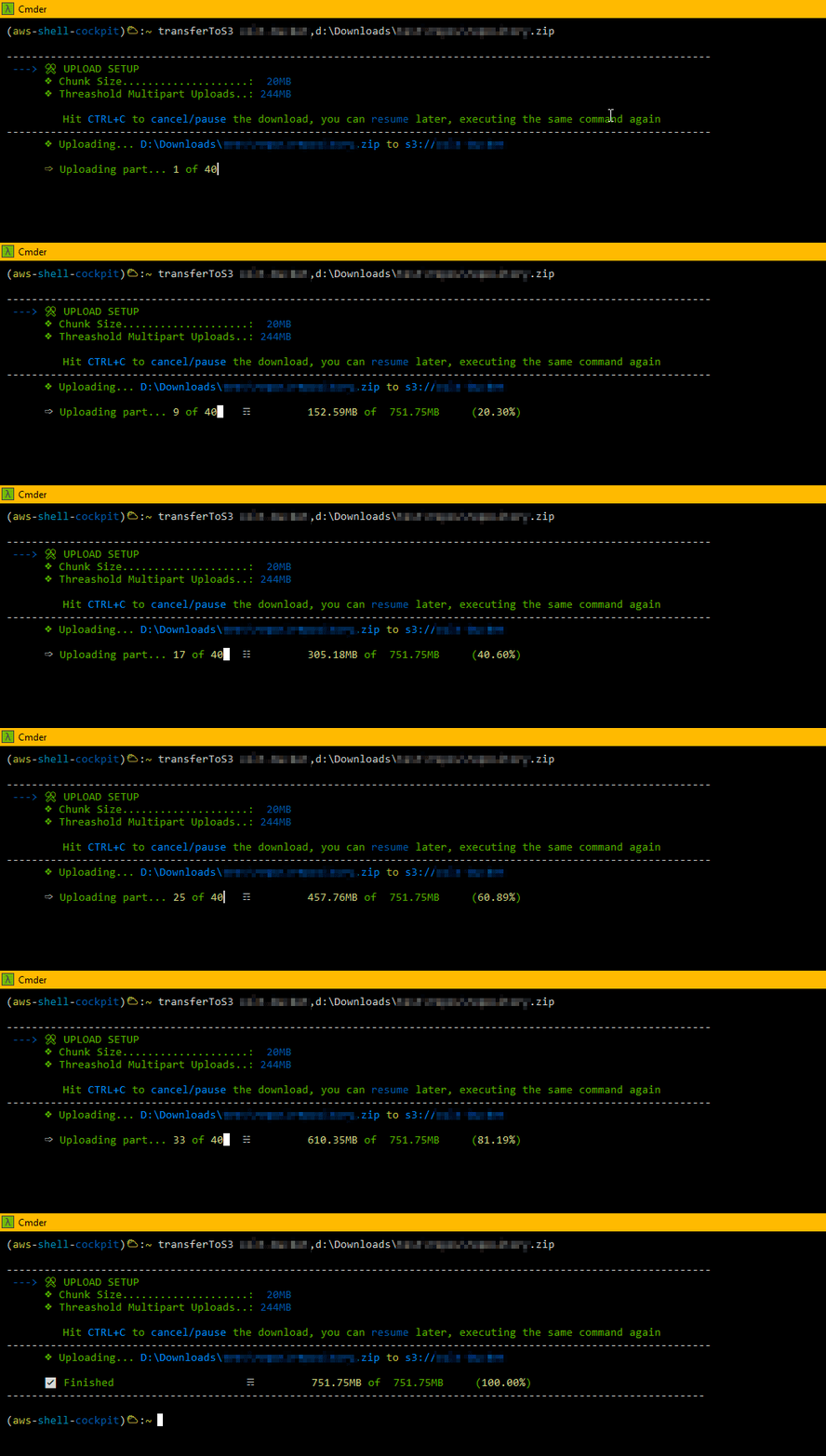
- Is there any S3 Multipart Uploads unfinished? So, let's abort it... (this costs money and I cannot see them on AWS Console)
- Give me a List of all my VPC's Subnet, tell me also which one is Public
So What?
So, we could just use AWS Console, AWS CLI + Bash Script, Boto3, right? Well, pretty much it is what I was doing all the day around. But, I realized that:
- Interact with AWS Console it's counterproductive (boring, slow, ...)
- Manage to get the answers with AWS CLI (although more flexible than AWS Console), very often you have to run two, three commands to reach to the final answer.
- Besides, using AWS CLI, you have to mantain the used commands saved in some place (well commented) and available, like your library.
As Python Boto3 is far most powerful than AWS CLI, it can offers you tons of features to interact with AWS (it's not by chance that tools like Ansible Red Hat, after all, use it). I came up with the idea of build this sort-of "Shell" AWS utility to my day-to-day tasks, to help me, make the repetition less boring and bring some agility as well. That's where was born this idea (well, also something to do on my spare time when I am bored)
All the commands (that were and still are useful to me) are pre-packaged inside this Python Shell, now I only need to install the Python package and have everything available and documented to use it.
All the commands (that were/are useful to me) are pre-packaged inside this Python Shell, I only need to install the Python package with everything available and use it.
While working on this, some other ideas were popping up, like:
- Generate some visual graphs (exportable to DrawIO) as vision of the AWS resources and their relationships.
- An online navigator, where you can view (graphically and export also) your AWS Networking resources (online - a live view).
I am always trying to add new features, when new needs or ideas are raising (of course when I have some off-time to dedicate to it).
I am sharing the result of this, perhaps can be useful to somone else. Feel free to reach out to me with new ideas/suggestions, I will be glad to hear you.
More at: https://ualter.github.io/pyawscp/
1 maintainer

Metadata
1 maintainer
Release files for pyawscp 0.6.11
For a detailed explanation of source distributions (sdists) and built distributions (wheels), please see the package formats documentation.
Source distribution (sdist)
| File | Size | Uploaded | |
|---|---|---|---|
| pyawscp-0.6.11.tar.gz | 896.8 kB | Details |
Built distribution (wheel)
| File | Interpreter | ABI | Platform | Reset |
|---|---|---|---|---|
| pyawscp-0.6.11-py3-none-any.whl | Python 3 | none | any | Details |
Total release size: 1.9 MB
Release files / pyawscp-0.6.11.tar.gz
| Download URL | pyawscp-0.6.11.tar.gz |
|---|---|
| Size | 896.8 kB |
| Tags | Source |
|
SHA-256 checksum How to use checksums |
54f98ce578bc694fee636a505806e5ce8255ab4e66d0bdb0ffe1503396c5f80d
|
|
BLAKE2b-256 checksum How to use checksums |
d9f9b8ba94b8fabdb0a30a560c2a3087d531425ca00278e220b43fe21ed186a0
|
| Upload date | |
|
Uploaded using Trusted Publishing? What is trusted publishing? |
No |
| Uploaded via |
twine/3.2.0 pkginfo/1.5.0.1 requests/2.23.0 setuptools/45.2.0 requests-toolbelt/0.9.1 tqdm/4.50.0 CPython/3.8.5
|
Release files / pyawscp-0.6.11-py3-none-any.whl
| Download URL | pyawscp-0.6.11-py3-none-any.whl |
|---|---|
| Size | 1.0 MB |
| Tags | Python 3 |
|
SHA-256 checksum How to use checksums |
566c3f2fa37f1f9bb711da34210b25c4d7e794850682b2ba8cbab1ba0f87bfa2
|
|
BLAKE2b-256 checksum How to use checksums |
53207b32fcc466dd8e119d3f9dc3a1ecf4b129565377c061c037d09d2eb96b95
|
| Upload date | |
|
Uploaded using Trusted Publishing? What is trusted publishing? |
No |
| Uploaded via |
twine/3.2.0 pkginfo/1.5.0.1 requests/2.23.0 setuptools/45.2.0 requests-toolbelt/0.9.1 tqdm/4.50.0 CPython/3.8.5
|














