

PyGerber
















PyGerber is a Python implementation of Gerber X3/X2 format. It is based on Ucamco's
The Gerber Layer Format Specification. Revision 2023.03 (Available on
Ucamco's webpage
and in
this repository).
The goal of this project is to provide support for wide variety of Gerber-like syntaxes,
with support for most of deprecated features along with support for modern ones.
Target set of tools:
- Tokenizer
- Parser
- Introspection API
- Rasterized 2D rendering engine (With Pillow)
- Vector 2D rendering engine (With drawsvg)
- Gerber X3/X2 Language Server (with
language-serverextras)
You can view progress of development in Gerber features support section down below. All Gerber source files which can be redistributed under MIT license and included in this repository for testing purposes will be greatly appreciated.
Installation
PyGerber can be installed with pip from PyPI:
pip install pygerber
Alternatively, it is also possible to install it directly from repository:
pip install git+https://github.com/Argmaster/pygerber
Command line usage
After installing pygerber, depending on your environment, it should become available
in your command line:
pygerber --version
Output should be similar to one below ⇩, where x.y.z should match version of
PyGerber installed.
$ pygerber --version
pygerber, version x.y.z
Use --help to display help messages for individual commands:
pygerber render --help
To render 2D PNG image of some gerber file you can simply use:
pygerber render raster source.gbr -o output.png
Image will be saved to output.png in current working directory.

For guide on how to render SVG images and multi-layer projects with CLI please refer to PyGerber documentation.
Programmatic usage
JPG
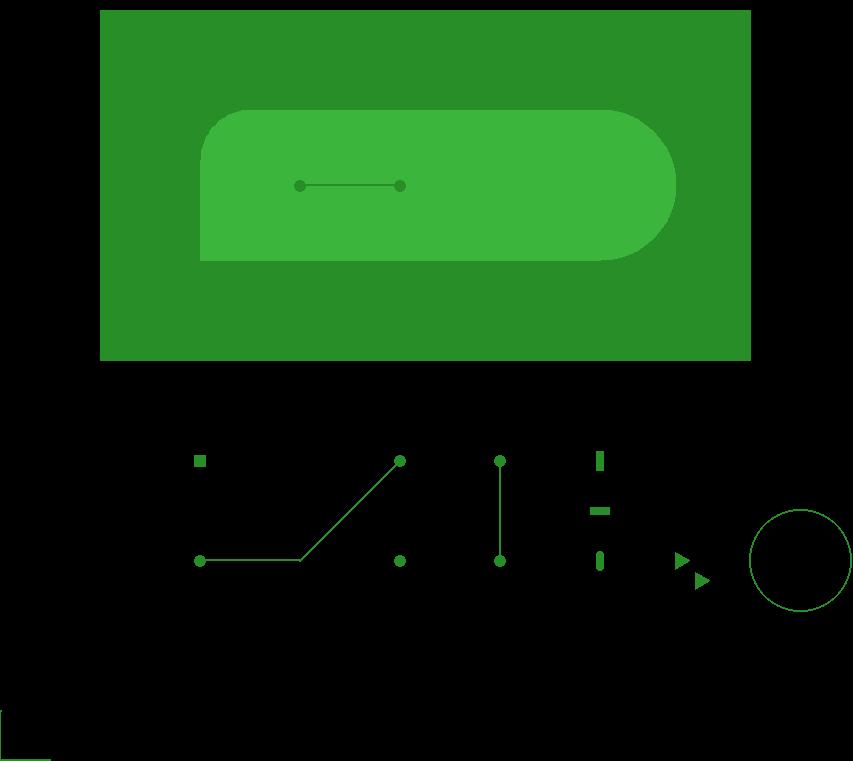
PyGerber can be used programmatically to render Gerber files. Below is an minimalistic example of how to render one of the example files included with PyGerber release to JPEG image:
from pygerber.examples import ExamplesEnum, get_example_path
from pygerber.gerberx3.api.v2 import GerberFile

GerberFile.from_file(
    get_example_path(ExamplesEnum.UCAMCO_ex_2_Shapes),
).parse().render_raster("output.jpg")
Running code above will create output.jpg file in current working directory which
should look like this:
PNG
It is also possible to render Gerber files to PNG with custom resolution and different color schemes:
from pygerber.examples import ExamplesEnum, get_example_path
from pygerber.gerberx3.api.v2 import ColorScheme, GerberFile, PixelFormatEnum

GerberFile.from_file(
    get_example_path(ExamplesEnum.ShapeFlashes),
).parse().render_raster(
    "output.png",
    dpmm=100,
    color_scheme=ColorScheme.COPPER_ALPHA,
    pixel_format=PixelFormatEnum.RGBA,
)
Code above renders following image:

SVG
Finally you can also create SVG files with PyGerber:
from pygerber.examples import ExamplesEnum, load_example
from pygerber.gerberx3.api.v2 import GerberFile

source_code = load_example(ExamplesEnum.UCAMCO_ex_2_Shapes)
GerberFile.from_str(source_code).parse().render_svg("output.svg")
Multiple layers
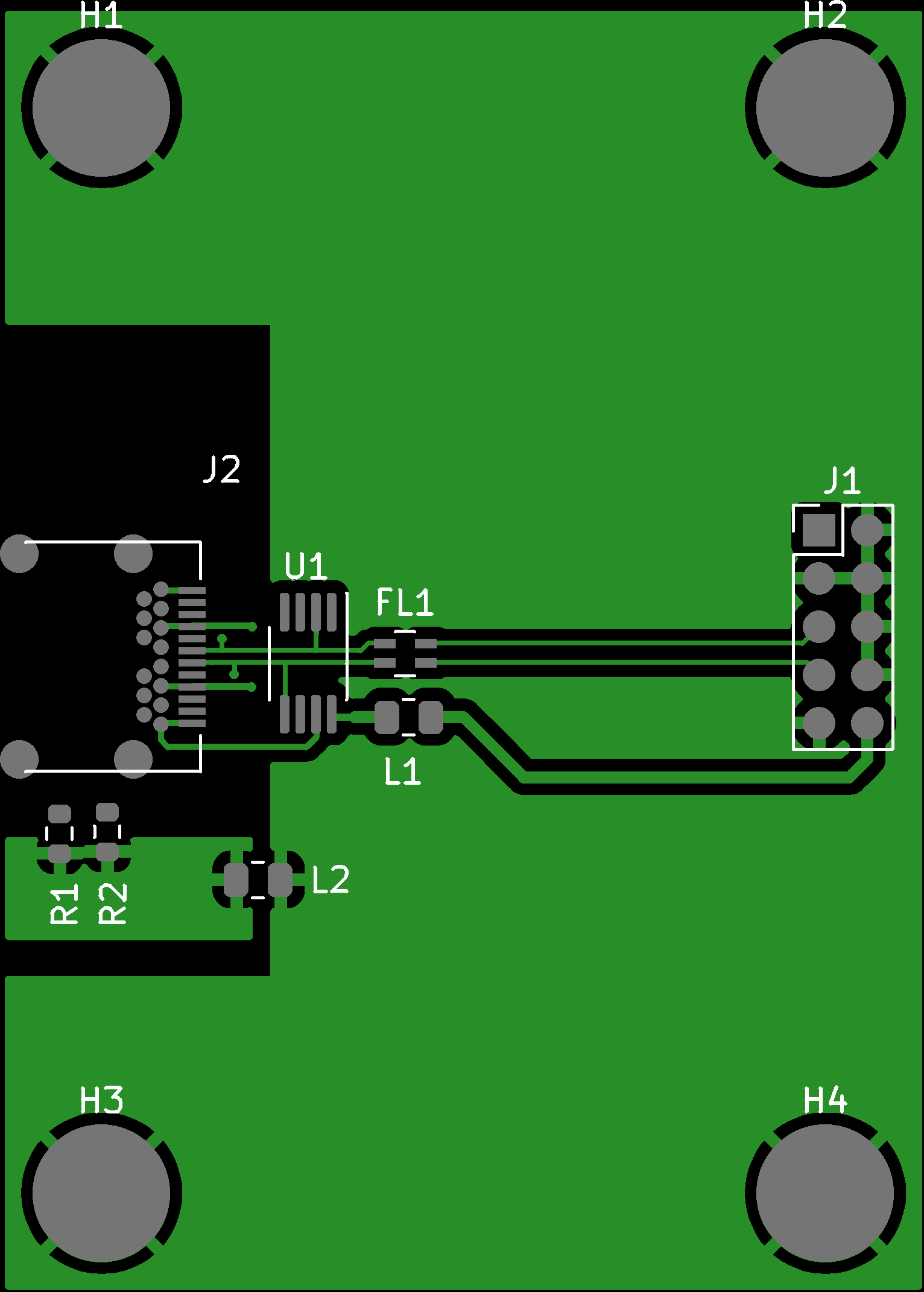
PyGerber can also render multiple layers to single image. Below is an example of how to
render four layers to single PNG image with use of Project class:
from pygerber.examples import ExamplesEnum, load_example
from pygerber.gerberx3.api.v2 import FileTypeEnum, GerberFile, Project

Project(
    [
        GerberFile.from_str(
            load_example(ExamplesEnum.simple_2layer_F_Cu),
            FileTypeEnum.COPPER,
        ),
        GerberFile.from_str(
            load_example(ExamplesEnum.simple_2layer_F_Mask),
            FileTypeEnum.MASK,
        ),
        GerberFile.from_str(
            load_example(ExamplesEnum.simple_2layer_F_Paste),
            FileTypeEnum.PASTE,
        ),
        GerberFile.from_str(
            load_example(ExamplesEnum.simple_2layer_F_Silkscreen),
            FileTypeEnum.SILK,
        ),
    ],
).parse().render_raster("output.png", dpmm=40)
Here is the result:
Advanced usage
Additionally to examples presented above which use high level API, PyGerber provides low level API which allows to directly access PyGerber internals and change behavior of parser, tokenizer and renderers. This can be used for code introspection and potentially other purposed. Check out documentation for more information.
Language Server
Since release 2.1.0 PyGerber provides Gerber X3/X2 Language Server with
LSP support. It can be enabled
by installing PyGerber extras set language-server with following command:
pip install pygerber[language-server]
Afterwards you can use pygerber is-language-server-available to check if language
server was correctly enabled. Please report all issues in
PyGerber Issues section.
You can utilize power of this language server with use of Visual Studio Code extension
Gerber X3/X2 Format Support
(argmaster.gerber-x3-x2-format-support).
Documentation
Official documentations is hosted on Github Pages and can be found here.
Gerber features support
For detailed list of features which are supported/not supported by each tool please refer to documentation:
Development
For development guidelines please visit documentation Development section
here.
Gerber reference archive
This repository contains also archival reference files. Although new specs contain dedicated changelog section it may still be helpful in some rare cases to look through old Gerber specs. Archival files can be found here.
1 maintainer

Release files for pygerber 2.4.3
For a detailed explanation of source distributions (sdists) and built distributions (wheels), please see the package formats documentation.
Source distribution (sdist)
| File | Size | Uploaded | |
|---|---|---|---|
| pygerber-2.4.3.tar.gz | 160.9 kB | Details |
Built distribution (wheel)
| File | Interpreter | ABI | Platform | Reset |
|---|---|---|---|---|
| pygerber-2.4.3-py3-none-any.whl | Python 3 | none | any | Details |
Total release size: 437.5 kB
Release files / pygerber-2.4.3.tar.gz
| Download URL | pygerber-2.4.3.tar.gz |
|---|---|
| Size | 160.9 kB |
| Tags | Source |
|
SHA-256 checksum How to use checksums |
c3e0b2edc84b591c344b47378b6f6b9bda596c3f72f51e42a1d3126086060af1
|
|
BLAKE2b-256 checksum How to use checksums |
3469569a90e5160944c8fabcd1892486b7bdc046f1d0c9ca0ad8da79239943fd
|
| Upload date | |
|
Uploaded using Trusted Publishing? What is trusted publishing? |
No |
| Uploaded via |
twine/6.1.0 CPython/3.12.9
|
Release files / pygerber-2.4.3-py3-none-any.whl
| Download URL | pygerber-2.4.3-py3-none-any.whl |
|---|---|
| Size | 276.6 kB |
| Tags | Python 3 |
|
SHA-256 checksum How to use checksums |
8746de9a15e9dced9d9c2480a892c80185023ed5424d8df9a63d1999a1148259
|
|
BLAKE2b-256 checksum How to use checksums |
3c72fce60098ead7609ec3b1c81477d42b814bd0304a81cf0b738e095f30233e
|
| Upload date | |
|
Uploaded using Trusted Publishing? What is trusted publishing? |
No |
| Uploaded via |
twine/6.1.0 CPython/3.12.9
|














