

Gmsh for Python.











pygmsh combines the power of Gmsh with the versatility of Python. It provides useful abstractions from Gmsh's own Python interface so you can create complex geometries more easily.
To use, install Gmsh itself and pygmsh from pypi:
[sudo] apt install python3-gmsh
pip install pygmsh
This document and the directory
test/ contain many small
examples. See here for the full
documentation.
Flat shapes
 |
 |
 |
|---|---|---|
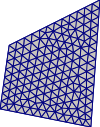
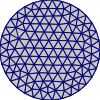
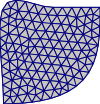
| Polygon | Circle | (B-)Splines |
Codes:
import pygmsh

with pygmsh.geo.Geometry() as geom:
    geom.add_polygon(
        [
            [0.0, 0.0],
            [1.0, -0.2],
            [1.1, 1.2],
            [0.1, 0.7],
        ],
        mesh_size=0.1,
    )
    mesh = geom.generate_mesh()

# mesh.points, mesh.cells, ...
# mesh.write("out.vtk")
import pygmsh

with pygmsh.geo.Geometry() as geom:
    geom.add_circle([0.0, 0.0], 1.0, mesh_size=0.2)
    mesh = geom.generate_mesh()
import pygmsh

with pygmsh.geo.Geometry() as geom:
    lcar = 0.1
    p1 = geom.add_point([0.0, 0.0], lcar)
    p2 = geom.add_point([1.0, 0.0], lcar)
    p3 = geom.add_point([1.0, 0.5], lcar)
    p4 = geom.add_point([1.0, 1.0], lcar)
    s1 = geom.add_bspline([p1, p2, p3, p4])

    p2 = geom.add_point([0.0, 1.0], lcar)
    p3 = geom.add_point([0.5, 1.0], lcar)
    s2 = geom.add_spline([p4, p3, p2, p1])

    ll = geom.add_curve_loop([s1, s2])
    pl = geom.add_plane_surface(ll)

    mesh = geom.generate_mesh()
The return value is always a meshio mesh, so to store it to a file you can
mesh.write("test.vtk")
The output file can be visualized with various tools, e.g., ParaView.
Extrusions
 |
 |
 |
|---|---|---|
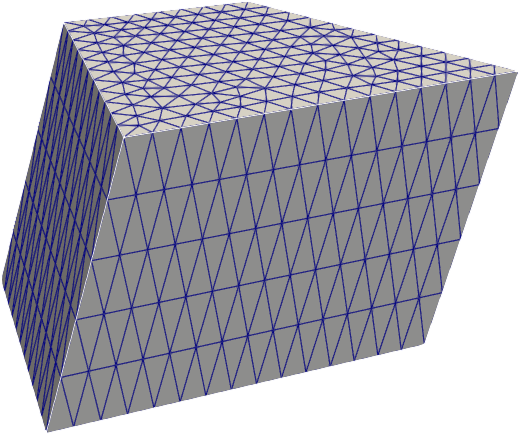
extrude |
revolve |
twist |
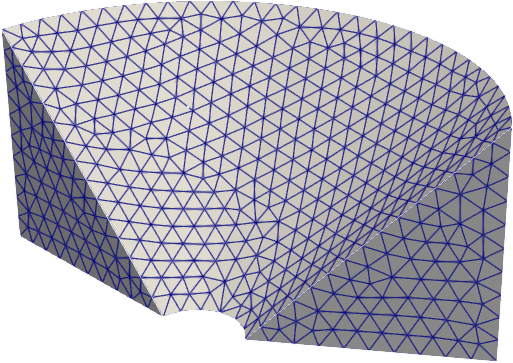
import pygmsh

with pygmsh.geo.Geometry() as geom:
    poly = geom.add_polygon(
        [
            [0.0, 0.0],
            [1.0, -0.2],
            [1.1, 1.2],
            [0.1, 0.7],
        ],
        mesh_size=0.1,
    )
    geom.extrude(poly, [0.0, 0.3, 1.0], num_layers=5)
    mesh = geom.generate_mesh()
from math import pi
import pygmsh

with pygmsh.geo.Geometry() as geom:
    poly = geom.add_polygon(
        [
            [0.0, 0.2, 0.0],
            [0.0, 1.2, 0.0],
            [0.0, 1.2, 1.0],
        ],
        mesh_size=0.1,
    )
    geom.revolve(poly, [0.0, 0.0, 1.0], [0.0, 0.0, 0.0], 0.8 * pi)
    mesh = geom.generate_mesh()
from math import pi
import pygmsh

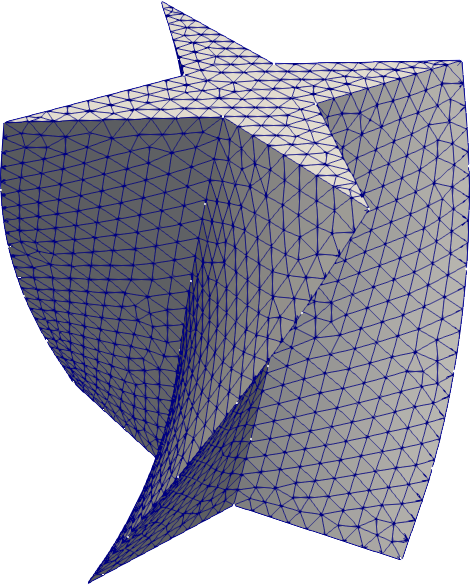
with pygmsh.geo.Geometry() as geom:
    poly = geom.add_polygon(
        [
            [+0.0, +0.5],
            [-0.1, +0.1],
            [-0.5, +0.0],
            [-0.1, -0.1],
            [+0.0, -0.5],
            [+0.1, -0.1],
            [+0.5, +0.0],
            [+0.1, +0.1],
        ],
        mesh_size=0.05,
    )

    geom.twist(
        poly,
        translation_axis=[0, 0, 1],
        rotation_axis=[0, 0, 1],
        point_on_axis=[0, 0, 0],
        angle=pi / 3,
    )

    mesh = geom.generate_mesh()
OpenCASCADE
 |
 |
 |
|---|---|---|
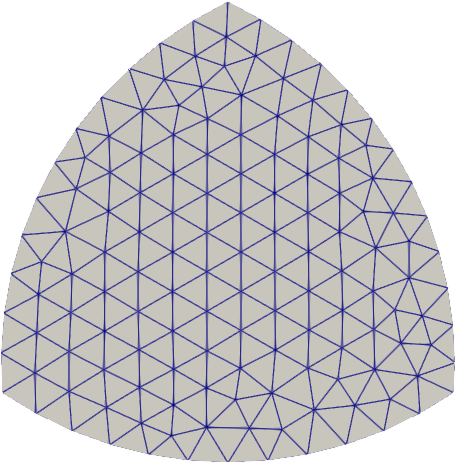
As of version 3.0, Gmsh supports OpenCASCADE (occ), allowing for a CAD-style geometry
specification.
from math import pi, cos
import pygmsh

with pygmsh.occ.Geometry() as geom:
    geom.characteristic_length_max = 0.1
    r = 0.5
    disks = [
        geom.add_disk([-0.5 * cos(7 / 6 * pi), -0.25], 1.0),
        geom.add_disk([+0.5 * cos(7 / 6 * pi), -0.25], 1.0),
        geom.add_disk([0.0, 0.5], 1.0),
    ]
    geom.boolean_intersection(disks)

    mesh = geom.generate_mesh()
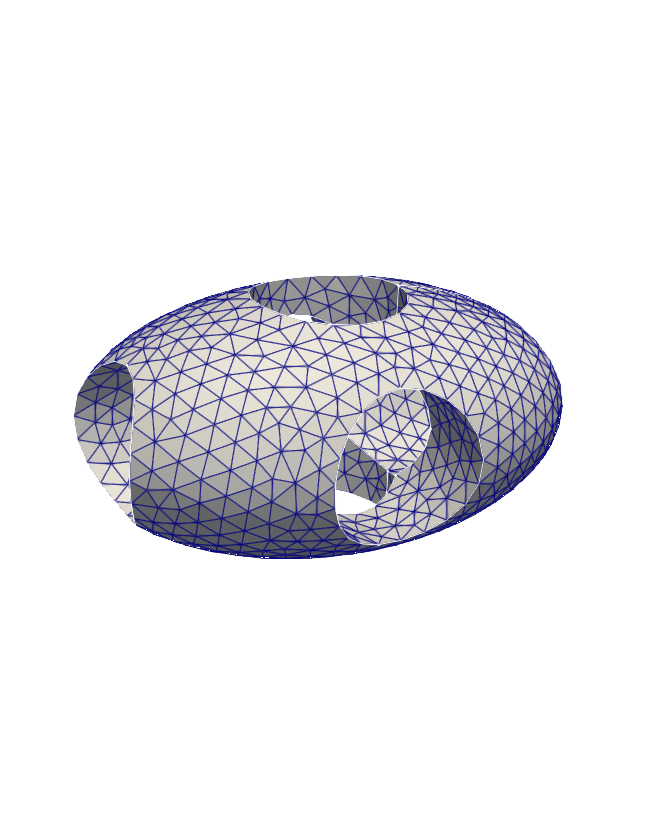
# ellpsoid with holes
import pygmsh

with pygmsh.occ.Geometry() as geom:
    geom.characteristic_length_max = 0.1
    ellipsoid = geom.add_ellipsoid([0.0, 0.0, 0.0], [1.0, 0.7, 0.5])

    cylinders = [
        geom.add_cylinder([-1.0, 0.0, 0.0], [2.0, 0.0, 0.0], 0.3),
        geom.add_cylinder([0.0, -1.0, 0.0], [0.0, 2.0, 0.0], 0.3),
        geom.add_cylinder([0.0, 0.0, -1.0], [0.0, 0.0, 2.0], 0.3),
    ]
    geom.boolean_difference(ellipsoid, geom.boolean_union(cylinders))

    mesh = geom.generate_mesh()
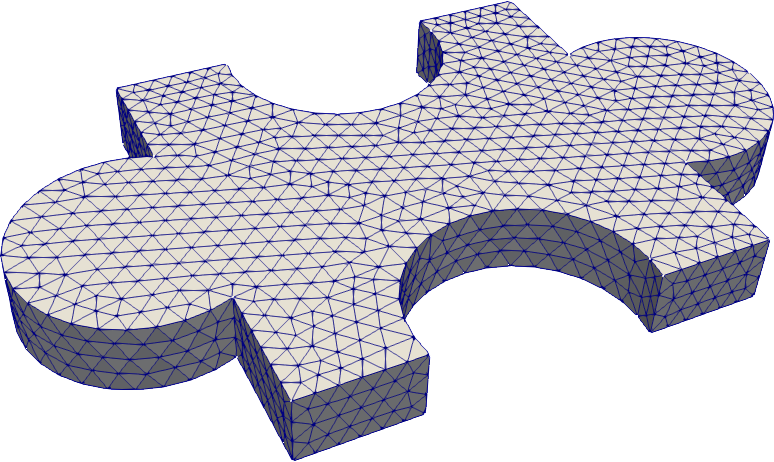
# puzzle piece
import pygmsh

with pygmsh.occ.Geometry() as geom:
    geom.characteristic_length_min = 0.1
    geom.characteristic_length_max = 0.1

    rectangle = geom.add_rectangle([-1.0, -1.0, 0.0], 2.0, 2.0)
    disk1 = geom.add_disk([-1.2, 0.0, 0.0], 0.5)
    disk2 = geom.add_disk([+1.2, 0.0, 0.0], 0.5)

    disk3 = geom.add_disk([0.0, -0.9, 0.0], 0.5)
    disk4 = geom.add_disk([0.0, +0.9, 0.0], 0.5)
    flat = geom.boolean_difference(
        geom.boolean_union([rectangle, disk1, disk2]),
        geom.boolean_union([disk3, disk4]),
    )

    geom.extrude(flat, [0, 0, 0.3])

    mesh = geom.generate_mesh()
Mesh refinement/boundary layers
 |
 |
 |
|---|---|---|
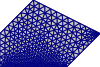
# boundary refinement
import pygmsh

with pygmsh.geo.Geometry() as geom:
    poly = geom.add_polygon(
        [
            [0.0, 0.0],
            [2.0, 0.0],
            [3.0, 1.0],
            [1.0, 2.0],
            [0.0, 1.0],
        ],
        mesh_size=0.3,
    )

    field0 = geom.add_boundary_layer(
        edges_list=[poly.curves[0]],
        lcmin=0.05,
        lcmax=0.2,
        distmin=0.0,
        distmax=0.2,
    )
    field1 = geom.add_boundary_layer(
        nodes_list=[poly.points[2]],
        lcmin=0.05,
        lcmax=0.2,
        distmin=0.1,
        distmax=0.4,
    )
    geom.set_background_mesh([field0, field1], operator="Min")

    mesh = geom.generate_mesh()
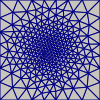
# mesh refinement with callback
import pygmsh

with pygmsh.geo.Geometry() as geom:
    geom.add_polygon(
        [
            [-1.0, -1.0],
            [+1.0, -1.0],
            [+1.0, +1.0],
            [-1.0, +1.0],
        ]
    )
    geom.set_mesh_size_callback(
        lambda dim, tag, x, y, z: 6.0e-2 + 2.0e-1 * (x ** 2 + y ** 2)
    )

    mesh = geom.generate_mesh()
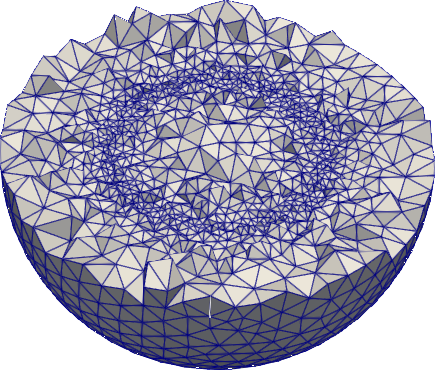
# ball with mesh refinement
from math import sqrt
import pygmsh


with pygmsh.occ.Geometry() as geom:
    geom.add_ball([0.0, 0.0, 0.0], 1.0)

    geom.set_mesh_size_callback(
        lambda dim, tag, x, y, z: abs(sqrt(x ** 2 + y ** 2 + z ** 2) - 0.5) + 0.1
    )
    mesh = geom.generate_mesh()
Optimization
pygmsh can optimize existing meshes, too.
import meshio

mesh = meshio.read("mymesh.vtk")
optimized_mesh = pygmsh.optimize(mesh, method="")
You can also use the command-line utility
pygmsh-optimize input.vtk output.xdmf
where input and output can be any format supported by meshio.
Testing
To run the pygmsh unit tests, check out this repository and type
pytest
Building Documentation
Docs are built using Sphinx.
To build, run
sphinx-build -b html doc doc/_build
License
This software is published under the GPLv3 license.
1 maintainer

Metadata
1 maintainer
Release files for pygmsh 7.1.5
For a detailed explanation of source distributions (sdists) and built distributions (wheels), please see the package formats documentation.
Source distribution (sdist)
| File | Size | Uploaded | Provenance | Actions |
|---|---|---|---|---|
| pygmsh-7.1.5.tar.gz | 40.4 kB | Without provenance | Details for pygmsh-7.1.5.tar.gz |
Built distribution (wheel)
| File | Interpreter | ABI | Platform | Actions Reset |
|---|---|---|---|---|
| pygmsh-7.1.5-py3-none-any.whl | Python 3 | none | any | Details for pygmsh-7.1.5-py3-none-any.whl |
Total release size: 84.2 kB
Release files / pygmsh-7.1.5.tar.gz
| Download URL | pygmsh-7.1.5.tar.gz |
|---|---|
| Size | 40.4 kB |
| Tags | Source |
|
SHA-256 checksum How to use checksums |
aacd36f846a32b36d0dac1470af06c1c565be597806e4f657ab7be818668d824
|
|
BLAKE2b-256 checksum How to use checksums |
6213b40f95ecfaf4a0eabe9b89726a7f67f47db41731dda350f350a9194703f6
|
| Upload date | |
|
Uploaded using Trusted Publishing? What is trusted publishing? |
No |
| Uploaded via |
twine/3.2.0 pkginfo/1.6.1 requests/2.25.0 setuptools/50.3.2 requests-toolbelt/0.9.1 tqdm/4.54.0 CPython/3.8.6
|
Release files / pygmsh-7.1.5-py3-none-any.whl
| Download URL | pygmsh-7.1.5-py3-none-any.whl |
|---|---|
| Size | 43.8 kB |
| Tags | Python 3 |
|
SHA-256 checksum How to use checksums |
eb6c1119d60a44d4014d5fe5d6048e9cfe88a75b4884272dbc12f6d2833e3818
|
|
BLAKE2b-256 checksum How to use checksums |
f4b85262235faa4cc0ec561a0f17c9eb6d32b86910bf1a223ffb5875eaabdb54
|
| Upload date | |
|
Uploaded using Trusted Publishing? What is trusted publishing? |
No |
| Uploaded via |
twine/3.2.0 pkginfo/1.6.1 requests/2.25.0 setuptools/50.3.2 requests-toolbelt/0.9.1 tqdm/4.54.0 CPython/3.8.6
|
Security for pygmsh 7.1.5
Provenance
Provenance describes where a file came from. On PyPI, provenance is shared via attestations, which provide a verifiable record of the build or publishing details. View details, limitations and caveats.
No provenance found
None of the files in this release were uploaded with provenance metadata.
A note on package security
PyPI is a repository for distributing packages, not a service for auditing them. While third-party security researchers and our staff do their best to detect and remove malicious packages, PyPI cannot guarantee the quality, security or suitability of any given package.
To learn more about protecting yourself from malicious actors, visit our package security documentation.














