
PyInsights


A CLI tool To query CloudWatch Logs Insights.

ToC
Usage
Write Configuration
Write configuration to pyinsights.yml like:
version: '1.0'
log_group_name:
  - '/ecs/sample'
query_string: 'field @message | filter @message like /ERROR/'
duration: '30m'
limit: 10
I wrote examples, so see examples folder.
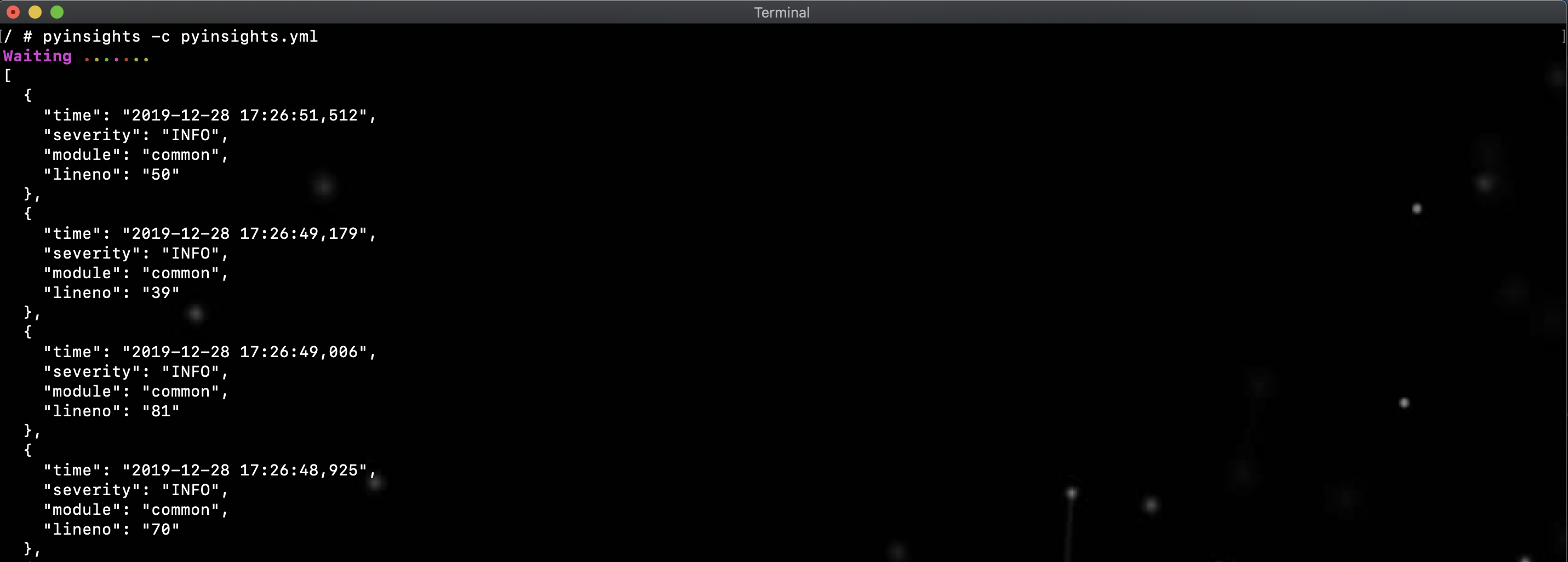
Execute command
pyinsights -c pyinsights.yml -p aws_profile -r region
Configuration
version
| Type | Required |
|---|---|
| string | true |
Choose configuration version from ['1.0']
log_group_name
| Type | Required |
|---|---|
| array | true |
Target log group names to query
query_string
| Type | Required |
|---|---|
| string or array | true |
Specify CloudWatch Logs Insights query commands. Please see CloudWatch Logs Insights Query Syntax.
⚠️ If query_string type is array, Unix-style pipe | is not required. Execute in order from the top.
ex)
query_string:
  - 'field @message'
  - 'fileter @message like /WARN/'
Equal to
query_string: 'field @message | fileter @message like /WARN/'
duration
| Type | Required |
|---|---|
| string or object | true |
type: string
Specify weeks, days, hours, minutes or seconds unit.
weeks = w
days = d
hours = h
minutes = m
seconds = s
ex)
duration: 10h
type: object
Specify start_time and end_time.
The format must be YYYY-MM-DD HH:MM:SS.
ex)
duration:
  start_time: '2020-01-01 00:00:00'
  end_time: '2020-01-01 01:00:00'
limit
| Type | Required |
|---|---|
| integer | false |
The number of log to fetch.
Of course, you can specify limit in query_string.
CLI Options
| Option | Required | Description |
|---|---|---|
| -c, --config | true | Specify yaml configuration by absolute or relative path |
| -f, --format | false | Choose from json or table |
| -p, --profile | false | AWS profile name |
| -r, --region | false | AWS region |
| -q, --quiet | false | Suppress progress message |
| -o, --output | false | Specify the filename to output the query result |
| -v, --version | false | Show version |
Environment Variable
If profile and region options are not specified, AWS Credentials must be set as environment variables.
- AWS_ACCESS_KEY_ID
- AWS_SECRET_ACCESS_KEY
- AWS_DEFAULT_REGION
Please see Environment Variable Configuration for the detail.
1 maintainer

Metadata
1 maintainer
Release files for pyinsights 0.4.2
For a detailed explanation of source distributions (sdists) and built distributions (wheels), please see the package formats documentation.
Source distribution (sdist)
| File | Size | Uploaded | |
|---|---|---|---|
| pyinsights-0.4.2.tar.gz | 11.7 kB | Details |
Built distribution (wheel)
| File | Interpreter | ABI | Platform | Reset |
|---|---|---|---|---|
| pyinsights-0.4.2-py3-none-any.whl | Python 3 | none | any | Details |
Total release size: 24.8 kB
Release files / pyinsights-0.4.2.tar.gz
| Download URL | pyinsights-0.4.2.tar.gz |
|---|---|
| Size | 11.7 kB |
| Tags | Source |
|
SHA-256 checksum How to use checksums |
9287b2516b4669ac7eae5bff5643ab86ecdfa00508515f6494559af25b50bb28
|
|
BLAKE2b-256 checksum How to use checksums |
852e572cadc13d31f0aa1b5db2a385313a04f391c9b52f764a5b8fbcb542bed7
|
| Upload date | |
|
Uploaded using Trusted Publishing? What is trusted publishing? |
No |
| Uploaded via |
poetry/1.0.5 CPython/3.8.2 Darwin/19.4.0
|
Release files / pyinsights-0.4.2-py3-none-any.whl
| Download URL | pyinsights-0.4.2-py3-none-any.whl |
|---|---|
| Size | 13.1 kB |
| Tags | Python 3 |
|
SHA-256 checksum How to use checksums |
bffd46ec3fbb701ca8614c6c2f6c738f82afd9d64e6a293846bf9ff0fa786400
|
|
BLAKE2b-256 checksum How to use checksums |
fdd02d977949daee036a87a5c2c5b1833caba61f64b9e36ff6f0b2b8277c8a30
|
| Upload date | |
|
Uploaded using Trusted Publishing? What is trusted publishing? |
No |
| Uploaded via |
poetry/1.0.5 CPython/3.8.2 Darwin/19.4.0
|














