
pynlp


A pythonic wrapper for Stanford CoreNLP.
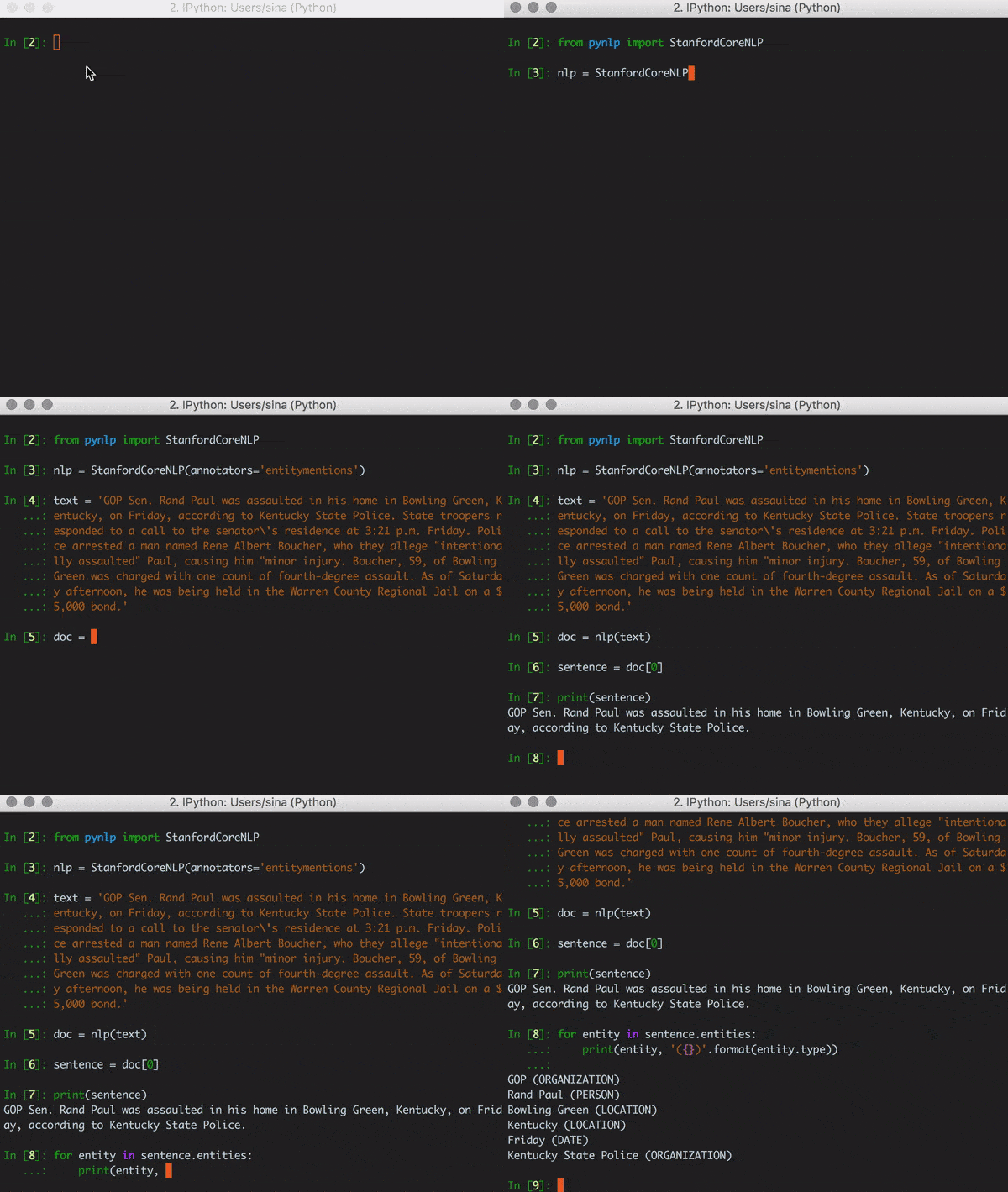
Description
This library provides a Python interface to Stanford CoreNLP built over corenlp_protobuf.
Installation
- Download Stanford CoreNLP from the official download page.
- Unzip the file and set your
CORE_NLPenvironment variable to point to the directory. - Install
pynlpfrom pip
pip3 install pynlp
Quick Start
Launch the server
Lauch the StanfordCoreNLPServer using the instruction given here. Alternatively, simply run the module.
python3 -m pynlp
By default, this lauches the server on localhost using port 9000 and 4gb ram for the JVM. Use the --help option for instruction on custom configurations.
Example
Let's start off with an excerpt from a CNN article.
text = ('GOP Sen. Rand Paul was assaulted in his home in Bowling Green, Kentucky, on Friday, '
        'according to Kentucky State Police. State troopers responded to a call to the senator\'s '
        'residence at 3:21 p.m. Friday. Police arrested a man named Rene Albert Boucher, who they '
        'allege "intentionally assaulted" Paul, causing him "minor injury". Boucher, 59, of Bowling '
        'Green was charged with one count of fourth-degree assault. As of Saturday afternoon, he '
        'was being held in the Warren County Regional Jail on a $5,000 bond.')
Instantiate annotator
Here we demonstrate the following annotators:
- Annotoators: tokenize, ssplit, pos, lemma, ner, entitymentions, coref, sentiment, quote, openie
- Options: openie.resolve_coref
from pynlp import StanfordCoreNLP

annotators = 'tokenize, ssplit, pos, lemma, ner, entitymentions, coref, sentiment, quote, openie'
options = {'openie.resolve_coref': True}

nlp = StanfordCoreNLP(annotators=annotators, options=options)
Annotate text
The nlp instance is callable. Use it to annotate the text and return a Document object.
document = nlp(text)

print(document) # prints 'text'
Sentence splitting
Let's test the ssplit annotator. A Document object iterates over its Sentence objects.
for index, sentence in enumerate(document):
    print(index, sentence, sep=' )')
Output:
0) GOP Sen. Rand Paul was assaulted in his home in Bowling Green, Kentucky, on Friday, according to Kentucky State Police.
1) State troopers responded to a call to the senator's residence at 3:21 p.m. Friday.
2) Police arrested a man named Rene Albert Boucher, who they allege "intentionally assaulted" Paul, causing him "minor injury".
3) Boucher, 59, of Bowling Green was charged with one count of fourth-degree assault.
4) As of Saturday afternoon, he was being held in the Warren County Regional Jail on a $5,000 bond.
Named entity recognition
How about finding all the people mentioned in the document?
[str(entity) for entity in document.entities if entity.type == 'PERSON']
Output:
Out[2]: ['Rand Paul', 'Rene Albert Boucher', 'Paul', 'Boucher']
We may use named entities on a sentence level too.
first_sentence = document[0]
for entity in first_sentence.entities:
    print(entity, '({})'.format(entity.type))
Output:
GOP (ORGANIZATION)
Rand Paul (PERSON)
Bowling Green (LOCATION)
Kentucky (LOCATION)
Friday (DATE)
Kentucky State Police (ORGANIZATION)
Part-of-speech tagging
Let's find all the 'VB' tags in the first sentence. A Sentence object iterates over Token objects.
for token in first_sentence:
    if 'VB' in token.pos:
        print(token, token.pos)
Output:
was VBD
assaulted VBN
according VBG
Lemmatization
Using the same words, lets see the lemmas.
for token in first_sentence:
    if 'VB' in token.pos:
       print(token, '->', token.lemma)
Output:
was -> be
assaulted -> assault
according -> accord
Coreference resultion
Let's use pynlp to find the first CorefChain in the text.
chain = document.coref_chains[0]
print(chain)
Output:
((GOP Sen. Rand Paul))-[id=4] was assaulted in (his)-[id=5] home in Bowling Green, Kentucky, on Friday, according to Kentucky State Police.
State troopers responded to a call to (the senator's)-[id=10] residence at 3:21 p.m. Friday.
Police arrested a man named Rene Albert Boucher, who they allege "(intentionally assaulted" Paul)-[id=16], causing him "minor injury.
In the string representation, coreferences are marked with parenthesis and the referent with double parenthesis.
Each is also labelled with a coref_id. Let's have a closer look at the referent.
ref = chain.referent
print('Coreference: {}\n'.format(ref))

for attr in 'type', 'number', 'animacy', 'gender':
    print(attr,  getattr(ref, attr), sep=': ')

# Note that we can also index coreferences by id
assert chain[4].is_referent
Output:
Coreference: Police

type: PROPER
number: SINGULAR
animacy: ANIMATE
gender: UNKNOWN
Quotes
Extracting quotes from the text is simple.
print(document.quotes)
Output:
[<Quote: "intentionally assaulted">, <Quote: "minor injury">]
TODO (annotation wrappers):
- ssplit
- ner
- pos
- lemma
- coref
- quote
- quote.attribution
- parse
- depparse
- entitymentions
- openie
- sentiment
- relation
- kbp
- entitylink
- 'options' examples i.e openie.resolve_coref
Saving annotations
Write
A pynlp document can be saved as a byte string.
with open('annotation.dat', 'wb') as file:
    file.write(document.to_bytes())
Read
To load a pynlp document, instantiate a Document with the from_bytes class method.
from pynlp import Document

with open('annotation.dat', 'rb') as file:
    document = Document.from_bytes(file.read())
1 maintainer

Metadata
1 maintainer
Release files for pynlp 0.4.2
For a detailed explanation of source distributions (sdists) and built distributions (wheels), please see the package formats documentation.
Source distribution (sdist)
| File | Size | Uploaded | |
|---|---|---|---|
| pynlp-0.4.2.tar.gz | 24.3 kB | Details |
Built distribution (wheel)
| File | Interpreter | ABI | Platform | Reset |
|---|---|---|---|---|
| pynlp-0.4.2-py3-none-any.whl | Python 3 | none | any | Details |
Total release size: 47.4 kB
Release files / pynlp-0.4.2.tar.gz
| Download URL | pynlp-0.4.2.tar.gz |
|---|---|
| Size | 24.3 kB |
| Tags | Source |
|
SHA-256 checksum How to use checksums |
4bacc56d3f0099abcf1179f5115e13329788297e83cd77664ebe045a4de4073e
|
|
BLAKE2b-256 checksum How to use checksums |
021bb60a48d9b9b2b79637044b48637a13e7e0dca776347a9a3c8e3443088544
|
| Upload date | |
|
Uploaded using Trusted Publishing? What is trusted publishing? |
No |
Release files / pynlp-0.4.2-py3-none-any.whl
| Download URL | pynlp-0.4.2-py3-none-any.whl |
|---|---|
| Size | 23.1 kB |
| Tags | Python 3 |
|
SHA-256 checksum How to use checksums |
00975c420e1333460870f406b880595943dd261ad11cc6f4884598eaa59c9cc7
|
|
BLAKE2b-256 checksum How to use checksums |
879adcc4eccb5dddd7091314587084ac89e7979f82fce7d0ae01e44af3382fad
|
| Upload date | |
|
Uploaded using Trusted Publishing? What is trusted publishing? |
No |














