
简介 Introduction:
An open-source text editor written in Python.
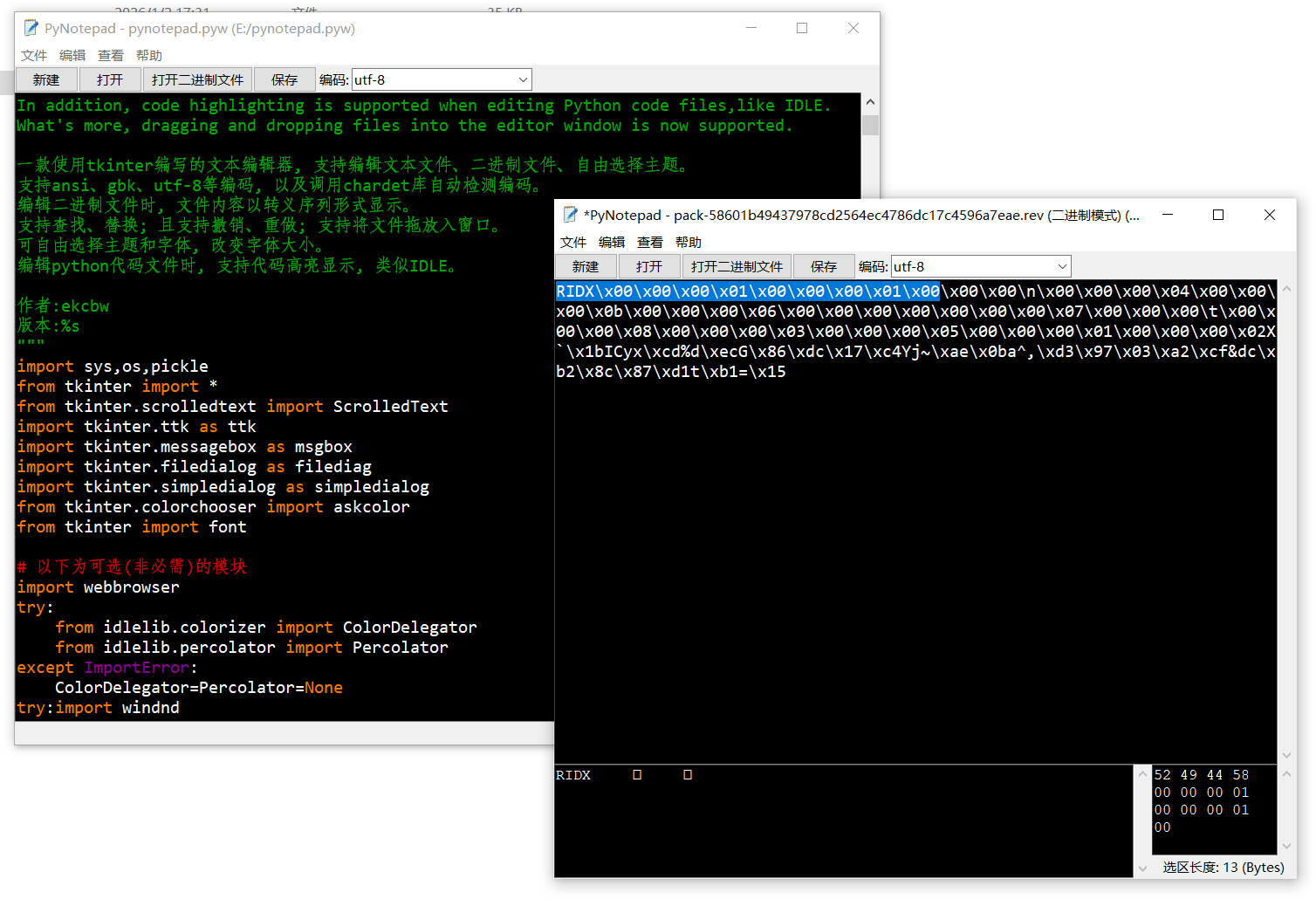
It supports editing text files,binary files with various encodings
which can be automatically detected.
When you edit a binary file, the contents of the file are displayed as escape sequences.
You can find and replace words.You’re also able to choose themes you prefer.
In addition, code highlighting is supported when editing Python code files,like IDLE.
What’s more, dragging and dropping files into the editor window is now supported.
一款使用tkinter开发的开源文本编辑器, 支持编辑文本文件、二进制文件、自由选择主题。
支持ansi、gbk、utf-8等编码, 以及调用chardet库自动检测编码。
编辑二进制文件时, 文件内容以转义序列形式显示。
支持查找、替换; 且支持撤销、重做; 支持将文件拖放入窗口。
可自由选择主题和字体, 改变字体大小。
编辑python代码文件时, 支持代码高亮显示, 类似IDLE。
作者: ekcbw
版本:1.3.5 (改进: 修复了对Linux等操作系统的兼容性。)
效果图:
1 maintainer

Metadata
1 maintainer
Release files for pynotepad 1.3.5.1
For a detailed explanation of source distributions (sdists) and built distributions (wheels), please see the package formats documentation.
Source distribution (sdist)
| File | Size | Uploaded | Provenance | |
|---|---|---|---|---|
| pynotepad-1.3.5.1.tar.gz | 27.7 kB | Without provenance | Details |
Release files / pynotepad-1.3.5.1.tar.gz
| Download URL | pynotepad-1.3.5.1.tar.gz |
|---|---|
| Size | 27.7 kB |
| Tags | Source |
|
SHA-256 checksum How to use checksums |
1d8e8955eeab343dd4d2416910c04ee37e3ddb2eac0e87284bd8dbec581115ac
|
|
BLAKE2b-256 checksum How to use checksums |
37c4d3c060f0b97054e3714746a2a13e03ed58086d521e2c0dc0c4307dd1cff1
|
| Upload date | |
|
Uploaded using Trusted Publishing? What is trusted publishing? |
No |
| Uploaded via |
twine/6.2.0 CPython/3.13.11
|
Security for pynotepad 1.3.5.1
Provenance
Provenance describes where a file came from. On PyPI, provenance is shared via attestations, which provide a verifiable record of the build or publishing details. View details, limitations and caveats.
No provenance found
None of the files in this release were uploaded with provenance metadata.
A note on package security
PyPI is a repository for distributing packages, not a service for auditing them. While third-party security researchers and our staff do their best to detect and remove malicious packages, PyPI cannot guarantee the quality, security or suitability of any given package.
To learn more about protecting yourself from malicious actors, visit our package security documentation.













