
🌎 Pyrigee
A Python package for visualizing spacecraft orbits and orbital maneuvers. Pyrigee is intended to be used as an educational tool to help in understanding spacecraft orbits.
📝 Getting Started
You can install Pyrigee directly using pip with this command:
$ pip install pyrigee
📎 Dependencies
- Matplotlib
- NumPy
💻 Examples
🌐 Plotting Basic Orbits
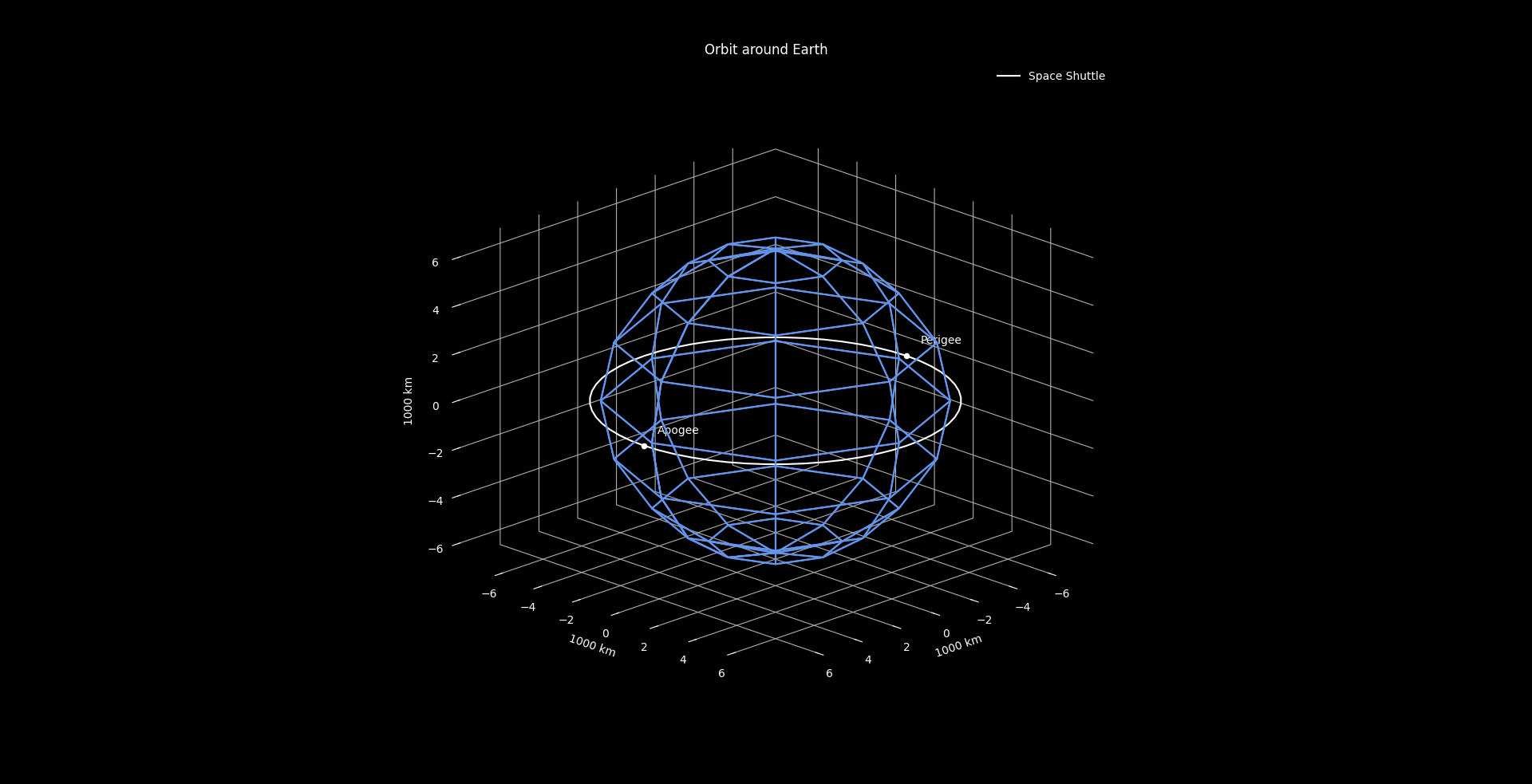
Here is a quick demo program to introduce you to the basic Pyrigee class structure:
from pyrigee import *

# Create a body. Give it a name, mass, radius, and display color
body = Body("Earth", 5.9722e24, 6378, "cornflowerblue")

# Create a craft. Give it a name and a display color
craft = Craft("Space Shuttle", "white")

# Create an orbit by defining its apogee, perigee, and inclination, respectively
orbit = Orbit(400, 400, 0)

# Create a new orbit plotter to plot a body and orbits around it
p = OrbitPlotter(body)

# Plot a craft following a particular orbit using the plot function (this can be done many times)
p.plot(orbit, craft)

# Use visualize() when you're ready to see the result
p.visualize()
This will produce the following plot:
📐 Inclined Orbits
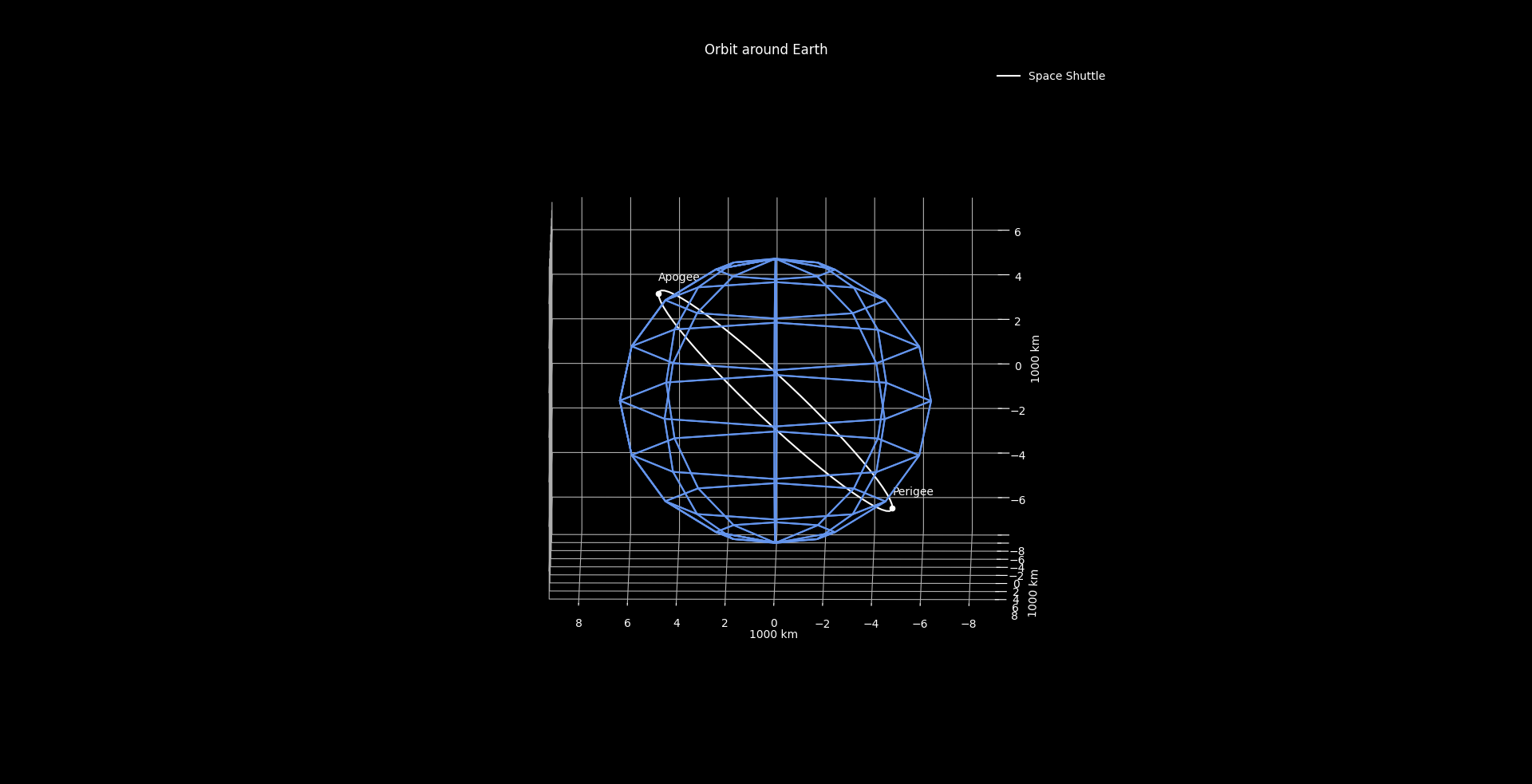
The third positional argument of the Orbit constructor is the inclination of the orbit in degrees. Providing this argument will result in the orbit being rotated about the axis of the ascending node.
For example, this:
orbit = Orbit(400, 400, 45)
...would produce the following plot:
🌌 Parabolic Escape Orbits
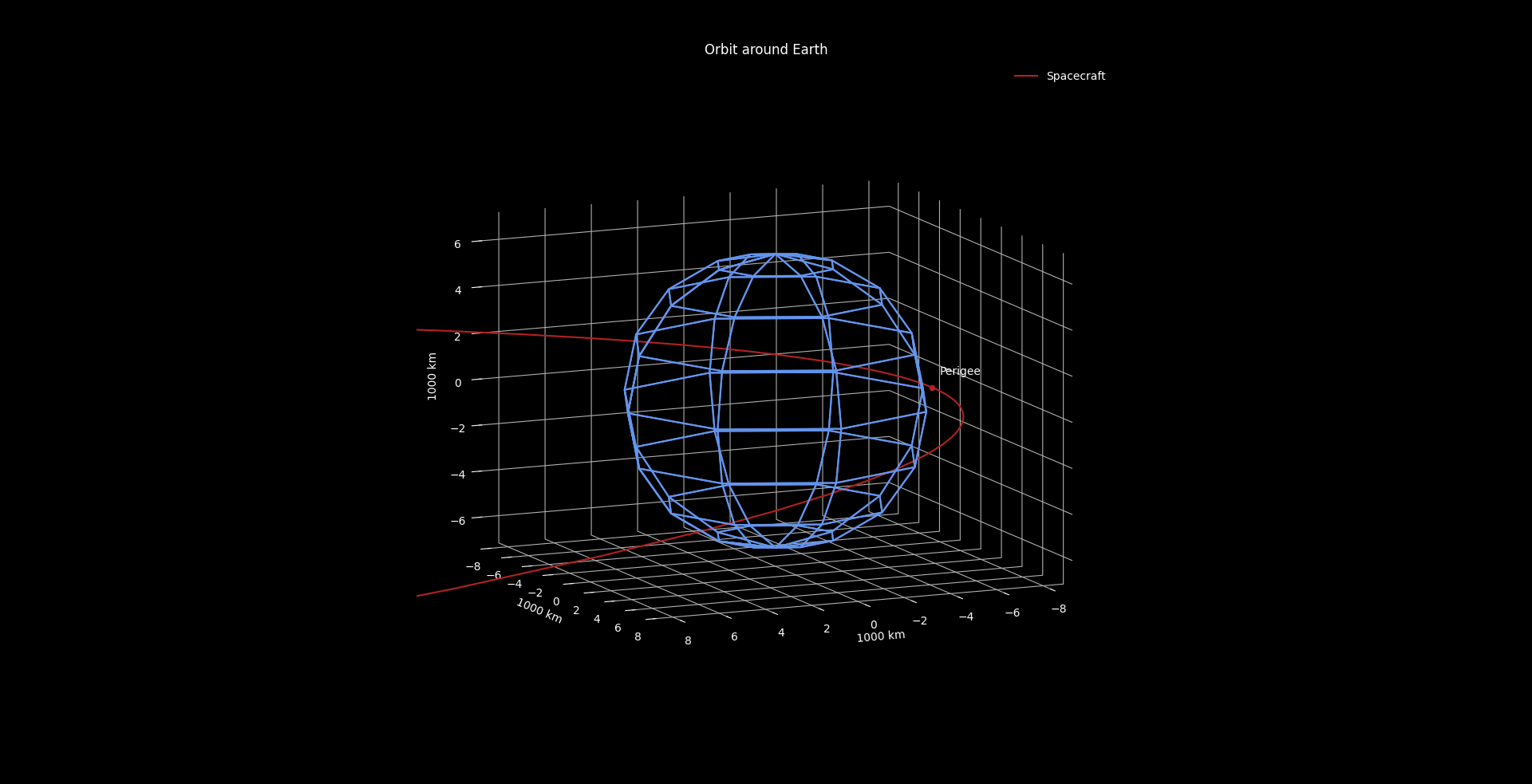
When the eccentricity of your defined orbit becomes sufficiently close to 1 (within __EPSILON_E, defined in orbit_plotter.py), a parabolic orbit will be plotted.
orbit = Orbit(4000000000, 400, 0)
🚀 Maneuvers
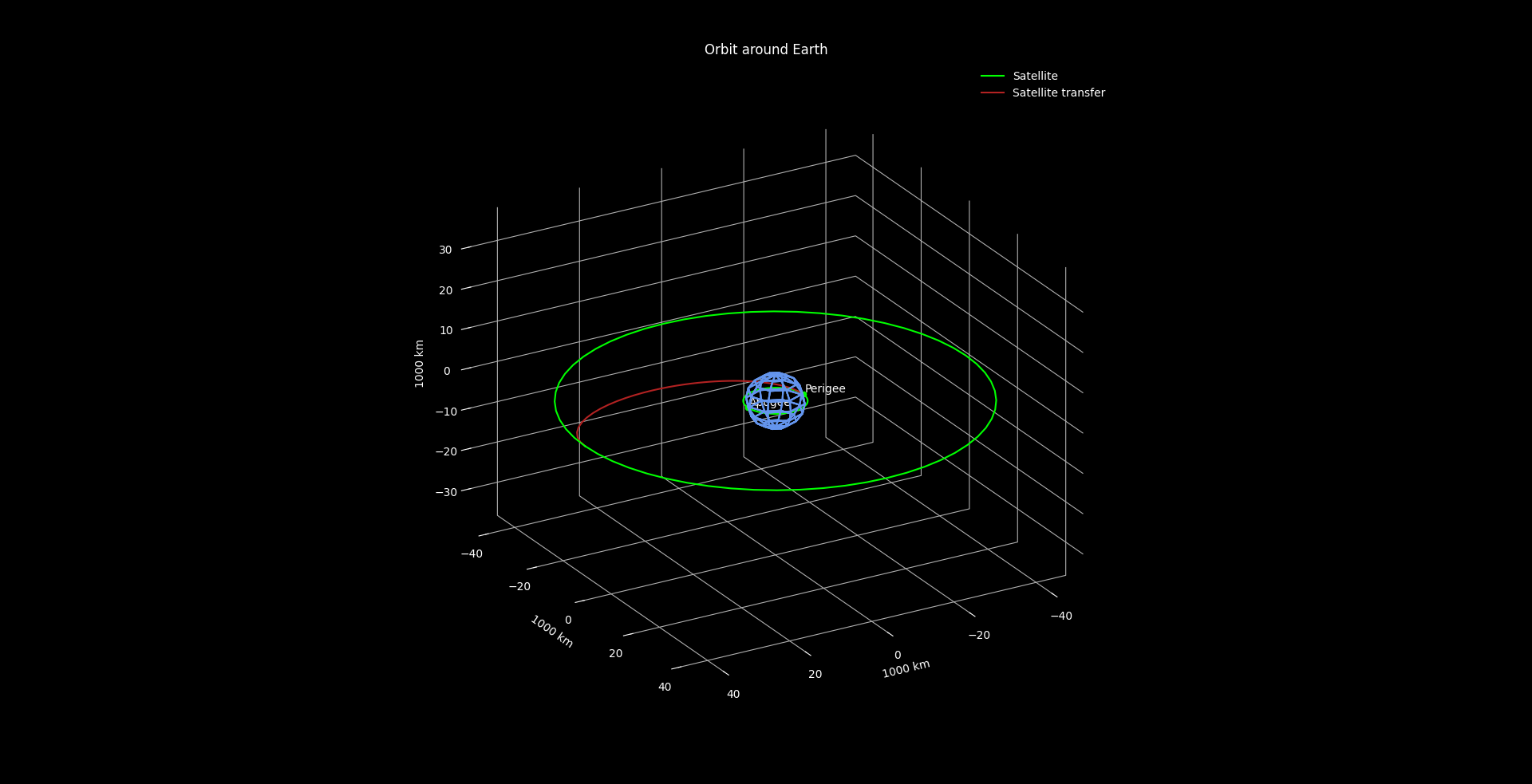
Pyrigee will plot Hohmann transfer Orbits, inclination changes, and combinations of both. To plot a maneuver, create a target orbit and maneuver object.
📏 Simple Maneuvers (Basic Hohmann Transfer)
from pyrigee import *

body = Body("Earth", 5.9722e24, 6378, "cornflowerblue")
craft = Craft("Satellite", "lime")

# Create an initial orbit to start at
initial_orbit = Orbit(400, 400, 0)

# Create a target orbit to maneuver to
target_orbit = Orbit(40000, 40000, 0)

# Create a maneuver object by passing the target orbit and color of manuever
maneuver = Maneuver(target_orbit, "firebrick")

p = OrbitPlotter(body)

# Pass maneuver to the plot function
p.plot(initial_orbit, craft, maneuver)

p.visualize()
⚙️ Complicated Maneuvers (Transfer + Inclination Change)
Target orbits that have a different inclination than their corresponding initial orbits result in maneuvers with an inclination change.
initial_orbit = Orbit(400, 400, 0)
target_orbit = Orbit(2000, 2000, 45)
maneuver = Maneuver(target_orbit, "firebrick")
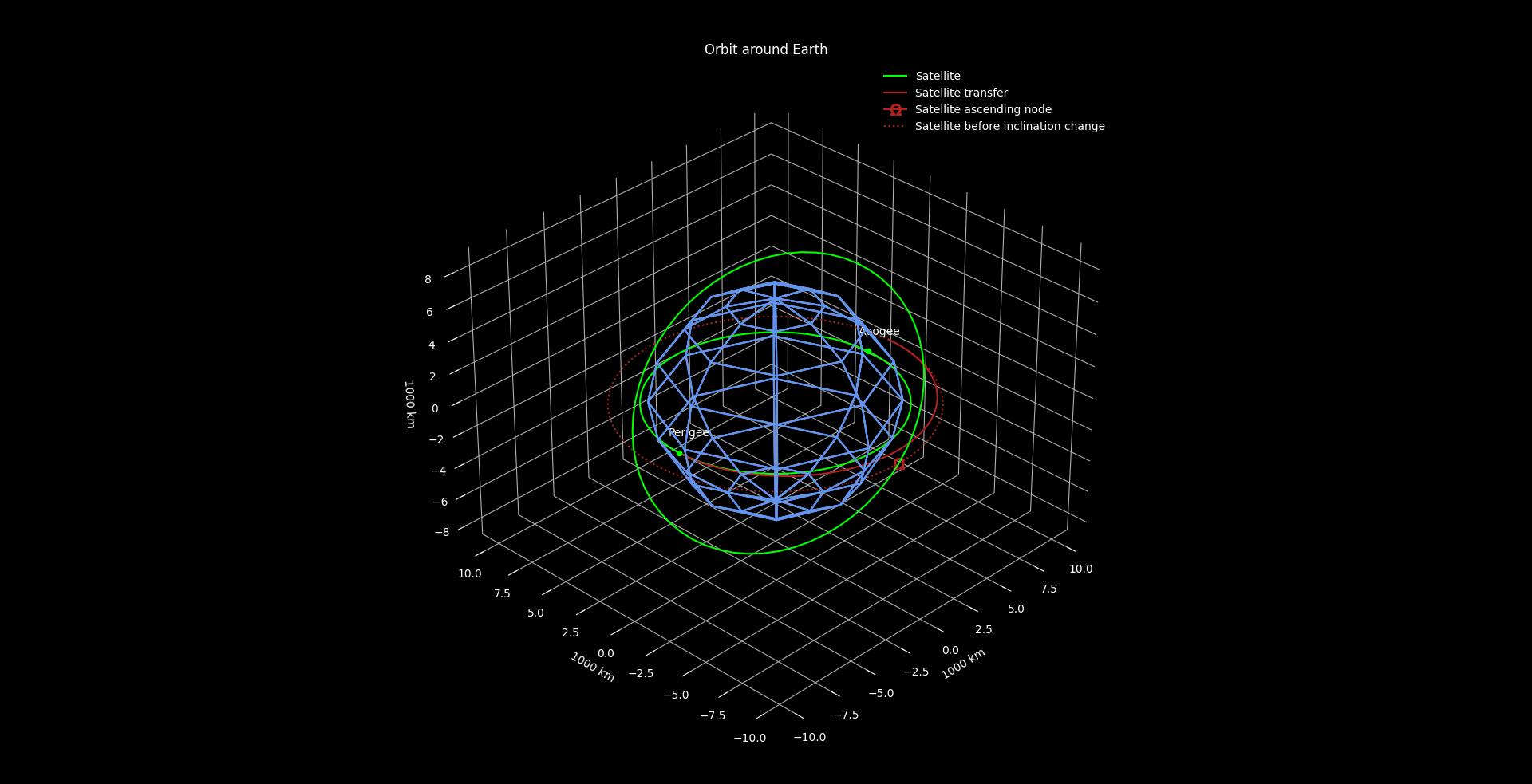
The solid green lines represent the initial and target orbits defined for the craft (only the initial orbit is given apogee/perigee labels). The solid red line represents half of the elliptical transfer orbit taken by the craft to move from one orbit to another. Finally, the dotted line represents the orbit entered before or after an inclination change. The dotted line attempts to show the relationship between the inclination change manuever and the Hohmann transfer.
In this particular example, the spacecraft will move from the inner green orbit along the solid red line until it gets to the orbit represented by the dotted red line. Next, the spacecraft will do a burn at the ascending node to incline its orbit 45 degrees, bringing it to the outer green orbit. Maneuvers involving both a transfer and an inclination change will plot each maneuver separately for visual clarity. Inclination changes are always done at the highest possible altitude where the burn is cheaper.
1 maintainer

Metadata
1 maintainer
Release files for pyrigee 1.0.4
For a detailed explanation of source distributions (sdists) and built distributions (wheels), please see the package formats documentation.
Source distribution (sdist)
| File | Size | Uploaded | Provenance | |
|---|---|---|---|---|
| pyrigee-1.0.4.tar.gz | 12.4 kB | Without provenance | Details |
Built distribution (wheel)
| File | Interpreter | ABI | Platform | Reset |
|---|---|---|---|---|
| pyrigee-1.0.4-py3-none-any.whl | Python 3 | none | any | Details |
Total release size: 25.8 kB
Release files / pyrigee-1.0.4.tar.gz
| Download URL | pyrigee-1.0.4.tar.gz |
|---|---|
| Size | 12.4 kB |
| Tags | Source |
|
SHA-256 checksum How to use checksums |
e3088c2153650d8a00d43b960a9281857ba8abdd339910b83bd3c72e6e4af7a8
|
|
BLAKE2b-256 checksum How to use checksums |
ad7f854181906b0a8c941c3fdc7a368cb2a4914ee2ac08c6f4f1c65462422b93
|
| Upload date | |
|
Uploaded using Trusted Publishing? What is trusted publishing? |
No |
| Uploaded via |
twine/3.2.0 pkginfo/1.5.0.1 requests/2.25.0 setuptools/51.0.0 requests-toolbelt/0.9.1 tqdm/4.46.1 CPython/3.8.2
|
Release files / pyrigee-1.0.4-py3-none-any.whl
| Download URL | pyrigee-1.0.4-py3-none-any.whl |
|---|---|
| Size | 13.5 kB |
| Tags | Python 3 |
|
SHA-256 checksum How to use checksums |
f3e24a468a57f667161978685aa2fc9e06f930db8cc863eb93df0af65b5d4db4
|
|
BLAKE2b-256 checksum How to use checksums |
c83d527fa230cb1741706ac528da167b30fa844cdfe655651ce90ae9600bb94a
|
| Upload date | |
|
Uploaded using Trusted Publishing? What is trusted publishing? |
No |
| Uploaded via |
twine/3.2.0 pkginfo/1.5.0.1 requests/2.25.0 setuptools/51.0.0 requests-toolbelt/0.9.1 tqdm/4.46.1 CPython/3.8.2
|
Security for pyrigee 1.0.4
Provenance
Provenance describes where a file came from. On PyPI, provenance is shared via attestations, which provide a verifiable record of the build or publishing details. View details, limitations and caveats.
No provenance found
None of the files in this release were uploaded with provenance metadata.
A note on package security
PyPI is a repository for distributing packages, not a service for auditing them. While third-party security researchers and our staff do their best to detect and remove malicious packages, PyPI cannot guarantee the quality, security or suitability of any given package.
To learn more about protecting yourself from malicious actors, visit our package security documentation.














