
pystickynote
Stickynotes for your desktop easily from the command line! Built using PySimpleGUI
Preview
How does it work?
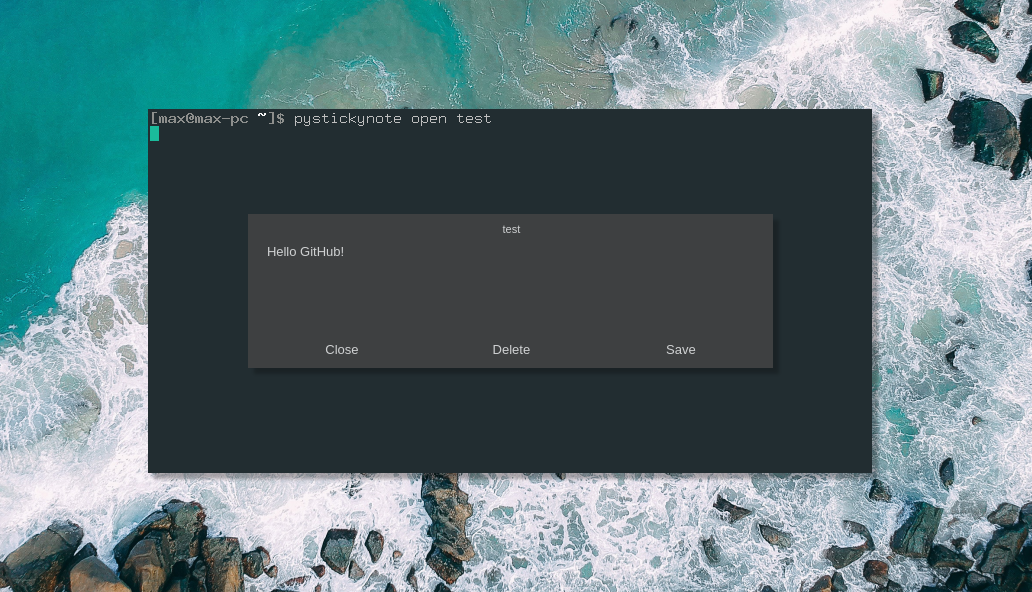
Pystickynote creates a small QT window for you to jot your ideas down and then display them later on all with a command line tool. On top of that, the note itself is fully customizable allowing you to change colors, alpha, and borders.
Installation
pip3 install pystickynote
Running It
<pystickynote/pysn> create <name_of_note> # Displays stickynote window

<pystickynote/pysn> open <name_of_note> # Displays old stickynote

<pystickynote/pysn> delete <name_of_note> # Deletes stickynote

<pystickynote/pysn> list # Displays all notes
Changelog
Update 1.5.1:
- Added box_height and box_width values to config
Update 1.5:
-
Added new entry point:
pysn -
Added delete function thanks to @synackray
-
Fixed error with mouse_offset (possibly still buggy)
-
New local version of PySimpleGUIQt for that ^
Configuration
Config files and notes can be found in ~/.config/pystickynote/. Inside this folder you will find pysn.conf and notes.json.
You can also find the default config and notes file in this repository.
The config file looks something like this:
[DEFAULT]
background_color = #454545
text_color = #fafafa
alpha = 0.8
border_width = 0
font_size = 10
title_size = 8
background_color = the background hex color for the note
text_color = the text color for the note
alpha = the note window's alpha
border_width = border around input box and buttons
font_size = font size for text
title_size = font size for title
1 maintainer

Metadata
1 maintainer
Release files for pystickynote 1.5.1
For a detailed explanation of source distributions (sdists) and built distributions (wheels), please see the package formats documentation.
Source distribution (sdist)
| File | Size | Uploaded | |
|---|---|---|---|
| pystickynote-1.5.1.tar.gz | 61.1 kB | Details |
Built distribution (wheel)
| File | Interpreter | ABI | Platform | Reset |
|---|---|---|---|---|
| pystickynote-1.5.1-py3-none-any.whl | Python 3 | none | any | Details |
Total release size: 123.1 kB
Release files / pystickynote-1.5.1.tar.gz
| Download URL | pystickynote-1.5.1.tar.gz |
|---|---|
| Size | 61.1 kB |
| Tags | Source |
|
SHA-256 checksum How to use checksums |
aa5a09df7e6f4aba02162f72ead6c1d7bff8f6cceba87df0766f6a098b3a5b38
|
|
BLAKE2b-256 checksum How to use checksums |
74da0a8d7179482a59888b3d18e614dd649c7cb41c4b86f270dc8c7e349eb60f
|
| Upload date | |
|
Uploaded using Trusted Publishing? What is trusted publishing? |
No |
| Uploaded via |
twine/1.13.0 pkginfo/1.5.0.1 requests/2.22.0 setuptools/40.8.0 requests-toolbelt/0.9.1 tqdm/4.33.0 CPython/3.7.3
|
Release files / pystickynote-1.5.1-py3-none-any.whl
| Download URL | pystickynote-1.5.1-py3-none-any.whl |
|---|---|
| Size | 62.0 kB |
| Tags | Python 3 |
|
SHA-256 checksum How to use checksums |
94481245ad5a0528597af0f397df8fb556b75ed8c78bd7fd688a540b0b567b3d
|
|
BLAKE2b-256 checksum How to use checksums |
7a61e9e5c393d996629b87a6e6e4f957248073221dccf88c71ab29c2cc279a39
|
| Upload date | |
|
Uploaded using Trusted Publishing? What is trusted publishing? |
No |
| Uploaded via |
twine/1.13.0 pkginfo/1.5.0.1 requests/2.22.0 setuptools/40.8.0 requests-toolbelt/0.9.1 tqdm/4.33.0 CPython/3.7.3
|














