
pytest-tally
A Pytest plugin that displays test run progress in-console, in-app or in-browser.
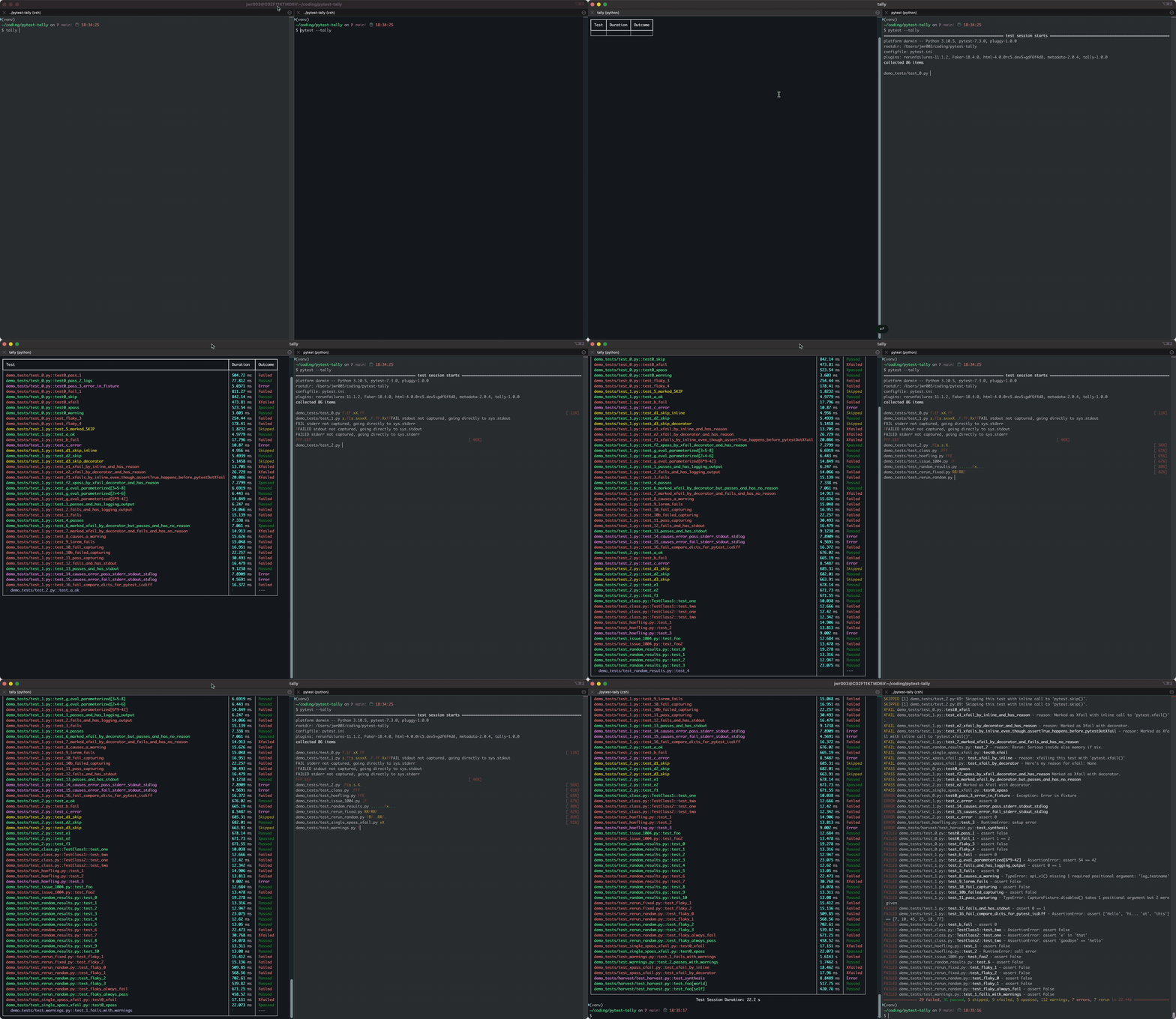
Using Rich:
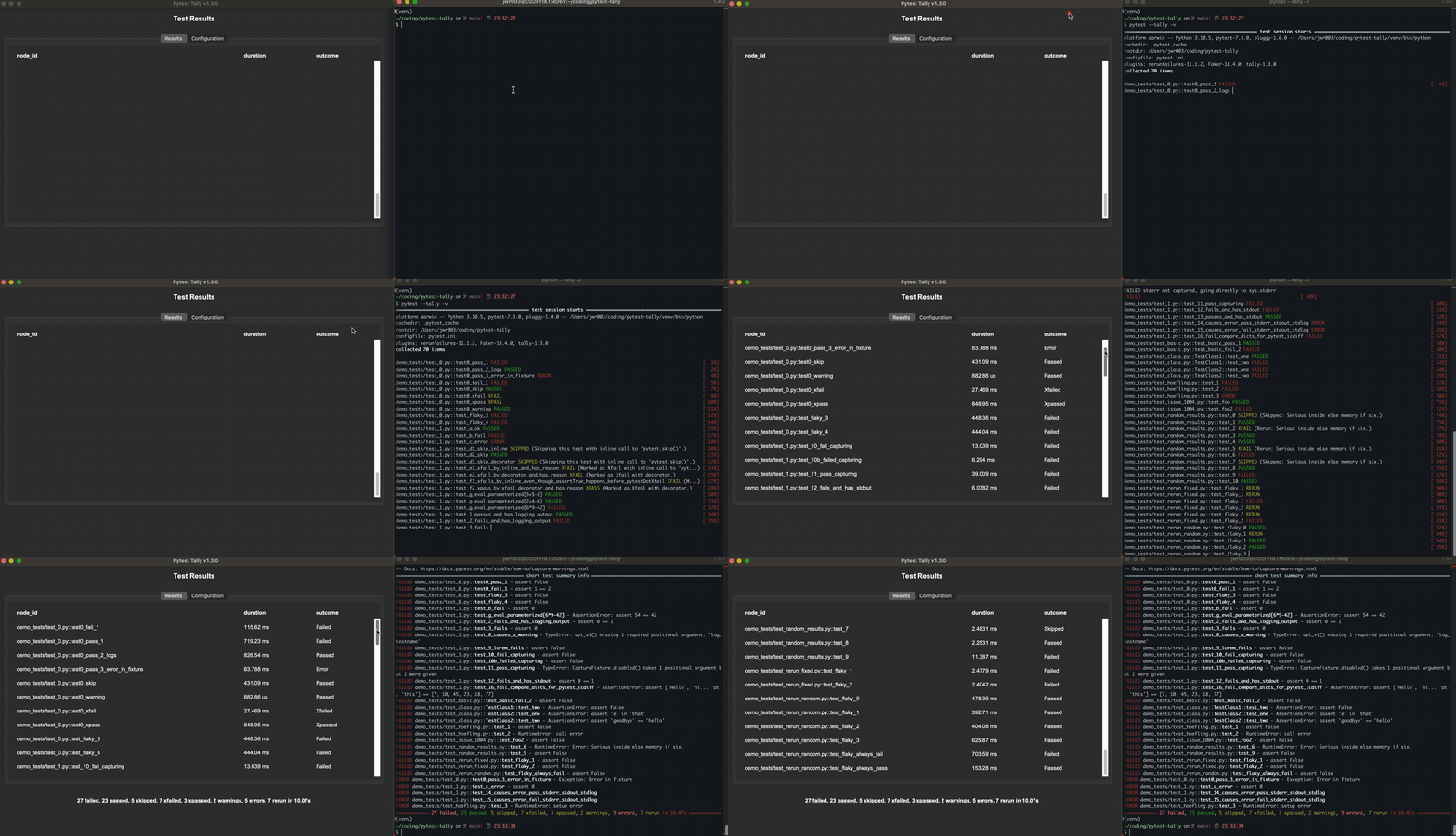
Using Tkinter:
Using Flask:
Why?
I run a lot of long-duration test campaigns that generate copious amounts of console output. I usually monitor their progress by periodically checking the terminal to see if anything has failed so far. This usually means scrolling back in the console, looking for that telltale FAILED indication. It can be a bit of a pain hunting for that information!
This plugin writes up-to-date summary statistics for each test, as it executes, to a JSON file on disk. That file is then continually read by a small client that prints results to terminal or in-browser. That way I can split my screen and monitor both the raw console output from Pytest, and the client's summary output, at the same time. Mmmm. Life suddenly just became a little easier and brighter. :-)
Also - why??
Because I'm a geek and I like learning new stuff about Python. This project made me learn about realtime file syncing, different ways of presenting data, how to get ChatGpt to write stuff for you, and a lot more!
Install
For most users: pip install pytest-tally
For users who like to 'roll their own': pip install -r requirements/requirements.txt && pip install pytest-tally
For power users who want the dev dependencies: pip install -r requirements/requirements-dev.txt && pip install pytest-tally
Usage
There are three clients included in this repo:
- Rich text-based client that runs in the terminal
- HTML client that runs in the browser (via a Flask web-app)
- TkInter GUI
Each of these has known issues (see below), but are functional. You are welcome to improve upon any of these, or write your own and submit a PR if you like.
To use text-based Rich client to display test results in-console as the tests run, open another terminal session, activate your venv, and type in tally to start the text-based client. Press the "q" key to quit the text-based client.
To use web-app Flask/HTML client to display test results in-browser as the tests run, open another terminal session, activate your venv, and type in python pytest_tally/clients/app.py [-h] [--port PORT] JSON_FILE_PATH to start the Flask web-app.
Now, simply run Pytest like you normally would, but specify the --tally option: pytest --tally. This starts the Pytest run and populates the tally-data.json file with the information needed by the client to show the updateded test status as it occurs.
Pytest Plugin:
The pytest plugin adds the option --tally, and when invoked in that fashion, it generates a JSON file to disk that contains the updated test stats that are then used by one of the clients to display progress. The file is called "tally-data.json", and will be written to the current running directory.
pytest tally:
--tally                   Enable the pytest-tally plugin. Writes live summary results
                          data to a JSON file for consumption by a dashboard client.
Rich (text-based) Client:
usage: tally-rich [-h] [-v] [-l] [-x MAX_ROWS] [-f FILE_PATH] [filename]

options:
-h, --help            show this help message and exit
-v, --version         show program's version number and exit
-l, --lines           draw separation [l]ines in between each table row (default: False)
-x MAX_ROWS, --max_rows MAX_ROWS
                        ma[x] number of rows to display (default: 0 [no limit])
Limitations
- Non-default JSON file support not working.
Flask (web-app) Client:
usage: tally-flask [-h] [--port PORT] [--debug] [--log-level LOG_LEVEL] [--fetch-rate FETCH_RATE] [JSON_FILE]

positional arguments:
JSON_FILE             path to the JSON file (default: /Users/jwr003/coding/pytest-tally/tally-data.json)

options:
-h, --help            show this help message and exit
--port PORT           listening port for the app
--debug               enable debug mode
--log-level LOG_LEVEL
                        log level for Werkzeug
--fetch-rate FETCH_RATE
                        fetch rate (in ms) - effectively the update rate of the web app
Limitations
- Non-default JSON file support not working.
TkInter (GUI) Client:
usage: tally-tk
Limitations
- Non-default JSON file support not working.
- No command line options. The intent is to provide all configuration through the app itself, but so far none are implemented.
1 maintainer

Release files for pytest-tally 1.3.1
For a detailed explanation of source distributions (sdists) and built distributions (wheels), please see the package formats documentation.
Source distribution (sdist)
| File | Size | Uploaded | |
|---|---|---|---|
| pytest-tally-1.3.1.tar.gz | 24.5 kB | Details |
Built distribution (wheel)
| File | Interpreter | ABI | Platform | Reset |
|---|---|---|---|---|
| pytest_tally-1.3.1-py3-none-any.whl | Python 3 | none | any | Details |
Total release size: 46.2 kB
Release files / pytest-tally-1.3.1.tar.gz
| Download URL | pytest-tally-1.3.1.tar.gz |
|---|---|
| Size | 24.5 kB |
| Tags | Source |
|
SHA-256 checksum How to use checksums |
2b6838866df753230e81a5c68db4bf322dd75def7531b89691ea261a291d84a6
|
|
BLAKE2b-256 checksum How to use checksums |
daec307e2f5e558d8e3e0ae262b7c4b6340c4f61d7e6b6b657e4e452d30a1235
|
| Upload date | |
|
Uploaded using Trusted Publishing? What is trusted publishing? |
No |
| Uploaded via |
twine/4.0.2 CPython/3.10.5
|
Release files / pytest_tally-1.3.1-py3-none-any.whl
| Download URL | pytest_tally-1.3.1-py3-none-any.whl |
|---|---|
| Size | 21.6 kB |
| Tags | Python 3 |
|
SHA-256 checksum How to use checksums |
24b189971ca646b8221a7e39d6cc7ca869f89f289938d17e91bf5988cd8b750b
|
|
BLAKE2b-256 checksum How to use checksums |
158a53dda086656775d386dbf7414570270ba0e55cc6e0ccf575491b7b2509dc
|
| Upload date | |
|
Uploaded using Trusted Publishing? What is trusted publishing? |
No |
| Uploaded via |
twine/4.0.2 CPython/3.10.5
|














