
python-elastic-logstash
Logstash dynamically ingests, transforms, and ships your data regardless of format or complexity. Derive structure from unstructured data with grok, decipher geo coordinates from IP addresses, anonymize or exclude sensitive fields, and ease overall processing.
Installation
Using pip:
pip install python-elastic-logstash
Features
Sends Python logs in elasticsearch.
Works with Python Django.
Stop tolerance capability.
Overwrite index from custom fields.
If any issues please submit issues in https://github.com/washim/python-elastic-logstash/issues
Usage
For example:
import logging
import sys
from python_elastic_logstash import ElasticHandler, ElasticFormatter

"""
Provide logger name simple without any special character
Logger name will become as Elastic Search Index
"""
logger = logging.getLogger('python-elastic-logstash')
logger.setLevel(logging.DEBUG)

elasticsearch_endpoint = 'http://localhost:9200' # No trailing slash

elastic_handler = ElasticHandler(elasticsearch_endpoint, 'dev')  # Second argument is optional
elastic_handler.setFormatter(ElasticFormatter())

logger.addHandler(elastic_handler)

# Extra is optional.
extra = {
    'elastic_fields': {
        'version': 'python version: ' + repr(sys.version_info)
    }
}

logger.debug("Python elastic logstash configured", extra=extra)
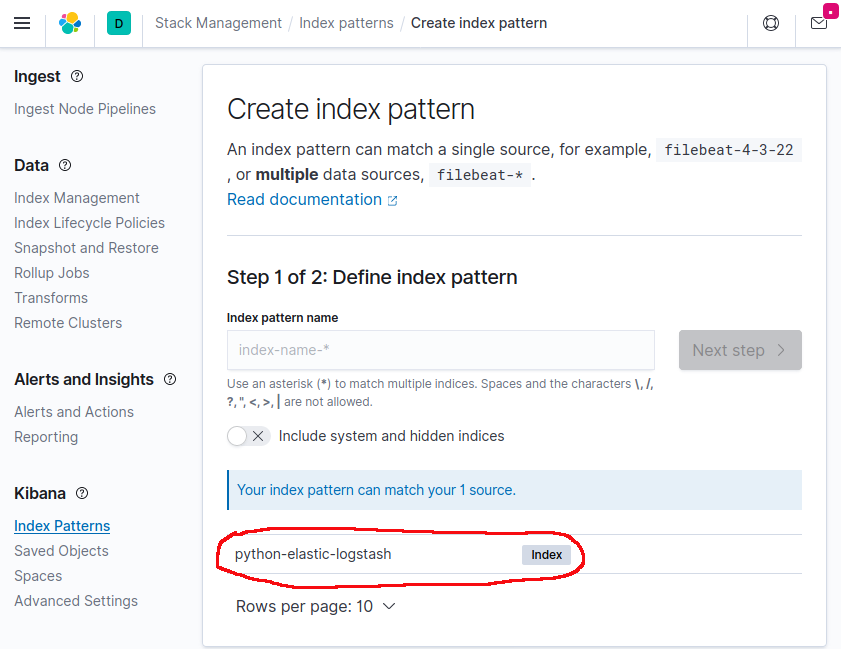
Kibana Create Index Page
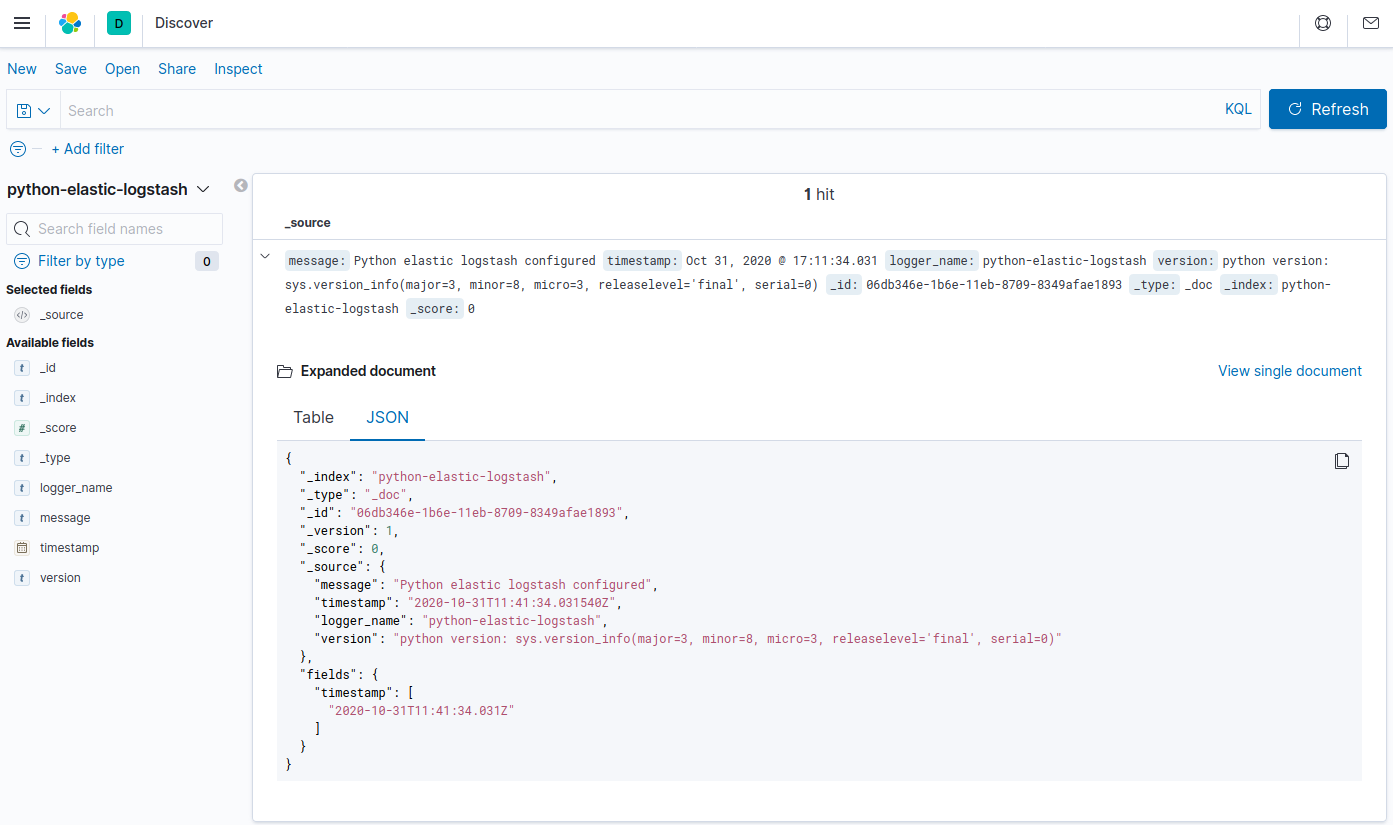
Kibana Discover Page
Using Django
Modify your settings.py
Example:
LOGGING = {
    ...
    'version': 1,
    'disable_existing_loggers': False,
    'handlers': {
        'elastic_handler': {
            'level': 'DEBUG',
            'class': 'python_elastic_logstash.ElasticHandler',
            'url': 'http://localhost:9200'
        },
        'console': {
            'class': 'logging.StreamHandler'
        },
    },
    'root': {
        'handlers': ['console'],
        'level': 'WARNING',
    },
    'loggers': {
        'django.request': {
            'handlers': ['elastic_handler'],
            'level': 'DEBUG',
            'propagate': True,
        },
        'python-elastic-logstash': {
            'handlers': ['elastic_handler'],
            'level': 'DEBUG',
            'propagate': True,
        },
    }
    ...
}
1 maintainer

Release files for python-elastic-logstash 2.0.0
For a detailed explanation of source distributions (sdists) and built distributions (wheels), please see the package formats documentation.
Source distribution (sdist)
| File | Size | Uploaded | |
|---|---|---|---|
| python_elastic_logstash-2.0.0.tar.gz | 3.9 kB | Details |
Built distribution (wheel)
| File | Interpreter | ABI | Platform | Reset |
|---|---|---|---|---|
| python_elastic_logstash-2.0.0-py3-none-any.whl | Python 3 | none | any | Details |
Total release size: 8.6 kB
Release files / python_elastic_logstash-2.0.0.tar.gz
| Download URL | python_elastic_logstash-2.0.0.tar.gz |
|---|---|
| Size | 3.9 kB |
| Tags | Source |
|
SHA-256 checksum How to use checksums |
e504f238e275d3f21f1d1b76b0f79f737d255edb7bbb99032a9b7a31dfa98bd7
|
|
BLAKE2b-256 checksum How to use checksums |
82b0ea5677b0a624290ad35400e260466c3aa99f685e6fd83e585075ae82456b
|
| Upload date | |
|
Uploaded using Trusted Publishing? What is trusted publishing? |
No |
| Uploaded via |
twine/3.2.0 pkginfo/1.6.1 requests/2.25.1 setuptools/50.3.2 requests-toolbelt/0.9.1 tqdm/4.54.1 CPython/3.9.0
|
Release files / python_elastic_logstash-2.0.0-py3-none-any.whl
| Download URL | python_elastic_logstash-2.0.0-py3-none-any.whl |
|---|---|
| Size | 4.7 kB |
| Tags | Python 3 |
|
SHA-256 checksum How to use checksums |
7c8375b34a5e6eee640f75b890538ff115e7e168c4100b6106335205b96f1ed7
|
|
BLAKE2b-256 checksum How to use checksums |
5105bfafc82d61696b15846007637c177010ab0fe96da4d6a8828421f36f8bd5
|
| Upload date | |
|
Uploaded using Trusted Publishing? What is trusted publishing? |
No |
| Uploaded via |
twine/3.2.0 pkginfo/1.6.1 requests/2.25.1 setuptools/50.3.2 requests-toolbelt/0.9.1 tqdm/4.54.1 CPython/3.9.0
|














