
Qsurface








Qsurface is a simulation package for the surface code, and is designed to modularize 3 aspects of a surface code simulation.
- The surface code
- The error model
- The used decoder
New types of surface codes, error modules and decoders can be added to Qsurface by using the included templates for each of the three core module categories.
The current included decoders are:
- The Mininum-Weight Perfect Matching (
mwpm) decoder. - Delfosse's and Nickerson's Union-Find (
unionfind) decoder, which has almost-linear worst-case time complexity. - Our modification to the Union-Find decoder; the Union-Find Node-Suspension (
ufns) decoder, which improves the threshold of the Union-Find decoder to near MWPM performance, while retaining quasi-linear worst-case time complexity.
The compatibility of these decoders with the included surface codes are listed below.
| Decoders | toric code |
planar code |
|---|---|---|
mwpm |
✅ | ✅ |
unionfind |
✅ | ✅ |
ufns |
✅ | ✅ |
Installation
All required packages can be installed through:
pip install qsurface
Requirements
- Python 3.7+
- Tkinter or PyQt5 for interactive plotting.
- Matplotlib 3.4+ for plotting on a 3D lattice (Refers to a future release of matplotlib, see pull request)
MWPM decoder
The MWPM decoder utilizes networkx for finding the minimal weights in a fully connected graph. This implementation is however rather slow compared to Kolmogorov's Blossom V algorithm. Blossom V has its own license and is thus not included with Qsurface. We do provided a single function to download and compile Blossom V, and to setup the integration with Qsurface automatically.
>>> from qsurface.decoders import mwpm
>>> mwpm.get_blossomv()
Usage
To simulate the toric code and simulate with bitflip error for 10 iterations and decode with the MWPM decoder:
>>> from qsurface.main import initialize, run
>>> code, decoder = initialize((6,6), "toric", "mwpm", enabled_errors=["pauli"])
>>> run(code, decoder, iterations=10, error_rates = {"p_bitflip": 0.1})
{'no_error': 8}
Benchmarking of decoders can be enabled by attaching a benchmarker object to the decoder. See the docs for the syntax and information to setup benchmarking.
>>> from qsurface.main import initialize, run
>>> benchmarker = BenchmarkDecoder({"decode":"duration"})
>>> run(code, decoder, iterations=10, error_rates = {"p_bitflip": 0.1}, benchmark=benchmarker)
{'no_error': 8,
'benchmark': {'success_rate': [10, 10],
'seed': 12447.413636559,
'durations': {'decode': {'mean': 0.00244155000000319,
'std': 0.002170364089572033}}}}
Plotting
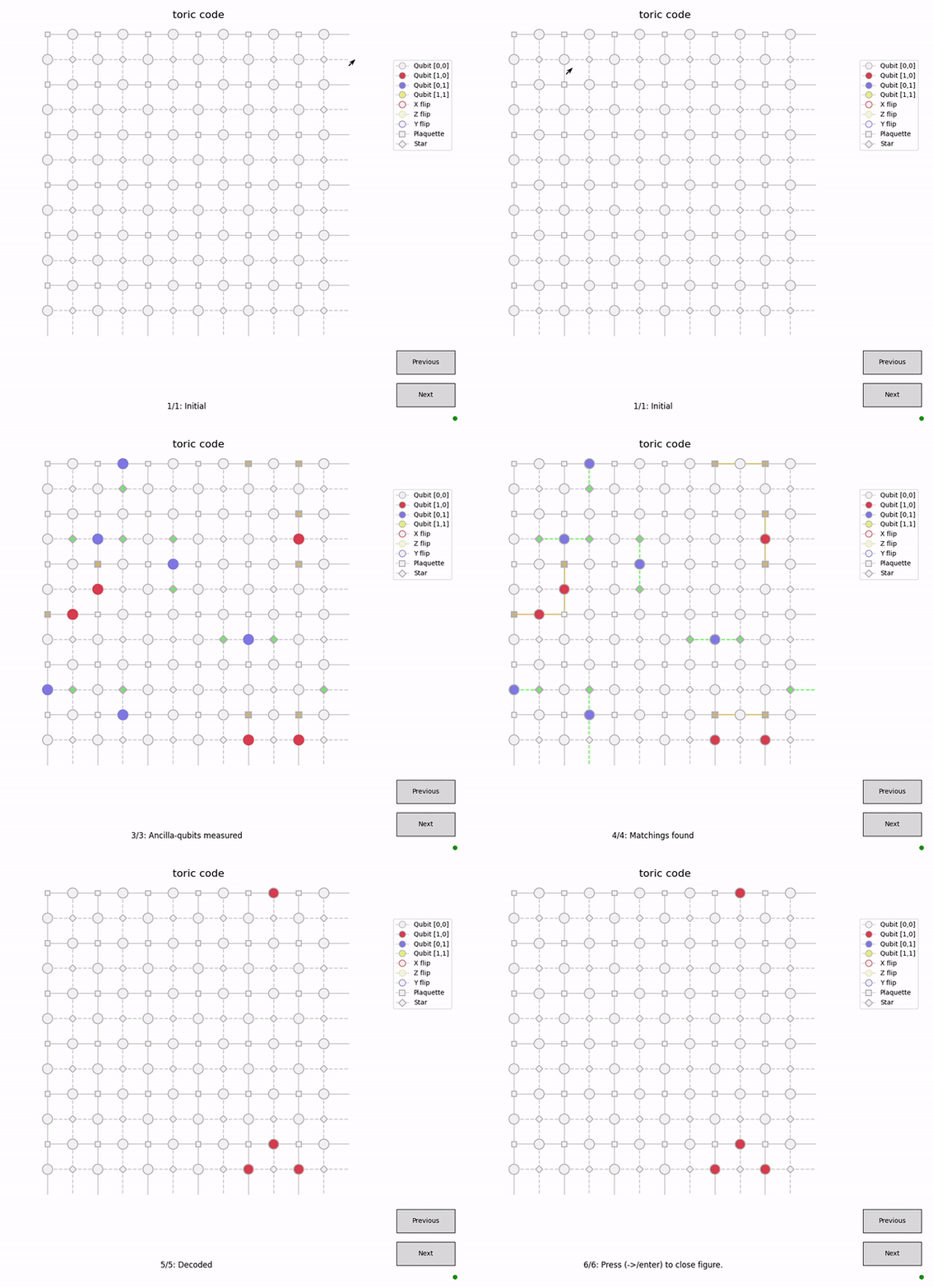
The figures in Qsurface allows for step-by-step visualization of the surface code simulation (and if supported the decoding process). Each figure logs its history such that the user can move backwards in time to view past states of the surface (and decoder). Press h when the figure is open for more information.
>>> from qsurface.main import initialize, run
>>> code, decoder = initialize((6,6), "toric", "mwpm", enabled_errors=["pauli"], plotting=True, initial_states=(0,0))
>>> run(code, decoder, error_rates = {"p_bitflip": 0.1, "p_phaseflip": 0.1}, decode_initial=False)
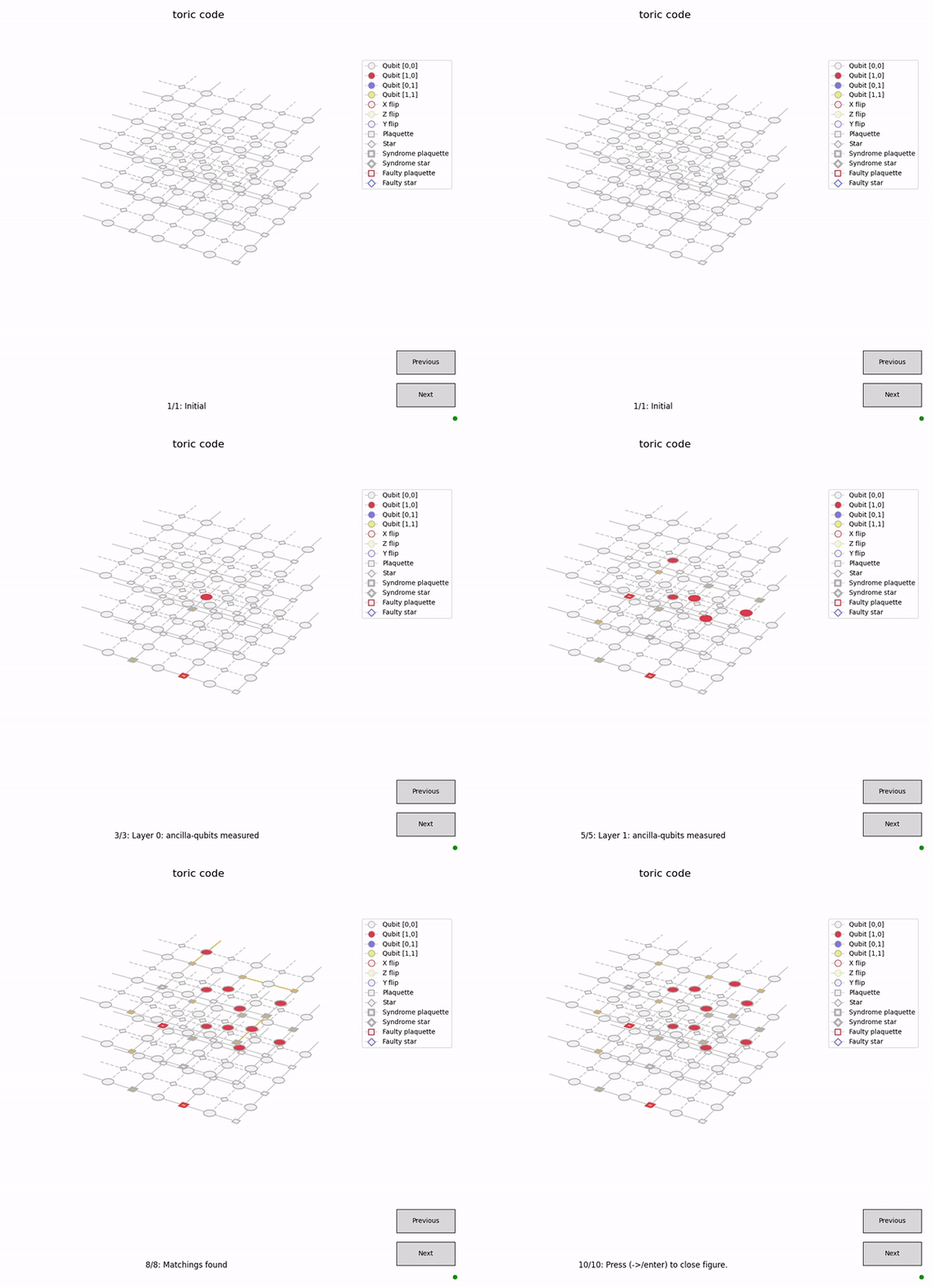
Plotting will be performed on a 3D axis if faulty measurements are enabled.
>>> code, decoder = initialize((3,3), "toric", "mwpm", enabled_errors=["pauli"], faulty_measurements=True, plotting=True, initial_states=(0,0))
>>> run(code, decoder, error_rates = {"p_bitflip": 0.05, "p_bitflip_plaq": 0.05}, decode_initial=False)
In IPython, inline images are created for each iteration of the plot, which can be tested in the example notebook.
Command line interface
Simulations can also be initiated from the command line
$ python -m qsurface -e pauli -D mwpm -C toric simulation --p_bitflip 0.1 -n 10
{'no_error': 8}
For more information on command line interface:
$ python -m qsurface -h
usage: qsurface
...
This project is proudly funded by the Unitary Fund.
1 maintainer

Metadata
1 maintainer
Release files for qsurface 0.1.5
For a detailed explanation of source distributions (sdists) and built distributions (wheels), please see the package formats documentation.
Source distribution (sdist)
| File | Size | Uploaded | |
|---|---|---|---|
| qsurface-0.1.5.tar.gz | 68.2 kB | Details |
Built distribution (wheel)
| File | Interpreter | ABI | Platform | Reset |
|---|---|---|---|---|
| qsurface-0.1.5-py3-none-any.whl | Python 3 | none | any | Details |
Total release size: 225.1 kB
Release files / qsurface-0.1.5.tar.gz
| Download URL | qsurface-0.1.5.tar.gz |
|---|---|
| Size | 68.2 kB |
| Tags | Source |
|
SHA-256 checksum How to use checksums |
3e619392caf7b2c42998e6a2fbcefc8f0301b9ef6a31b7d0e40b8799b5cee7b8
|
|
BLAKE2b-256 checksum How to use checksums |
b9232cc670216c14d9013628d8389da127926466f41a54b931f106e2f1697e28
|
| Upload date | |
|
Uploaded using Trusted Publishing? What is trusted publishing? |
No |
| Uploaded via |
twine/3.2.0 pkginfo/1.6.1 requests/2.24.0 setuptools/49.2.1 requests-toolbelt/0.9.1 tqdm/4.51.0 CPython/3.9.0
|
Release files / qsurface-0.1.5-py3-none-any.whl
| Download URL | qsurface-0.1.5-py3-none-any.whl |
|---|---|
| Size | 156.9 kB |
| Tags | Python 3 |
|
SHA-256 checksum How to use checksums |
30c69f650d8423983dc7e139cebaac69aa4af24771bb0316c49e6ec192c44aef
|
|
BLAKE2b-256 checksum How to use checksums |
2c85835f245e4ff000a467930aa9253c0ff5ca035b38b7eb5425771c1a11bc2b
|
| Upload date | |
|
Uploaded using Trusted Publishing? What is trusted publishing? |
No |
| Uploaded via |
twine/3.2.0 pkginfo/1.6.1 requests/2.24.0 setuptools/49.2.1 requests-toolbelt/0.9.1 tqdm/4.51.0 CPython/3.9.0
|














