
quare






Interact with Quip from the command line.
Introduction
quare allows interaction with Quip via the command line. While quare is in alpha, there are some features you may find useful:
- Pipe the output of a command to a chat or document and format it as monospace.
- Archive messages by piping them into a local file
- Securely store authentication tokens for multiple Quip instances.
This tool is in its early stages of development, and is subject to change (or abandonment) at any time. Use at your own risk.
Installation
$ pipx install quare
Usage
Authentication
Store a Quip API token (See: https://quip.com/dev/token):
$ quare auth
Token: long_token_string
Token stored.
If you have multiple Quip instances (like multiple Slack Workspaces), you can specify an alias for them. You can also pass your token directly to auth:
$ quare msg auth --alias test_server --token 't1DJBQWBXHCYgh1=|2983928392|nYtRFIhV7nl4...'
Whoami
To see information about the logged in user:
$ quare msg whoami
┌Default───────┬───────────────┐
│ Name         │ Tests Testeri │
├──────────────┼───────────────┤
│ Email(s)     │ t@testz.dev   │
├──────────────┼───────────────┤
│ Quip User ID │ mRLA6Zdn3PO   │
└──────────────┴───────────────┘
Sending messages
The destination may be a document or chat:
$ quare msg send --room room_id --content 'Hello everyone!'
Pipe content from stdin
Message content can be piped from stdin:
$ uname -a | quare msg send --room room_id --content '-'
While Quip allows formatting messages using some markdown markup, it doesn't recognize markdown code blocks ("```"). To define a code block, use the --monospace option:
$ dmesg | tail -n 5 | quare msg send --room room_id --content '-' --monospace
Receiving messages
Stream to stdout
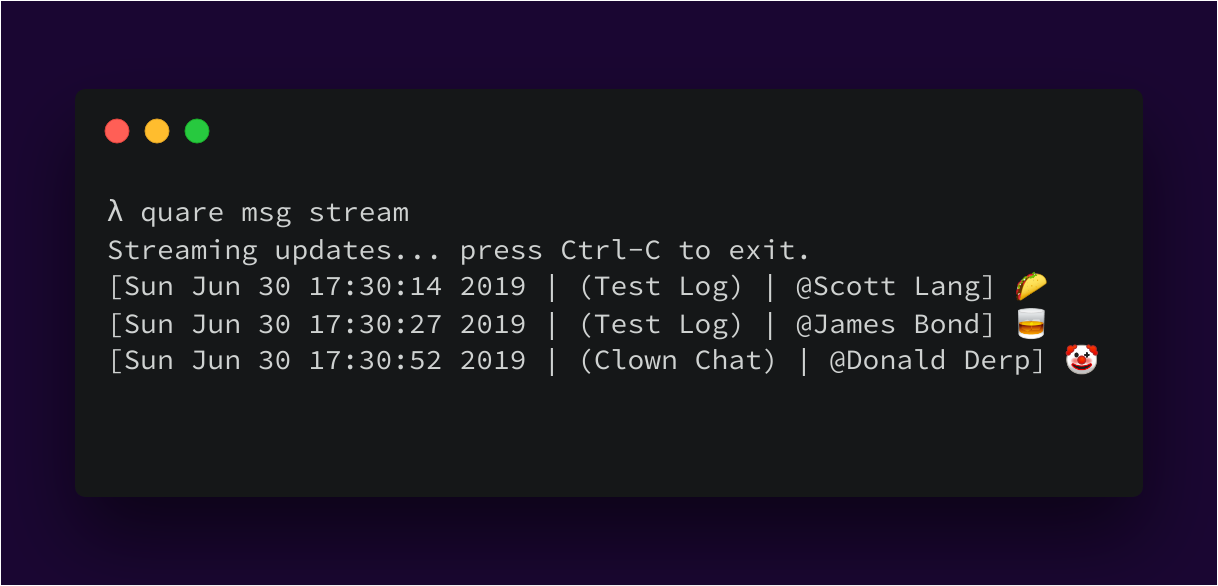
To stream every message appearing in the Updates tab:
$ quare msg stream
Streaming updates... press Ctrl-C to exit.
[Sun Jun 30 17:23:09 2019 | (Test Log) | @Tests Testeri] ok ok
Dump the content of a chat room
To get the last 5 messages in a chat room or document:
$ quare msg get --room room_id --last 5
[Sat Jun 29 03:19:09 2019 | @Tester Testeri] This is a monologue!
[Sat Jun 29 16:00:12 2019 | @Tester Testeri] ok
[Sat Jun 29 16:34:51 2019 | @Tester Testeri] I'm done!
[Sun Jun 30 17:30:14 2019 | @Tester Testeri] 🌮
[Sun Jun 30 17:30:27 2019 | @Tester Testeri] 🥃
To get the last 2 messages as JSON:
$ quare msg get  -r "IcTAAAtVxXb" --last 2 --json
[{"author_id": "mRLA6Zdn3PO", "visible": true, "id": "IcderpEe8wG", "created_usec": 1561849212672040, "updated_usec": 1561849212696571, "text": "ok", "author_name": "Tester Testeri"}, {"author_id": "mRLA6Zdn3PO", "visible": true, "id": "IcNodg7n2Tx", "created_usec": 1561851291612434, "updated_usec": 1561851291620308, "text": "chat", "author_name": "Tester Testeri"}]
To dump the last 200 messages in a chat room into a text file:
$ quare msg get --room room_id --last 200 > interesting_conversation.log
To get all messages since a datetime:
$ quare msg get --room room_id --since 2019-01-01T00:32:00Z > greppable_archive.log
The --since option recognizes any date recognized by dateparser:
$ quare msg get --room room_id --since 'Monday' > this_week.log
$ quare msg get --room room_id --since '2 months ago' > this_quarter.log
Editing documents
To append a markdown file to an existing document
$ quare doc append --id xxxDoc_IDxxx --file /tmp/foo.md
$ cat /tmp/foo.md | quare doc append --id xxxDoc_IDxxx --file -
To append a markdown-format string to an existing document
$ quare doc append --id xxxDoc_IDxxx --content '## Headline\n\n'
Development
This work is licensed under the terms of the LGPL-3.0.
Contributions
See CONTRIBUTING.rst
1 maintainer

Metadata
1 maintainer
Release files for quare 0.2.4
For a detailed explanation of source distributions (sdists) and built distributions (wheels), please see the package formats documentation.
Source distribution (sdist)
| File | Size | Uploaded | Provenance | Actions |
|---|---|---|---|---|
| quare-0.2.4.tar.gz | 22.3 kB | Without provenance | Details for quare-0.2.4.tar.gz |
Built distribution (wheel)
| File | Interpreter | ABI | Platform | Actions Reset |
|---|---|---|---|---|
| quare-0.2.4-py3-none-any.whl | Python 3 | none | any | Details for quare-0.2.4-py3-none-any.whl |
Total release size: 44.9 kB
Release files / quare-0.2.4.tar.gz
| Download URL | quare-0.2.4.tar.gz |
|---|---|
| Size | 22.3 kB |
| Tags | Source |
|
SHA-256 checksum How to use checksums |
1d571e7fcedb80d0e52bcd9806777840af27fb78233399dcbbc38ad158d7c880
|
|
BLAKE2b-256 checksum How to use checksums |
3fe782d0cd932e30d8c971ec3144f250484295723ef5fef5a10186e2fa13ccd3
|
| Upload date | |
|
Uploaded using Trusted Publishing? What is trusted publishing? |
No |
| Uploaded via |
poetry/1.0.3 CPython/3.8.0 Darwin/18.7.0
|
Release files / quare-0.2.4-py3-none-any.whl
| Download URL | quare-0.2.4-py3-none-any.whl |
|---|---|
| Size | 22.6 kB |
| Tags | Python 3 |
|
SHA-256 checksum How to use checksums |
b61f7e53e3ecbc8d88dd631a81d6fabb72b2b474991d0c0b732c7f997922933c
|
|
BLAKE2b-256 checksum How to use checksums |
ab4f34683793a528eb5d2a982f840604d3ea9c7fd6f5cb845402d8c0c02cf2c1
|
| Upload date | |
|
Uploaded using Trusted Publishing? What is trusted publishing? |
No |
| Uploaded via |
poetry/1.0.3 CPython/3.8.0 Darwin/18.7.0
|
Security for quare 0.2.4
Provenance
Provenance describes where a file came from. On PyPI, provenance is shared via attestations, which provide a verifiable record of the build or publishing details. View details, limitations and caveats.
No provenance found
None of the files in this release were uploaded with provenance metadata.
A note on package security
PyPI is a repository for distributing packages, not a service for auditing them. While third-party security researchers and our staff do their best to detect and remove malicious packages, PyPI cannot guarantee the quality, security or suitability of any given package.
To learn more about protecting yourself from malicious actors, visit our package security documentation.














