





RAKE short for Rapid Automatic Keyword Extraction algorithm, is a domain independent keyword extraction algorithm which tries to determine key phrases in a body of text by analyzing the frequency of word appearance and its co-occurance with other words in the text.
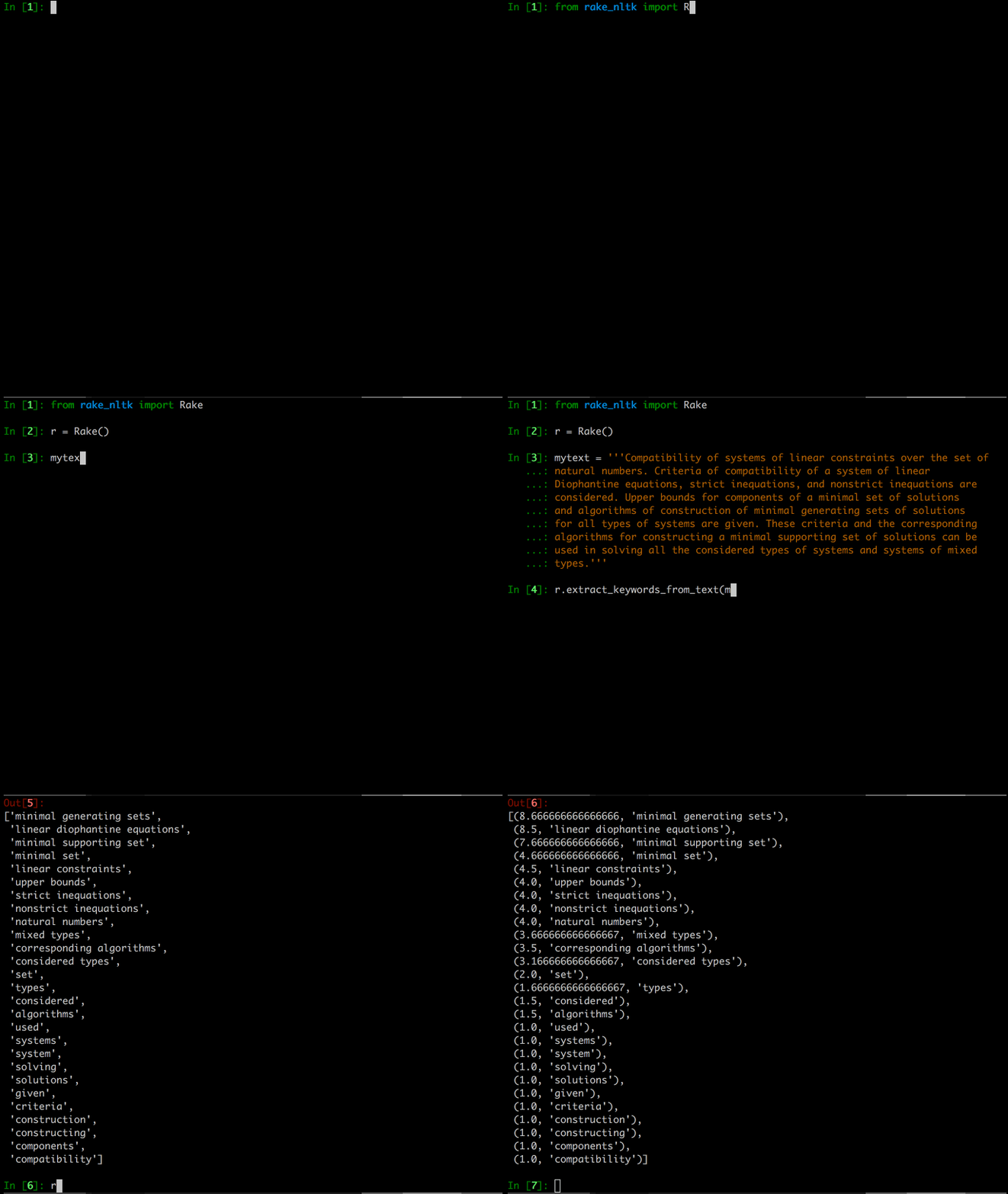
Features
Ridiculously simple interface.
Configurable word and sentence tokenizers, language based stop words etc
Configurable ranking metric.
Setup
Using pip
pip install rake-nltkDirectly from the repository
git clone https://github.com/csurfer/rake-nltk.git
python rake-nltk/setup.py install
Quick Start
from rake_nltk import Rake

# Uses stopwords for english from NLTK, and all puntuation characters by
# default
r = Rake()

# Extraction given the text.
r.extract_keywords_from_text(<text to process>)

# Extraction given the list of strings where each string is a sentence.
r.extract_keywords_from_sentences(<list of sentences>)

# To get keyword phrases ranked highest to lowest.
r.get_ranked_phrases()

# To get keyword phrases ranked highest to lowest with scores.
r.get_ranked_phrases_with_scores()
Debugging Setup
If you see a stopwords error, it means that you do not have the corpus stopwords downloaded from NLTK. You can download it using command below.
python -c "import nltk; nltk.download('stopwords')"References
This is a python implementation of the algorithm as mentioned in paper Automatic keyword extraction from individual documents by Stuart Rose, Dave Engel, Nick Cramer and Wendy Cowley
Why I chose to implement it myself?
It is extremely fun to implement algorithms by reading papers. It is the digital equivalent of DIY kits.
There are some rather popular implementations out there, in python(aneesha/RAKE) and node(waseem18/node-rake) but neither seemed to use the power of NLTK. By making NLTK an integral part of the implementation I get the flexibility and power to extend it in other creative ways, if I see fit later, without having to implement everything myself.
I plan to use it in my other pet projects to come and wanted it to be modular and tunable and this way I have complete control.
Contributing
Bug Reports and Feature Requests
Please use issue tracker for reporting bugs or feature requests.
Development
Checkout the repository.
Make your changes and add/update relavent tests.
Install `poetry` using `pip install poetry`.
Run `poetry install` to create project’s virtual environment.
Run tests using `poetry run tox` (Any python versions which you don’t have checked out will fail this). Fix failing tests and repeat.
Make documentation changes that are relavant.
Install `pre-commit` using `pip install pre-commit` and run `pre-commit run –all-files` to do lint checks.
Generate documentation using `poetry run sphinx-build -b html docs/ docs/_build/html`.
Generate `requirements.txt` for automated testing using `poetry export –dev –without-hashes -f requirements.txt > requirements.txt`.
Commit the changes and raise a pull request.
Buy the developer a cup of coffee!
If you found the utility helpful you can buy me a cup of coffee using

1 maintainer

Release files for rake-nltk 1.0.6
For a detailed explanation of source distributions (sdists) and built distributions (wheels), please see the package formats documentation.
Source distribution (sdist)
| File | Size | Uploaded | |
|---|---|---|---|
| rake-nltk-1.0.6.tar.gz | 9.1 kB | Details |
Built distribution (wheel)
| File | Interpreter | ABI | Platform | Reset |
|---|---|---|---|---|
| rake_nltk-1.0.6-py3-none-any.whl | Python 3 | none | any | Details |
Total release size: 18.2 kB
Release files / rake-nltk-1.0.6.tar.gz
| Download URL | rake-nltk-1.0.6.tar.gz |
|---|---|
| Size | 9.1 kB |
| Tags | Source |
|
SHA-256 checksum How to use checksums |
7813d680b2ce77b51cdac1757f801a87ff47682c9dbd2982aea3b66730346122
|
|
BLAKE2b-256 checksum How to use checksums |
dab153392b9ba76fdb1e9de3198f63eb1cb92529c80201e0709162d140134b30
|
| Upload date | |
|
Uploaded using Trusted Publishing? What is trusted publishing? |
No |
| Uploaded via |
poetry/1.1.8 CPython/3.8.10 Linux/5.11.0-25-generic
|
Release files / rake_nltk-1.0.6-py3-none-any.whl
| Download URL | rake_nltk-1.0.6-py3-none-any.whl |
|---|---|
| Size | 9.1 kB |
| Tags | Python 3 |
|
SHA-256 checksum How to use checksums |
1c1ffdb64cae8cb99d169d53a5ffa4635f1c4abd3a02c6e22d5d083136bdc5c1
|
|
BLAKE2b-256 checksum How to use checksums |
3be518876d587142df57b1c70ef752da34664bb7dd383710ccf3ccaefba2aa0c
|
| Upload date | |
|
Uploaded using Trusted Publishing? What is trusted publishing? |
No |
| Uploaded via |
poetry/1.1.8 CPython/3.8.10 Linux/5.11.0-25-generic
|














