


rclone-python ☁️
A python wrapper for rclone that makes rclone's functionality usable in python. rclone needs to be installed on the system for the wrapper to work.
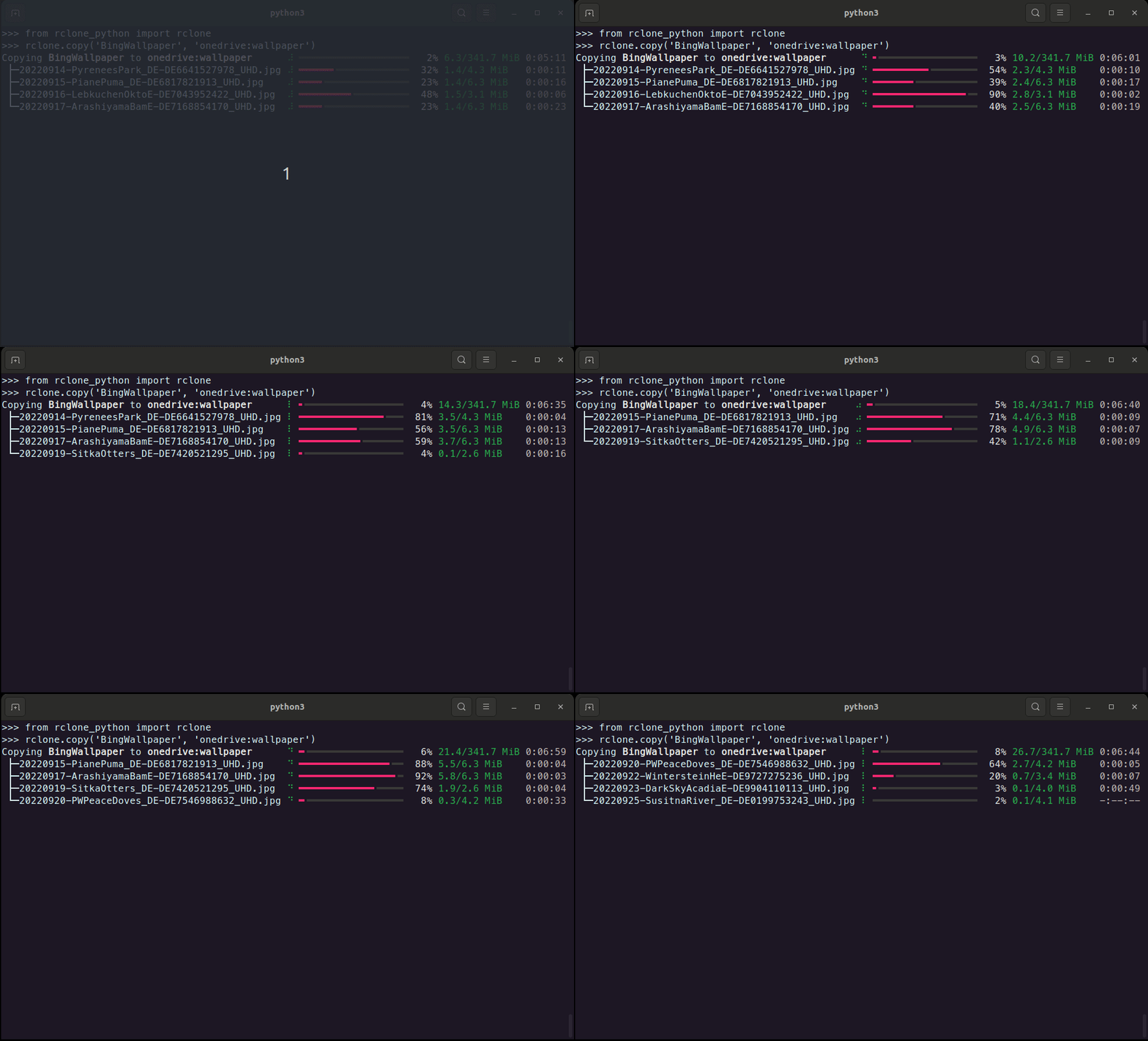
Features ⚒️
- Copy, move and sync files between remotes
- Delete and prune files/directories
- List files in a directory including properties of the files.
- List available remotes.
- Generate hashes from files or validate them with their hashsum.
- Create new remotes
- Check available remotes
- Create and manage public links.
- Check the currently installed rclone versions and if updates are available.
Installation 💾
rclone_python can be installed using pip
pip install rclone-python
or by cloning this repository and running from within the root of the project
pip install .
How to use 💡
All functionally of this wrapper is accessible through rclone.
The following example checks if rclone is installed.
from rclone_python import rclone

print(rclone.is_installed())
True
Create new remote
Create a new rclone remote connection with rclone's default client-id and client-secret.
from rclone_python import rclone
from rclone_python.remote_types import RemoteTypes

rclone.create_remote('onedrive', RemoteTypes.onedrive)
Additionally, client-id and client-secret can be used with many cloud providers.
from rclone_python import rclone
from rclone_python.remote_types import RemoteTypes

rclone.create_remote('onedrive', RemoteTypes.onedrive, client_id='YOUR_CLIENT_ID', client_secret='YOUR_CLIENT_SECRET')
Copy
from rclone_python import rclone

# copy all file in the test_dir on OneDrive to the local data folder.
rclone.copy('onedrive:data', 'data', ignore_existing=True, args=['--create-empty-src-dirs'])
Copying onedrive:data to data ⠸ ━━━━━━━━━━━━━━━━━━╸━━━━━━━━━━━━━━━━━━━━━  47% 110.0/236.5 MiB 0:00:04
 ├─video1.webm                ⠸ ━━━━━━━━━━━━╺━━━━━━━━━━━━━━━━━━━━━━━━━━━  31% 24.4/78.8 MiB   0:00:06
 ├─video2.webm                ⠸ ━━━━━━━━━━━━━━━━━━╺━━━━━━━━━━━━━━━━━━━━━  45% 35.5/78.8 MiB   0:00:03
 └─video3.webm                ⠸ ━━━━━━━━━━━━━╸━━━━━━━━━━━━━━━━━━━━━━━━━━  35% 27.6/78.8 MiB   0:00:05
Delete
Delete a file or a directory. When deleting a directory, only the files in the directory (and all it's subdirectories) are deleted, but the folders remain.
from rclone_python import rclone

# delete a specific file on onedrive
rclone.delete('onedrive:data/video1.mp4')
Prune
from rclone_python import rclone

# remove the entire test_dir folder (and all files contained in it and it's subdirectories) on onedrive
rclone.purge('onedrive:test_dir')
Get Hash
from rclone_python import rclone
from rclone_python.hash_types import HashTypes

print(rclone.hash(HashTypes.sha1, "box:data")
{'video1.webm': '3ef08d895f25e8b7d84d3a1ac58f8f302e33058b', 'video3.webm': '3ef08d895f25e8b7d84d3a1ac58f8f302e33058b', 'video2.webm': '3ef08d895f25e8b7d84d3a1ac58f8f302e33058b'}
Check
Checks the files in the source and destination match.
- "=" path means path was found in source and destination and was identical
- "-" path means path was missing on the source, so only in the destination
- "+" path means path was missing on the destination, so only in the source
- "*" path means path was present in source and destination but different.
- "!" path means there was an error reading or hashing the source or dest.
from rclone_python import rclone

print(rclone.check("data", "box:data"))
(False, [('*', 'video1.webm'), ('=', 'video2.webm'), ('=', 'video2.webm')])
Custom config file
You can define a custom file which rclone shall use by setting it up before running any command. Example with a config file named ".rclone.conf" in current working directory:
import pathlib
from rclone_python import rclone

CONFIG_FILE = pathlib.Path(__file__).parent / ".rclone.conf"

rclone.set_config_file(CONFIG_FILE)
# All upcoming rclone commands will use custom config file
Custom Progressbar
You can use your own rich progressbar with all transfer operations. This allows you to customize the columns to be displayed. A list of all rich-progress columns can be found here.
from rclone_python import rclone

from rich.progress import (
    Progress,
    TextColumn,
    BarColumn,
    TaskProgressColumn,
    TransferSpeedColumn,
)

pbar = Progress(
    TextColumn("[progress.description]{task.description}"),
    BarColumn(),
    TaskProgressColumn(),
    TransferSpeedColumn(),
)
rclone.copy("data", "box:rclone_test/data1", pbar=pbar)
Copying data to data1 ━━━━━━╸━━━━━━━━━━━━━━━━━━━━━━━━━━━━━━━━━  17% 5.3 MB/s
 ├─video1.mp4         ━━━━━━━━━━━━━━━╺━━━━━━━━━━━━━━━━━━━━━━━━  38% 4.2 MB/s
 ├─video2.mp4         ━╸━━━━━━━━━━━━━━━━━━━━━━━━━━━━━━━━━━━━━━   5% 1.6 MB/s
 └─another.mp4        ━╸━━━━━━━━━━━━━━━━━━━━━━━━━━━━━━━━━━━━━━   4% 1.4 MB/s
Set the log level
The log level can be set using:
rclone.set_log_level(logging.DEBUG)
This will make the wrapper print the raw rclone progress.
Star History

1 maintainer

Metadata
1 maintainer
Release files for rclone-python 0.1.24
For a detailed explanation of source distributions (sdists) and built distributions (wheels), please see the package formats documentation.
Source distribution (sdist)
| File | Size | Uploaded | Provenance | Actions |
|---|---|---|---|---|
| rclone_python-0.1.24.tar.gz | 24.1 kB | Without provenance | Details for rclone_python-0.1.24.tar.gz |
Built distribution (wheel)
| File | Interpreter | ABI | Platform | Actions Reset |
|---|---|---|---|---|
| rclone_python-0.1.24-py3-none-any.whl | Python 3 | none | any | Details for rclone_python-0.1.24-py3-none-any.whl |
Total release size: 40.0 kB
Release files / rclone_python-0.1.24.tar.gz
| Download URL | rclone_python-0.1.24.tar.gz |
|---|---|
| Size | 24.1 kB |
| Tags | Source |
|
SHA-256 checksum How to use checksums |
d6d606112121417ed6427eaf489c02ea80240d9cfda8979e37a6ffab5183c012
|
|
BLAKE2b-256 checksum How to use checksums |
c14064fb568fa75baf70a4a9a8ee8d3d49631366784d152a9e3d7cefebb009c8
|
| Upload date | |
|
Uploaded using Trusted Publishing? What is trusted publishing? |
No |
| Uploaded via |
twine/6.1.0 CPython/3.13.7
|
Release files / rclone_python-0.1.24-py3-none-any.whl
| Download URL | rclone_python-0.1.24-py3-none-any.whl |
|---|---|
| Size | 15.8 kB |
| Tags | Python 3 |
|
SHA-256 checksum How to use checksums |
e229629239fef02b658644057b5f98daebc36460f1abc78f9b076af107b55ba6
|
|
BLAKE2b-256 checksum How to use checksums |
696fa193a9ddf3fadd006cd4afa9e2a606fc17d2e9a107927652a8abaac9f69e
|
| Upload date | |
|
Uploaded using Trusted Publishing? What is trusted publishing? |
No |
| Uploaded via |
twine/6.1.0 CPython/3.13.7
|
Security for rclone-python 0.1.24
Provenance
Provenance describes where a file came from. On PyPI, provenance is shared via attestations, which provide a verifiable record of the build or publishing details. View details, limitations and caveats.
No provenance found
None of the files in this release were uploaded with provenance metadata.
A note on package security
PyPI is a repository for distributing packages, not a service for auditing them. While third-party security researchers and our staff do their best to detect and remove malicious packages, PyPI cannot guarantee the quality, security or suitability of any given package.
To learn more about protecting yourself from malicious actors, visit our package security documentation.














