
Rethink




English | 简体中文
Rethink represents rethinking and is an AI (Large Language Model, LLM) based personal knowledge and cognitive growth assistant tool. Rethink will assist your knowledge and cognitive growth in the following two aspects:
- Going beyond note-taking software, it automatically recommends and links existing knowledge and cognition when recording, building a more solid knowledge network;
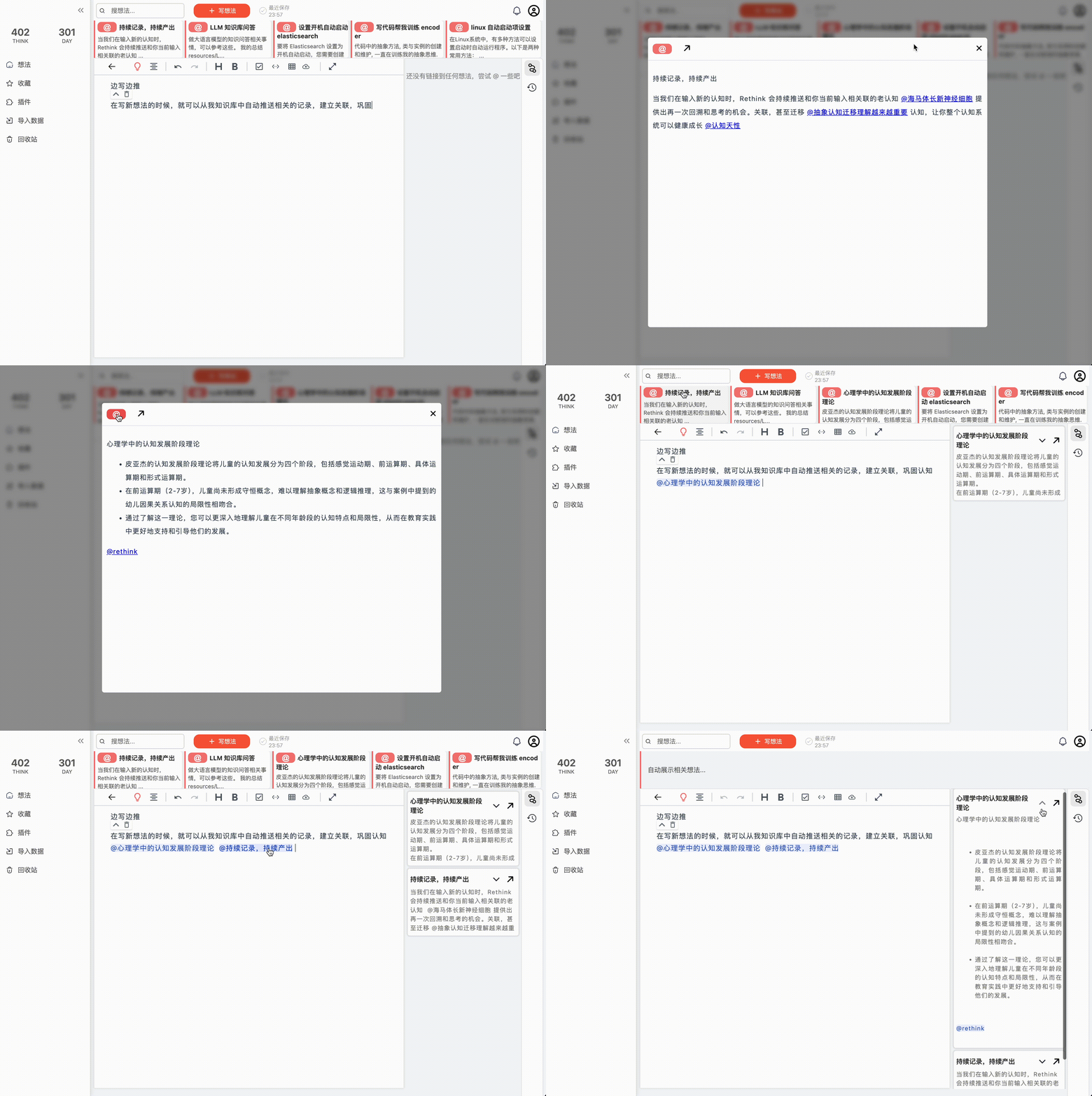
- AI knowledge expansion based on the LLM, allowing your cognition to continuously iterate and extend.
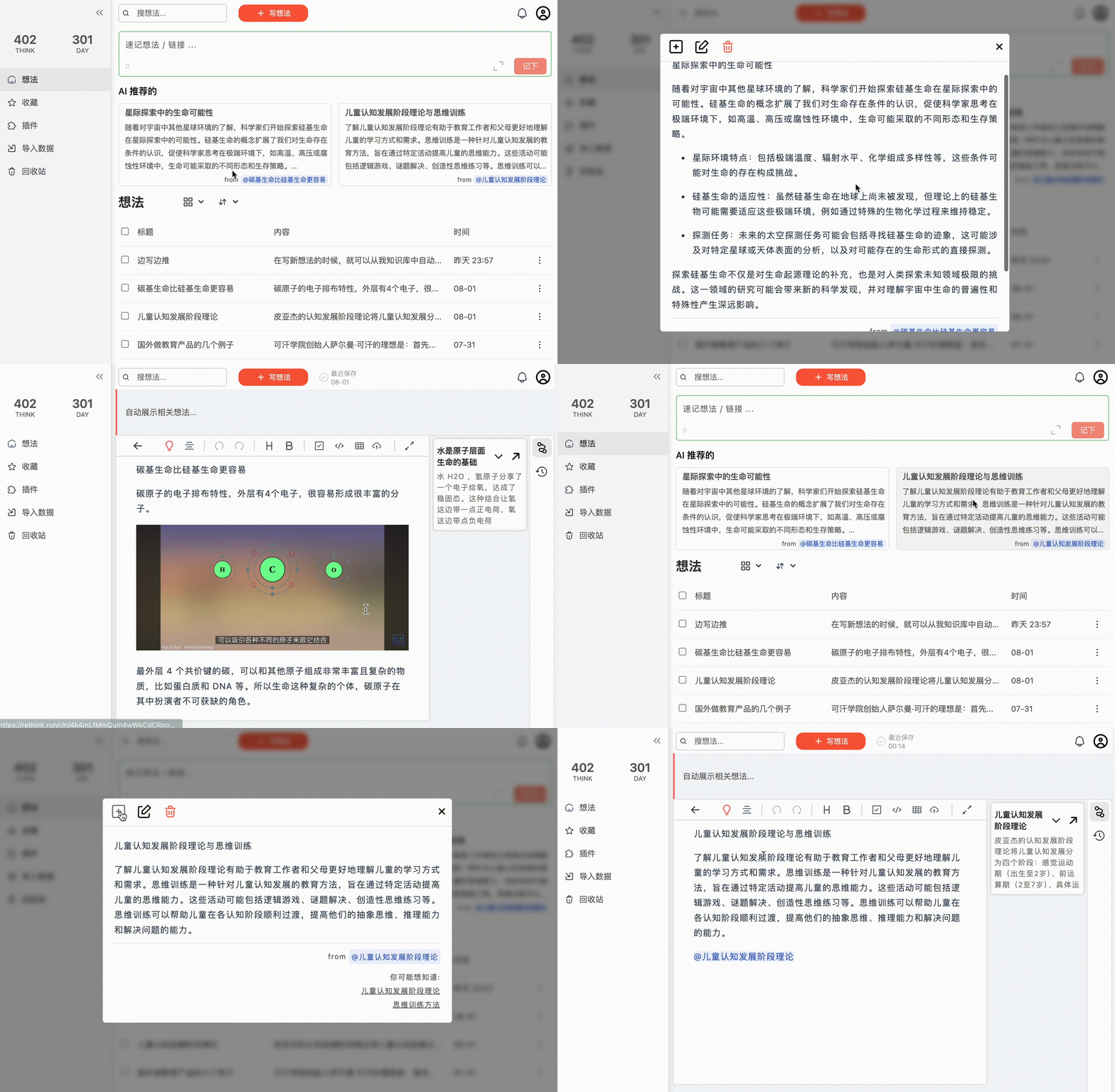
Main Features of Rethink
- Personal Cognitive Growth Tool: Record and extend your thinking, assisting you in efficient growth;
- AI Recommendation: AI knowledge expansion based on the large language model LLM, allowing your cognition to continuously iterate and extend;
- Bidirectional Linking: Use @ linking or automatic recommendation to other notes;
- Markdown Syntax: Seamless support for Markdown syntax;
- Local Storage: Rethink highly values data security and provides a local deployment solution. In addition, there is an online version at https://rethink.run/r/login for synchronization between multiple platforms;
- History Version Tracking: Supports history version tracking, making it easy to view and restore historical versions;
Installation and deployment methods:
Deploy using Docker containerization
Pull the image:
docker pull morvanzhou/rethink
Run the container:
To ensure data security, you should mount the local path to the container.
docker run \
 -p 8080:8080 \
 -v /your/data/path:/.data \
 morvanzhou/rethink
Now you can access http://127.0.0.1:8080 in your browser to use the service.
If you want to customize other ports, in addition to modifying the first half of the -p parameter, you also need to
add an environment variable API_URL to redirect the API address in the frontend service:
Make sure the port number in API_URL is consistent with the first half of the -p parameter (port 8001 in the
following example).
docker run \
 -e API_URL=http://127.0.0.1:8081 \
 -p 8081:8080 \
 -v /your/data/path:/.data \
 morvanzhou/rethink
If you want to use Rethink authentication, you can add the environment variable APP_PASSWORD:
docker run \
 -e APP_PASSWORD=12345678 \
 -p 8080:8080 \
 -v /your/data/path:/.data \
 morvanzhou/rethink
All configurable environment variables:
API_URL: API address in the frontend service, default ishttp://127.0.0.1:8080APP_PASSWORD: Authentication password, default is NoneAPP_LANGUAGE: Language, default is English, optional values: zh, en
Deploy using Python
Install via pip
The second way to install and use Rethink is through pip installation. Then start the service directly with Python.
Initial installation:
pip install retk
Update:
pip install -U retk
Configure with Python
Use the retk.run() method to quickly start
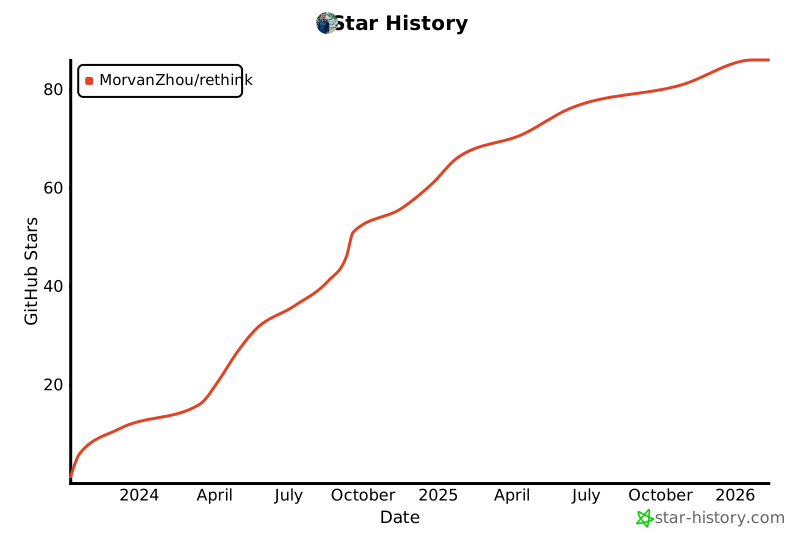
Star History
1 maintainer

Metadata
1 maintainer
Release files for retk 0.3.1
For a detailed explanation of source distributions (sdists) and built distributions (wheels), please see the package formats documentation.
Source distribution (sdist)
| File | Size | Uploaded | |
|---|---|---|---|
| retk-0.3.1.tar.gz | 2.0 MB | Details |
Built distribution (wheel)
| File | Interpreter | ABI | Platform | Reset |
|---|---|---|---|---|
| retk-0.3.1-py3-none-any.whl | Python 3 | none | any | Details |
Total release size: 4.1 MB
Release files / retk-0.3.1.tar.gz
| Download URL | retk-0.3.1.tar.gz |
|---|---|
| Size | 2.0 MB |
| Tags | Source |
|
SHA-256 checksum How to use checksums |
c83693329119cdc2294c8c67480b845c7a7916bb890107afbe5875c18fd49ff3
|
|
BLAKE2b-256 checksum How to use checksums |
a96dfadd0a56ffd072306ea3e123bc16628d8d7b127d49c3840f5036eb5bfa79
|
| Upload date | |
|
Uploaded using Trusted Publishing? What is trusted publishing? |
No |
| Uploaded via |
twine/6.0.1 CPython/3.9.21
|
Release files / retk-0.3.1-py3-none-any.whl
| Download URL | retk-0.3.1-py3-none-any.whl |
|---|---|
| Size | 2.1 MB |
| Tags | Python 3 |
|
SHA-256 checksum How to use checksums |
fa529ace6ff9654f83362fc371e832895cb1a25b5051e61f615af64708f138d7
|
|
BLAKE2b-256 checksum How to use checksums |
43efbf22bb7f1e494d5a0b304fe15494249408a80ce7a723766d22d11ab43fbb
|
| Upload date | |
|
Uploaded using Trusted Publishing? What is trusted publishing? |
No |
| Uploaded via |
twine/6.0.1 CPython/3.9.21
|














