
rio-viz
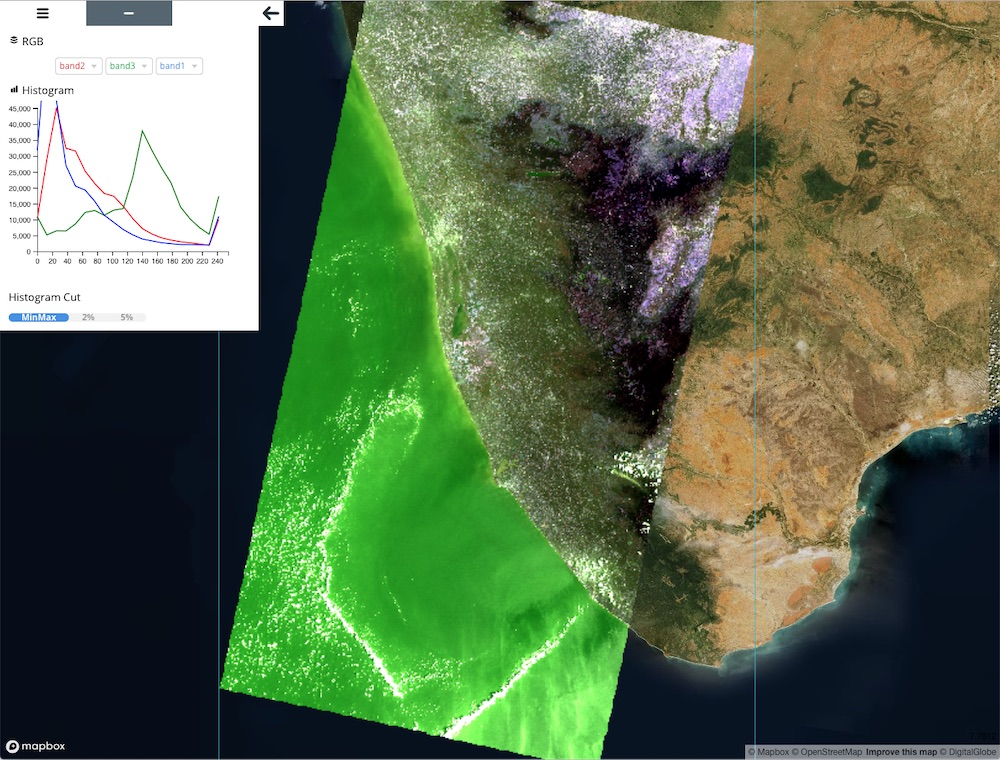
A Rasterio plugin to visualize Cloud Optimized GeoTIFF in browser.




Install
You can install rio-viz using pip
$ pip install rio-viz
with 3d feature
# 3d visualization features is optional
$ pip install -U pip
$ pip install rio-viz["mvt"]
Build from source
$ git clone https://github.com/developmentseed/rio-viz.git
$ cd rio-viz
$ pip install -e .
CLI
$ rio viz --help
Usage: rio viz [OPTIONS] SRC_PATH

  Rasterio Viz cli.

Options:
  --nodata NUMBER|nan  Set nodata masking values for input dataset.
  --minzoom INTEGER    Overwrite minzoom
  --maxzoom INTEGER    Overwrite maxzoom
  --port INTEGER       Webserver port (default: 8080)
  --host TEXT          Webserver host url (default: 127.0.0.1)
  --no-check           Ignore COG validation
  --reader TEXT        rio-tiler Reader (BaseReader). Default is `rio_tiler.io.COGReader`
  --layers TEXT        limit to specific layers (only used for MultiBand and MultiBase Readers). (e.g --layers b1 --layers b2).
  --server-only        Launch API without opening the rio-viz web-page.
  --config NAME=VALUE  GDAL configuration options.
  --help               Show this message and exit.
Multi Reader support
rio-viz support multiple/custom reader as long they are subclass of rio_tiler.io.base.BaseReader.
# Multi Files as Bands
$ rio viz "cog_band{2,3,4}.tif" --reader rio_viz.io.MultiFilesBandsReader

# Simple Mosaic
$ rio viz "tests/fixtures/mosaic_cog{1,2}.tif" --reader rio_viz.io.MosaicReader

# MultiBandReader
# Landsat 8 - rio-tiler-pds
# We use `--layers` to limit the number of bands
$ rio viz LC08_L1TP_013031_20130930_20170308_01_T1 \
  --reader rio_tiler_pds.landsat.aws.landsat8.L8Reader \
  --layers B1,B2 \
  --config GDAL_DISABLE_READDIR_ON_OPEN=FALSE \
  --config CPL_VSIL_CURL_ALLOWED_EXTENSIONS=".TIF,.ovr"

# MultiBaseReader
# We use `--layers` to limit the number of assets
rio viz https://earth-search.aws.element84.com/v0/collections/sentinel-s2-l2a-cogs/items/S2A_34SGA_20200318_0_L2A \
  --reader rio_tiler.io.STACReader \
  --layers B04,B03,B02
RestAPI
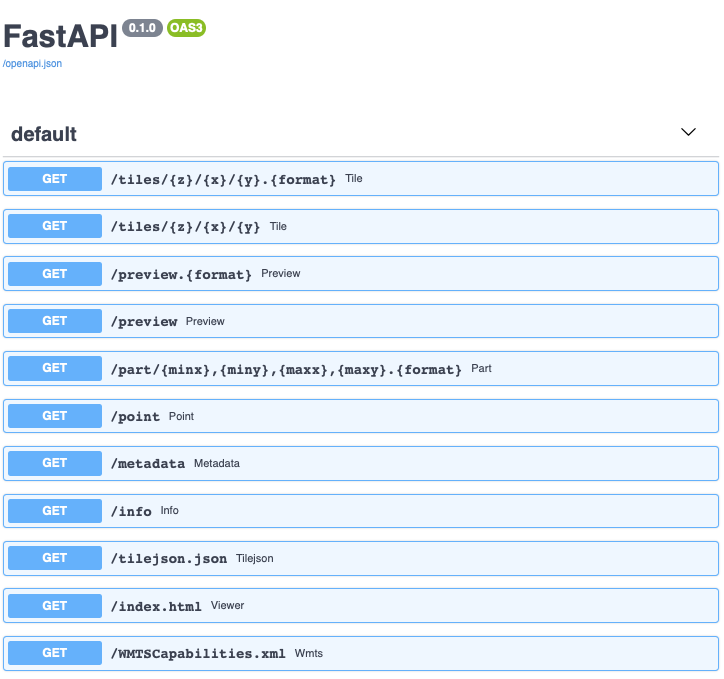
When launching rio-viz, the application will create a FastAPI application to access and read the data you want. By default the CLI will open a web-page for you to explore your file but you can use --server-only option to ignore this.
$ rio viz my.tif --server-only

# In another console
$ curl http://127.0.0.1:8080/info | jq
{
  "bounds": [6.608576517072109, 51.270642883468895, 11.649386808679436, 53.89267160832534],
  "band_metadata": [...],
  "band_descriptions": [...],
  "dtype": "uint8",
  "nodata_type": "Mask",
  "colorinterp": [
    "red",
    "green",
    "blue"
  ]
}
You can see the full API documentation over http://127.0.0.1:8080/docs
In Notebook environment
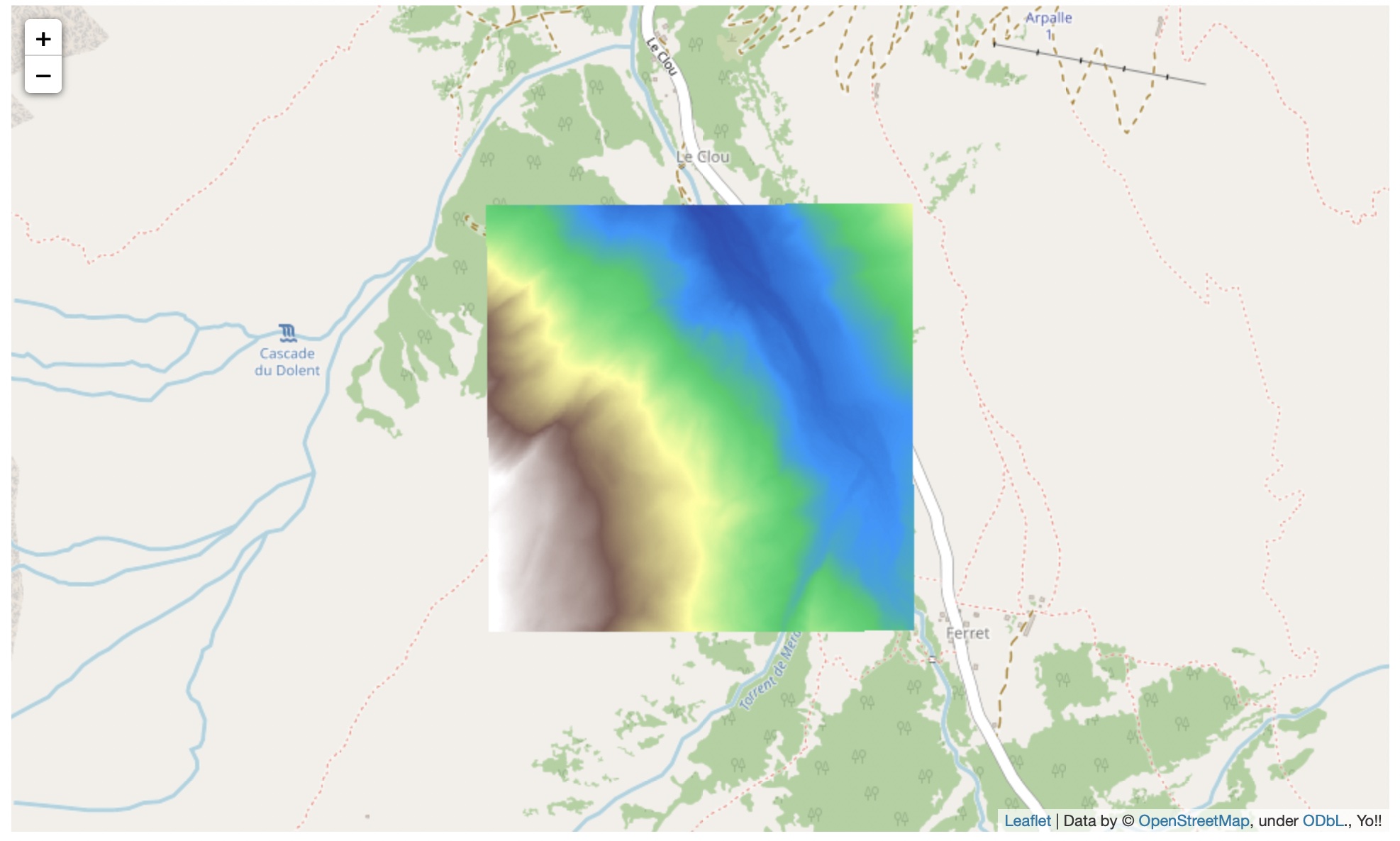
Thanks to the awesome server-thread we can use rio-viz application in Notebook environment.
import time

import httpx
from folium import Map, TileLayer

from rio_viz.app import Client

# Create rio-viz Client (using server-thread to launch backgroud task)
client = Client("https://data.geo.admin.ch/ch.swisstopo.swissalti3d/swissalti3d_2019_2573-1085/swissalti3d_2019_2573-1085_0.5_2056_5728.tif")

# Gives some time for the server to setup
time.sleep(1)

r = httpx.get(
    f"{client.endpoint}/tilejson.json",
    params = {
        "rescale": "1600,2000",  # from the info endpoint
        "colormap_name": "terrain",
    }
).json()

bounds = r["bounds"]
m = Map(
    location=((bounds[1] + bounds[3]) / 2,(bounds[0] + bounds[2]) / 2),
    zoom_start=r["minzoom"]
)

aod_layer = TileLayer(
    tiles=r["tiles"][0],
    opacity=1,
    attr="Yo!!"
)
aod_layer.add_to(m)
m
3D (Experimental)
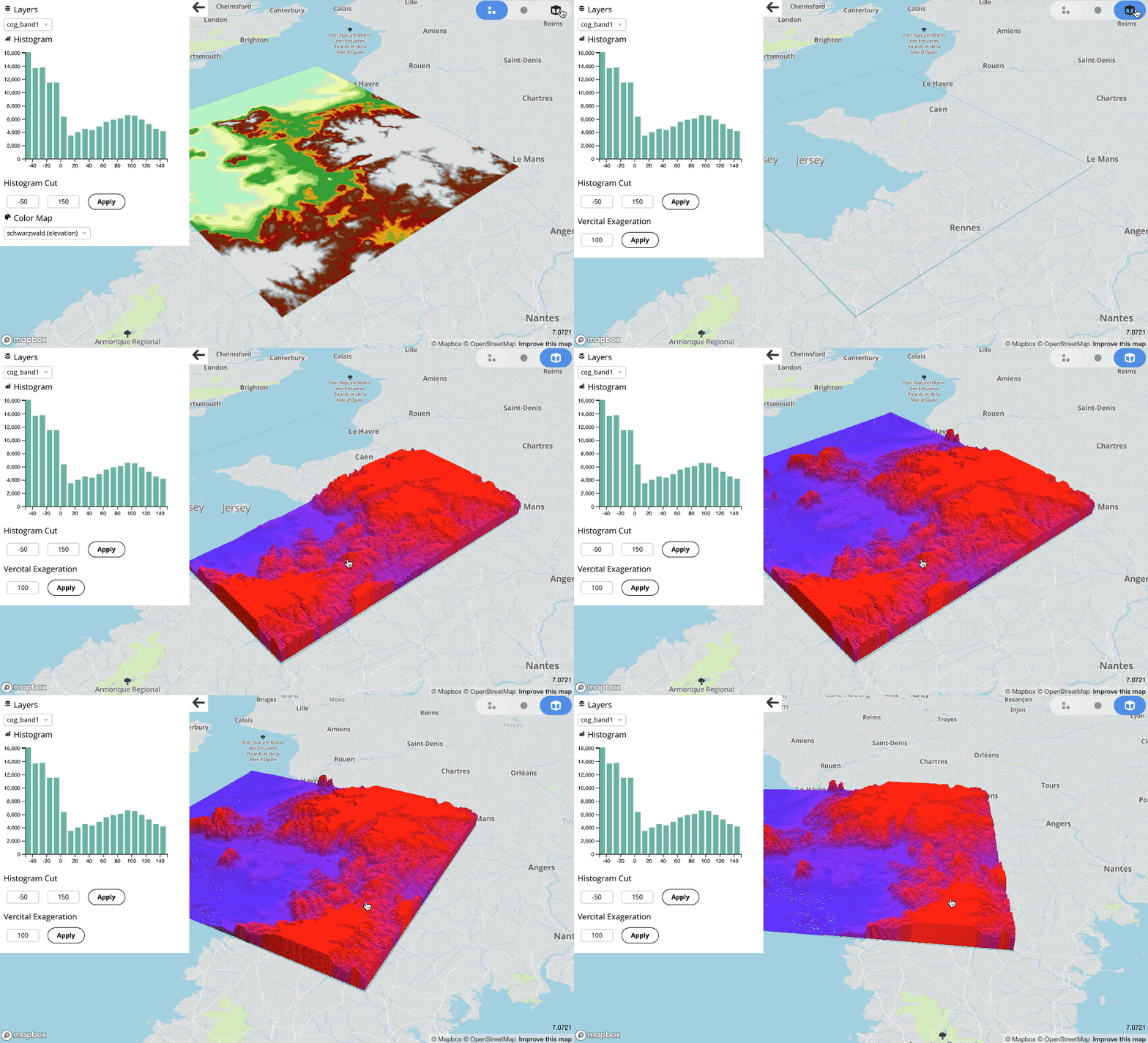
rio-viz supports Mapbox VectorTiles encoding from a raster array. This feature was added to visualize sparse data stored as raster but will also work for dense array. This is highly experimental and might be slow to render in certain browser and/or for big rasters.
Contribution & Development
See CONTRIBUTING.md
Authors
Created by Development Seed
Changes
See CHANGES.md.
License
See LICENSE.txt
Release files for rio-viz 0.14.0
For a detailed explanation of source distributions (sdists) and built distributions (wheels), please see the package formats documentation.
Source distribution (sdist)
| File | Size | Uploaded | |
|---|---|---|---|
| rio_viz-0.14.0.tar.gz | 39.7 kB | Details |
Built distribution (wheel)
| File | Interpreter | ABI | Platform | Reset |
|---|---|---|---|---|
| rio_viz-0.14.0-py3-none-any.whl | Python 3 | none | any | Details |
Total release size: 84.6 kB
Release files / rio_viz-0.14.0.tar.gz
| Download URL | rio_viz-0.14.0.tar.gz |
|---|---|
| Size | 39.7 kB |
| Tags | Source |
|
SHA-256 checksum How to use checksums |
eeb120918e89f51eebfdb0d0e0101ecaace3cd39caf9b6a0153f5bf326069024
|
|
BLAKE2b-256 checksum How to use checksums |
2f5fef7c1c1348f3a6711b06d762be22f1c73d0862376bf35bbf2e9c16aae275
|
| Upload date | |
|
Uploaded using Trusted Publishing? What is trusted publishing? |
No |
| Uploaded via |
python-httpx/0.28.1
|
Release files / rio_viz-0.14.0-py3-none-any.whl
| Download URL | rio_viz-0.14.0-py3-none-any.whl |
|---|---|
| Size | 44.8 kB |
| Tags | Python 3 |
|
SHA-256 checksum How to use checksums |
775ee8e767146382519c9a3e75bdc5539511899cee53044fe20d07a7c4c092e8
|
|
BLAKE2b-256 checksum How to use checksums |
eafb267582ec4691351622010edfd61c183824f2354b73ef4eab10b9b2dfa265
|
| Upload date | |
|
Uploaded using Trusted Publishing? What is trusted publishing? |
No |
| Uploaded via |
python-httpx/0.28.1
|














