
A Python (2.7) based script for use with the Raspberry Pi Foundation
Dots Boards and Minecraft Pi.
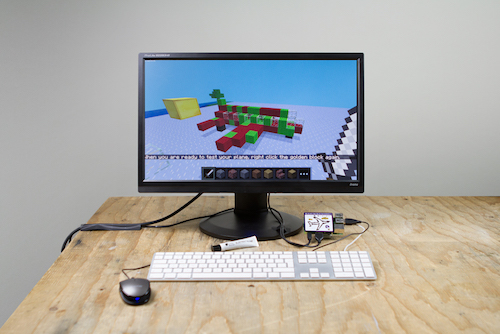
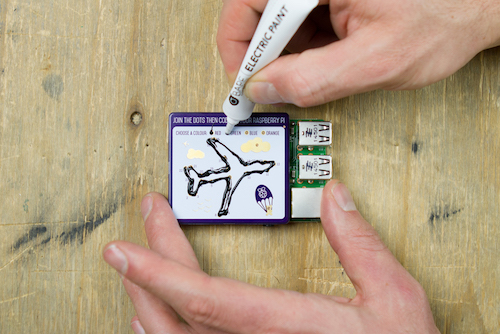
The program reads the status of the dots and generates an airplane
inside Minecraft Pi based on the dots painted. This plane then
attempts to fly in the game.
Installation from PyPi (Recommended)
On the Raspberry Pi, open a terminal and enter - sudo apt-get install python-pip
Followed by - sudo pip install rpi_dots_minecraft
Open Minecraft Pi and create a new world
Finally, to run it use - sudo rpi_dots_minecraft
Installation from Github
Clone the github repository - git clone https://github.com/gbaman/rpi-dots-minecraft.git
Change navigate to the folder - cd rpi-dots-minecraft
Run the program with - sudo python scripts/rpi_dots_minecraft
License
The project is licensed under the MIT license. See the LICENSE file for a full copy of the license.
1 maintainer

Metadata
1 maintainer
Release files for rpi-dots-minecraft 0.1.3
For a detailed explanation of source distributions (sdists) and built distributions (wheels), please see the package formats documentation.
Source distribution (sdist)
| File | Size | Uploaded | |
|---|---|---|---|
| rpi-dots-minecraft-0.1.3.tar.gz | 16.5 kB | Details |
Release files / rpi-dots-minecraft-0.1.3.tar.gz
| Download URL | rpi-dots-minecraft-0.1.3.tar.gz |
|---|---|
| Size | 16.5 kB |
| Tags | Source |
|
SHA-256 checksum How to use checksums |
b2c3604c7f160717015ecb686c6ed43de58e03958a40cee1c1dcce053eff7dde
|
|
BLAKE2b-256 checksum How to use checksums |
7d163828a6f50c146ec0aa278c4ef853e6bd50ef7d6f06b6a591e6dcaa311e7d
|
| Upload date | |
|
Uploaded using Trusted Publishing? What is trusted publishing? |
No |














