
s3peat
s3peat is a Python module to help upload directories to S3 using parallel threads.
The source is hosted at http://github.com/shakefu/s3peat/.


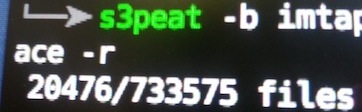
Quick Start
The easiest way to use s3peat is via uvx.
# Run s3peat with uvx
uvx s3peat --help
Installing
s3peat can be installed from PyPI to get the latest release. If you'd like development code, you can check out the git repo.
# Install from PyPI
pip install s3peat

# Install from GitHub
git clone http://github.com/shakefu/s3peat.git
cd s3peat
python setup.py install
Command line usage
When installed via pip or python setup.py install, a command called
s3peat will be added. This command can be used to upload files easily.
$ s3peat --help
usage: s3peat [--prefix] --bucket [--key] [--secret] [--concurrency]
      [--exclude] [--include] [--dry-run] [--verbose] [--version]
      [--help] directory

positional arguments:
  directory            directory to be uploaded

optional arguments:
  --prefix , -p        s3 key prefix
  --bucket , -b        s3 bucket name
  --key , -k           AWS key id
  --secret , -s        AWS secret
  --concurrency , -c   number of threads to use
  --exclude , -e       exclusion regex
  --include , -i       inclusion regex
  --private, -r        do not set ACL public
  --dry-run, -d        print files matched and exit, do not upload
  --verbose, -v        increase verbosity (-vvv means more verbose)
  --version            show program's version number and exit
  --help               display this help and exit
Example:
s3peat -b my/bucket -p my/s3/key/prefix -k KEY -s SECRET my-dir/
Configuring
This library is based around boto. Your AWS
Access Key Id and AWS Secret Access Key do not have to be passed on the
command line - they may be configured using any method that boto supports,
including environment variables and the ~/.boto config.
Example using environment variables:
export AWS_ACCESS_KEY_ID=ABCDEFabcdef01234567
export AWS_SECRET_ACCESS_KEY=ABCDEFabcdef0123456789ABCDEFabcdef012345
s3peat -b my/bucket -p s3/prefix -c 25 some_dir/
Example ~/.boto config:
# File: ~/.boto
[Credentials]
aws_access_key_id = ABCDEFabcdef01234567
aws_secret_access_key = ABCDEFabcdef0123456789ABCDEFabcdef012345
Including and excluding files
Using the --include and --exclude (-i or -e) parameters, you
can specify regex patterns to include or exclude from the list of files to be
uploaded.
These regexes are Python regexes, as applied by re.search(), so if you want
to match the beginning or end of a filename (including the directory), make
sure to use the ^ or $ metacharacters.
These parameters can be specified multiple times, for example:
# Upload all .txt and .py files, excluding the test directory
$ s3peat -b my-bucket -i '.txt$' -i '.py$' -e '^test/' .
Doing a Dry-run
If you're unsure what exactly is in the directory to be uploaded, you can do a
dry run with the --dry-run or -d option.
By default, dry runs only output the number of files found and an error message if it cannot connect to the specified S3 bucket. As you increase verbosity, more information will be output. See below for examples.
$ s3peat -b my-bucket . -e '\.git' --dry-run
21 files found.

$ s3peat -b foo . -e '\.git' --dry-run
21 files found.
Error connecting to S3 bucket 'foo'.

$ s3peat -b my-bucket . -e '\.git' --dry-run -v
21 files found.
Connected to S3 bucket 'my-bucket' OK.

$ s3peat -b foo . -e '\.git' --dry-run -v
21 files found.
Error connecting to S3 bucket 'foo'.
    S3ResponseError: 403 Forbidden

$ s3peat -b my-bucket . -i 'rst$|py$|LICENSE' --dry-run
5 files found.

$ s3peat -b my-bucket . -i 'rst$|py$|LICENSE' --dry-run -vv
Finding files in /home/s3peat/github.com/s3peat ...

./LICENSE
./README.rst
./setup.py
./s3peat/__init__.py
./s3peat/scripts.py

5 files found.

Connected to S3 bucket 'my-bucket' OK.
Concurrency
s3peat is designed to upload to S3 with high concurrency. The only limits are the speed of your uplink and the GIL. Python is limited in the number of threads that will run concurrently on a single core.
Typically, it seems that more than 50 threads do not add anything to the upload speed, but your experiences may differ based on your network and CPU speeds.
If you want to try to tune your concurrency for your platfrom, I suggest using
the time command.
Example:
$ time s3peat -b my-bucket -p my/key/ --concurrency 50 my-dir/
271/271 files uploaded

real 0m2.909s
user 0m0.488s
sys 0m0.114s
Python API
The Python API has inline documentation, which should be good. If there's questions, you can open a github issue. Here's an example anyway.
Example:
from s3peat import S3Bucket, sync_to_s3

# Create a S3Bucket instance, which is used to create connections to S3
bucket = S3Bucket('my-bucket', AWS_KEY, AWS_SECRET)

# Call the sync_to_s3 method
failures = sync_to_s3(directory='my/directory', prefix='my/key',
    bucket=bucket, concurrency=50)

# A list of filenames will be returned if there were failures in uploading
if not failures:
    print "No failures"
else:
    print "Failed:", failures
Changelog
1.0.0
- Drops support for Python 2.x (use version
<1if you need to continue to use Python 2.) - Adds support for Python 3.x (tested against 3.4, should work for any later version as well).
- Thanks go to aboutaaron for the Python 3 support.
0.5.1
- Use posixpath.sep for upload keys. Thanks to kevinschaul.
Released February 4th, 2015.
0.5.0
- Make attaching signal handlers optional. Thanks to kevinschaul.
Released December 1st, 2014.
0.4.7
- Better support for Windows. Thanks to kevinschaul.
Released November 20th, 2014.
Contributors
- shakefu - Creator, maintainer
- kevinschaul
1 maintainer

Metadata
1 maintainer
Release files for s3peat 2.0.0
For a detailed explanation of source distributions (sdists) and built distributions (wheels), please see the package formats documentation.
Source distribution (sdist)
| File | Size | Uploaded | Provenance | |
|---|---|---|---|---|
| s3peat-2.0.0.tar.gz | 60.3 kB | With provenance | Details |
Built distribution (wheel)
| File | Interpreter | ABI | Platform | Reset |
|---|---|---|---|---|
| s3peat-2.0.0-py3-none-any.whl | Python 3 | none | any | Details |
Total release size: 71.3 kB
Release files / s3peat-2.0.0.tar.gz
| Download URL | s3peat-2.0.0.tar.gz |
|---|---|
| Size | 60.3 kB |
| Tags | Source |
|
SHA-256 checksum How to use checksums |
e3c2cb49372d945a011fae405e4a421280723b6eca42a767a0d1f5f06a51fdf1
|
|
BLAKE2b-256 checksum How to use checksums |
390259b085aac2105a86ff671362eda4e0a327a54fe9805672ce0ff89e050f08
|
| Upload date | |
|
Uploaded using Trusted Publishing? What is trusted publishing? |
Yes |
| Uploaded via |
twine/6.1.0 CPython/3.12.9
|
Provenance
Provenance describes where a file came from. On PyPI, provenance is shared via attestations, which provide a verifiable record of the build or publishing details. View details, limitations and caveats.


PyPI Publish Attestation
PyPI verified that this artifact, at this checksum, originated from the publisher listed below.
Signed by GitHub Actions, verified by PyPI on Jun 27, 2025.
Transparency logRelease files / s3peat-2.0.0-py3-none-any.whl
| Download URL | s3peat-2.0.0-py3-none-any.whl |
|---|---|
| Size | 10.9 kB |
| Tags | Python 3 |
|
SHA-256 checksum How to use checksums |
93e8a05b6a77f0a2945462f3f4b574e153508c4ced1b632c63194cc521520a98
|
|
BLAKE2b-256 checksum How to use checksums |
5eb4b630b897e1454608d2309a6c68ff47851d434d52b47b58c2964f73abe692
|
| Upload date | |
|
Uploaded using Trusted Publishing? What is trusted publishing? |
Yes |
| Uploaded via |
twine/6.1.0 CPython/3.12.9
|
Provenance
Provenance describes where a file came from. On PyPI, provenance is shared via attestations, which provide a verifiable record of the build or publishing details. View details, limitations and caveats.
PyPI Publish Attestation
PyPI verified that this artifact, at this checksum, originated from the publisher listed below.
Signed by GitHub Actions, verified by PyPI on Jun 27, 2025.
Transparency logSecurity for s3peat 2.0.0
Provenance
Provenance describes where a file came from. On PyPI, provenance is shared via attestations, which provide a verifiable record of the build or publishing details. View details, limitations and caveats.
Full provenance
All 2 files in this release have been uploaded with provenance metadata.
Attestation for s3peat-2.0.0.tar.gz
PyPI Publish Attestation
PyPI verified that this artifact, at this checksum, originated from the publisher listed below.
Signed by GitHub Actions, verified by PyPI on Jun 27, 2025.
Transparency logA note on package security
PyPI is a repository for distributing packages, not a service for auditing them. While third-party security researchers and our staff do their best to detect and remove malicious packages, PyPI cannot guarantee the quality, security or suitability of any given package.
To learn more about protecting yourself from malicious actors, visit our package security documentation.














