
Selenium的PO模型封装
使用Yaml文件进行元素信息的管理
安装
$ pip install selenium-po
使用方法
创建一份yaml
代码中使用的是name后的内容,实际页面元素定位使用的value中的内容,方便后续统一维护
pages:
  - page:
      pageName: index
      desc: 首页
      locators:
        - {desc: "搜索栏",type: "id",value: "kw",timeout: 3, name: "index_input"}
        - {desc: "查询按钮",type: "id",value: "su",timeout: 3, name: "index_search"}
  - page:
      pageName: news
      desc: 新闻
      locators:
        - {desc: "搜索栏",type: "id",value: "ww",timeout: 3, name: "news_input"}
        - {desc: "查询按钮",type: "id",value: "s_btn_wr",timeout: 3, name: "news_search"}
创建一个页面操作对象
import os
import time
from selenium_po.elementoperator import ElementOperator

path = os.path.dirname(os.path.abspath(__file__))


class BaiDuIndexAction(ElementOperator):
    def __init__(self, path=f"{path}/pages.yaml", file_name='index', driver=None):
        super(BaiDuIndexAction, self).__init__(path, file_name, driver)
        self.url = 'http://www.baidu.com'


class BaiDuNewsAction(ElementOperator):
    def __init__(self, path=f"{path}/pages.yaml", file_name='news', driver=None):
        super(BaiDuNewsAction, self).__init__(path, file_name, driver)
        self.url = 'http://news.baidu.com/'
测试
if __name__ == '__main__':
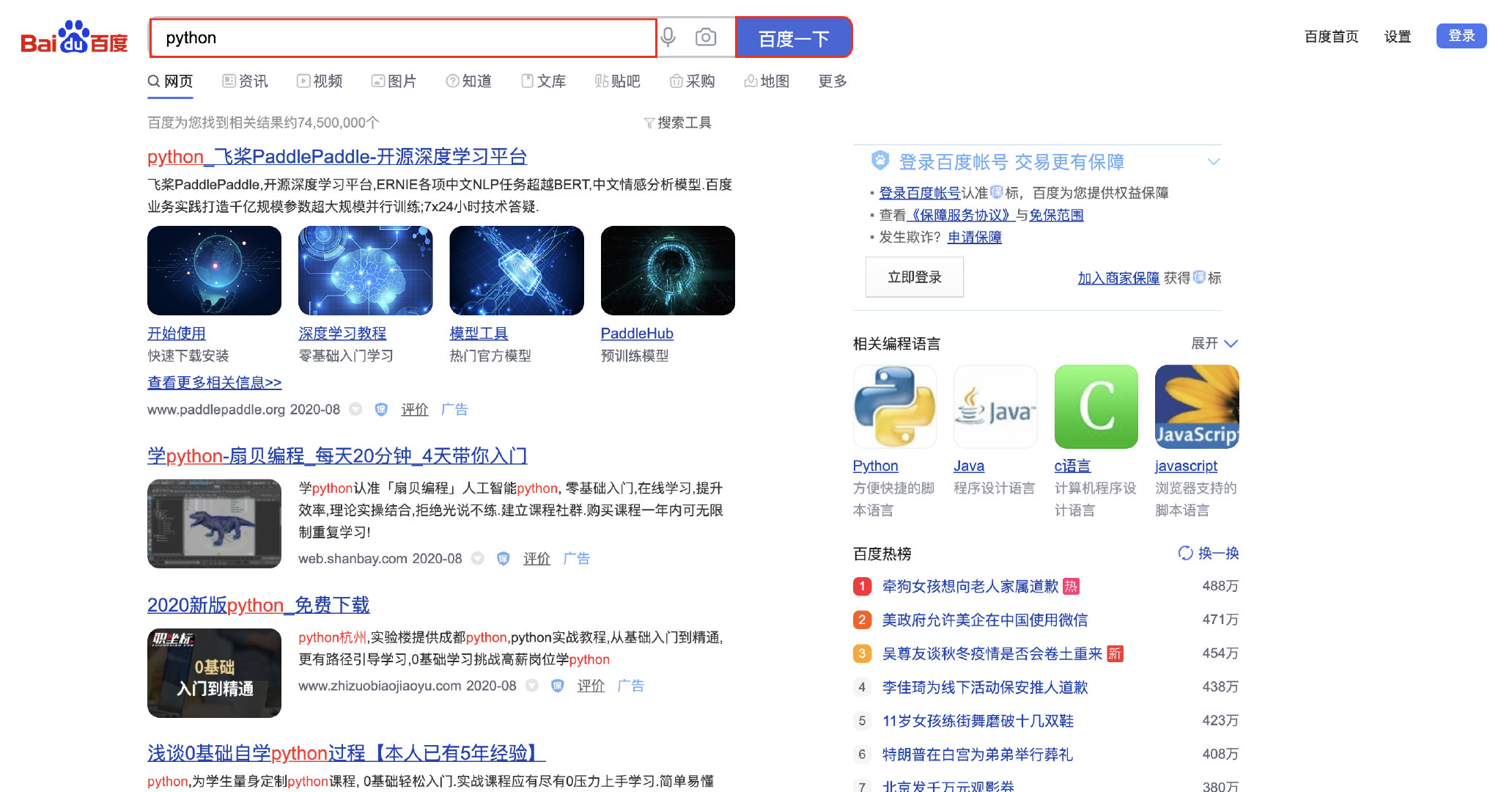
    baidu = BaiDuIndexAction()
    baidu.open(baidu.url, baidu.index_input)
    baidu.input(baidu.index_input, "python")
    baidu.click(baidu.index_search)
    time.sleep(2)
    baidu.screenshot_pic("1.png")
    # baidu.close()
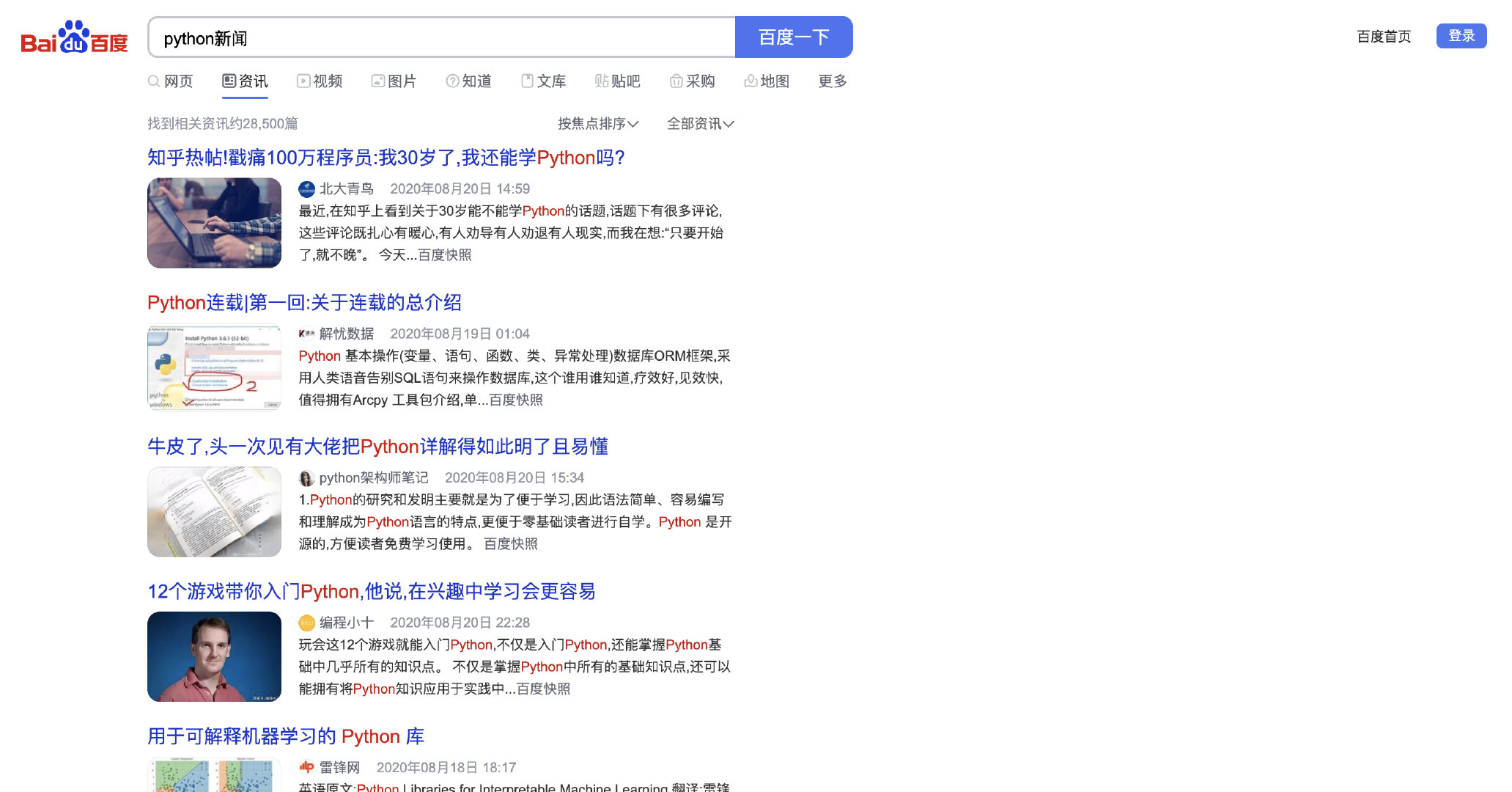
    baidu_news = BaiDuNewsAction(driver=baidu.driver)
    baidu_news.open(baidu_news.url, baidu_news.news_input)
    baidu_news.input(baidu_news.news_input, "python新闻")
    baidu_news.click(baidu_news.news_search)
    time.sleep(2)
    baidu_news.screenshot_pic("2.png")
    baidu_news.close()
输出
往「首页_搜索栏」输入「python」
点击「首页_查询按钮」
往「新闻_搜索栏」输入「python新闻」
点击「新闻_查询按钮」
截图
公众号:「测试游记」

1 maintainer

Release files for selenium-po 0.0.7
For a detailed explanation of source distributions (sdists) and built distributions (wheels), please see the package formats documentation.
Source distribution (sdist)
| File | Size | Uploaded | |
|---|---|---|---|
| selenium-po-0.0.7.tar.gz | 8.3 kB | Details |
Built distribution (wheel)
| File | Interpreter | ABI | Platform | Reset |
|---|---|---|---|---|
| selenium_po-0.0.7-py3.8.egg | Legacy Egg format | - | - | Details |
Total release size: 24.2 kB
Release files / selenium-po-0.0.7.tar.gz
| Download URL | selenium-po-0.0.7.tar.gz |
|---|---|
| Size | 8.3 kB |
| Tags | Source |
|
SHA-256 checksum How to use checksums |
fb3304ee2bc24e8007bd22e316e6a903bbb48e17cde8fcb7740290b341f85a98
|
|
BLAKE2b-256 checksum How to use checksums |
1bcbb33e7a80c5347a9dcc7b35e5c31071ac2eff37abf33d602bbd2485fda197
|
| Upload date | |
|
Uploaded using Trusted Publishing? What is trusted publishing? |
No |
| Uploaded via |
twine/3.2.0 pkginfo/1.5.0.1 requests/2.24.0 setuptools/49.6.0 requests-toolbelt/0.9.1 tqdm/4.48.2 CPython/3.8.3
|
Release files / selenium_po-0.0.7-py3.8.egg
| Download URL | selenium_po-0.0.7-py3.8.egg |
|---|---|
| Size | 15.9 kB |
| Tags | Egg |
|
SHA-256 checksum How to use checksums |
2951f81928eb1daf4d8d9a91129b074b26371add866496cb964b3780e9d65c3b
|
|
BLAKE2b-256 checksum How to use checksums |
d30846afa08785e7714a755e7d06af4ecafe0016d1ead916f03d48ab855b94cb
|
| Upload date | |
|
Uploaded using Trusted Publishing? What is trusted publishing? |
No |
| Uploaded via |
twine/3.2.0 pkginfo/1.5.0.1 requests/2.24.0 setuptools/49.6.0 requests-toolbelt/0.9.1 tqdm/4.48.2 CPython/3.8.3
|














