




bioconvert — format conversion pipeline
- Overview:
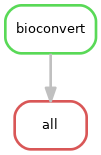
Parallelise bioconvert conversions across a set of files
- Input:
Any file format supported by bioconvert (FastQ, BAM, FASTA, VCF, …)
- Output:
Converted files in the target format, MD5 checksums, and an HTML summary report
- Status:
Production
- Citation:
Cokelaer et al, (2017), ‘Sequana’: a Set of Snakemake NGS pipelines, Journal of Open Source Software, 2(16), 352, doi:10.21105/joss.00352
Installation
pip install sequana-bioconvert
To upgrade an existing installation:
pip install sequana-bioconvert --upgrade
Install all dependencies via conda/mamba:
mamba env create -f environment.yml
Quick Start
Step 1 — prepare the working directory
Convert all fastq.gz files in a directory to fasta.gz:
sequana_bioconvert \
    --input-directory /path/to/data \
    --input-ext fastq.gz \
    --output-ext fasta.gz \
    --command fastq2fasta
This creates a bioconvert/ working directory with config.yaml and a bioconvert.sh launch script.
Step 2 — run the pipeline:
cd bioconvert
sh bioconvert.sh
Results are written to the output/ subdirectory. An HTML summary report is generated on completion.
Usage
sequana_bioconvert --help
Key options:
--input-directory — directory containing the input files (required)
--input-ext — extension of input files, e.g. fastq.gz (required)
--output-ext — extension of output files, e.g. fasta.gz (required)
- --command — bioconvert conversion command, e.g. fastq2fasta (required);
run bioconvert --help for the full list
- --input-pattern — prefix glob to restrict which files are picked up (default: *);
e.g. sample_* to process only files starting with sample_
- --method — override the default conversion method;
run bioconvert COMMAND --show-methods to list valid methods
Usage with apptainer
All external tools are available through a pre-built apptainer image. To use it, add --use-apptainer when initialising the pipeline:
sequana_bioconvert \
    --input-directory /path/to/data \
    --input-ext fastq.gz \
    --output-ext fasta.gz \
    --command fastq2fasta \
    --use-apptainer \
    --apptainer-prefix ~/.sequana/apptainers
Then run as usual:
cd bioconvert
sh bioconvert.sh
Requirements
bioconvert ≥ 1.1.0 — the underlying conversion tool
graphviz — for pipeline DAG rendering (available via apptainer)
Install dependencies via conda/mamba:
mamba env create -f environment.yml
Rules and configuration details
The latest configuration file is available at: config.yaml
Each rule used in the pipeline has a corresponding section in config.yaml.
Changelog
Version |
Description |
|---|---|
1.2.0 |
|
1.1.0 |
|
1.0.0 |
Uses bioconvert 1.0.0 |
0.10.0 |
Add container |
0.9.0 |
Version using new sequana/sequana_pipetools framework |
0.8.1 |
Working version |
0.8.0 |
First release |
Contribute & Code of Conduct
To contribute to this project, please take a look at the Contributing Guidelines first. Please note that this project is released with a Code of Conduct. By contributing to this project, you agree to abide by its terms.
1 maintainer

Metadata
1 maintainer
Release files for sequana-bioconvert 1.2.0
For a detailed explanation of source distributions (sdists) and built distributions (wheels), please see the package formats documentation.
Source distribution (sdist)
| File | Size | Uploaded | |
|---|---|---|---|
| sequana_bioconvert-1.2.0.tar.gz | 117.6 kB | Details |
Built distribution (wheel)
| File | Interpreter | ABI | Platform | Reset |
|---|---|---|---|---|
| sequana_bioconvert-1.2.0-py3-none-any.whl | Python 3 | none | any | Details |
Total release size: 234.6 kB
Release files / sequana_bioconvert-1.2.0.tar.gz
| Download URL | sequana_bioconvert-1.2.0.tar.gz |
|---|---|
| Size | 117.6 kB |
| Tags | Source |
|
SHA-256 checksum How to use checksums |
0faf5788cdbfce892b633052b7de8d9265f8aacedf86a854a230877352068bce
|
|
BLAKE2b-256 checksum How to use checksums |
b85c5247efd4143800112cfd94b175dc22ceaaa4533c9195f2529fc42e02ea02
|
| Upload date | |
|
Uploaded using Trusted Publishing? What is trusted publishing? |
No |
| Uploaded via |
poetry/2.0.1 CPython/3.10.14 Linux/6.14.5-100.fc40.x86_64
|
Release files / sequana_bioconvert-1.2.0-py3-none-any.whl
| Download URL | sequana_bioconvert-1.2.0-py3-none-any.whl |
|---|---|
| Size | 117.0 kB |
| Tags | Python 3 |
|
SHA-256 checksum How to use checksums |
e428bd04d59419f75707ef7534a7540fcc2119ba48a0aff2525717232e4df794
|
|
BLAKE2b-256 checksum How to use checksums |
2a8ae5900ffd13f46cbb494bc2862081d7a73e59966182e9827459514793c7e9
|
| Upload date | |
|
Uploaded using Trusted Publishing? What is trusted publishing? |
No |
| Uploaded via |
poetry/2.0.1 CPython/3.10.14 Linux/6.14.5-100.fc40.x86_64
|














