
Sheet Disk
Use Google Sheets as a storage device!
What is it?
Encode your files into base64 format and store them in a Google Sheets spreadsheet in text format!
Google Sheets files don't count towards your Drive Storage, so we create these files without them taking up space on the Drive. So, essentially you can have your data be on google servers but take up 0 bytes.
Note: The spreadsheet files are created programmatically, and they are stored under the Service Account you get when you sign up for Google Sheet API credentials (See How to Install section), so you won't be able to see the files in your Google Drive. You'll only be able to access these files through this program.
How it works
Each cell can hold 50000 characters, that means each cell can easily hold 50kbytes of your data. But, we need to prepend the ' character to each cell, so that = doesn't get interpreted as a formula.
Current limit for each cell in the program is 49500 characters, but you could change that to 49998 for more storage.
The hard limit for cells in a Spreadsheet is 2 million cells, but when we fill the cells in such a dense manner, we can only use about 1000 cells in one spreadsheet file. Hence, your file is broken down in chunks of 1000 * 49500 bytes and stored in separate spreadsheet files.
Note: There is a 33% overhead that comes with converting files to their base64 representation.
How to install
-
Prerequisites:
This package makes use of
gspread, which needs OAuth credentials to work. To see how to get them, Click here.After you download the OAuth credentials file, store it in a safe location. Copy it's path, and create an environment variable, named
SH_DISK_CREDS.For example,
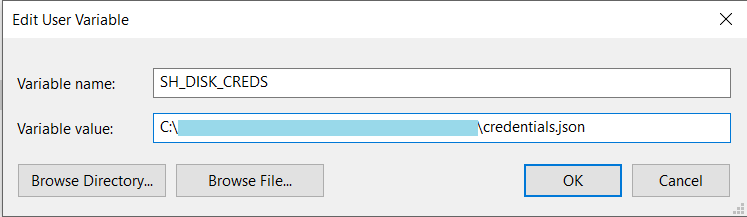
To install this package, run:
pip install sheet_disk
Requirements:
- Python 3.6.7+ (May work on lower versions of 3.x, but hasn't been tested on that).
- Windows 10 (May work on Linux, MacOS, and older Windows but it's not been tested on them).
How to use
1. Using as a Command Line Program
Uploading a file:
python -m sheet_disk.cli upload <path_to_file>
After uploading has finished, a JSON file (Click for more details) will be created in your current directory. This file will help you retrieve your uploaded file from Google Sheets.
Where,
-
path_to_file: The file which you want to upload
Note: DON'T LOSE THIS JSON FILE. IF YOU LOSE THIS FILE, YOU CAN'T RETRIEVE YOUR UPLOADED FILE.
Currently, the created sheets files are made public by default, so that you can share your files with friends, by simply sending them the JSON file.(Click for more details)
Resuming an upload of a file:
python -m sheet_disk.cli upload <path_to_file> <file_info.json>
Where,
- file_info.json(Click for more details): This argument is optional. If your uploading is cut off before completion, the program will still create a json file, you can pass this json file to resume uploading from that point.
Downloading a file:
python -m sheet_disk.cli download <download_path> <file_info.json>
Where,
-
download_path = Download location for the file,
For Example: C:/Users/Me/file.jpg
* file_info.json = The json file([Click for more details](#json_file)) containing the information about the uploaded file, you got when you uploaded the file
Note: If your download is interrupted for some reason, you can just the run the above command again and Sheet-Disk will resume your download from the last completely downloaded sheet.
To see argument usage, use:
python -m sheet_disk.cli -h
2. Using in a program
For using this package in a program, you can do the following:
>>> import sheet_disk
>>>
>>> # Uploading a file
>>> sheet_disk.upload('My File Path.jpg')
>>>
>>> # Resuming an upload of file
>>> sheet_disk.upload('My File Path.jpg', 'My File Details.json')
>>>
>>> # Download a file
>>> sheet_disk.download('My downloaded file.jpg', 'My File Details.json')
Sample Usage
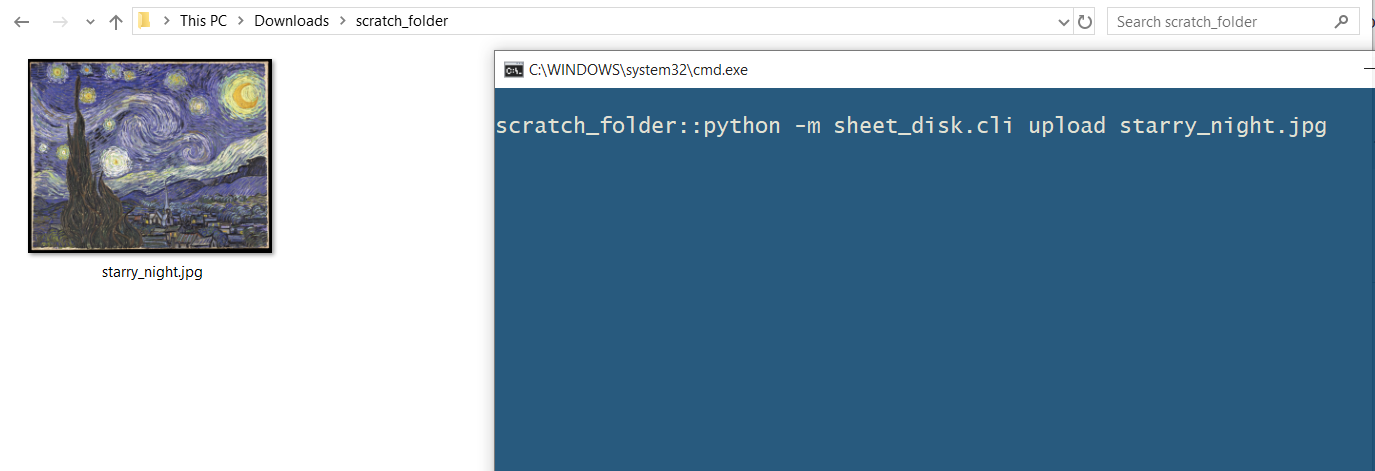
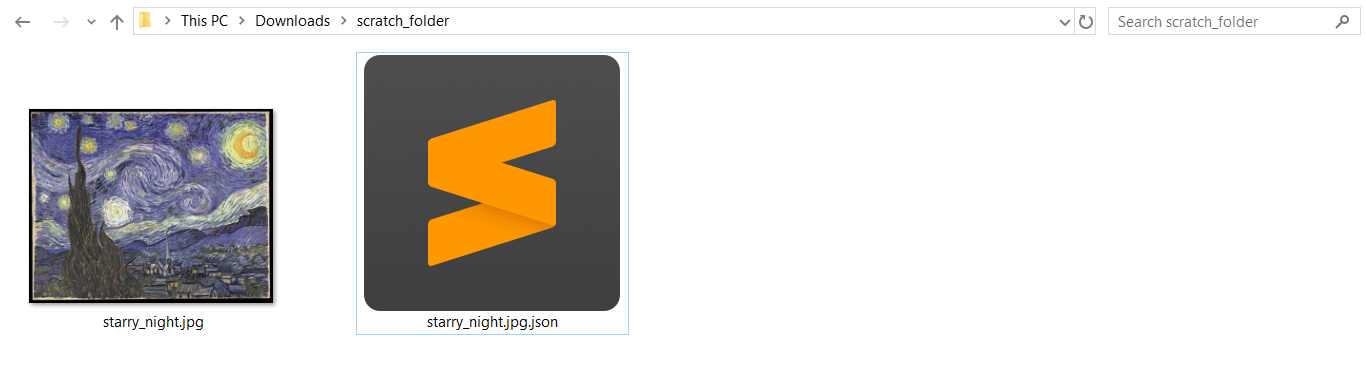
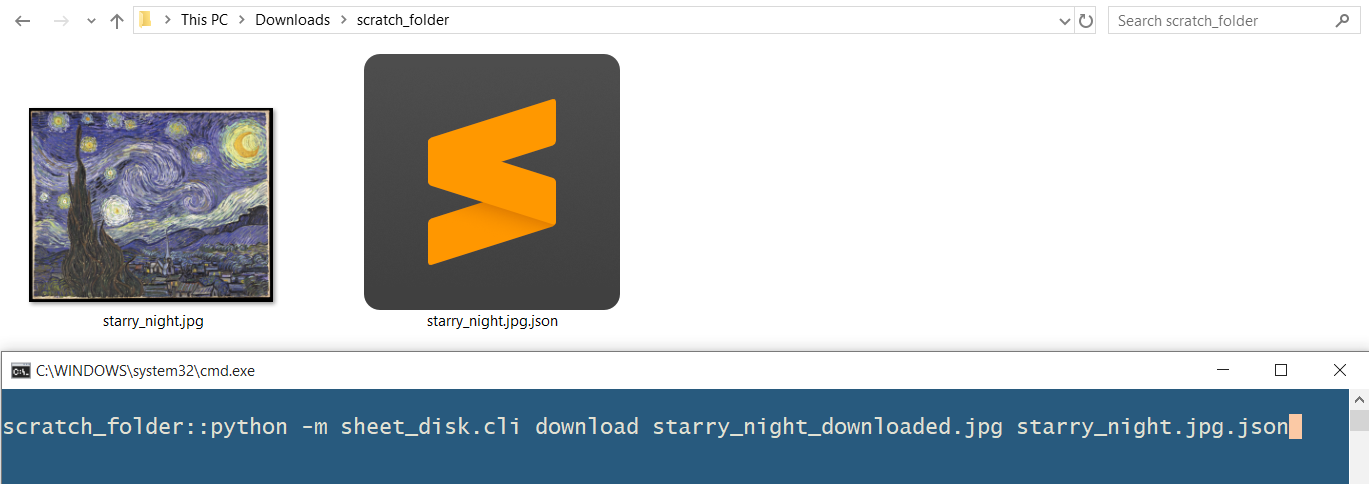
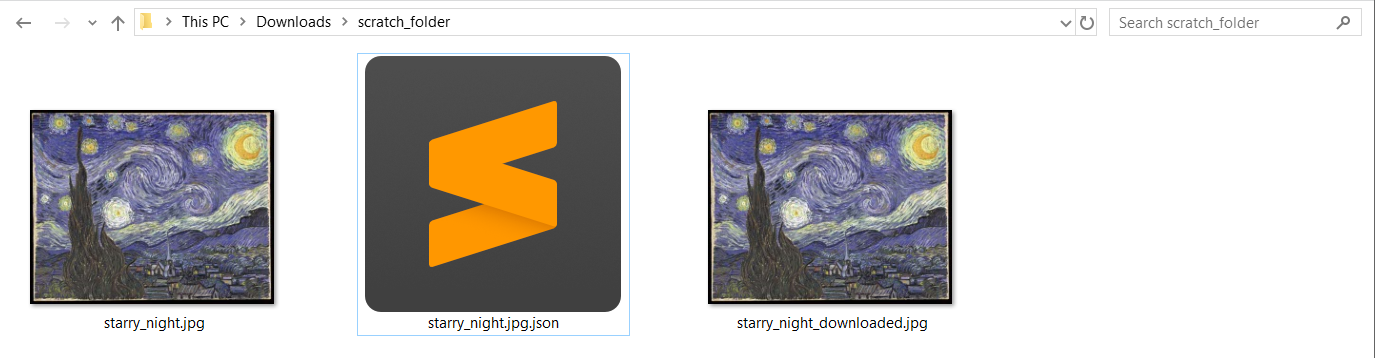
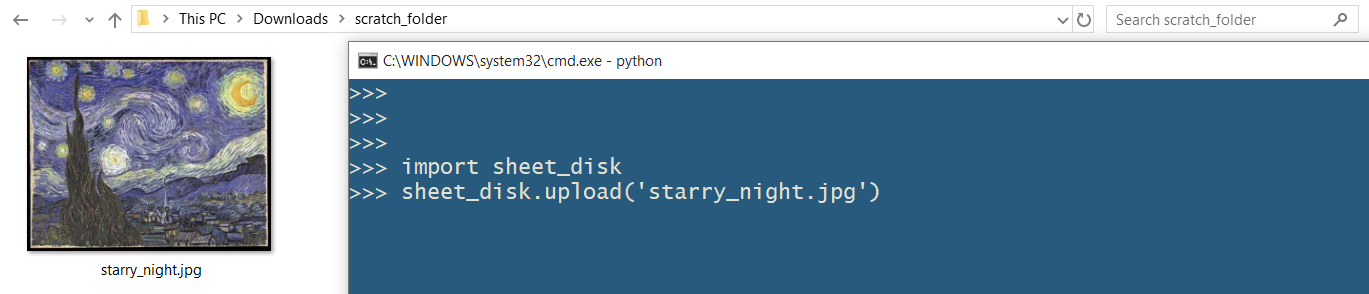
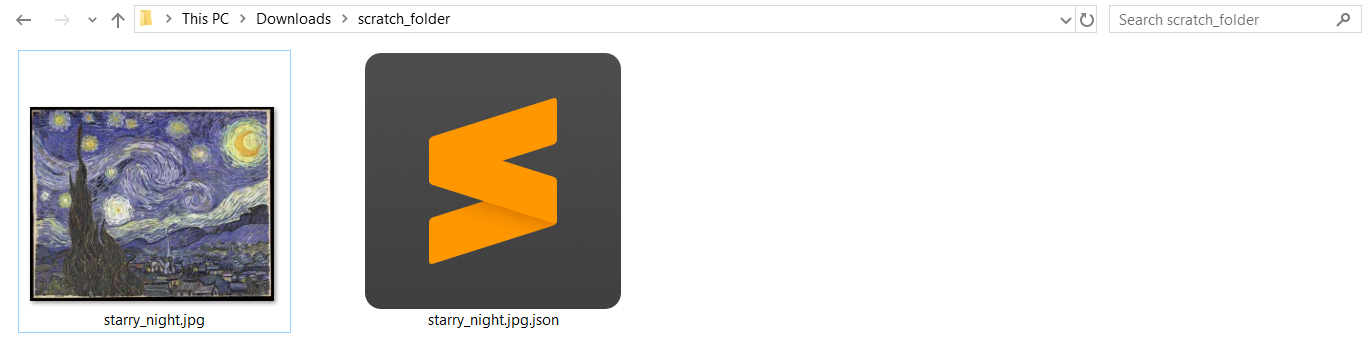
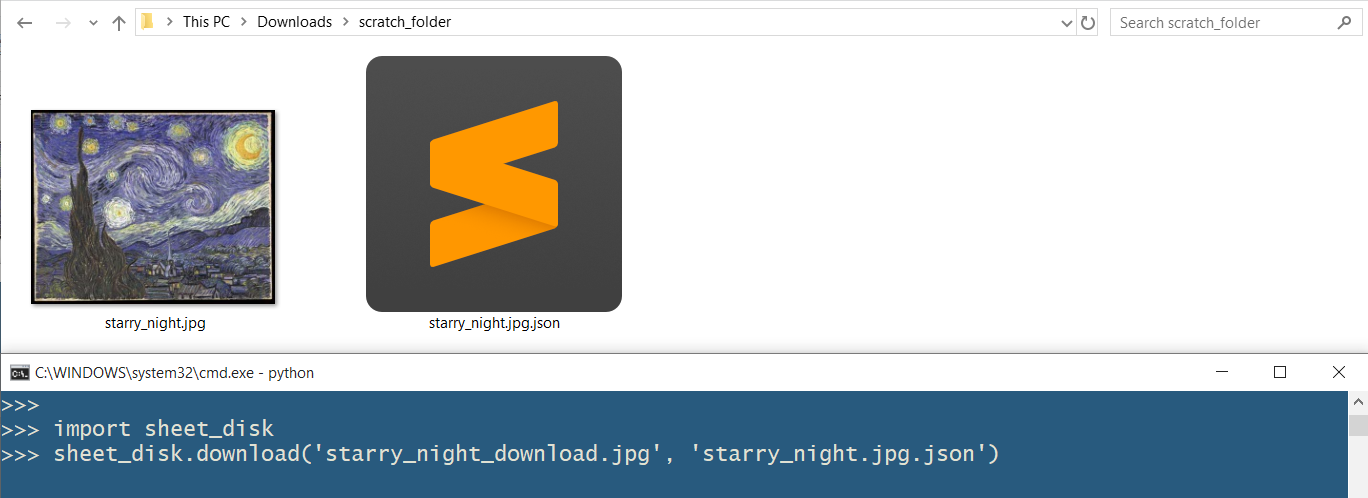
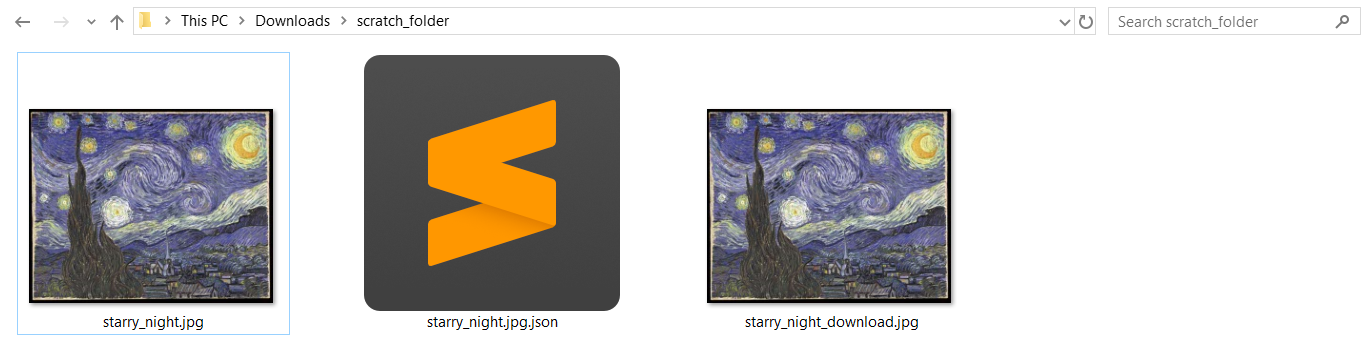
JSON File
Sheet-Disk stores the keys/ids of the spreadsheets, version of the program used when creating the file in a JSON file. This JSON file has the name of your file, and will have a timestamp if a file with the same name exists.
Creation of this file will happen even if the program quits unexpectedly due to an external exception, like if your internet stops working, this file will keep track of the data that has already been uploaded to Sheets. This way you can resume uploading, if the file you were uploading is big.
This JSON file is your only way to access the file contents that you have stored online, so PLEASE KEEP THIS FILE SAFE!
You can share this file with your friends to share your uploaded files with your friends.
Notable Features
- Your file is divided into pieces of ~50 * 10^6 bytes and stored separately in a single Sheet.
- You can resume uploading and downloading if you were interrupted. The program automatically tracks this and skips sheets if they have already been uploaded/downloaded, thus, reducing your internet usage.
- Multiple threads are used for uploading and downloading. This speeds up the uploading and downloading, since multiple concurrent connections can send/receive data simultaneously.
- File Chunking. Due to file chunking methods, RAM usage won't increase for bigger input files.
- Only a single file can be uploaded, but you can zip up all your files into one archive and upload that.
- Uploading is a bit slow since writing data to Sheets takes longer than reading data. Hence, downloading is a lot faster than uploading.
Liability
I don't take any liability on the off chance that you are not able to retrieve your file from Sheets. Please take multiple backups of your files, in case you are not able to retrieve your files from Google Sheets.
1 maintainer

Metadata
1 maintainer
Release files for sheet-disk 0.1.1
For a detailed explanation of source distributions (sdists) and built distributions (wheels), please see the package formats documentation.
Source distribution (sdist)
| File | Size | Uploaded | |
|---|---|---|---|
| sheet_disk-0.1.1.tar.gz | 17.7 kB | Details |
Built distribution (wheel)
| File | Interpreter | ABI | Platform | Reset |
|---|---|---|---|---|
| sheet_disk-0.1.1-py3-none-any.whl | Python 3 | none | any | Details |
Total release size: 34.6 kB
Release files / sheet_disk-0.1.1.tar.gz
| Download URL | sheet_disk-0.1.1.tar.gz |
|---|---|
| Size | 17.7 kB |
| Tags | Source |
|
SHA-256 checksum How to use checksums |
5409b634f59057f985fcb3c76eded687dfc1ad91c30a2ec727646d2312b647f4
|
|
BLAKE2b-256 checksum How to use checksums |
19e11b8bc2082135b4ff4abd34b4bc01d64a236e97c03061539c6d7f74194a17
|
| Upload date | |
|
Uploaded using Trusted Publishing? What is trusted publishing? |
No |
| Uploaded via |
twine/1.13.0 pkginfo/1.5.0.1 requests/2.21.0 setuptools/40.8.0 requests-toolbelt/0.9.1 tqdm/4.31.1 CPython/3.6.5
|
Release files / sheet_disk-0.1.1-py3-none-any.whl
| Download URL | sheet_disk-0.1.1-py3-none-any.whl |
|---|---|
| Size | 16.9 kB |
| Tags | Python 3 |
|
SHA-256 checksum How to use checksums |
a89e5d6f2862914c85b39f14a92f3d4882e55ae3335317e6929585dd35b7d8c7
|
|
BLAKE2b-256 checksum How to use checksums |
4d8064bb6025b3091614053c098dc663c66e33313e053bfccb993f3e74742c20
|
| Upload date | |
|
Uploaded using Trusted Publishing? What is trusted publishing? |
No |
| Uploaded via |
twine/1.13.0 pkginfo/1.5.0.1 requests/2.21.0 setuptools/40.8.0 requests-toolbelt/0.9.1 tqdm/4.31.1 CPython/3.6.5
|














