
shijian
Python change, time, file, list, statistics and other utilities
setup
sudo pip install shijianusage
time expressions
Function style_datetime_object accepts a datetime object and returns a string representation of a time. The default style is “YYYY-MM-DDTHHMMSS” and it can be changed by argument. Styles available are as follows:
time representation |
comment |
|---|---|
YYYY-MM-DDTHHMMSSZ |
filename safe (default) |
YYYY-MM-DDTHHMMSSMMMMMMZ |
microseconds |
YYYY-MM-DD HH:MM:SS UTC |
elegant |
UNIX time S.SSSSSS |
UNIX time in seconds with second fraction |
UNIX time S |
UNIX time in seconds rounded |
Functions time_UTC and time_UNIX are sorts of special cases of function style_datetime_object which return representations of the current time (as opposed to any specified datetime object) in a style. For time_UTC, the default style is “YYYY-MM-DDTHHMMSS” and for time_UNIX, the default style is “UNIX time S” and these styles can be changed by argument.
>>> shijian.time_UTC()
'2015-01-05T092125Z'
>>> shijian.time_UNIX()
1420449720
unique identifiers
Function propose_filename proposes a safe filename. It can accept a filename suggestion or, by default, can generate its own filename suggestion, a time expression returned by function time_UTC. Filename suggestions are tested and then proposed if they meet test conditions. The default condition is to not overwrite existing files and to append an underscore followed by an integer in order to meet this condition.
>python
Python 2.7.6 (default, Mar 22 2014, 22:59:56)
[GCC 4.8.2] on linux2
Type "help", "copyright", "credits" or "license" for more information.
>>> import shijian
>>> shijian.propose_filename()
'2015-01-05T092319Z'
>>> shijian.propose_filename(filename = "data.pkl")
'data.pkl'
>>>
>touch data.pkl
>python
Python 2.7.6 (default, Mar 22 2014, 22:59:56)
[GCC 4.8.2] on linux2
Type "help", "copyright", "credits" or "license" for more information.
>>> import shijian
>>> shijian.propose_filename(filename = "data.pkl")
'data_1.pkl'
Function UID returns a 128 bit integer unique identifier in hexadecimal with dashes in accordance with RFC 4122 UUID version 4.
>>> shijian.UID()
'91df3b90-285c-4f22-8ced-a154b3b5b09b'
>>> shijian.UID()
'169bde88-2be2-4b46-bf2d-5bb7aee85658'
Function unique_number returns an integer that does not exist in a global list of integers recorded by the function.
>>> shijian.unique_number()
1
>>> shijian.unique_number()
2
Function unique_3_digit_number returns an integer of 3 significant figures that does not exist in a global list of integers of 3 significant figures recorded by the function.
>>> shijian.unique_3_digit_number()
100
>>> shijian.unique_3_digit_number()
101
clocks
Clocks can be created in a straightforward way such as the following:
alpha = shijian.Clock(name = "alpha")By default, clocks keep time from their creation time. This behaviour can be disabled using Boolean argument start = False. Clocks can be assigned a name or can generate their own unique identifier. Clocks can be stopped easily:
beta.stop()and can be started easily:
alpha.start()Clocks can report on their characteristics in ways such as the following:
print(alpha.name())
print(alpha.start_time())
print(alpha.stop_time())
print(alpha.time())
Clocks can also provide a general printout of their characteristics:
alpha.printout()All clocks are recorded in the shijian list of clocks. Printouts of clocks are available in two styles: full and statistics. The style “full” returns the elapsed times of all clocks while the default style “statistics” returns the mean times of all clocks of the same name.
shijian.clocks.printout(style = "full")
shijian.clocks.printout()
daily time range
Whether the current time is in a specified daily time range can be tested:
shijian.in_daily_time_range(time_range = "1700--0900")filename sequences
The function natural_sort naturally sorts a list. The function find_file_sequences, for which a directory and file extension can be specified, returns a naturally-sorted list of filenames that are in a sequence or returns a dictionary of lists of filenames that are in a sequence. For example, a list something like the following could be returned:
['image-000001.png', 'image-000002.png', 'image-000003.png', 'image-000004.png', 'image-000005.png']configurations, Markdown lists
Markdown lists are human-readable and machine-readable. So, they can be used to specify configurations written by humans for programs. This module features utilities for loading configurations specified in Markdown lists to Python dictionaries and ordered dictionaries.
In order to facilitate the human-readability of configuration specifications, the idea is that lines that are not valid Markdown lists are ignored.
ICHEP 2016
./time_ICHEP_2016.py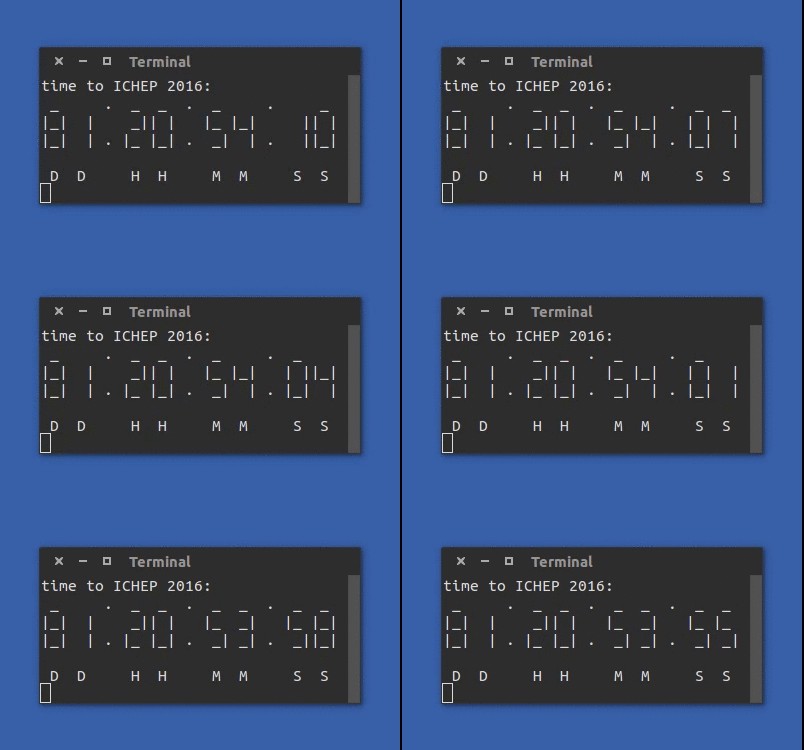
upcoming
Changes to time style specifications are under consideration.
1 maintainer

Metadata
1 maintainer
Release files for shijian 2023.10.19.215
For a detailed explanation of source distributions (sdists) and built distributions (wheels), please see the package formats documentation.
Source distribution (sdist)
| File | Size | Uploaded | |
|---|---|---|---|
| shijian-2023.10.19.215.tar.gz | 16.6 kB | Details |
Built distribution (wheel)
| File | Interpreter | ABI | Platform | Reset |
|---|---|---|---|---|
| shijian-2023.10.19.215-py3-none-any.whl | Python 3 | none | any | Details |
Total release size: 32.3 kB
Release files / shijian-2023.10.19.215.tar.gz
| Download URL | shijian-2023.10.19.215.tar.gz |
|---|---|
| Size | 16.6 kB |
| Tags | Source |
|
SHA-256 checksum How to use checksums |
cf13c7385a8d6523f7c1da956c835fc6f28b81c203218b968652d56480f60cac
|
|
BLAKE2b-256 checksum How to use checksums |
4cec030389c1f500203ba857e6264fbcf9992ec2f7f3db6a7892f76fe3e3a323
|
| Upload date | |
|
Uploaded using Trusted Publishing? What is trusted publishing? |
No |
| Uploaded via |
twine/4.0.2 CPython/3.10.12
|
Release files / shijian-2023.10.19.215-py3-none-any.whl
| Download URL | shijian-2023.10.19.215-py3-none-any.whl |
|---|---|
| Size | 15.7 kB |
| Tags | Python 3 |
|
SHA-256 checksum How to use checksums |
18504f88b30f25a1a5a21a8453291a1062701f4dffb61ad8b7cd8164ae33de9f
|
|
BLAKE2b-256 checksum How to use checksums |
57065d10698048b7912ca7a8fb43eb513c7b9f261bbe73b6d60cfa3e1bc5a2ea
|
| Upload date | |
|
Uploaded using Trusted Publishing? What is trusted publishing? |
No |
| Uploaded via |
twine/4.0.2 CPython/3.10.12
|














