










Distributed locks on Python, with asyncio support
What is this?
Locks are required when you have a distributed system (like any API) and you want to ensure consistency for your data and prevent race conditions. There are a lot of ways to implement them, and this library aims to provide easy access to some of the better ways.
The library is written primarily for use with asyncio code, but also supports normal synchronous usage.
Currently supported backends:
MongoDB (using unique indexes + ttl indexes for consistency and safety)
ArangoDB (using unique indexes + ttl indexes for consistency and safety)
Can be extended for other storage systems pretty easily.
License
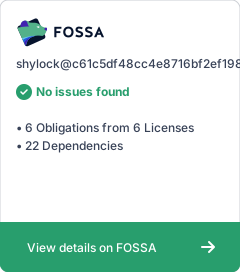
Licensing is important. This project itself uses BSD 3-clause license, but e.g. Mongodb Motor library and other such libraries used by it may have their own licenses.
For more information check the LICENSE -file.
Getting started
Add shylock to your project via pip / pipenv / poetry
# MongoDB asyncio
pip install shylock[motor]
# MongoDB
pip install shylock[pymongo]
# ArangoDB asyncio
pip install shylock[aioarangodb]
# ArangoDB
pip install shylock[python-arango]
For most easy usage, you should in your application startup logic configure the default backend for Shylock to use, and then use the AsyncLock class to handle your locking needs.
from motor.motor_asyncio import AsyncIOMotorClient

from shylock import configure, AsyncLock as Lock, ShylockMotorAsyncIOBackend

CONNECTION_STRING = "mongodb://your-connection-string"

client = AsyncIOMotorClient(CONNECTION_STRING)
configure(await ShylockMotorAsyncIOBackend.create(client, "projectdb"))

async def use_lock():
    async with Lock("my-lock"):
        # The lock is now acquired, and will be automatically released
        do_something()

async def another_lock_use():
    lock = Lock("my-lock")
    try:
        await lock.acquire()
        do_something()
    finally:
         await lock.release()

async def time_sensitive_code():
    lock = Lock("my-lock")
    try:
        locked = await lock.acquire(block=False)
        if locked:
            do_something()
    finally:
         if locked:
             await lock.release()
Or the Lock class for code where asyncio support isn’t required
from pymongo import MongoClient

from shylock import configure, Lock, ShylockPymongoBackend

CONNECTION_STRING = "mongodb://your-connection-string"

client = MongoClient(CONNECTION_STRING)
configure(ShylockPymongoBackend.create(client, "projectdb"))

def use_lock():
    with Lock("my-lock"):
        # The lock is now acquired, and will be automatically released
        do_something()

def another_lock_use():
    lock = Lock("my-lock")
    try:
        lock.acquire()
        do_something()
    finally:
         lock.release()

def time_sensitive_code():
    lock = Lock("my-lock")
    try:
        locked = lock.acquire(block=False)
        if locked:
            do_something()
    finally:
         if locked:
             lock.release()
You can also check out the examples, which also show how to use Shylock with ArangoDB.
Contributing
This project is run on GitHub using the issue tracking and pull requests here. If you want to contribute, feel free to submit issues (incl. feature requests) or PRs here.
To test changes locally python setup.py develop is a good way to run this, and you can python setup.py develop --uninstall afterwards (you might want to also use the --user flag).
Financial support
This project has been made possible thanks to Cocreators and Lietu. You can help us continue our open source work by supporting us on Buy me a coffee.



Release files for shylock 1.2.1
For a detailed explanation of source distributions (sdists) and built distributions (wheels), please see the package formats documentation.
Source distribution (sdist)
| File | Size | Uploaded | Provenance | |
|---|---|---|---|---|
| shylock-1.2.1.tar.gz | 10.6 kB | Without provenance | Details |
Built distribution (wheel)
| File | Interpreter | ABI | Platform | Reset |
|---|---|---|---|---|
| shylock-1.2.1-py3-none-any.whl | Python 3 | none | any | Details |
Total release size: 24.4 kB
Release files / shylock-1.2.1.tar.gz
| Download URL | shylock-1.2.1.tar.gz |
|---|---|
| Size | 10.6 kB |
| Tags | Source |
|
SHA-256 checksum How to use checksums |
8101fc745ae85fc1f5e1e748bd7c84cdd5568ea4dd367c39449ab17dafad35e1
|
|
BLAKE2b-256 checksum How to use checksums |
236979c28d6fa6751f85080432ac184d1588d5a4ca1ff898ee776614f8d99dc9
|
| Upload date | |
|
Uploaded using Trusted Publishing? What is trusted publishing? |
No |
| Uploaded via |
poetry/1.3.2 CPython/3.10.9 Linux/5.15.0-1031-azure
|
Release files / shylock-1.2.1-py3-none-any.whl
| Download URL | shylock-1.2.1-py3-none-any.whl |
|---|---|
| Size | 13.8 kB |
| Tags | Python 3 |
|
SHA-256 checksum How to use checksums |
3e717172939f6a5fb9559ec7b77137250d43e26eab42e0ee8c2d897645d7b7d7
|
|
BLAKE2b-256 checksum How to use checksums |
13da27d32bbd54f9be57db54a9ca3c7c4f26f5840fc804b6f51275c07d73de8f
|
| Upload date | |
|
Uploaded using Trusted Publishing? What is trusted publishing? |
No |
| Uploaded via |
poetry/1.3.2 CPython/3.10.9 Linux/5.15.0-1031-azure
|
Security for shylock 1.2.1
Provenance
Provenance describes where a file came from. On PyPI, provenance is shared via attestations, which provide a verifiable record of the build or publishing details. View details, limitations and caveats.
No provenance found
None of the files in this release were uploaded with provenance metadata.
A note on package security
PyPI is a repository for distributing packages, not a service for auditing them. While third-party security researchers and our staff do their best to detect and remove malicious packages, PyPI cannot guarantee the quality, security or suitability of any given package.
To learn more about protecting yourself from malicious actors, visit our package security documentation.














