
slugifygui
graphical user interface to slugify text
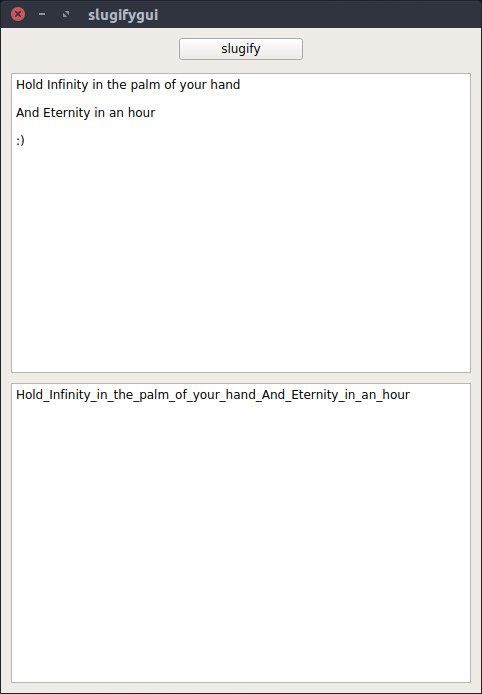
setup
Install PyQt5.
sudo apt install python-qt5It may be that the following steps are needed:
python3-setuptools
sudo apt install python3-setuptools
sudo python3 -m pip install pyqt5
Install the package.
sudo pip install slugifygui

sudo wget --content-disposition -N -P /usr/share/icons/ https://raw.githubusercontent.com/wdbm/slugifygui/master/slugifygui/static/slugifygui.svg
sudo wget --content-disposition -N -P /usr/share/applications/ https://raw.githubusercontent.com/wdbm/slugifygui/master/slugifygui/static/slugifygui.desktop1 maintainer

Metadata
1 maintainer
Release files for slugifygui 2019.1.29.1633
For a detailed explanation of source distributions (sdists) and built distributions (wheels), please see the package formats documentation.
Source distribution (sdist)
| File | Size | Uploaded | |
|---|---|---|---|
| slugifygui-2019.1.29.1633.tar.gz | 5.8 kB | Details |
Release files / slugifygui-2019.1.29.1633.tar.gz
| Download URL | slugifygui-2019.1.29.1633.tar.gz |
|---|---|
| Size | 5.8 kB |
| Tags | Source |
|
SHA-256 checksum How to use checksums |
ecc170a84a7c915d4c7edb42306276ed2666715521ee9172e58a91fc26e90c77
|
|
BLAKE2b-256 checksum How to use checksums |
1f7f84c0622050f635f505b19e0cd405db04400713a3b3ed3abfd0cbf1c596b9
|
| Upload date | |
|
Uploaded using Trusted Publishing? What is trusted publishing? |
No |
| Uploaded via |
Python-urllib/2.7
|














