
sne4onnx
A very simple tool for situations where optimization with onnx-simplifier would exceed the Protocol Buffers upper file size limit of 2GB, or simply to separate onnx files to any size you want. Simple Network Extraction for ONNX.
https://github.com/PINTO0309/simple-onnx-processing-tools




Key concept
- If INPUT OP name and OUTPUT OP name are specified, the onnx graph within the range of the specified OP name is extracted and .onnx is generated.
- I do not use
onnx.utils.extractor.extract_modelbecause it is very slow and I implement my own model separation logic.
1. Setup
1-1. HostPC
### option
$ echo export PATH="~/.local/bin:$PATH" >> ~/.bashrc \
&& source ~/.bashrc

### run
$ pip install -U onnx sne4onnx
1-2. Docker
https://github.com/PINTO0309/simple-onnx-processing-tools#docker
2. CLI Usage
$ sne4onnx -h

usage:
    sne4onnx [-h]
    -if INPUT_ONNX_FILE_PATH
    -ion INPUT_OP_NAMES
    -oon OUTPUT_OP_NAMES
    [-of OUTPUT_ONNX_FILE_PATH]
    [-n]

optional arguments:
  -h, --help
    show this help message and exit

  -if INPUT_ONNX_FILE_PATH, --input_onnx_file_path INPUT_ONNX_FILE_PATH
    Input onnx file path.

  -ion INPUT_OP_NAMES [INPUT_OP_NAMES ...], --input_op_names INPUT_OP_NAMES [INPUT_OP_NAMES ...]
    List of OP names to specify for the input layer of the model.
    e.g. --input_op_names aaa bbb ccc

  -oon OUTPUT_OP_NAMES [OUTPUT_OP_NAMES ...], --output_op_names OUTPUT_OP_NAMES [OUTPUT_OP_NAMES ...]
    List of OP names to specify for the output layer of the model.
    e.g. --output_op_names ddd eee fff

  -of OUTPUT_ONNX_FILE_PATH, --output_onnx_file_path OUTPUT_ONNX_FILE_PATH
    Output onnx file path. If not specified, extracted.onnx is output.

  -n, --non_verbose
    Do not show all information logs. Only error logs are displayed.
3. In-script Usage
$ python
>>> from sne4onnx import extraction
>>> help(extraction)

Help on function extraction in module sne4onnx.onnx_network_extraction:

extraction(
    input_op_names: List[str],
    output_op_names: List[str],
    input_onnx_file_path: Union[str, NoneType] = '',
    onnx_graph: Union[onnx.onnx_ml_pb2.ModelProto, NoneType] = None,
    output_onnx_file_path: Union[str, NoneType] = '',
    non_verbose: Optional[bool] = False
) -> onnx.onnx_ml_pb2.ModelProto

    Parameters
    ----------
    input_op_names: List[str]
        List of OP names to specify for the input layer of the model.
        e.g. ['aaa','bbb','ccc']

    output_op_names: List[str]
        List of OP names to specify for the output layer of the model.
        e.g. ['ddd','eee','fff']

    input_onnx_file_path: Optional[str]
        Input onnx file path.
        Either input_onnx_file_path or onnx_graph must be specified.
        onnx_graph If specified, ignore input_onnx_file_path and process onnx_graph.

    onnx_graph: Optional[onnx.ModelProto]
        onnx.ModelProto.
        Either input_onnx_file_path or onnx_graph must be specified.
        onnx_graph If specified, ignore input_onnx_file_path and process onnx_graph.

    output_onnx_file_path: Optional[str]
        Output onnx file path.
        If not specified, .onnx is not output.
        Default: ''

    non_verbose: Optional[bool]
        Do not show all information logs. Only error logs are displayed.
        Default: False

    Returns
    -------
    extracted_graph: onnx.ModelProto
        Extracted onnx ModelProto
4. CLI Execution
$ sne4onnx \
--input_onnx_file_path input.onnx \
--input_op_names aaa bbb ccc \
--output_op_names ddd eee fff \
--output_onnx_file_path output.onnx
5. In-script Execution
5-1. Use ONNX files
from sne4onnx import extraction

extracted_graph = extraction(
  input_op_names=['aaa','bbb','ccc'],
  output_op_names=['ddd','eee','fff'],
  input_onnx_file_path='input.onnx',
  output_onnx_file_path='output.onnx',
)
5-2. Use onnx.ModelProto
from sne4onnx import extraction

extracted_graph = extraction(
  input_op_names=['aaa','bbb','ccc'],
  output_op_names=['ddd','eee','fff'],
  onnx_graph=graph,
  output_onnx_file_path='output.onnx',
)
6. Samples
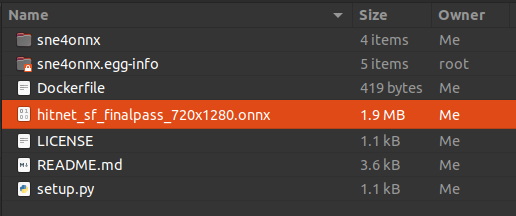
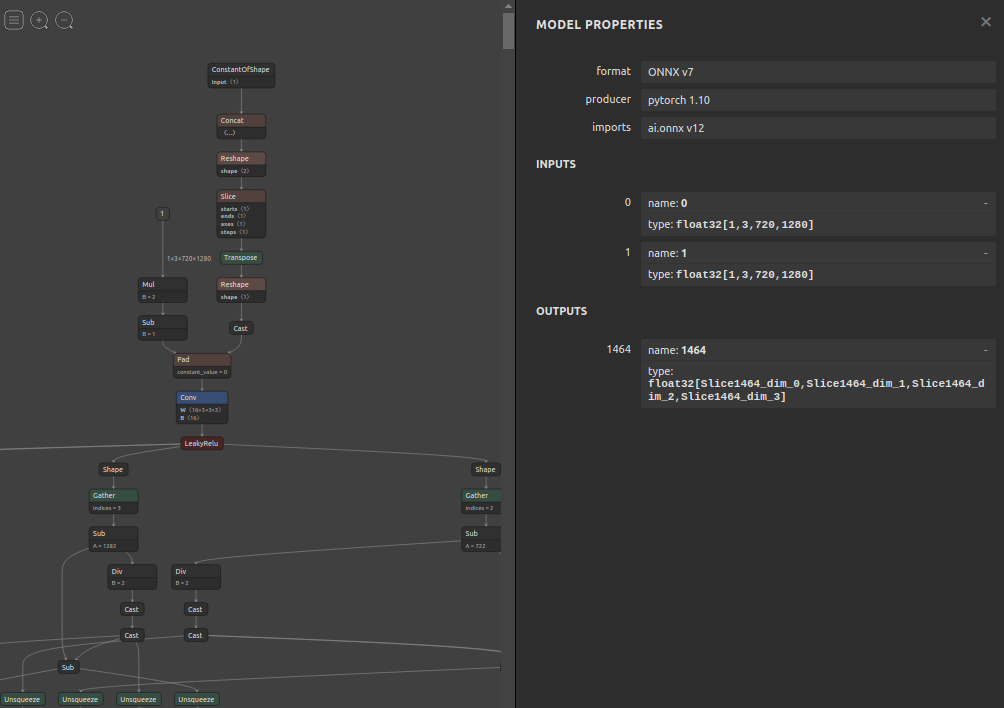
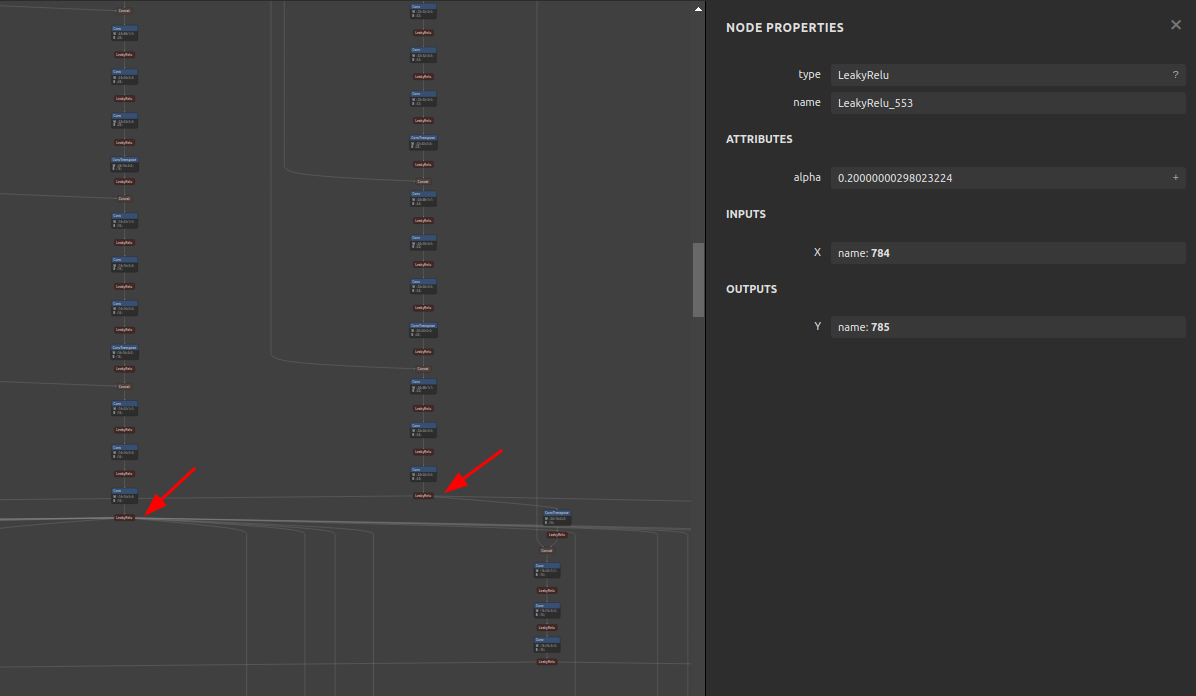
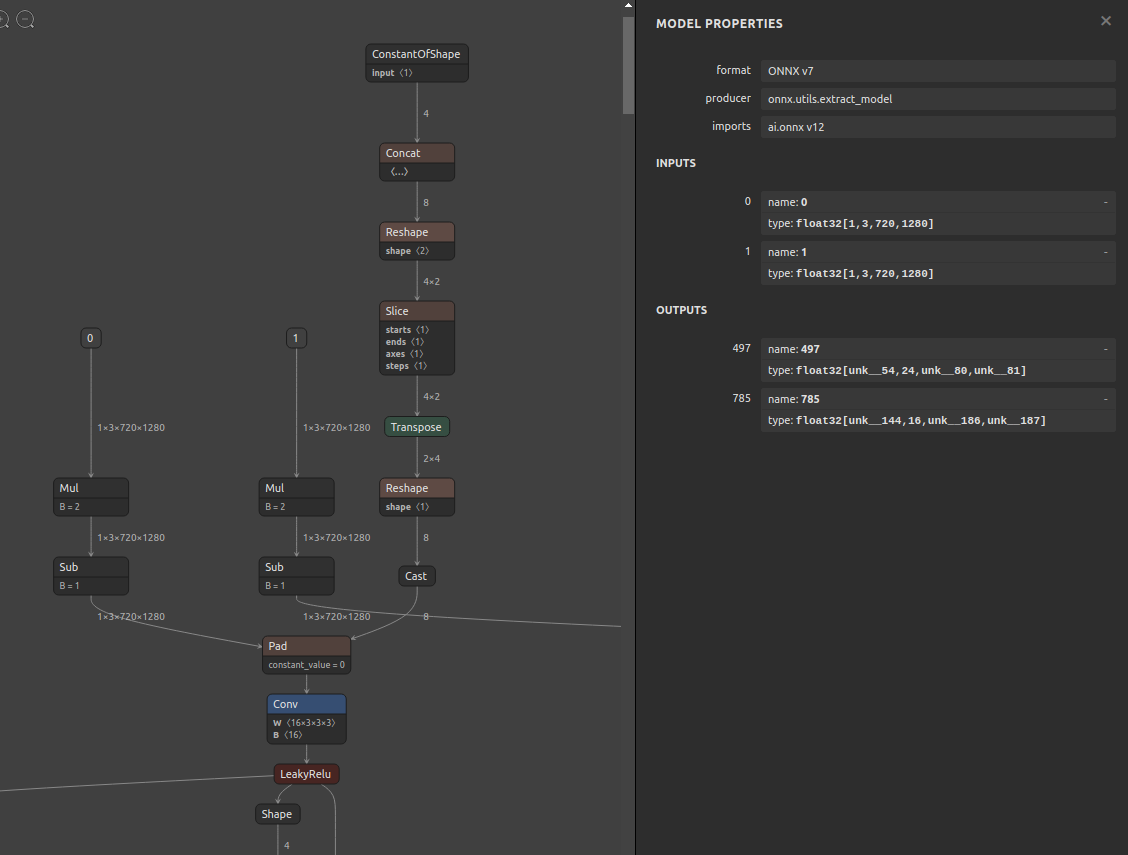
6-1. Pre-extraction
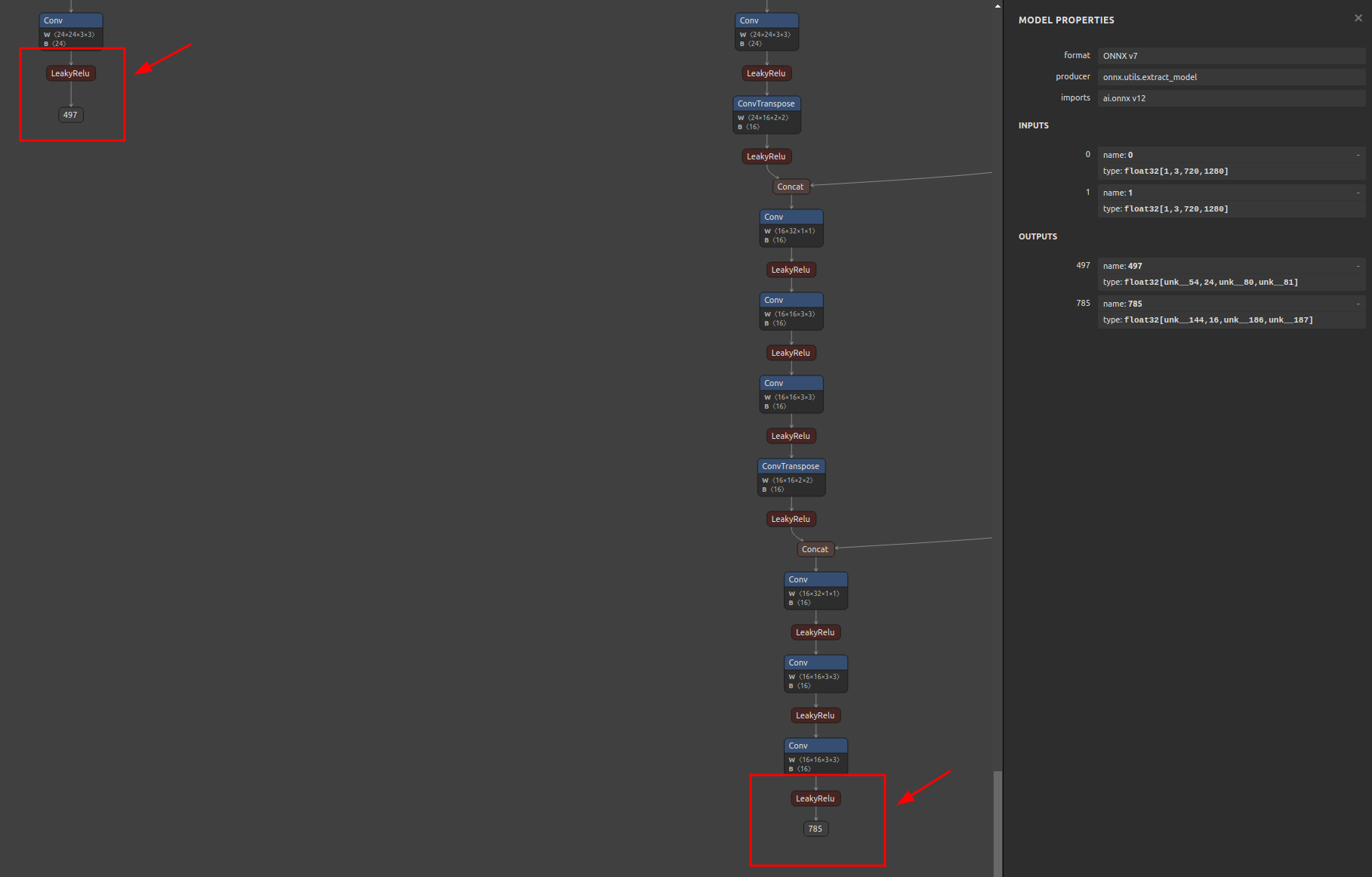
6-2. Extraction
$ sne4onnx \
--input_onnx_file_path hitnet_sf_finalpass_720x1280.onnx \
--input_op_names 0 1 \
--output_op_names 497 785 \
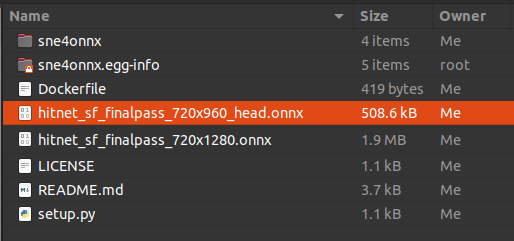
--output_onnx_file_path hitnet_sf_finalpass_720x960_head.onnx
6-3. Extracted
7. Reference
- https://github.com/onnx/onnx/blob/main/docs/PythonAPIOverview.md
- https://docs.nvidia.com/deeplearning/tensorrt/onnx-graphsurgeon/docs/index.html
- https://github.com/NVIDIA/TensorRT/tree/main/tools/onnx-graphsurgeon
- https://github.com/PINTO0309/snd4onnx
- https://github.com/PINTO0309/scs4onnx
- https://github.com/PINTO0309/snc4onnx
- https://github.com/PINTO0309/sog4onnx
- https://github.com/PINTO0309/PINTO_model_zoo
8. Issues
https://github.com/PINTO0309/simple-onnx-processing-tools/issues
1 maintainer

Release files for sne4onnx 2.0.1
For a detailed explanation of source distributions (sdists) and built distributions (wheels), please see the package formats documentation.
Source distribution (sdist)
| File | Size | Uploaded | |
|---|---|---|---|
| sne4onnx-2.0.1.tar.gz | 13.4 kB | Details |
Built distribution (wheel)
| File | Interpreter | ABI | Platform | Reset |
|---|---|---|---|---|
| sne4onnx-2.0.1-py3-none-any.whl | Python 3 | none | any | Details |
Total release size: 25.6 kB
Release files / sne4onnx-2.0.1.tar.gz
| Download URL | sne4onnx-2.0.1.tar.gz |
|---|---|
| Size | 13.4 kB |
| Tags | Source |
|
SHA-256 checksum How to use checksums |
3fb4c166044fe11a480c5b739f78f8c10a28bd60163617dc549bcbeee6628ee9
|
|
BLAKE2b-256 checksum How to use checksums |
d8660d4b261c30d381b563405714f5fc18491c66bb8891b4cd69065021c9a037
|
| Upload date | |
|
Uploaded using Trusted Publishing? What is trusted publishing? |
No |
| Uploaded via |
twine/6.2.0 CPython/3.9.25
|
Release files / sne4onnx-2.0.1-py3-none-any.whl
| Download URL | sne4onnx-2.0.1-py3-none-any.whl |
|---|---|
| Size | 12.2 kB |
| Tags | Python 3 |
|
SHA-256 checksum How to use checksums |
d25597a0684884f3764ad06dc1e81d9e0e5892a8edf48dc538a992379701f164
|
|
BLAKE2b-256 checksum How to use checksums |
590147cfa97ff6605ffaa7c72db514dc0900dd458529c17692d78a5c3c8d1374
|
| Upload date | |
|
Uploaded using Trusted Publishing? What is trusted publishing? |
No |
| Uploaded via |
twine/6.2.0 CPython/3.9.25
|














