
snippet
Parameterized command templates for your terminal.
Save commands once, reuse them forever — with placeholders, defaults, fuzzy search, and composable output.
Usage
$ snippet -e archive/extract-tgz -f 'tar -xzvf <archive>'
$ snippet -t archive/extract-tgz /path/to/foo.tar.gz
tar -xzvf /path/to/foo.tar.gz
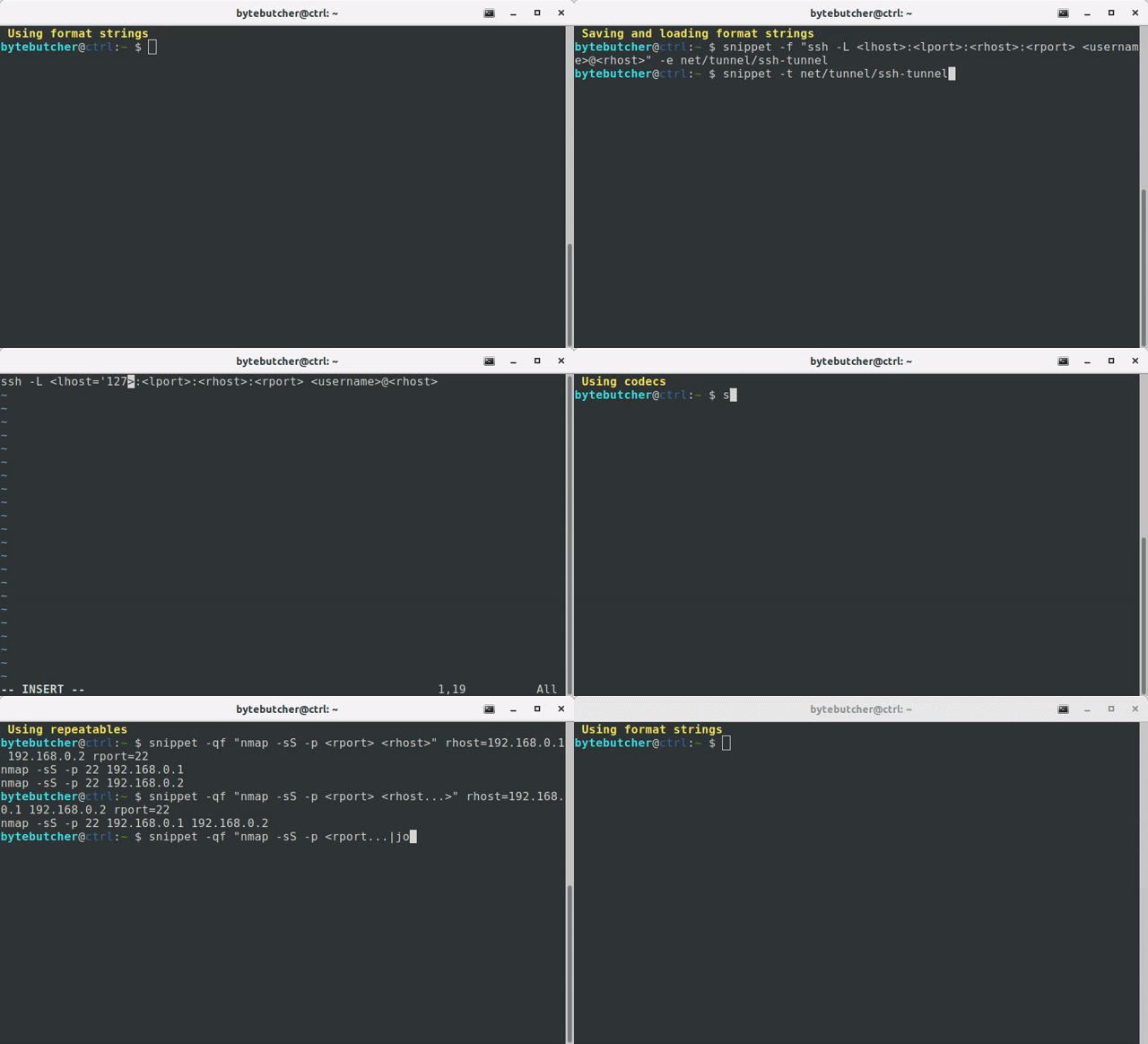
Why
Shell aliases are static. History search is fragile. Neither lets you say "run this shape of command, but with these arguments this time."
snippet sits in between:
it stores command templates with named placeholders, and fills them on demand.
Think of it as printf for your shell history.
Install
pip3 install snippet-cli
Optional — enable tab completion for template names:
eval "$(register-python-argcomplete snippet)"
Quick start
Save a command you'll reuse
# Save or edit a snippet (opens $EDITOR)
$ snippet -e archive/create-tgz -f "tar -czvf <archive> <file...>"
Recall it later
# Exact match
$ snippet -t archive/create-tgz backup.tar.gz file=src/ README.md
tar -czvf backup.tar.gz src/ README.md

# Fuzzy search (opens fzf when no exact match)
$ snippet -t archive
Run it directly
$ snippet -t archive/create-tgz backup.tar.gz file=src/ README.md | bash
Key Features
Permutations and Repeatables
When you pass multiple values to regular placeholders, snippet generates every combination:
$ snippet -f "kubectl cp <file> <namespace>/<pod>:/tmp/<file>" namespace=default pod=example-pod file=busybox nmap tcpdump
kubectl cp busybox default/example-pod:/tmp/busybox
kubectl cp nmap default/example-pod:/tmp/nmap
kubectl cp tcpdump default/example-pod:/tmp/tcpdump
When you add three dots at the end of a placeholder (e.g., <file...>), values are concatenated instead of permuted:
$ snippet -f "tar -czvf <archive> <file...>" backup.tar.gz file=src/ README.md
tar -czvf backup.tar.gz src/ README.md
By default arguments which are associated with a repeatable placeholder are separated by space.
To specify a custom character sequence you may use the join codec:
$ snippet -f "nmap -sS -p<port...|join:','> <rhost...>" port=80 443 rhost=192.168.0.1 192.168.0.2
nmap -sS -p80,443 192.168.0.1 192.168.0.2
Default and Optionals
# Default value — used when nothing is provided
$ snippet -f "python3 -m http.server <lport='8000'>"
python3 -m http.server 8000

# Optional section — disappears entirely if placeholder is empty
$ snippet -f "python3 -m http.server[ --bind <lhost>][ <lport>]" lport=4444
python3 -m http.server 4444
If you need square-brackets to be part of the string format you need to escape them accordingly:
$ snippet -f "\[<arg>\]" hello
[hello]
Codecs
Transform placeholder values with piped codecs. Useful when your archive paths contain spaces:
$ snippet -f "tar -czvf <archive|squote> <file...|squote>" backup.tar.gz file="my docs/" notes.md
tar -czvf 'backup.tar.gz' 'my docs/' 'notes.md'
Codecs can be parameterized and are chainable:
$ snippet -f "cp <file|squote> <file|add:'.bak'|squote>" "/path/to/my file"
cp '/path/to/my file' '/path/to/my file.bak'
Run snippet --list-codecs to see all available transforms.
Presets
Built-in dynamic placeholders like <datetime> — handy for timestamped archives:
$ snippet -f "tar -czvf '<datetime>.tar.gz' <file...>" file=src/
tar -czvf '20250302143012.tar.gz' src/
Customize presets in ~/.snippet/snippet_profile.py.
Input from env vars, files, or pipes
# Export variables to a sourceable env file
$ snippet --env -f "tar -czvf <archive> <file...>" archive=backup.tar.gz file=src/ README.md | tee env.sh
export archive="backup.tar.gz"
export file="\('src/' 'README.md'\)"

# Import environment variables from file
$ source env.sh && snippet -f "tar -czvf <archive> <file...>"

# Load variable values from a file
$ snippet -f "tar -czvf <archive> <file...>" backup.tar.gz file:filelist.txt

# Load format string from a pipe
$ echo "tar -czvf <archive> <file...>" | snippet backup.tar.gz file=src/
Organizing templates
Templates live in ~/.snippet/templates/ and support directory-style namespacing:
$ snippet -e archive/create-tgz -f "tar -czvf <archive> <file...>"
$ snippet -e archive/extract-tgz -f "tar -xzvf <archive>"
$ snippet -e net/scan -f "nmap -sS -p <port> <host>"

$ snippet --list-templates
archive/create-tgz
archive/extract-tgz
net/scan
Organizing codecs
Custom codecs can be added into ~/.snippet/codecs/. Here's a minimal example:
import os.path

from snippet.codecs import StringCodec


class Codec(StringCodec):
    """ Extracts the filename from a file path. """

    def __init__(self):
        super().__init__(author="bytebutcher", dependencies=[])

    def run(self, input):
        return os.path.basename(input.encode('utf-8', errors="surrogateescape")).decode('utf-8', errors="surrogateescape")
Advanced usage
snippet supports multi-line format strings:
$ cat input.txt
{
   "foo": "<foo>",
   "bar": "<bar>"
}
$ cat input.txt | snippet egg spam
{
   "foo": "egg",
   "bar": "spam"
}
snippet can be used to easily execute alternating commands in sequence:
$ snippet -f "echo 'hello <arg1>';" arg1=snippet world | bash
hello world
hello snippet
Using xargs the resulting commands can also be executed in parallel:
snippet -f "echo 'hello <arg1>';" arg1=snippet arg1=world | xargs --max-procs=4 -I CMD bash -c CMD
hello world
hello snippet
How it compares
| Tool | Purpose |
|---|---|
| shell aliases | Static command shortcuts; no parameters |
tldr / navi |
Look up cheat sheets |
pet / cheat |
Save and search snippets; less focus on parameterization |
| snippet | Save, parameterize, compose, and execute your own command templates |
See also
To make the most out of this tool you might also consider to look into the following projects:
1 maintainer

Download files
Download the file for your platform. If you're not sure which to choose, learn more about installing packages.
Source Distribution
Built Distribution
Filter files by name, interpreter, ABI, and platform.
If you're not sure about the file name format, learn more about wheel file names.
Copy a direct link to the current filters
File details
Details for the file snippet_cli-2.4.1.tar.gz.
File metadata
- Download URL: snippet_cli-2.4.1.tar.gz
- Upload date:
- Size: 36.2 kB
- Tags: Source
- Uploaded using Trusted Publishing? No
- Uploaded via:
twine/6.2.0 CPython/3.10.12
File hashes
| Algorithm | Hash digest | |
|---|---|---|
| SHA256 |
2bf753dac51b6162fbb1b64f068920fd9e9d927a2fe211d1f5c992de42b2d00e
|
|
| MD5 |
3468e13e82d5cebd0885fa5f10f584ad
|
|
| BLAKE2b-256 |
5ece3bf1e00f6a5700c728f33ec816a065dde0e5c5a3049ab4d09c48be6a068c
|
File details
Details for the file snippet_cli-2.4.1-py3-none-any.whl.
File metadata
- Download URL: snippet_cli-2.4.1-py3-none-any.whl
- Upload date:
- Size: 45.5 kB
- Tags: Python 3
- Uploaded using Trusted Publishing? No
- Uploaded via:
twine/6.2.0 CPython/3.10.12
File hashes
| Algorithm | Hash digest | |
|---|---|---|
| SHA256 |
2ffdc735f3ceec863b81793788b811519267b5130f3ffee300924716b02c06e5
|
|
| MD5 |
a199daa73d69f719847a7118af49a6a6
|
|
| BLAKE2b-256 |
0eed076cb1b19ceba1077b332933475c27535bf216cc1ed18636e7b65edda40d
|














