
spin-and-heave
Spin & Heave uses the lambdaci docker image to package and zip a lambda package.
If you do not already have the docker image, docker will attempt to download it.
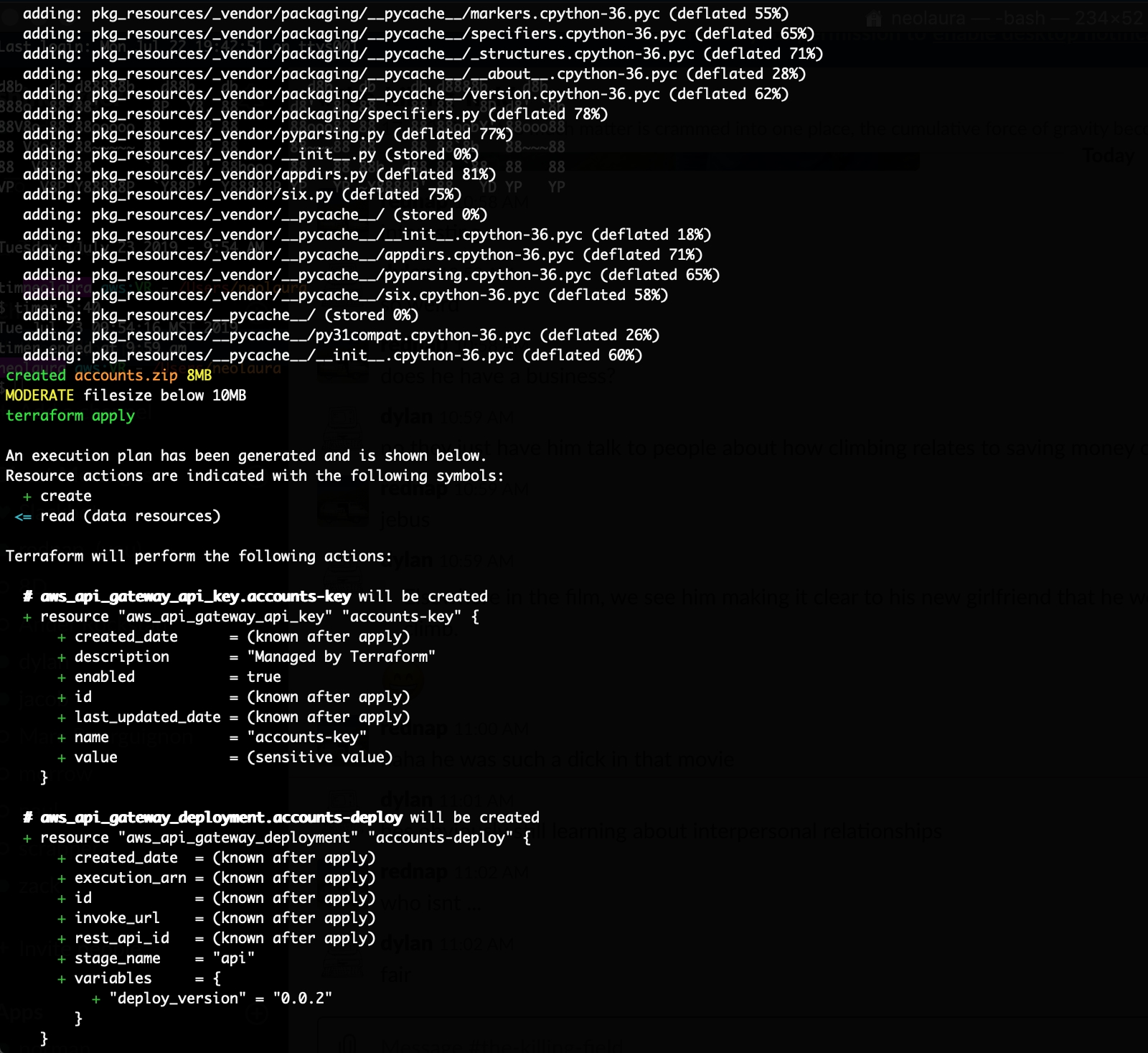
After this is done, S&H will run terraform apply (can be skipped with a flag).
With null resources, etags, triggers, and source code hashes, it almost feels like you could use terraform as an end-to-end deployment tool for lambda. You could make a change to your function code, and when you ran apply terraform would spot the change in the hash or etag, and everything (including your infrastructure) would update accordingly. To it's credit, you can almost get it working with just pure terraform. But as my friend Gus said, "when you first get a hammer everything looks like a nail." and Terraform isn't an all powerful hammer for deployment and everything. For example, it shouldn't be used to create build artifacts, as apparentlymart makes clear in several git issues.
Spin & Heave is one solution (of many). Instead of running terraform apply
and using null resources to build and zip, I use S&H, which leverages docker to
build and zip everything, then apply changes in terraform. My terraform code simply
refers to the zip S&H created. If the zip has changed terraform will upload a new
zip to either lambda, or s3, and then redeploy the lambda function.
flags
positional arguments:
  source                the directory with your lambda code in it
                        $ spin-and-heave lambda
                        where `lambda` is the dir including the python lambda code and requirements
                        for more information: https://gitlab.com/shindagger/spin-and-heave

optional arguments:
  -h, --help            show this help message and exit
  -r RUNTIME, --runtime RUNTIME
                        optional. define a runtime.
                        defaults:
                        python: `python3.6`
                        nodejs: `nodejs10.x` with the --node [-js] flag
  -bc BUILD, --build BUILD
                        optional. define a build command.
                        defaults:
                        python: `pip install --progress-bar off -r requirements.txt -t .`
                        nodejs: `npm install --production` with the --node [-js] flag
  -x EXCLUDE, --exclude EXCLUDE
                        optional. exclude files and directories from the zip file.
                        uses zip command -x flag conventions.
                        example: `spin-and-heave lambda -x file.jpg -x docker/\*`
  -js, --node           deploy node.
  -s, --skip            skip terraform apply.
  -i, --init            init terraform before running apply.
  -a, --approve         run terraform apply with `auto-approve` flag
  -v, --version         show program's version number and exit
usage
$ spin-and-heave -h
show spin-and-heave help page.
$ spin-and-heave lambda_project
where "lambda_project" is the directory with your python lambda files. this will run the lambdaci docker image for the runtime python3.6 then save the zip file (in this case "lambda_project.zip") in your current working directory
$ spin-and-heave lambda_project -s
skip terraform apply
$ spin-and-heave lambda_project -ai
run terraform init before applying [-i], also run terraform apply with -auto-approve flag [-a]
useful for CI/CD
$ spin-and-heave lambda_project -js
spin and heave a node lambda package, defaults to nodejs10.x this will run "npm install --production" instead of "pip install"
$ spin-and-heave lambda_project -r python3.7
alternatively, use custom runtimes. The runtime you pick will use the lambdaci docker image with that runtime as a tag
NOTE: at this point any runtime besides node and python also require a build command.
$ spin-and-heave lambda_project -r ruby2.5 -bc "bundle install --deployment"
an example using ruby, which includes a build command.
NOTE: at this point any runtime besides node and python also
require a build command.
$ spin-and-heave lambda_project -js -x file.jpg -x docker/\*
spin and heave a node lambda package, excluding file.jpg and a directory called docker from the zip
for an example terraform/lambda setup to play with see:
https://gitlab.com/shindagger/spin-and-heave/tree/master/example
installation
$ pip install spin-and-heave
example
1 maintainer

Metadata
1 maintainer
Release files for spin-and-heave 3.2.0
For a detailed explanation of source distributions (sdists) and built distributions (wheels), please see the package formats documentation.
Source distribution (sdist)
| File | Size | Uploaded | Provenance | |
|---|---|---|---|---|
| spin_and_heave-3.2.0.tar.gz | 6.9 kB | Without provenance | Details |
Built distribution (wheel)
| File | Interpreter | ABI | Platform | Reset |
|---|---|---|---|---|
| spin_and_heave-3.2.0-py3-none-any.whl | Python 3 | none | any | Details |
Total release size: 14.8 kB
Release files / spin_and_heave-3.2.0.tar.gz
| Download URL | spin_and_heave-3.2.0.tar.gz |
|---|---|
| Size | 6.9 kB |
| Tags | Source |
|
SHA-256 checksum How to use checksums |
a1ee59a108b5e633115bcfd135c78f40c4136685f0b73644ed90dd74e0eb16b1
|
|
BLAKE2b-256 checksum How to use checksums |
46cc8a3291867fda9e541cc21404670aa031fb53bc41aaf7849f7aa0a7fdffa4
|
| Upload date | |
|
Uploaded using Trusted Publishing? What is trusted publishing? |
No |
| Uploaded via |
twine/6.1.0 CPython/3.11.3
|
Release files / spin_and_heave-3.2.0-py3-none-any.whl
| Download URL | spin_and_heave-3.2.0-py3-none-any.whl |
|---|---|
| Size | 7.9 kB |
| Tags | Python 3 |
|
SHA-256 checksum How to use checksums |
64ab5d465b701b1587e83f877e89963752e5aaa2fe3cfc08bf7f7aa4f4ec50d4
|
|
BLAKE2b-256 checksum How to use checksums |
96976fd534c286a060de1528f8d41e62fccde2ed5e1c3eda17c675fef0483772
|
| Upload date | |
|
Uploaded using Trusted Publishing? What is trusted publishing? |
No |
| Uploaded via |
twine/6.1.0 CPython/3.11.3
|
Security for spin-and-heave 3.2.0
Provenance
Provenance describes where a file came from. On PyPI, provenance is shared via attestations, which provide a verifiable record of the build or publishing details. View details, limitations and caveats.
No provenance found
None of the files in this release were uploaded with provenance metadata.
A note on package security
PyPI is a repository for distributing packages, not a service for auditing them. While third-party security researchers and our staff do their best to detect and remove malicious packages, PyPI cannot guarantee the quality, security or suitability of any given package.
To learn more about protecting yourself from malicious actors, visit our package security documentation.














