
split-image


Quickly split an image into rows and columns (tiles).
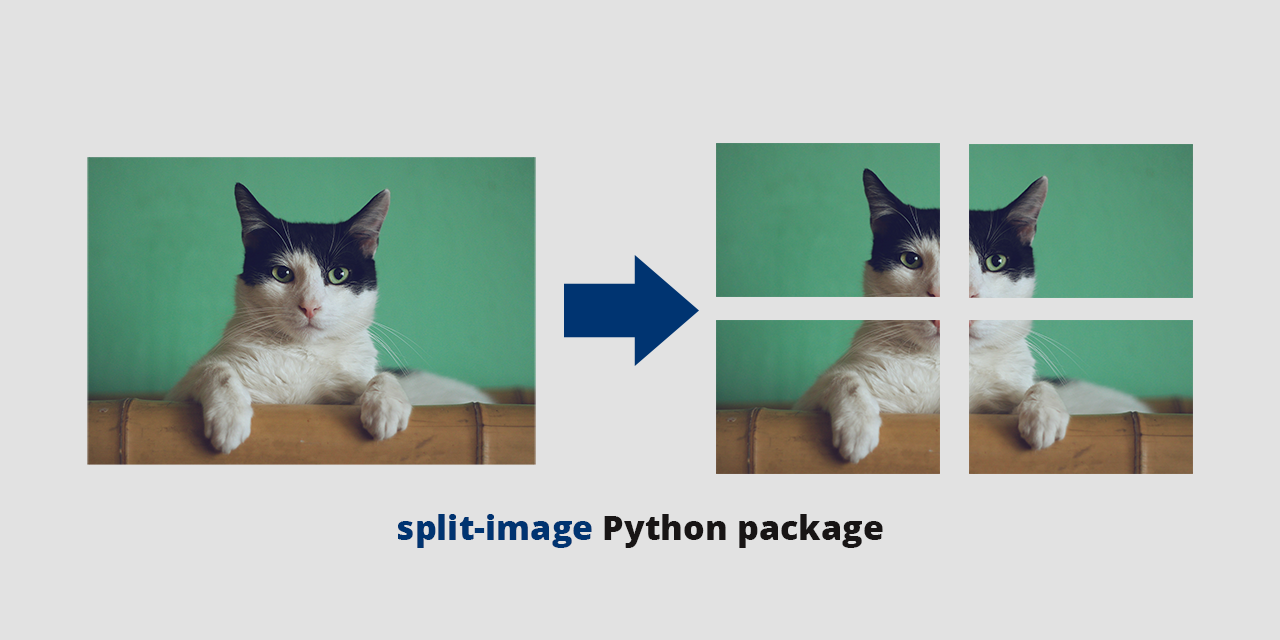
split-image is a Python package that you can use from the command line to split an image into tiles.
Installation
pip install split-image
Usage
From the command line:
split-image [-h] [-s] image_path rows cols
As a regular module import:
from split_image import split_image

split_image(image_path, rows, cols, should_square, should_cleanup, [output_dir])
# e.g. split_image("bridge.jpg", 2, 2, True, False)
Basic examples
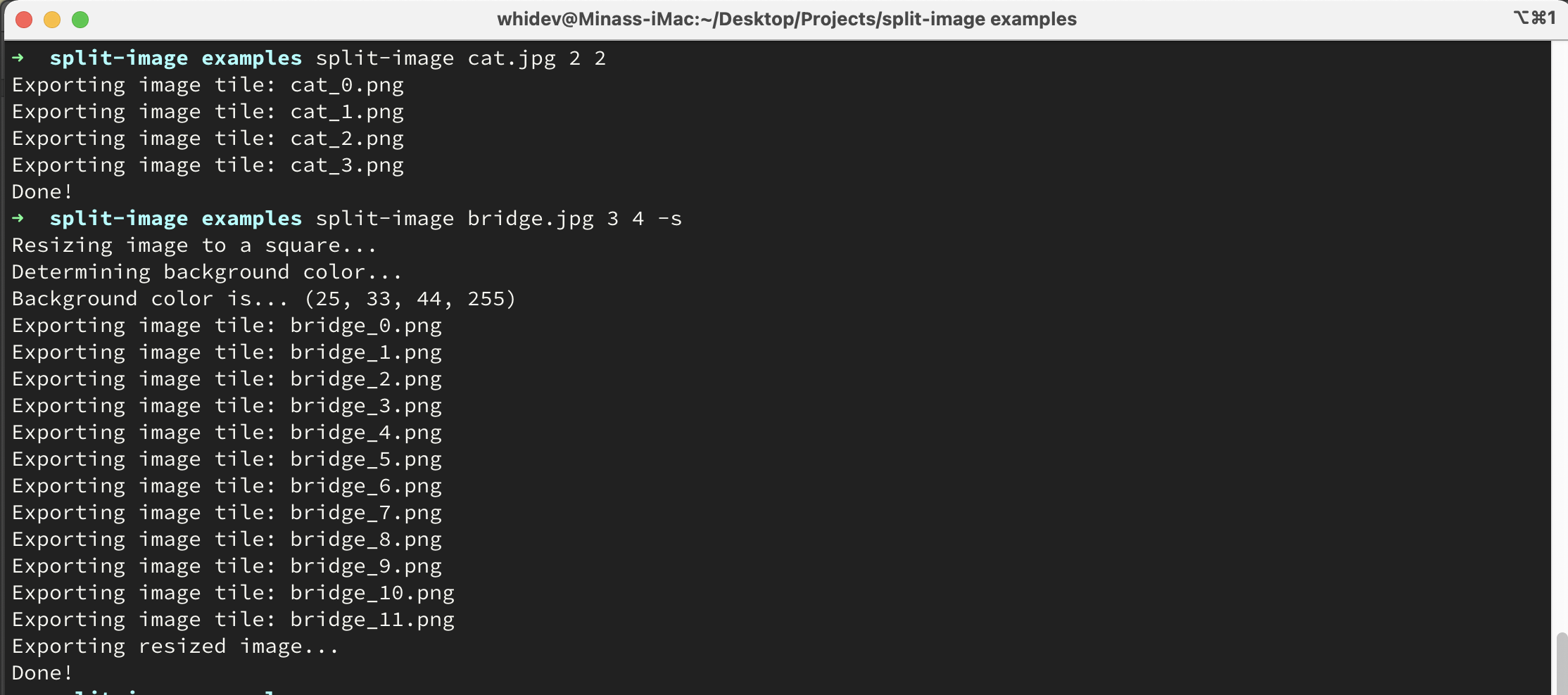
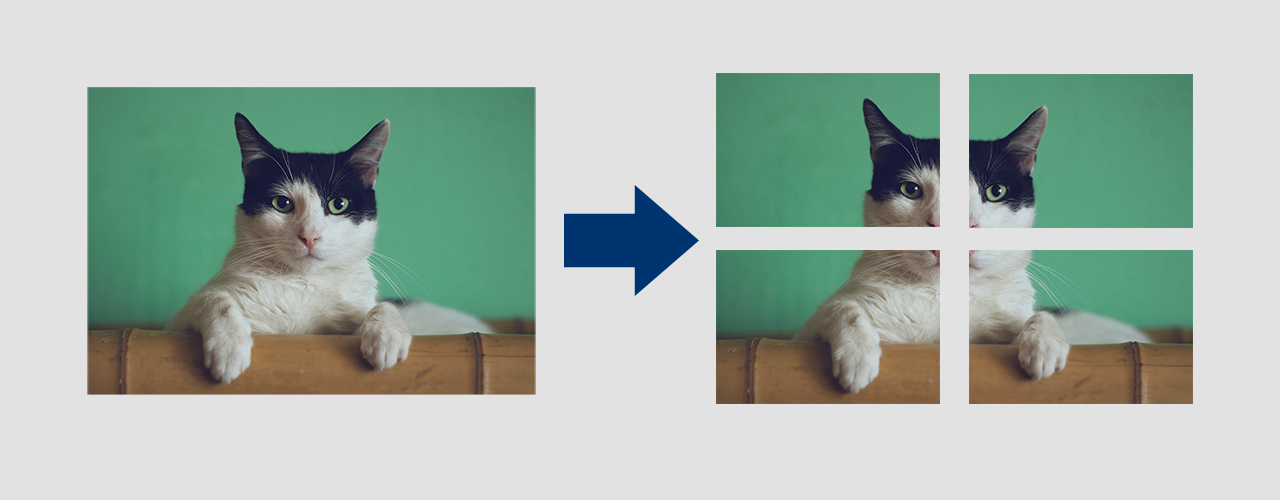
split-image cat.png 2 2
This splits the cat.png image in 4 tiles (2 rows and 2 columns).
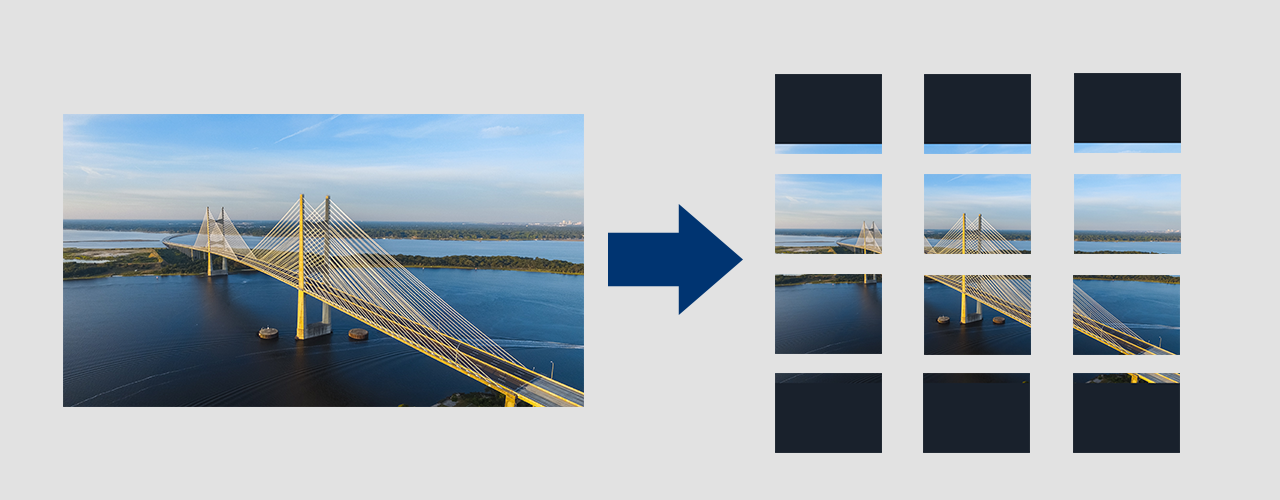
split-image bridge.png 3 4 -s
This splits the bridge.png image in 12 tiles (3 rows and 4 columns). The -square arguments resizes the image into a square before splitting it. The background color used to fill the square is determined from the image automatically.
Other options
Reverse split:
split-image cat.jpg 2 2 -r
Will attempt to merge similarly named image tiles to one image. So, if you have these images in the current directory:
cat_0.jpgcat_1.jpgcat_2.jpgcat_3.jpg
they will be merged according to their file name:
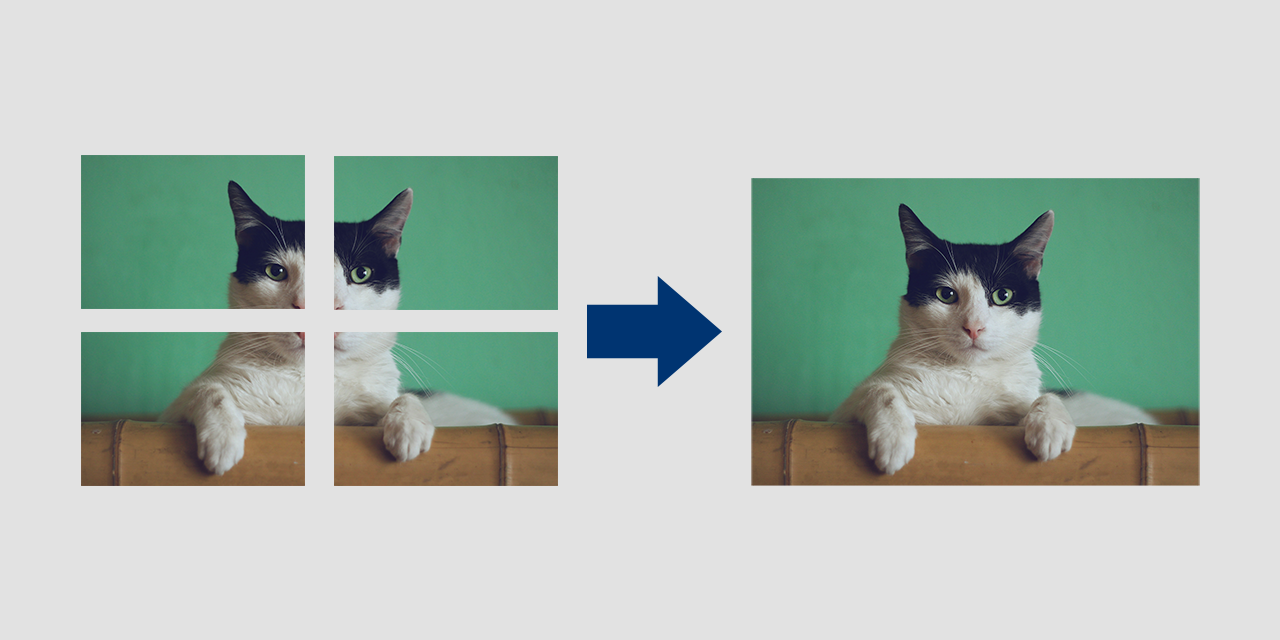
Directory batch process:
split-image image_dir 4 2
Will split all images contained in the image_dir folder.
Cleanup:
split-image test.jpg 4 2 --cleanup
Will delete the original image after the process.
Large images:
split-image test.jpg 4 2 --load-large-images
When working with large images (over 178,956,970 pixels), you may get an error. Pass this flag to override this.
Assign output folder:
split-image test.jpg 2 2 --output-dir <dir-name>
Set the output directory for image tiles (e.g. 'outp/images'). Defaults to the current working directory.
Quiet mode:
split-image test.jpg 3 4 --quiet
Will suppress all log messages (except errors and warnings) when running.
Arguments list:
positional arguments:
  image_path    The path to the image or directory with images to split.
  rows          How many rows to split the image into (horizontal split).
  cols          How many columns to split the image into (vertical split).

optional arguments:
  -h, --help                Show this help message and exit
  -s, --square              If the image should be resized into a square before splitting.
  -r, --reverse             Reverse the splitting process, i.e. merge multiple tiles of an image into one.
  --cleanup                 After splitting or merging, delete the original image/images.
  --load-large-images       Pass this flag for use with really large images.
  --output-dir <dir-name>   Set the output directory for image tiles (e.g. 'outp/images').
  --quiet                   Run without printing any messages.
Cat photo by Manja Vitolic on Unsplash
Bridge photo by Lance Asper on Unsplash
1 maintainer

Release files for split-image 2.0.5
For a detailed explanation of source distributions (sdists) and built distributions (wheels), please see the package formats documentation.
Source distribution (sdist)
| File | Size | Uploaded | |
|---|---|---|---|
| split_image-2.0.5.tar.gz | 7.1 kB | Details |
Built distribution (wheel)
| File | Interpreter | ABI | Platform | Reset |
|---|---|---|---|---|
| split_image-2.0.5-py3-none-any.whl | Python 3 | none | any | Details |
Total release size: 14.4 kB
Release files / split_image-2.0.5.tar.gz
| Download URL | split_image-2.0.5.tar.gz |
|---|---|
| Size | 7.1 kB |
| Tags | Source |
|
SHA-256 checksum How to use checksums |
61d7b3e6201ead43b5c2af141125b6c42506a7a0a49a2eb9a9aeb15a81b2f69d
|
|
BLAKE2b-256 checksum How to use checksums |
098a145e78b7d8f80e9b249c5b02b4c7ef347c5cf18b60561fc58a387a7af609
|
| Upload date | |
|
Uploaded using Trusted Publishing? What is trusted publishing? |
No |
| Uploaded via |
twine/6.2.0 CPython/3.13.7
|
Release files / split_image-2.0.5-py3-none-any.whl
| Download URL | split_image-2.0.5-py3-none-any.whl |
|---|---|
| Size | 7.3 kB |
| Tags | Python 3 |
|
SHA-256 checksum How to use checksums |
2853c743b622f137ab3c667b8488aad0e3939b27505b38d272fa0824d039532b
|
|
BLAKE2b-256 checksum How to use checksums |
849a42a5a12a37ccf89f7b3b7f44fcdd89f0d53d74f2ace62bae5e7fb452e9b3
|
| Upload date | |
|
Uploaded using Trusted Publishing? What is trusted publishing? |
No |
| Uploaded via |
twine/6.2.0 CPython/3.13.7
|














