
⚠️ Stellarmesh is now a community project. Breaking changes are expected until version 1.0
⚠️ See logging to enable logging output when using Jupyter.
Stellarmesh is a meshing library for nuclear workflows. Principally, it supports the creation of DAGMC geometry from CAD models. Stellarmesh is developed by the original authors of Thea-Energy/stellarmesh, CAD-to-DAGMC, and CAD-to-OpenMC.
Features:
- Import of CadQuery, build123d, STEP and BREP geometry
- Correct implementation of surface-sense
- Imprinting and merging of conformal geometry
- Mesh refinement
- Automated testing and integration
- Programatic manipulation of .h5m tags e.g. materials
See the project Roadmap.
Contents
Installation
pip install stellarmesh
or install the development version with:
pip install git+https://github.com/stellarmesh/stellarmesh
Note: Stellarmesh requires an installation of MOAB with pymoab, which is not available on PyPi and must be installed either from source or using Conda.
Usage
Geometry construction
Stellarmesh supports both build123d (recommended) and CadQuery for geometry construction but does not depend on either.
The included examples use build123d. To install, run:
pip install build123d
For documentation and usage examples, see Read the Docs.
Examples
Simple torus geometry
import build123d as bd
import stellarmesh as sm

solids = [bd.Solid.make_torus(1000, 100)]
for _ in range(3):
    solids.append(solids[-1].faces()[0].thicken(100))
solids = solids[1:]

geometry = sm.Geometry(solids, material_names=["a", "a", "c"])
mesh = sm.Mesh.from_geometry(geometry, min_mesh_size=50, max_mesh_size=50)
mesh.write("test.msh")
mesh.render("doc/torus-mesh-reversed.png", rotation_xyz=(90, 0, -90), normals=15)

h5m = sm.DAGMCModel.from_mesh(mesh)
h5m.write("dagmc.h5m")
h5m.write("dagmc.vtk")
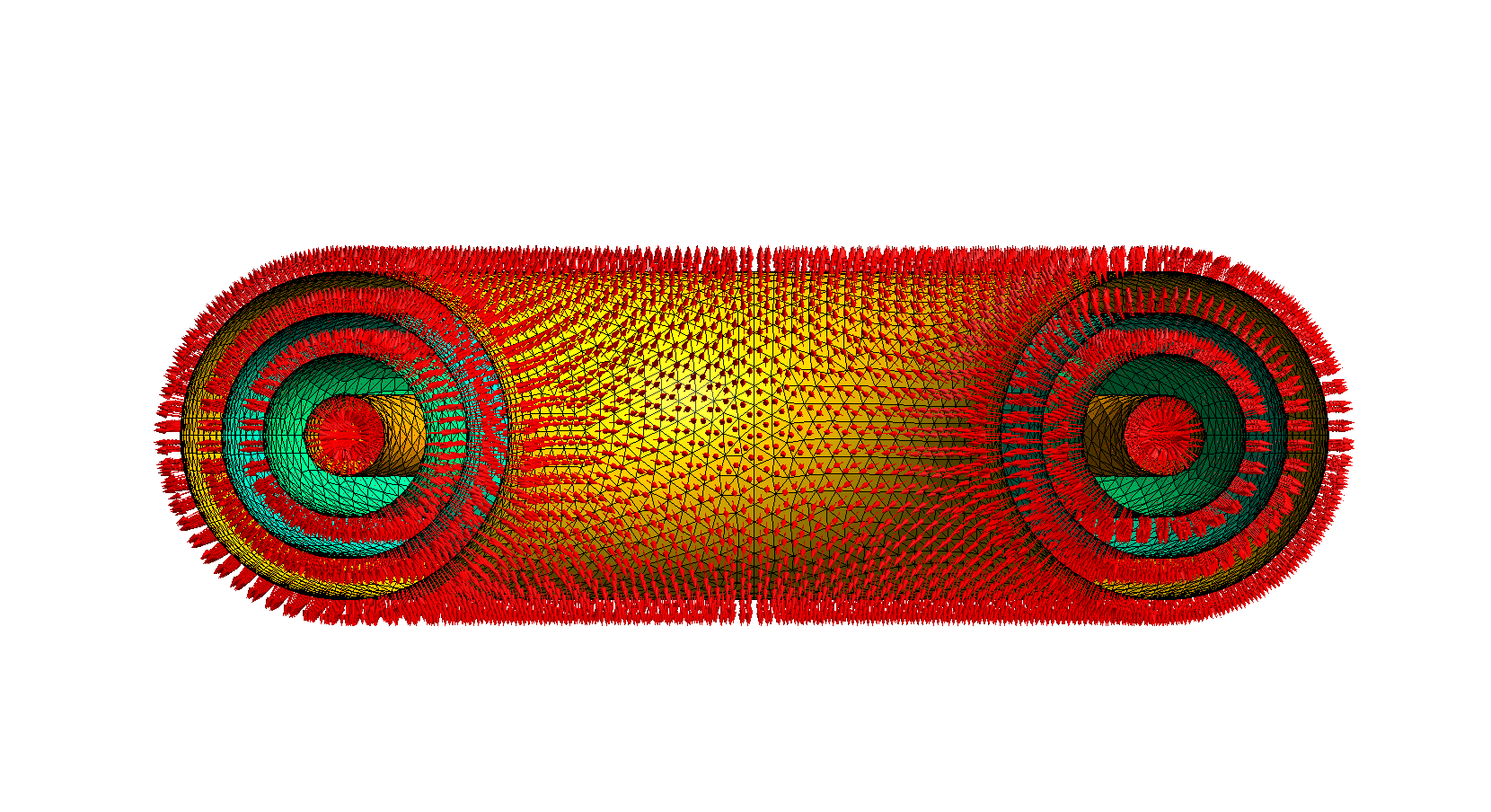
Rendered mesh with normals.
Check overlaps
❯ overlap_check dagmc.h5m

NOTICE:
     Performing overlap check using triangle vertex locations only.
     Use the '-p' option to check more points on the triangle edges.
     Run '$ overlap_check --help' for more information.

Running overlap check:
100% |===============================================================>|+
No overlaps were found.
Check materials
❯ mbsize -ll dagmc.h5m | grep mat:

NAME = mat:a
NAME = mat:c
Check watertight
❯ check_watertight dagmc.h5m

number of surfaces=4
number of volumes=3

0/0 (nan%) unmatched edges
0/4 (0%) unsealed surfaces
0/3 (0%) unsealed volumes
leaky surface ids=
leaky volume ids=
0.173068 seconds
Other
Logging
Stellarmesh uses the logging library for debug, info and warning messages. Set the level with:
import logging

logging.basicConfig() # Required in Jupyter to correctly set output stream
logging.getLogger("stellarmesh").setLevel(logging.INFO)
Mesh refinement
Note: given CAD geometry, Gmsh often produces high-quality meshes that do not benefit from remeshing.
Stellarmesh supports mesh refinement using the mmg library. Refine a mesh with:
refined_mesh = mesh.refine(
  ...
)
and consult the Mesh.refine and mmgs documentations for parameter values.
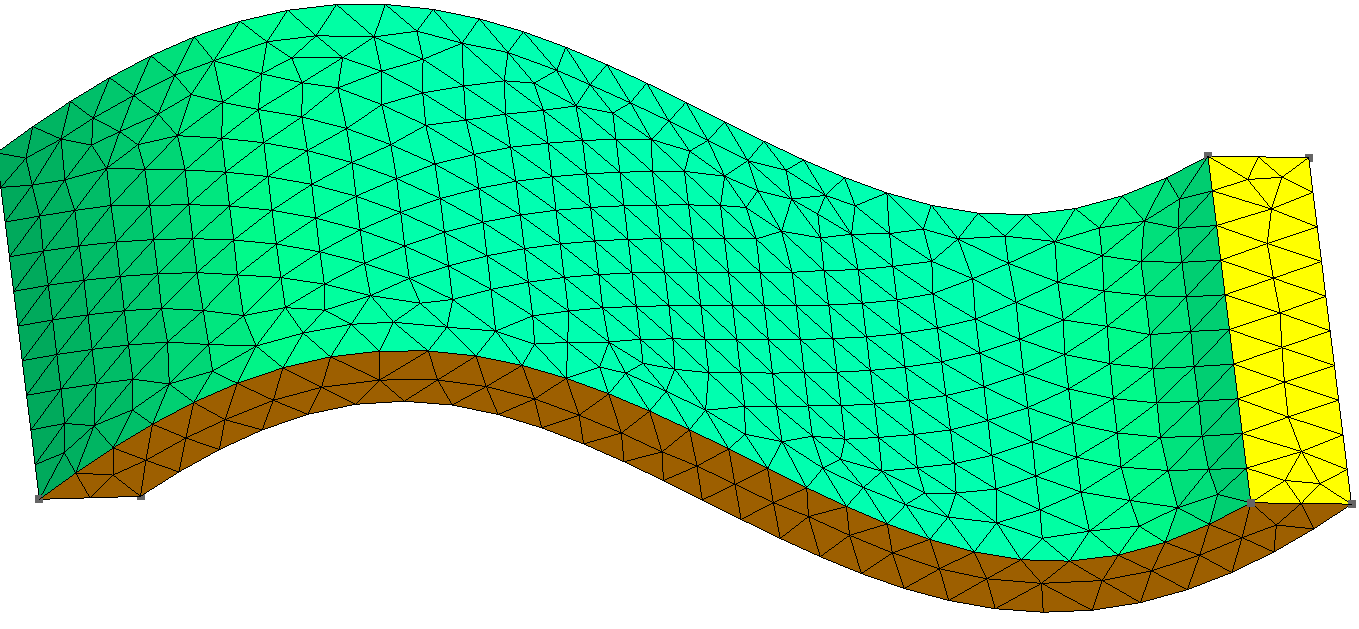
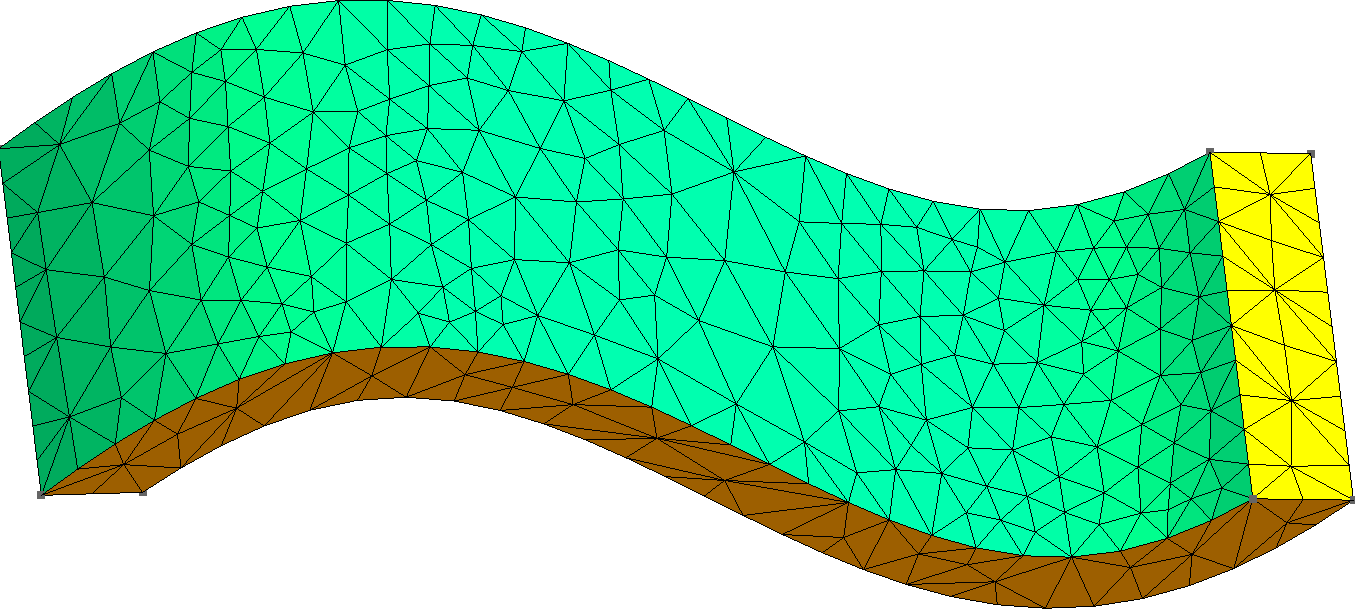
The refined mesh has more triangles in regions with high curvature thanks to the hausdorff parameter.
Many thanks to Erik B. Knudsen for his work on remeshing for CAD-to-OpenMC.
1 maintainer

Metadata
1 maintainer
Release files for stellarmesh 0.4.2
For a detailed explanation of source distributions (sdists) and built distributions (wheels), please see the package formats documentation.
Source distribution (sdist)
| File | Size | Uploaded | Provenance | Actions |
|---|---|---|---|---|
| stellarmesh-0.4.2.tar.gz | 18.1 kB | Without provenance | Details for stellarmesh-0.4.2.tar.gz |
Built distribution (wheel)
| File | Interpreter | ABI | Platform | Actions Reset |
|---|---|---|---|---|
| stellarmesh-0.4.2-py3-none-any.whl | Python 3 | none | any | Details for stellarmesh-0.4.2-py3-none-any.whl |
Total release size: 32.6 kB
Release files / stellarmesh-0.4.2.tar.gz
| Download URL | stellarmesh-0.4.2.tar.gz |
|---|---|
| Size | 18.1 kB |
| Tags | Source |
|
SHA-256 checksum How to use checksums |
6dd1aa95fb4e0d2c8fa6dadb1a1529230d2d7c80e49ab19981e315b4543be9ad
|
|
BLAKE2b-256 checksum How to use checksums |
49ddfec56edf664fab9ea61ca7eb414a810f8dbff64808d1968e8fd8c5ef9b88
|
| Upload date | |
|
Uploaded using Trusted Publishing? What is trusted publishing? |
Yes |
| Uploaded via |
twine/5.1.0 CPython/3.12.4
|
Release files / stellarmesh-0.4.2-py3-none-any.whl
| Download URL | stellarmesh-0.4.2-py3-none-any.whl |
|---|---|
| Size | 14.5 kB |
| Tags | Python 3 |
|
SHA-256 checksum How to use checksums |
2b6f873d1efbcbbe6163b89cf3a0882ecd5d47ca57dd4f6b8abff8e8d3975a56
|
|
BLAKE2b-256 checksum How to use checksums |
88fb59bcf26a23d7162dcafe094e4ec384fe1a238b8f03486ae5449d980c0ee4
|
| Upload date | |
|
Uploaded using Trusted Publishing? What is trusted publishing? |
Yes |
| Uploaded via |
twine/5.1.0 CPython/3.12.4
|
Security for stellarmesh 0.4.2
Provenance
Provenance describes where a file came from. On PyPI, provenance is shared via attestations, which provide a verifiable record of the build or publishing details. View details, limitations and caveats.
No provenance found
None of the files in this release were uploaded with provenance metadata.
A note on package security
PyPI is a repository for distributing packages, not a service for auditing them. While third-party security researchers and our staff do their best to detect and remove malicious packages, PyPI cannot guarantee the quality, security or suitability of any given package.
To learn more about protecting yourself from malicious actors, visit our package security documentation.














