
stenocaptioner


Automatic subtitling tool using whisper.
Dependencies
Installation
Ubuntu
sudo apt-get -y install imagemagick fonts-vlgothic
You will also need to modify the ImageMagick configuration file to comment out the following policy.
sudo vi /etc/ImageMagick-6/policy.xml
  <!--
  <policy domain="path" pattern="@*" rights="none">
  -->
Install with pip.
pip install stenocaptioner
Usage
You can give the url of youtube video as an argument.
stenocaptioner https://www.youtube.com/watch?v=ldybnuFxdiQ --language ja
Options
stenocaptioner --help
usage: stenocaptioner [-h] [--language LANGUAGE] [--model-type {tiny,base,small,medium,large}] [--text-color TEXT_COLOR] [--background-color BACKGROUND_COLOR]
                      [--contour-color CONTOUR_COLOR] [--contour-width CONTOUR_WIDTH] [--font FONT] [--fontsize FONTSIZE] [--fadein-duration FADEIN_DURATION]
                      [--fadeout-duration FADEOUT_DURATION] [--save-text] [--load-text LOAD_TEXT] [--letter-effect {none,typing,arrive,cascade}] [--side-margin SIDE_MARGIN]
                      [--bottom-margin BOTTOM_MARGIN]
                      url

positional arguments:
  url                   URL of the video.

options:
  -h, --help            show this help message and exit
  --language LANGUAGE   Language of the text.
  --model-type {tiny,base,small,medium,large}
                        Whisper model type.
  --text-color TEXT_COLOR
                        Color of the text.
  --background-color BACKGROUND_COLOR
                        Color of the background.
  --contour-color CONTOUR_COLOR
                        Color of the contour.
  --contour-width CONTOUR_WIDTH
                        Width of the contour.
  --font FONT           Font name.
  --fontsize FONTSIZE   Font size.
  --fadein-duration FADEIN_DURATION
                        Duration of the fade-in effect.
  --fadeout-duration FADEOUT_DURATION
                        Duration of the fade-out effect.
  --save-text           Save the transcribed text.
  --load-text LOAD_TEXT
                        Load the transcribed text.
  --letter-effect {none,typing,arrive,cascade}
                        Effect of the letters.
  --side-margin SIDE_MARGIN
                        Margin of the text from the side of the video. It is expressed as a ratio of the width of the image.
  --bottom-margin BOTTOM_MARGIN
                        Margin of the text from the bottom of the video. It is expressed as a ratio of the height of the image.
Original video
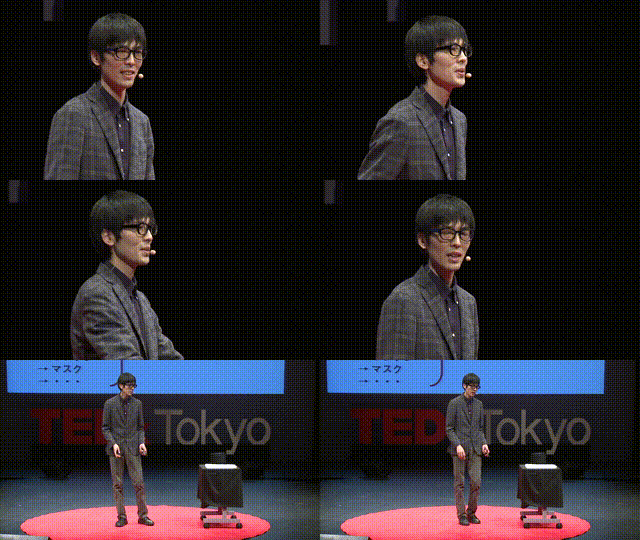
Basic Result

Background color
stenocaptioner https://www.youtube.com/watch?v=ldybnuFxdiQ --language ja --background-color blue
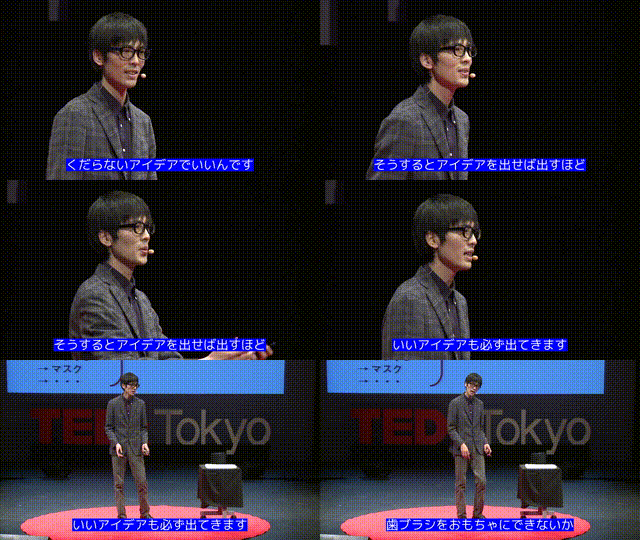
Contour
stenocaptioner https://www.youtube.com/watch?v=ldybnuFxdiQ --language ja --contour-color black

Font
Download https://fontfree.me/3132.
stenocaptioner https://www.youtube.com/watch?v=ldybnuFxdiQ --language ja --font ./gomarice_mukasi_mukasi.ttf

Effect (typing)
stenocaptioner https://www.youtube.com/watch?v=ldybnuFxdiQ --language ja --letter-effect typing
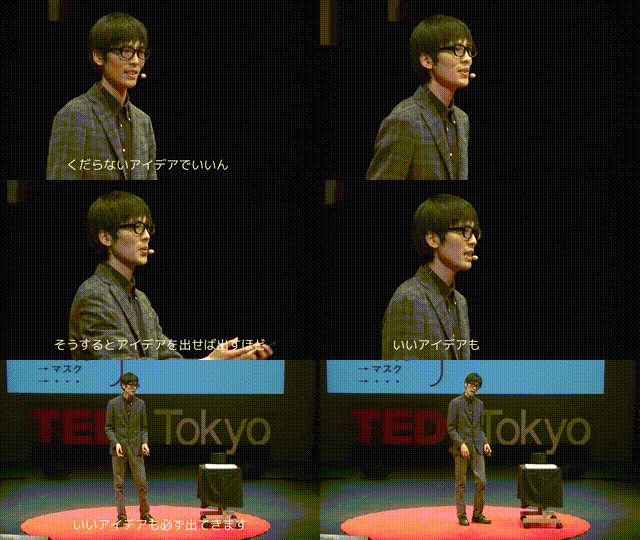
Effect (arrive)
stenocaptioner https://www.youtube.com/watch?v=ldybnuFxdiQ --language ja --letter-effect arrive

Effect (cascade)
stenocaptioner https://www.youtube.com/watch?v=ldybnuFxdiQ --language ja --letter-effect cascade

1 maintainer

Metadata
1 maintainer
Release files for stenocaptioner 0.3.2
For a detailed explanation of source distributions (sdists) and built distributions (wheels), please see the package formats documentation.
Source distribution (sdist)
| File | Size | Uploaded | Provenance | |
|---|---|---|---|---|
| stenocaptioner-0.3.2.tar.gz | 6.2 kB | Without provenance | Details |
Release files / stenocaptioner-0.3.2.tar.gz
| Download URL | stenocaptioner-0.3.2.tar.gz |
|---|---|
| Size | 6.2 kB |
| Tags | Source |
|
SHA-256 checksum How to use checksums |
c8de7477211616531f924a4d41e7e08b65611fc50515cf76e5f85cda62dcc845
|
|
BLAKE2b-256 checksum How to use checksums |
7f12403b04c1ec32d182c9ff13b25a6370f0e4328b8686eea4b5355317e7db1d
|
| Upload date | |
|
Uploaded using Trusted Publishing? What is trusted publishing? |
No |
| Uploaded via |
twine/4.0.2 CPython/3.11.4
|
Security for stenocaptioner 0.3.2
Provenance
Provenance describes where a file came from. On PyPI, provenance is shared via attestations, which provide a verifiable record of the build or publishing details. View details, limitations and caveats.
No provenance found
None of the files in this release were uploaded with provenance metadata.
A note on package security
PyPI is a repository for distributing packages, not a service for auditing them. While third-party security researchers and our staff do their best to detect and remove malicious packages, PyPI cannot guarantee the quality, security or suitability of any given package.














