
This release is a pre-release and may not be stable for production use.



👋 hello
We write your reusable computer vision tools. Whether you need to load your dataset from your hard drive, draw detections on an image or video, or count how many detections are in a zone. You can count on us! 🤝
💻 install
Pip install the supervision package in a Python>=3.8 environment.
pip install supervision
Read more about conda, mamba, and installing from source in our guide.
🔥 quickstart
models
Supervision was designed to be model agnostic. Just plug in any classification, detection, or segmentation model. For your convenience, we have created connectors for the most popular libraries like Ultralytics, Transformers, or MMDetection.
import cv2
import supervision as sv
from ultralytics import YOLO

image = cv2.imread(...)
model = YOLO("yolov8s.pt")
result = model(image)[0]
detections = sv.Detections.from_ultralytics(result)

len(detections)
# 5
👉 more model connectors
-
inference
Running with Inference requires a Roboflow API KEY.
import cv2
import supervision as sv
from inference import get_model

image = cv2.imread(...)
model = get_model(model_id="yolov8s-640", api_key=<ROBOFLOW API KEY>)
result = model.infer(image)[0]
detections = sv.Detections.from_inference(result)

len(detections)
# 5
annotators
Supervision offers a wide range of highly customizable annotators, allowing you to compose the perfect visualization for your use case.
import cv2
import supervision as sv

image = cv2.imread(...)
detections = sv.Detections(...)

box_annotator = sv.BoxAnnotator()
annotated_frame = box_annotator.annotate(
  scene=image.copy(),
  detections=detections)
https://github.com/roboflow/supervision/assets/26109316/691e219c-0565-4403-9218-ab5644f39bce
datasets
Supervision provides a set of utils that allow you to load, split, merge, and save datasets in one of the supported formats.
import supervision as sv
from roboflow import Roboflow

project = Roboflow().workspace(<WORKSPACE_ID>).project(<PROJECT_ID>)
dataset = project.version(<PROJECT_VERSION>).download("coco")

ds = sv.DetectionDataset.from_coco(
    images_directory_path=f"{dataset.location}/train",
    annotations_path=f"{dataset.location}/train/_annotations.coco.json",
)

path, image, annotation = ds[0]
    # loads image on demand

for path, image, annotation in ds:
    # loads image on demand
👉 more dataset utils
-
load
dataset = sv.DetectionDataset.from_yolo(
    images_directory_path=...,
    annotations_directory_path=...,
    data_yaml_path=...
)

dataset = sv.DetectionDataset.from_pascal_voc(
    images_directory_path=...,
    annotations_directory_path=...
)

dataset = sv.DetectionDataset.from_coco(
    images_directory_path=...,
    annotations_path=...
)
-
split
train_dataset, test_dataset = dataset.split(split_ratio=0.7)
test_dataset, valid_dataset = test_dataset.split(split_ratio=0.5)

len(train_dataset), len(test_dataset), len(valid_dataset)
# (700, 150, 150)
-
merge
ds_1 = sv.DetectionDataset(...)
len(ds_1)
# 100
ds_1.classes
# ['dog', 'person']

ds_2 = sv.DetectionDataset(...)
len(ds_2)
# 200
ds_2.classes
# ['cat']

ds_merged = sv.DetectionDataset.merge([ds_1, ds_2])
len(ds_merged)
# 300
ds_merged.classes
# ['cat', 'dog', 'person']
-
save
dataset.as_yolo(
    images_directory_path=...,
    annotations_directory_path=...,
    data_yaml_path=...
)

dataset.as_pascal_voc(
    images_directory_path=...,
    annotations_directory_path=...
)

dataset.as_coco(
    images_directory_path=...,
    annotations_path=...
)
-
convert
sv.DetectionDataset.from_yolo(
    images_directory_path=...,
    annotations_directory_path=...,
    data_yaml_path=...
).as_pascal_voc(
    images_directory_path=...,
    annotations_directory_path=...
)
🎬 tutorials
Want to learn how to use Supervision? Explore our how-to guides, end-to-end examples, cheatsheet, and cookbooks!

Learn how to use computer vision to analyze wait times and optimize processes. This tutorial covers object detection, tracking, and calculating time spent in designated zones. Use these techniques to improve customer experience in retail, traffic management, or other scenarios.
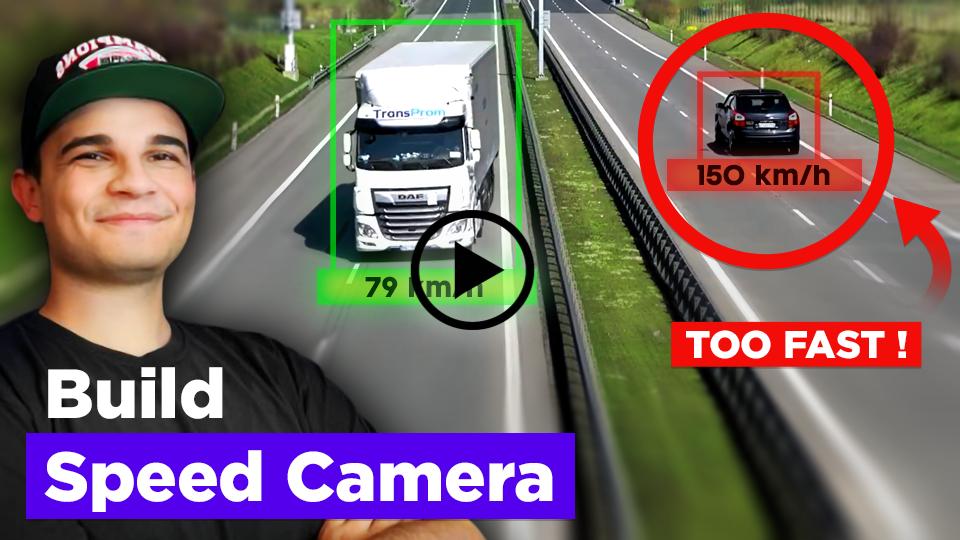
Learn how to track and estimate the speed of vehicles using YOLO, ByteTrack, and Roboflow Inference. This comprehensive tutorial covers object detection, multi-object tracking, filtering detections, perspective transformation, speed estimation, visualization improvements, and more.
💜 built with supervision
Did you build something cool using supervision? Let us know!
https://github.com/roboflow/supervision/assets/26109316/c9436828-9fbf-4c25-ae8c-60e9c81b3900
https://github.com/roboflow/supervision/assets/26109316/3ac6982f-4943-4108-9b7f-51787ef1a69f
📚 documentation
Visit our documentation page to learn how supervision can help you build computer vision applications faster and more reliably.
🏆 contribution
We love your input! Please see our contributing guide to get started. Thank you 🙏 to all our contributors!








1 maintainer

Metadata
1 maintainer
Release files for supervision 0.25.0rc2
For a detailed explanation of source distributions (sdists) and built distributions (wheels), please see the package formats documentation.
Source distribution (sdist)
| File | Size | Uploaded | Provenance | Actions |
|---|---|---|---|---|
| supervision-0.25.0rc2.tar.gz | 142.7 kB | Without provenance | Details for supervision-0.25.0rc2.tar.gz |
Built distribution (wheel)
| File | Interpreter | ABI | Platform | Actions Reset |
|---|---|---|---|---|
| supervision-0.25.0rc2-py3-none-any.whl | Python 3 | none | any | Details for supervision-0.25.0rc2-py3-none-any.whl |
Total release size: 315.9 kB
Release files / supervision-0.25.0rc2.tar.gz
| Download URL | supervision-0.25.0rc2.tar.gz |
|---|---|
| Size | 142.7 kB |
| Tags | Source |
|
SHA-256 checksum How to use checksums |
fac56d7a00596bcb5eb03053d3491b416cc6a1870ab26e37c196e2e9d6c4dc69
|
|
BLAKE2b-256 checksum How to use checksums |
c4a54c0e6b3ccdef8b8e89488cba7191298d5a212a4d03c1e6bf75c874eb5031
|
| Upload date | |
|
Uploaded using Trusted Publishing? What is trusted publishing? |
Yes |
| Uploaded via |
twine/5.1.1 CPython/3.12.7
|
Release files / supervision-0.25.0rc2-py3-none-any.whl
| Download URL | supervision-0.25.0rc2-py3-none-any.whl |
|---|---|
| Size | 173.2 kB |
| Tags | Python 3 |
|
SHA-256 checksum How to use checksums |
10cf131fc49d41e338af8f8981c3b16ac9bc218e0c929593657f35c28005014f
|
|
BLAKE2b-256 checksum How to use checksums |
30a1f89c4ceba25a082660fbd2d4b9daae9389208a49103bfaff1152f788b7e6
|
| Upload date | |
|
Uploaded using Trusted Publishing? What is trusted publishing? |
Yes |
| Uploaded via |
twine/5.1.1 CPython/3.12.7
|
Security for supervision 0.25.0rc2
Provenance
Provenance describes where a file came from. On PyPI, provenance is shared via attestations, which provide a verifiable record of the build or publishing details. View details, limitations and caveats.
No provenance found
None of the files in this release were uploaded with provenance metadata.
A note on package security
PyPI is a repository for distributing packages, not a service for auditing them. While third-party security researchers and our staff do their best to detect and remove malicious packages, PyPI cannot guarantee the quality, security or suitability of any given package.
To learn more about protecting yourself from malicious actors, visit our package security documentation.














